








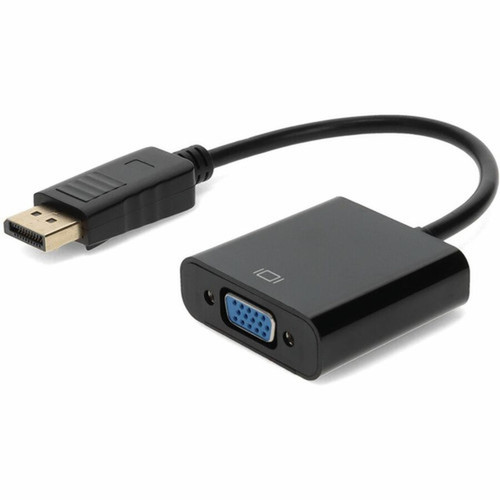


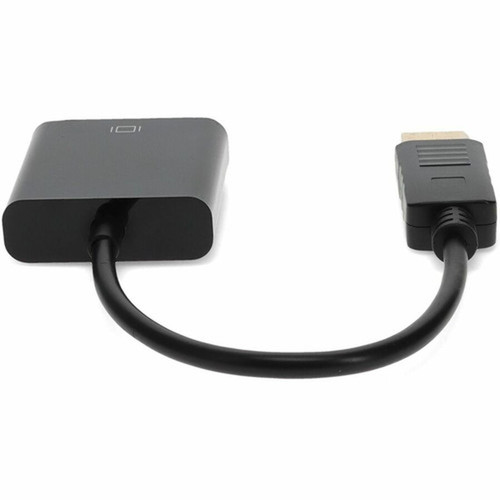

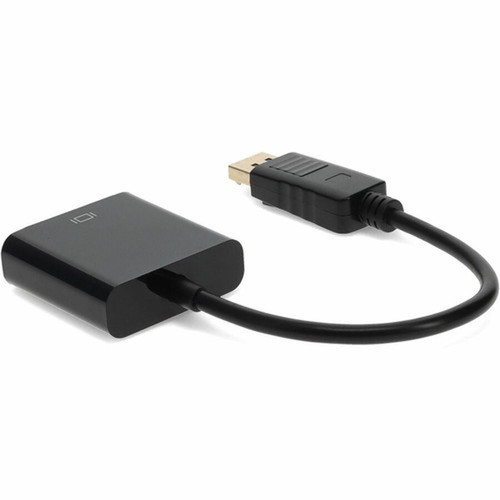

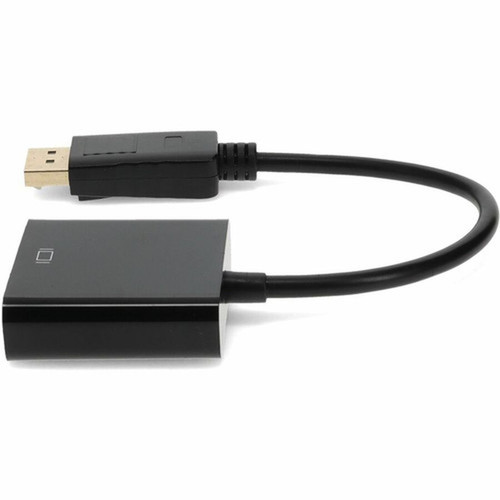
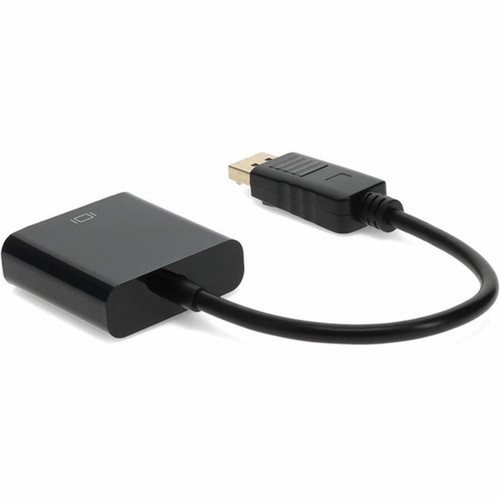
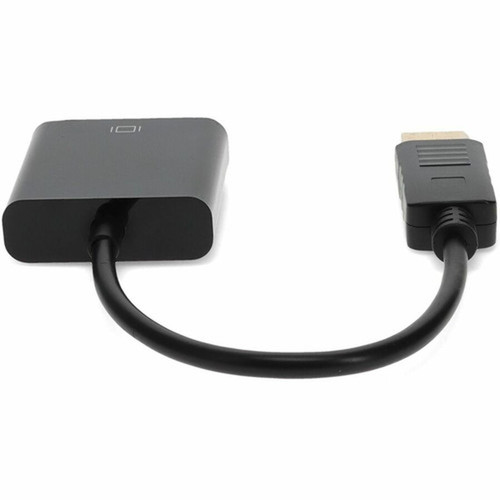
AddOn DISPLAYPORT2VGA DisplayPort 1. 2 Male to VGA Female Adapter - 8" Cable - WUXGA 1920 x 1200 - Black

Business volume discounts
Technical guidance
Preparation & staging
QC · ON · AB · BC
Product Features
Technical Overview
This adapter supports DisplayPort 1.2 specifications and requires a DP++ (DisplayPort++) compatible source to function properly. DP++ capability allows the source device to output both native DisplayPort signals and converted analog signals through the same port, which is essential for this adapter's operation. The adapter handles video signals up to WUXGA resolution (1920x1200), making it suitable for most business and educational display applications where high-definition content isn't required.
The HD-15 female VGA connector follows the standard 15-pin configuration, ensuring compatibility with virtually all VGA cables and displays manufactured over the past three decades. The DisplayPort male connector features the standard 20-pin configuration with full mechanical compatibility for secure connections. While this adapter doesn't support audio transmission (VGA is video-only), it maintains stable video signal conversion without requiring external power or drivers.
Key Product Advantages
The AddOn DISPLAYPORT2VGA adapter bridges the gap between modern digital video outputs and legacy analog displays, offering several practical advantages for IT departments, educational institutions, and business environments maintaining mixed-generation equipment.
Legacy Display Support
Enables continued use of VGA monitors, projectors, and video walls with newer computers and laptops that only feature DisplayPort outputs, protecting existing hardware investments.
- Extends lifespan of VGA equipment
- Reduces replacement costs
- Maintains compatibility across generations
Reliable Signal Conversion
Provides stable analog video output from digital DisplayPort sources with support for resolutions up to 1920x1200, sufficient for most presentation and desktop applications.
- WUXGA resolution support
- No external power required
- Maintains signal integrity
Compact Installation
The 8-inch integrated cable allows for clean installations in space-constrained environments while eliminating the bulk of separate adapter-and-cable combinations.
- Integrated cable design
- Minimizes desk clutter
- Flexible positioning options
Deployment / Use Cases
This adapter serves multiple practical applications in environments where display technology evolves at different rates than computing equipment. Its primary value lies in maintaining functionality during technology transitions and budget-constrained upgrade cycles.
In corporate and educational settings, this adapter enables newer laptops with DisplayPort outputs to connect to existing conference room projectors, training room displays, or desktop monitors that still use VGA inputs. IT departments can standardize on modern computers while gradually phasing out older displays, avoiding the immediate cost of replacing all display equipment simultaneously. The adapter also proves valuable for temporary setups, loaner equipment, or emergency replacements where compatibility takes priority over optimal video quality.
Conference Room Compatibility
Connect modern laptops to older conference room projectors and displays during presentations, meetings, and training sessions without requiring equipment upgrades.
Educational Technology
Enable classroom computers with DisplayPort outputs to work with existing VGA monitors and projectors, supporting blended technology environments in schools and universities.
Highlights
- Converts DisplayPort 1.2 male to VGA female for legacy display compatibility
- Supports resolutions up to WUXGA 1920x1200 for clear video output
- Requires DP++ compatible source device for proper operation
- 8-inch integrated cable provides installation flexibility in tight spaces
- HD-15 female VGA connector accepts standard VGA cables
- DisplayPort male connector follows standard 20-pin configuration
- Black housing blends with professional environments
- 3-year limited warranty for reliable long-term use
- Plug-and-play operation without drivers or external power
- Ideal for connecting modern computers to older monitors and projectors
Specifications
| Specifications | |
|---|---|
| Manufacturer | AddOn |
| Manufacturer Part Number | DISPLAYPORT2VGA |
| Brand Name | AddOn |
| Product Name | Displayport to VGA Converter Adapter - Male to Female |
| Product Type | Video Cable |
| Technical Information | |
| Cable Type | DisplayPort/VGA |
| Cable Length | 8" (204.22 mm) |
| Connector Type on First End | DisplayPort Digital Audio/Video - Male |
| Connector on First End Details | 1 x DisplayPort Digital Audio/Video - Male |
| Connector Type on Second End | HD-15 - Female |
| Connector on Second End Details | 1 x 15-pin HD-15 - Female |
| Device Supported | Video Device,Monitor |
| Physical Characteristics | |
| Color Family | Black |
| Product Color | Black |
| Warranty | |
| Limited Warranty | 3 Year |
User Manual
FAQ
What devices are compatible with this DisplayPort to VGA adapter?
This adapter works with any DisplayPort 1.2 source device that supports DP++ (DisplayPort++) output, including most modern laptops, desktop computers, and graphics cards. It connects to VGA displays, projectors, and video devices through standard VGA cables. The source must specifically support DP++ to enable analog signal conversion through the DisplayPort port.
Does this adapter require external power or drivers?
No, this adapter operates as a plug-and-play device without requiring external power sources, batteries, or software drivers. It draws minimal power directly from the DisplayPort connection and converts signals passively. Simply connect the DisplayPort end to your source device and attach a VGA cable to the female VGA port.
What is DP++ and why is it required?
DP++ (DisplayPort++) is a feature that allows DisplayPort sources to output both native digital DisplayPort signals and converted analog signals (like VGA) through the same physical port. This adapter requires a DP++ compatible source because it needs the source to provide analog signal conversion capabilities. Most DisplayPort 1.2 and newer devices support DP++, but you should verify your specific device's specifications.
Can this adapter transmit audio along with video?
No, this adapter only transmits video signals. VGA is an analog video-only interface that doesn't support audio transmission. If you need audio with your display connection, you'll need to use a separate audio cable from your source device to your display's audio input, or choose a different adapter that supports audio-over-HDMI or DisplayPort with audio.
What warranty comes with this adapter?
The AddOn DISPLAYPORT2VGA adapter includes a 3-year limited warranty that covers manufacturing defects and workmanship issues. This warranty provides assurance of product reliability for business and institutional deployments where consistent performance is essential. Always retain your purchase documentation for warranty claims.
What refresh rate or brightness details are available?
Display-oriented products are best judged through screen, connectivity, and installation specifications. Those facts help buyers confirm visual fit, mounting flexibility, and deployment suitability more clearly than generic summary text.
What input or connectivity options are listed?
Connectivity options include DisplayPort Digital Audio/Video - Male, helping the product integrate into common office or home setups.
Does the display support VESA mounting or adjustment features?
Display-oriented products are best judged through screen, connectivity, and installation specifications. Those facts help buyers confirm visual fit, mounting flexibility, and deployment suitability more clearly than generic summary text.
| Qty | Price | Available |
|---|


