









Shipping included*
Exclusions
Additional shipping fees may apply in rare circumstances for deliveries outside standard service areas. In most cases, this only potentially affects shipments to the Northwest Territories and Yukon, as well as certain heavy or oversized items.
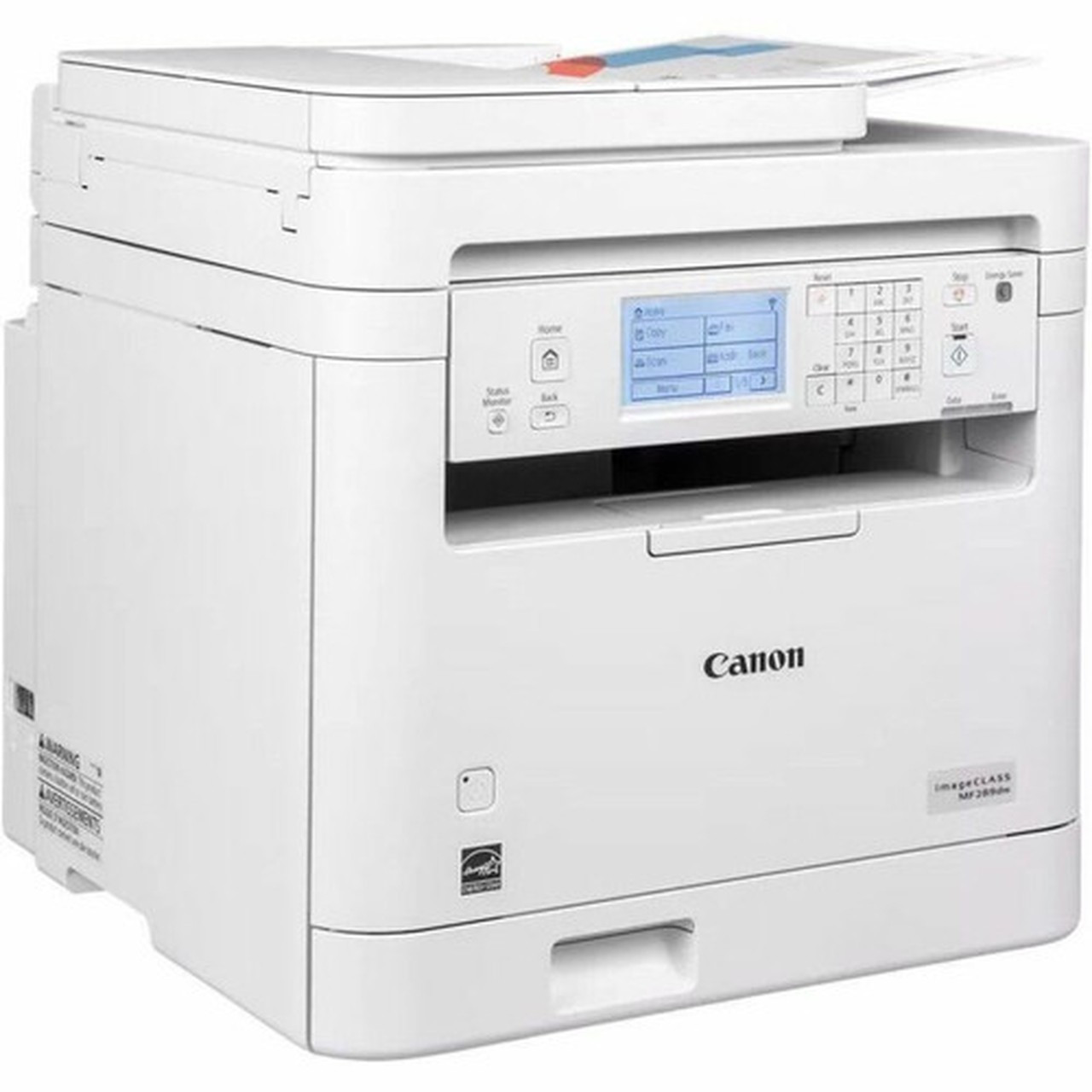
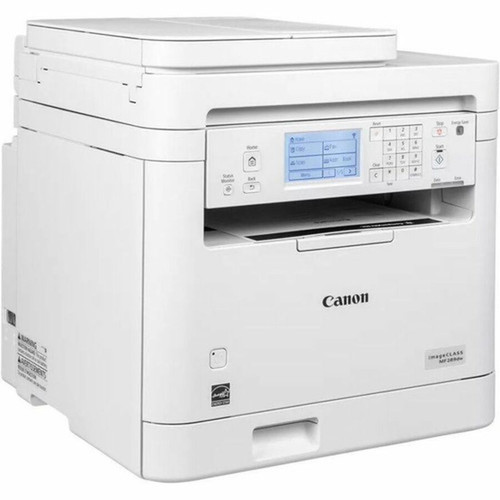
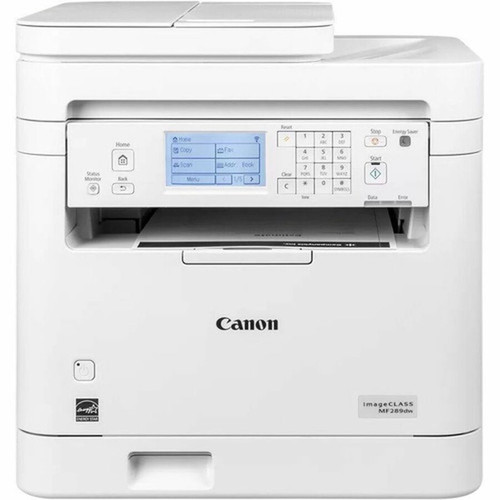
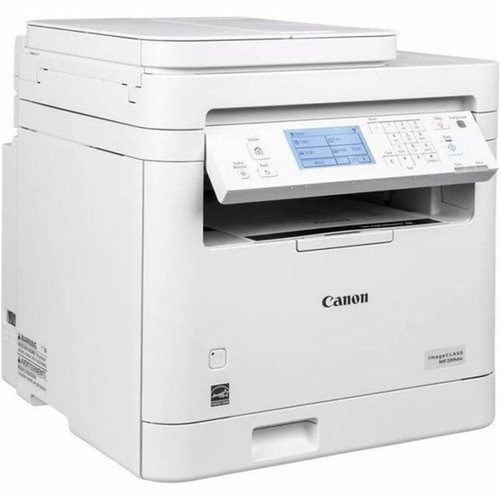
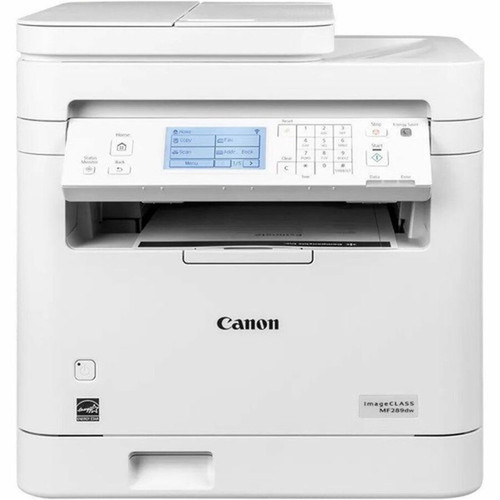
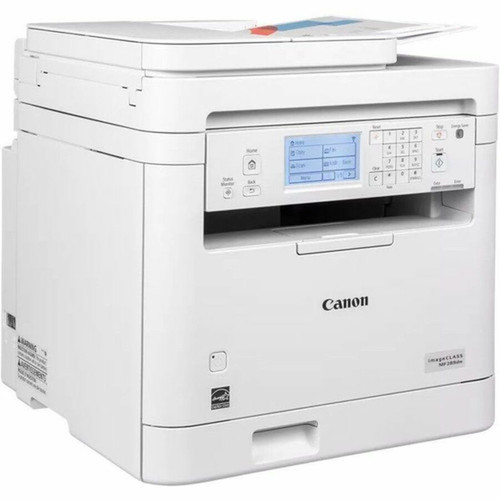
Canon 6354C005 imageCLASS MF289dw Laser MFP - Monochrome - 35 ppm - 250-Sheet - Wired & Wireless - White

Business volume discounts
Technical guidance
Preparation & staging
QC · ON · AB · BC
Product Features
Technical Overview
The MF289dw employs a monochrome laser engine producing 600 x 600 dpi resolution for sharp text and detailed graphics. Print language support includes UFRII, PCL 5, and PCL 6 emulations, ensuring compatibility with a wide range of business applications and document types. The device is rated for a monthly duty cycle of 350 to 2500 pages, positioning it as a workhorse for consistent office use.
Connectivity is comprehensive, featuring both wired and wireless options. A Fast Ethernet port enables stable network integration, while Wi-Fi 802.11b/g/n supports flexible placement. Mobile printing is facilitated through Apple AirPrint, Mopria Print Service, and Canon Printer Service, allowing direct printing from smartphones, tablets, and laptops without driver installation. Security protocols include TLS 1.3 and SNMPv3 for protected network communication.
Relevant factors for this section include Multifunction Devices, Recommended Use, First Print Speed, USB. When those points are considered together, they give buyers a clearer picture of how the product is equipped, how it fits into deployment, and what kind of day-to-day role it is meant to support.
Key Product Advantages
This multifunction printer delivers tangible efficiency gains through its combination of speed, media handling, and connectivity. The 35 ppm output rate keeps pace with demanding print queues, while the substantial paper capacity reduces interruptions. Automatic duplex printing is a standard feature, promoting paper conservation without manual intervention.
Wireless Flexibility
Built-in Wi-Fi and mobile printing standards eliminate cable dependencies, enabling placement anywhere within network range and straightforward printing from personal devices.
- Apple AirPrint for iOS/iPadOS
- Mopria for Android
- Canon Printer Service
Office-Ready Design
The 3.5-inch LCD touchscreen simplifies operation, and the compact dimensions fit comfortably on desktops or dedicated printer stands.
- Intuitive touch interface
- White professional finish
- Quiet laser operation
Deployment / Use Cases
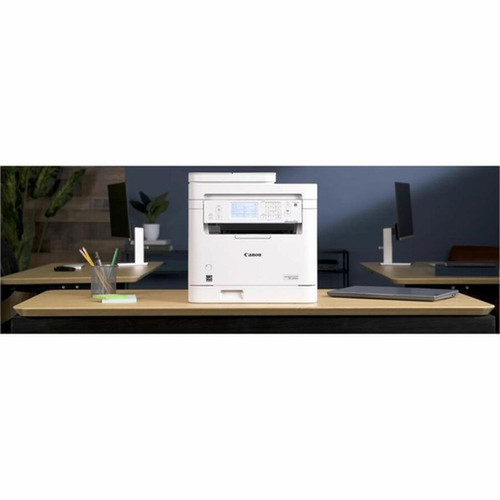
The Canon MF289dw is optimally deployed in small to medium offices, home offices with higher-volume needs, and departmental workgroups where shared printing, copying, scanning, and faxing are required. Its balanced performance and connectivity suit environments that prioritize reliability and ease of use over specialized high-volume production.
Typical use cases include general office document printing, contract and report production, scanning documents to digital formats, sending and receiving faxes, and creating copies of multi-page documents. The device handles plain paper media in standard sizes from Letter to legal-length documents, making it versatile for various business document types.
Small Office Workhorse
Ideal for offices with 5-15 users needing a dependable central printer for daily reports, correspondence, and client documents.
Departmental MFP
Serves as a shared resource for accounting, HR, or administrative teams requiring printing, scanning, and copying capabilities.
Physical Profile
The MF289dw features a compact design measuring 15.5" H x 15.4" W x 15.7" D, with a weight of approximately 27.6 lbs. The white finish maintains a professional appearance that blends with modern office decor. The form factor is optimized for desktop placement, though it can also be positioned on a dedicated printer stand. The integrated control panel with LCD touchscreen is centrally located for easy access.
- Width
- 15.40" (391.16 mm)
- Depth
- 15.70" (398.78 mm)
- Height
- 15.50" (393.70 mm)
- Weight
- 27.60 lb (12519.15 g)
What's in the Box
The package includes the Canon imageCLASS MF289dw multifunction printer with a pre-installed Cartridge 072 Black starter toner (approximately 1,000-page yield), power cord, telephone cable for fax functionality, and essential documentation.
Highlights
- 35 ppm monochrome print speed for fast document output
- 250-sheet input capacity reduces paper reloading frequency
- Automatic duplex printing cuts paper costs by 50%
- Wired and wireless connectivity including Wi-Fi 802.11b/g/n
- Mobile printing via Apple AirPrint, Mopria, and Canon Printer Service
- Multifunction capabilities: print, copy, scan, and fax
- 3.5-inch LCD touchscreen for intuitive operation
- Compact white design suitable for office environments
- Supports Letter, 3" x 5", and 8.5" x 14" media sizes
- Energy Star certified and EPEAT Silver environmental rating
Specifications
| Specifications | |
|---|---|
| Manufacturer | Canon, Inc |
| Manufacturer Part Number | 6354C005 |
| Brand Name | Canon |
| Product Line | imageCLASS |
| Product Model | MF289dw |
| Product Name | imageCLASS MF289dw - All in One, Wireless, Duplex Laser Printer |
| Product Type | Laser Multifunction Printer |
| Technical Information | |
| Multifunction Devices | Copier/Fax/Printer/Scanner |
| Recommended Use | Plain Paper Print |
| First Print Speed | 4.9 Second Monochrome |
| Print Color Capability | Monochrome |
| Maximum Mono Print Speed (ppm) | 35 |
| Maximum Print Resolution (dpi) | 600 x 600 |
| Wireless Print Technology | Canon Printer Service,Apple AirPrint,Mopria Print Service |
| Duplex Printing | Automatic |
| Mobile Device Printing | Yes |
| Connectivity Technology | Wired & Wireless |
| Interfaces/Ports | |
| USB | Yes |
| Network & Communication | |
| Ethernet | Yes |
| Ethernet Technology | Fast Ethernet |
| Wireless LAN | Yes |
| Wireless LAN Standard | IEEE 802.11b/g/n |
| Supported Network Protocols | TLS 1.3,SNMPv3 |
| Display & Graphics | |
| Display Screen Type | LCD |
| Touchscreen | Yes |
| Scanner | |
| Optical Resolution (dpi) | 600 x 600 |
| Copier | |
| Maximum Copy Resolution (dpi) | 600 x 600 |
| Media Types & Handling | |
| Media Type | Plain Paper |
| Media Size | Letter,3" (76.20 mm) x 5" (127 mm),8.50" (215.90 mm) x 14" (355.60 mm) |
| Media Handling | 1 x 50 Sheet Tray |
| Standard Input Media Capacity | 250 sheets |
| Fonts & Emulation | |
| Language Emulation | UFRII,PCL 5,PCL 6 |
| Reliability | |
| Recommended Monthly Print Volume | 350 to 2500 |
| Software | |
| Operating System Supported | Windows 10 Windows 11 Chrome OS macOS 10.14 (or later) iOS iPadOS |
| Power Description | |
| Power Source | AC Supply |
| Physical Characteristics | |
| Product Color | White |
| Height | 15.50" (393.70 mm) |
| Width | 15.40" (391.16 mm) |
| Depth | 15.70" (398.78 mm) |
| Weight (Approximate) | 27.60 lb (12519.15 g) |
| Miscellaneous | |
| Package Contents | imageCLASS MF289dw - All in One, Wireless, Duplex Laser Printer Cartridge 072 Black Starter (Installed), Approx. 1,000 Page Yield Power Cord Telephone Cable Documentation |
| Energy Star | Yes |
| Environmentally Friendly | Yes |
| Environmental Certification | Electronic Product Environmental Assessment Tool Silver (EPEAT Silver) |
| Warranty | |
| Limited Warranty | 1 Year |
User Manual
FAQ
What is the print speed of the Canon MF289dw?
The Canon MF289dw prints at a maximum speed of 35 pages per minute for monochrome documents. This speed is maintained for standard office documents, with a first print time of just 4.9 seconds from sleep mode, ensuring quick response when printing tasks are initiated.
How much paper can the printer hold?
The standard input capacity is 250 sheets, housed in a single 50-sheet tray. This capacity is designed to handle typical daily printing volumes for small to medium offices without frequent paper replenishment, supporting media sizes including Letter, 3" x 5", and 8.5" x 14".
Does this printer support wireless printing?
Yes, the MF289dw includes both wired and wireless connectivity. It features Wi-Fi 802.11b/g/n for network connection and supports mobile printing standards such as Apple AirPrint for iOS/iPadOS devices, Mopria Print Service for Android, and Canon Printer Service for additional compatibility.
Can it print on both sides of the paper automatically?
Yes, automatic duplex printing is a standard feature. This allows the printer to automatically print on both sides of the paper without manual intervention, effectively reducing paper consumption and costs by up to 50% for double-sided documents.
What functions does this multifunction printer perform?
The MF289dw is a true all-in-one device that performs printing, copying, scanning, and faxing. The scanner operates at 600 x 600 dpi optical resolution, and the copier matches this resolution. Fax functionality is supported via the included telephone cable connection.
What operating systems are compatible with this printer?
The printer supports Windows 10, Windows 11, Chrome OS, macOS 10.14 or later, iOS, and iPadOS. This broad compatibility ensures it can be integrated into mixed-device environments, with drivers and utilities available for each platform to enable full functionality.