





Shipping included*
Exclusions
Additional shipping fees may apply in rare circumstances for deliveries outside standard service areas. In most cases, this only potentially affects shipments to the Northwest Territories and Yukon, as well as certain heavy or oversized items.
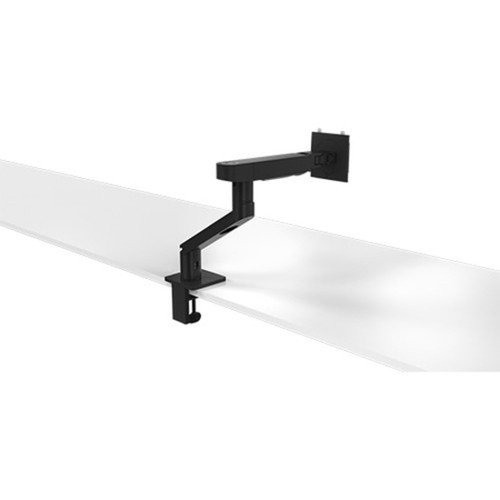
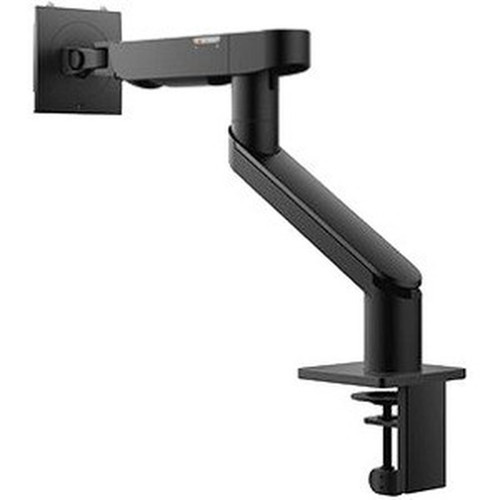
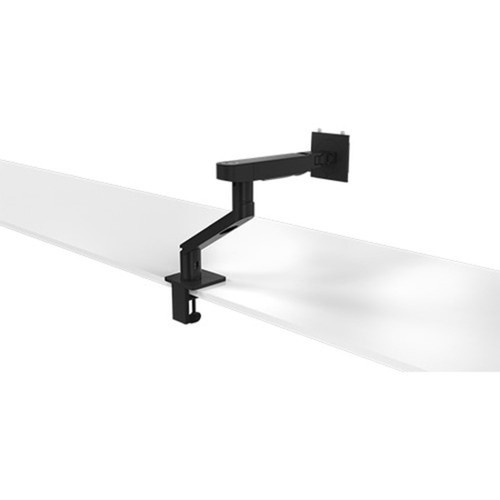
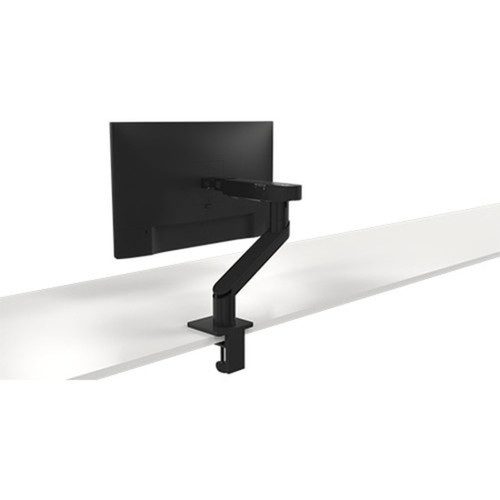
Dell DELL-MSA20 Single Arm Monitor Mounting Arm - Full Motion Adjustable Height Tilt Swivel

Business volume discounts
Technical guidance
Preparation & staging
QC · ON · AB · BC
Product Features
Product Overview
The Dell DELL-MSA20 Single Arm Monitor Mounting Arm delivers professional-grade ergonomic flexibility for modern workstation setups. Designed specifically for single display configurations, this mounting solution enables precise positioning to reduce neck and eye strain while maximizing desk space efficiency.
Engineered by Dell Technologies, the MSA20 arm supports standard VESA-compatible monitors and provides smooth, stable articulation across multiple adjustment axes. The robust construction ensures reliable performance in office, home office, or commercial environments where monitor placement directly impacts productivity and comfort.
Relevant factors for this section include Device Supported, Limited Warranty. When those points are considered together, they give buyers a clearer picture of how the product is equipped, how it fits into deployment, and what kind of day-to-day role it is meant to support.
Technical Overview
This Dell mounting arm incorporates full-motion mechanical joints that allow comprehensive monitor positioning. The arm supports height adjustment to align the screen with the user's eye level, tilt functionality for optimal viewing angles, and swivel capability for easy screen sharing or multi-task orientation.
The single-arm design is engineered for monitors within standard weight and size ranges, providing a clean cable management pathway to maintain an organized workspace. The mounting hardware includes both desk clamp and grommet mounting options for flexible installation on various work surfaces.
Relevant factors for this section include Device Supported, Limited Warranty. When those points are considered together, they give buyers a clearer picture of how the product is equipped, how it fits into deployment, and what kind of day-to-day role it is meant to support.
A strong technical summary explains how the product's interfaces, hardware profile, and operating characteristics work together in real deployment. Buyers often need this context to confirm compatibility with existing devices, expected performance in daily use, and whether installation will be straightforward for IT staff or end users.
Key Product Advantages
The Dell MSA20 monitor arm transforms static desk setups into dynamic, ergonomic workstations. By enabling precise screen positioning, this mounting solution directly addresses common workplace comfort issues while creating a more professional and organized appearance.
Ergonomic Positioning
Full range of motion adjustments allows users to position their monitor at the exact height, angle, and orientation that minimizes strain on the neck, shoulders, and eyes during extended use.
- Height adjustment for eye-level alignment
- Tilt for optimal viewing angle
- Swivel for easy screen sharing
Space Optimization
The single-arm design lifts the monitor off the desk surface, freeing up valuable workspace for documents, peripherals, or other essential items while maintaining a clean, professional appearance.
- Clears desk surface area
- Integrated cable management
- Clean, minimalist aesthetic
Deployment / Use Cases
The Dell DELL-MSA20 mounting arm is ideally suited for individual workstations where monitor positioning significantly impacts daily productivity and comfort. The single-arm configuration makes it perfect for standard office setups, home offices, reception areas, and specialized work environments requiring precise screen placement.
This mounting solution excels in scenarios where users need to frequently adjust their viewing angle throughout the day, such as collaborative work sessions that require screen sharing, or tasks that benefit from alternating between sitting and standing positions. The robust construction ensures reliable performance in both corporate and personal workspace applications.
Corporate Workstations
Standardize ergonomic monitor positioning across office environments to reduce workplace strain complaints and create a consistent, professional appearance throughout the organization.
Home Office Solutions
Transform limited desk space into an efficient, comfortable working environment with adjustable monitor placement that adapts to different tasks and user preferences throughout the workday.
Highlights
- Single arm monitor mounting solution from Dell Technologies
- Full motion adjustment with height, tilt, and swivel capabilities
- Designed for standard VESA-compatible monitors
- Ergonomic positioning to reduce neck and eye strain
- Space-saving design that frees up valuable desk surface
- Integrated cable management for a clean workspace appearance
- Desk clamp and grommet mounting options included
- Backed by a 3-year limited warranty from Dell
Specifications
| Specifications | |
|---|---|
| Manufacturer | Dell Technologies |
| Manufacturer Part Number | DELL-MSA20 |
| Brand Name | Dell |
| Product Name | Single Arm Monitor - MSA20 |
| Product Type | Mounting Arm |
| Product Information | |
| Device Supported | Monitor |
| Warranty | |
| Limited Warranty | 3 Year |
FAQ
What type of monitors is the Dell MSA20 mounting arm compatible with?
The Dell MSA20 mounting arm is designed for standard VESA-compatible monitors. It supports single display configurations within typical weight and size ranges for office and home office use. The arm's mounting plate accommodates standard VESA patterns commonly found on business-class monitors from Dell and other manufacturers.
What adjustment capabilities does this Dell monitor arm provide?
This Dell mounting arm offers full motion adjustment across three axes: height adjustment to align the screen with the user's eye level, tilt functionality for optimal viewing angles, and swivel capability for easy screen sharing or multi-task orientation. These adjustments work together to create an ergonomic viewing position that reduces strain during extended computer use.
How is the Dell MSA20 monitor arm installed?
The Dell MSA20 includes both desk clamp and grommet mounting options for flexible installation. The desk clamp attaches to the edge of work surfaces up to 3 inches thick, while the grommet mounting option works with standard desk cable management holes. Both methods provide secure, stable support without requiring permanent modifications to the workstation.
What warranty coverage comes with the Dell MSA20 mounting arm?
Dell provides a 3-year limited warranty for the MSA20 mounting arm. This warranty covers defects in materials and workmanship under normal use conditions. For warranty service or support, customers should contact Dell Technologies directly with their manufacturer part number DELL-MSA20 and proof of purchase.
Does this mounting arm include cable management features?
Yes, the Dell MSA20 features integrated cable management that routes power and video cables along the arm structure to keep them organized and out of sight. This creates a clean, professional appearance while preventing cable clutter on the desk surface and reducing tripping hazards in the workspace.
What are the primary benefits of using a monitor arm like the Dell MSA20?
The Dell MSA20 monitor arm provides three key benefits: ergonomic improvement through adjustable positioning that reduces neck and eye strain, space optimization by freeing up valuable desk surface area, and professional appearance with clean cable management and a minimalist aesthetic. These benefits combine to create a more comfortable, efficient, and organized workstation environment.
| Qty | Price | Available |
|---|