









Shipping included*
Exclusions
Additional shipping fees may apply in rare circumstances for deliveries outside standard service areas. In most cases, this only potentially affects shipments to the Northwest Territories and Yukon, as well as certain heavy or oversized items.
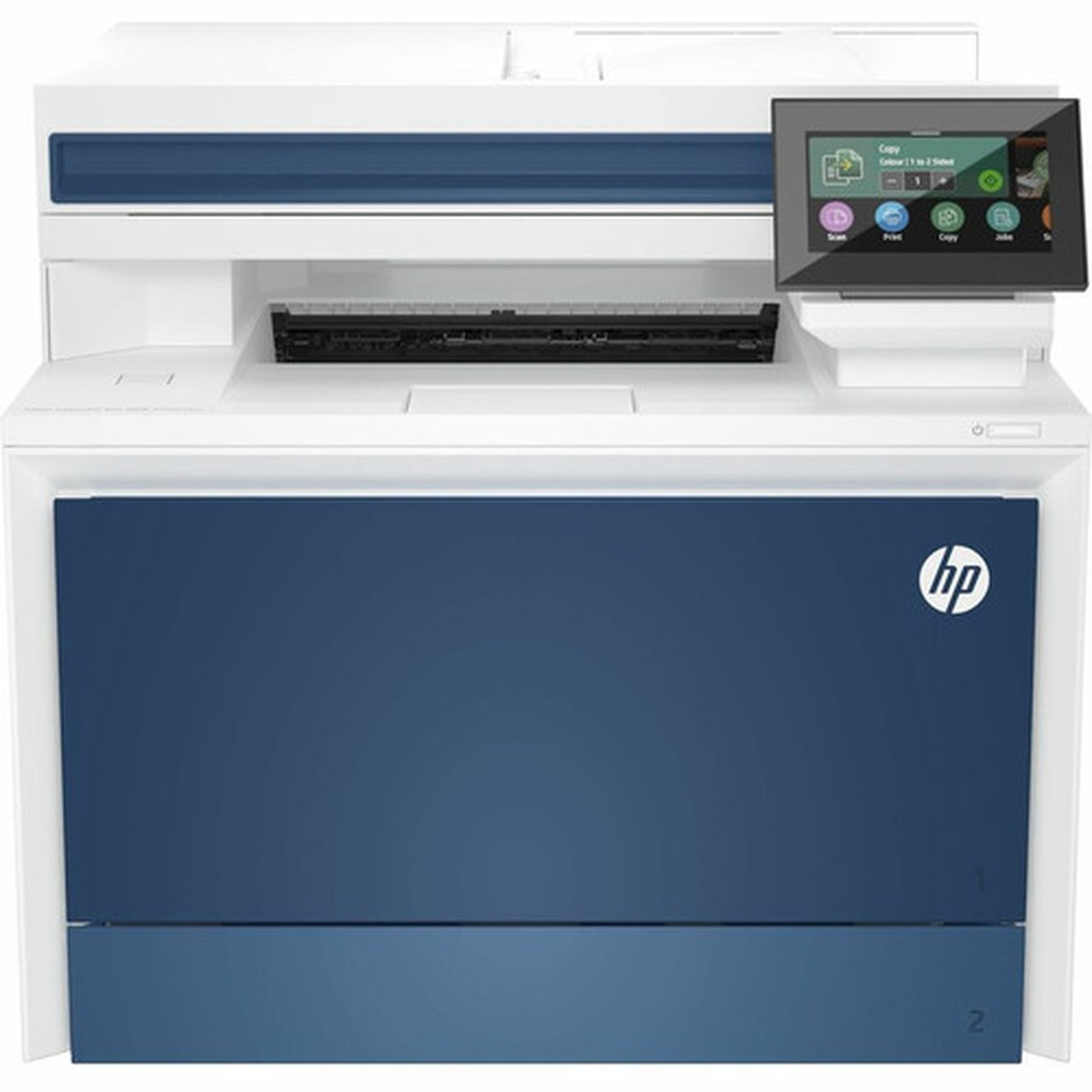
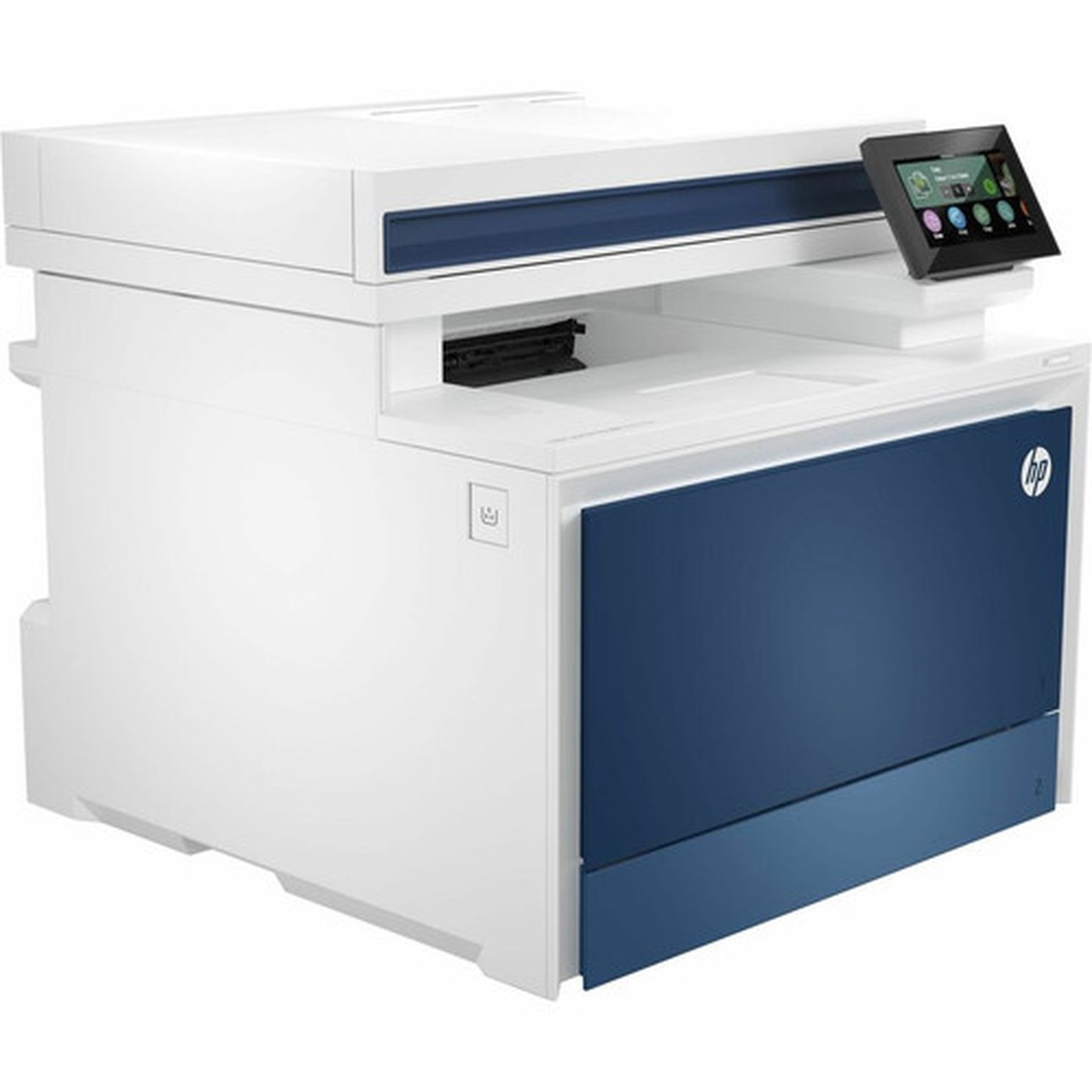
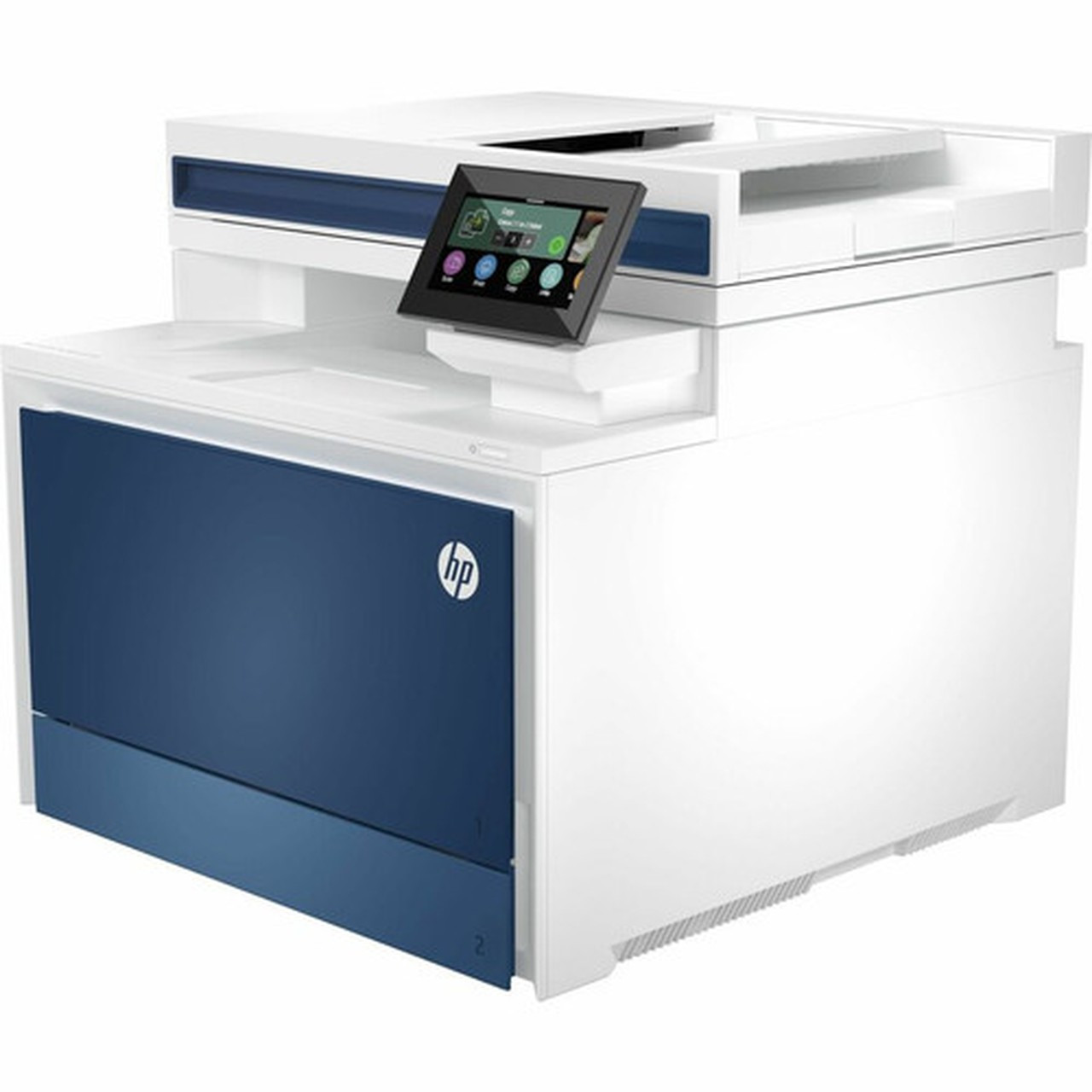
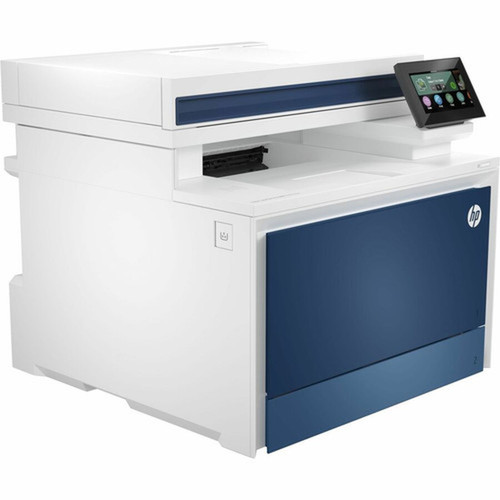
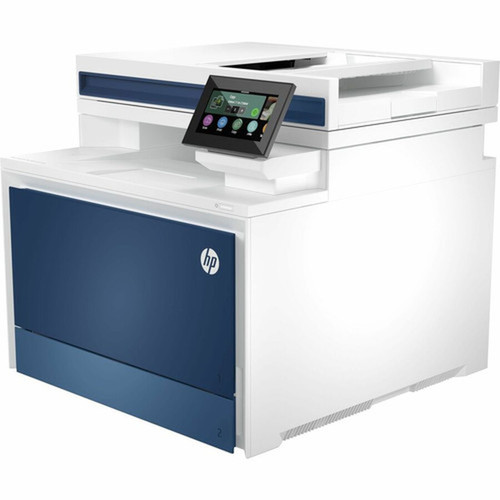
HP 4RA82F#BGJ LaserJet Pro 4301fdw Color Laser Multifunction Printer - Copier/Fax/Scanner - 33 ppm Mono - Wi-Fi Direct - Automatic Duplex - 4.3"

Business volume discounts
Technical guidance
Preparation & staging
QC · ON · AB · BC
Product Features
Technical Overview
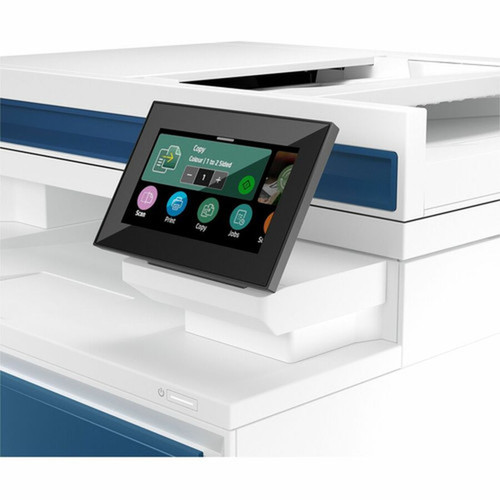
This multifunction printer features automatic duplex printing for two-sided document production, reducing paper consumption by up to 50%. The 4.3-inch LCD touchscreen provides intuitive navigation through settings and functions.
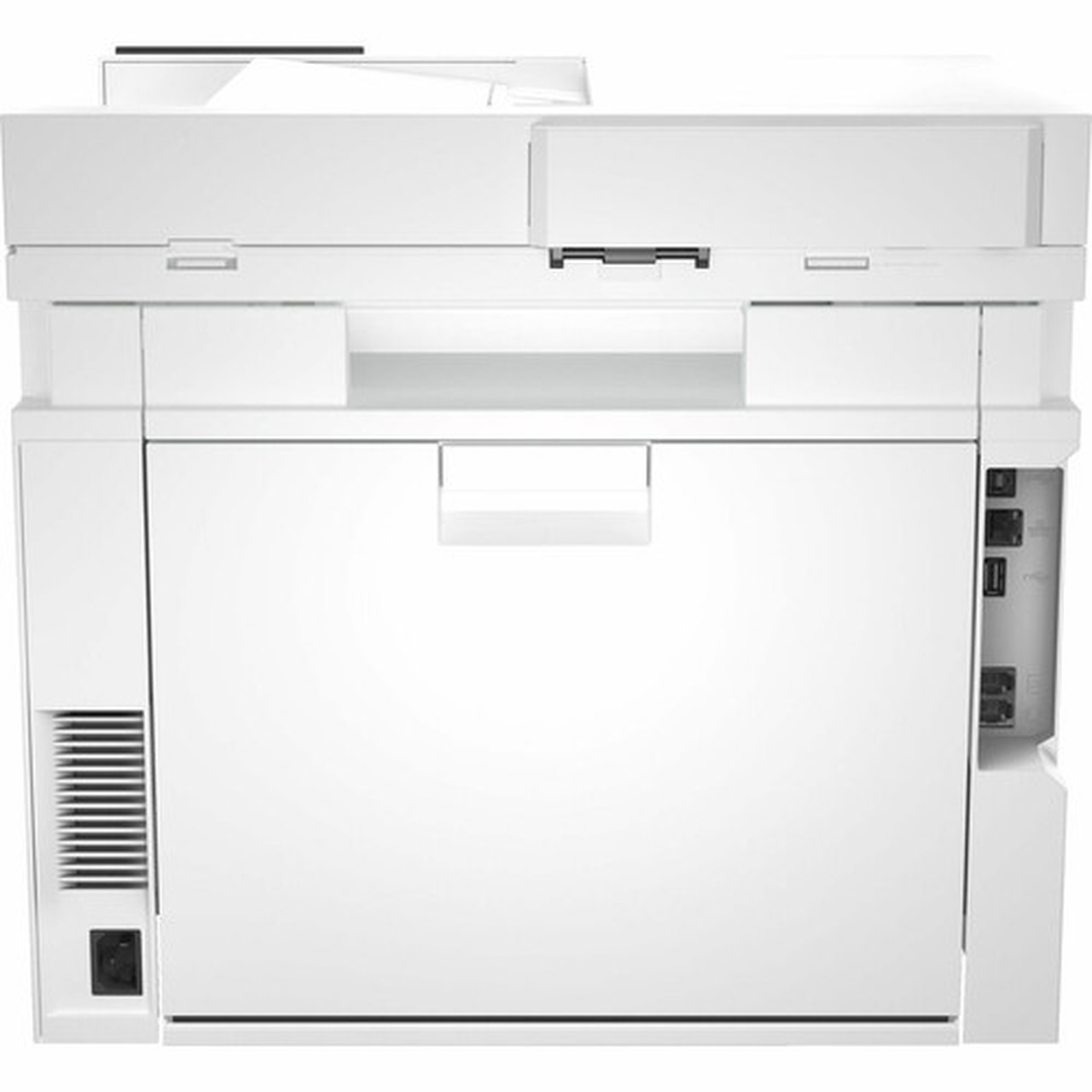
Connectivity includes both wired and wireless options: Gigabit Ethernet for network integration, USB for direct computer connections, and Wi-Fi Direct with IEEE 802.11ac for mobile device printing without requiring a traditional network.
Relevant factors for this section include Multifunction Devices, Recommended Use, First Print Speed, USB. When those points are considered together, they give buyers a clearer picture of how the product is equipped, how it fits into deployment, and what kind of day-to-day role it is meant to support.
A strong technical summary explains how the product's interfaces, hardware profile, and operating characteristics work together in real deployment. Buyers often need this context to confirm compatibility with existing devices, expected performance in daily use, and whether installation will be straightforward for IT staff or end users.
Key Product Advantages
The LaserJet Pro 4301fdw offers several distinct advantages for business productivity. Its robust construction and high-duty cycle ensure consistent performance in busy office settings.
These strengths make the product easier to deploy and manage in real environments, especially where reliability, usability, and day-to-day operational continuity matter. Notable benefits include Efficient Paper Handling, Flexible Connectivity.
Efficient Paper Handling
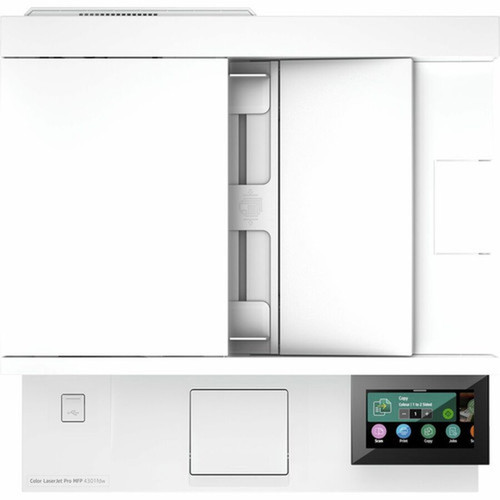
With 300-sheet input capacity and 150-sheet output, this printer minimizes frequent paper reloading. The automatic document feeder streamlines scanning and copying workflows.
- 300-sheet standard input tray
- 150-sheet output capacity
- ADF for multi-page scanning
Flexible Connectivity
Multiple connectivity options ensure seamless integration into any office environment. Wi-Fi Direct allows mobile printing without network configuration.
- Wi-Fi Direct for mobile printing
- Gigabit Ethernet for fast network transfers
- USB for direct computer connections
Deployment / Use Cases
This multifunction printer is ideally suited for small to medium-sized offices requiring reliable document production capabilities. Its combination of speed, functionality, and connectivity makes it a versatile central printing resource.
Common deployment scenarios include general office environments, administrative departments, educational institutions, and professional service firms where color printing, scanning, and copying are daily requirements.
Relevant factors for this section include Multifunction Devices, Recommended Use, First Print Speed, USB. When those points are considered together, they give buyers a clearer picture of how the product is equipped, how it fits into deployment, and what kind of day-to-day role it is meant to support.
Office Workgroup Solution
Supports up to 10 users with shared access to printing, scanning, copying, and faxing functions through network connectivity.
Document Processing Hub
The ADF scanner and automatic duplex printing enable efficient processing of multi-page documents and two-sided reports.
Physical Profile
The desktop form factor measures 27" wide × 30" deep × 16.6" high (685.8 × 762 × 421.64 mm), providing a substantial yet space-efficient footprint. The design accommodates the 300-sheet input capacity while maintaining accessibility for paper loading and maintenance.
The physical profile is practical for deployment planning because the dimensions and weight are clearly defined: 16.60" (421.64 mm), 27" (685.80 mm), 30" (762 mm). This helps confirm rack, shelf, desk, or cabinet fit before installation.
- Width
- 27" (685.80 mm)
- Depth
- 30" (762 mm)
- Height
- 16.60" (421.64 mm)
Highlights
- 33 ppm monochrome print speed for efficient document production
- Color printing capability for professional documents and presentations
- Automatic duplex printing reduces paper costs by up to 50%
- Wi-Fi Direct enables mobile printing without network configuration
- 4.3-inch LCD touchscreen for intuitive operation and settings management
- 300-sheet input capacity minimizes frequent paper reloading
- 50,000-page monthly duty cycle ensures reliable performance
- Gigabit Ethernet provides fast network connectivity
- Supports up to 10 users in shared office environments
- Automatic document feeder streamlines scanning and copying tasks
Specifications
| Specifications | |
|---|---|
| Manufacturer | HP Inc. |
| Manufacturer Part Number | 4RA82F#BGJ |
| Brand Name | HP |
| Product Line | LaserJet Pro |
| Product Model | 4301fdw |
| Product Name | LaserJet Pro 4301fdw Laser Multifunction Printer |
| Packaged Quantity | 1 Each |
| Product Type | Laser Multifunction Printer |
| Technical Information | |
| Multifunction Devices | Copier/Fax/Printer/Scanner |
| Recommended Use | Plain Paper Print |
| First Print Speed | 7.6 Second Monochrome |
| Print Color Capability | Color |
| Maximum Mono Print Speed (ppm) | 33 |
| Wireless Print Technology | Wi-Fi Direct |
| Duplex Printing | Automatic |
| Mobile Device Printing | Yes |
| Number of Users | 10 |
| Connectivity Technology | Wired & Wireless |
| Interfaces/Ports | |
| USB | Yes |
| Network & Communication | |
| Ethernet | Yes |
| Ethernet Technology | Gigabit Ethernet |
| Wireless LAN | Yes |
| Wireless LAN Standard | IEEE 802.11ac |
| Display & Graphics | |
| Screen Size | 4.30" |
| Display Screen Type | LCD |
| Touchscreen | Yes |
| Scanner | |
| Scanner Type | ADF |
| Media Types & Handling | |
| Media Type | Plain Paper,Envelope |
| Media Size | A4,Letter,Legal |
| Standard Input Media Capacity | 300 sheets |
| Standard Output Media Capacity | 150 sheets |
| Reliability | |
| Duty Cycle | 50000 |
| Physical Characteristics | |
| Form Factor | Desktop |
| Height | 16.60" (421.64 mm) |
| Width | 27" (685.80 mm) |
| Depth | 30" (762 mm) |
User Manual
FAQ
What is the maximum print speed of this HP LaserJet Pro printer?
The HP LaserJet Pro 4301fdw delivers monochrome printing at up to 33 pages per minute. The first page out time is 7.6 seconds for monochrome documents, providing quick initial response for office printing needs.
Does this printer support two-sided printing?
Yes, this printer features automatic duplex printing that allows printing on both sides of the paper without manual intervention. This functionality can reduce paper consumption by up to 50% while producing professional-looking double-sided documents.
What wireless connectivity options are available?
The printer includes Wi-Fi Direct technology that enables direct wireless printing from mobile devices without requiring connection to a traditional wireless network. It also supports IEEE 802.11ac wireless LAN for standard network connectivity with improved speed and reliability.
How many users can share this multifunction printer?
This printer is designed to support up to 10 users in a shared office environment. The combination of network connectivity options—including Gigabit Ethernet, wireless LAN, and USB—allows multiple users to access printing, scanning, copying, and faxing functions simultaneously.
What is the paper handling capacity of this device?
The standard input capacity is 300 sheets, reducing the frequency of paper reloading during busy printing periods. The output tray holds 150 sheets. The printer supports A4, Letter, and Legal paper sizes, along with envelope media for versatile document production.
What type of scanner does this multifunction printer include?
This printer features an automatic document feeder (ADF) scanner that can handle multiple pages for efficient scanning and copying workflows. The ADF allows for quick digitization of multi-page documents without requiring manual page-by-page placement on a flatbed scanner.
| Qty | Price | Available |
|---|


