











IOGEAR GCS62HDPKIT 2-Port HD Cable KVM Switch with DisplayPort Adapters - 1920 x 1200 - 2 USB - 1 HDMI

Business volume discounts
Technical guidance
Preparation & staging
QC · ON · AB · BC
Product Features
Technical Overview
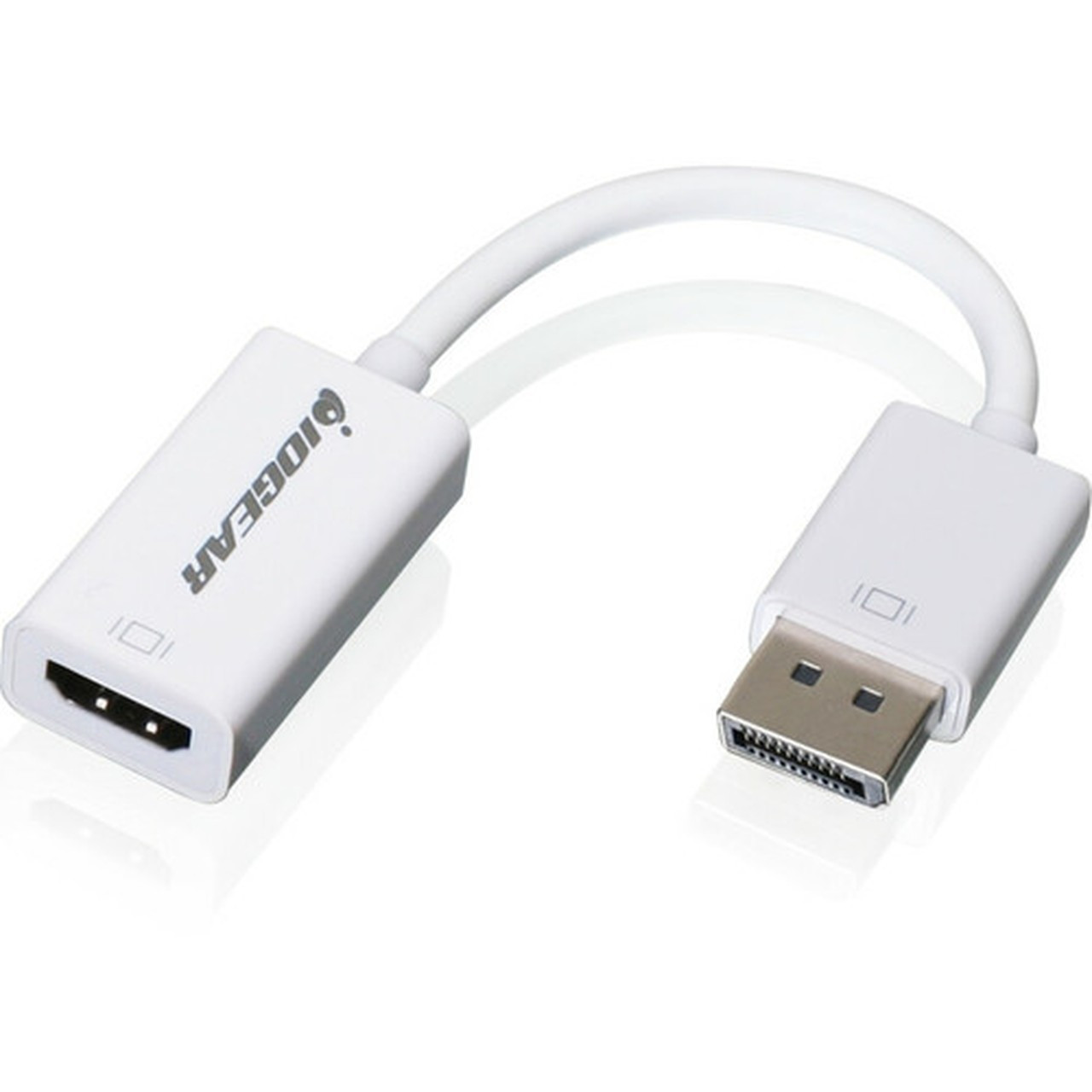
This KVM switch operates with USB 2.0 connectivity for keyboard and mouse sharing, and it supports HDMI video output with a maximum resolution of 1920x1200. The included DisplayPort 1.1a compliant adapters enable compatibility with computers that have DisplayPort outputs, converting them to HDMI for use with the switch.
The switch features USB mouse and keyboard emulation, which ensures error-free boot-up and immediate recognition when switching between computers. It also includes power-on detection, automatically switching to a powered-on computer if another is turned off.
Relevant factors for this section include Number of Computers Supported, Number of Local Users Supported, Maximum Video Resolution. When those points are considered together, they give buyers a clearer picture of how the product is equipped, how it fits into deployment, and what kind of day-to-day role it is meant to support.
Key Product Advantages
This KVM switch offers several advantages for managing multiple computers efficiently. Its hotkey functionality allows independent switching of KVM and audio between computers, and it supports re-programmable hotkeys for keyboards without a scroll lock key. The remote switch button and mouse-based switching provide flexible control options.
Flexible Switching
Switch between computers using a remote button, mouse scroll, or customizable hotkeys for seamless control.
- Hotkey support for audio and KVM switching
- Mouse scroll switching option
- Re-programmable hotkeys
Enhanced Connectivity
The USB 2.0 peripheral sharing via the mouse port allows connection of a powered USB hub to expand USB connectivity, supporting additional peripherals.
- USB hub expansion capability
- 2.1 stereo sound and microphone support
- DisplayPort adapter inclusion
Deployment / Use Cases
This KVM switch is ideal for environments where users need to access multiple computers from a single workstation. Common use cases include IT support desks, development setups, gaming stations, and home offices with both personal and work computers.
In professional settings, it simplifies system management by reducing the need for duplicate peripherals. For home users, it saves desk space and streamlines switching between gaming consoles, media PCs, or workstations. The compact design and included adapters make it easy to integrate into existing setups without major reconfiguration.
IT and Development
Manage test servers, development machines, or backup systems from one keyboard and mouse, improving workflow efficiency.
- Dual computer control
- Hotkey switching for quick access
- USB peripheral sharing
Home and Office
Switch between a work laptop and personal desktop, or between a gaming PC and media center, using a single display and input devices.
- Space-saving design
- Full HD video support
- Easy setup with included adapters
Physical Profile
The switch measures 3.13 inches in width, 2.50 inches in height, and 1 inch in depth, with a weight of approximately 15.04 ounces. Its small size allows for discreet placement on a desk, behind a monitor, or in a cable management area. The compact and lightweight build ensures it does not add bulk to your workspace, while the durable construction supports reliable long-term use.
- Width
- 3.13" (79.38 mm)
- Depth
- 1" (25.40 mm)
- Height
- 2.50" (63.50 mm)
- Weight
- 15.04 oz (426.38 g)
What's in the Box
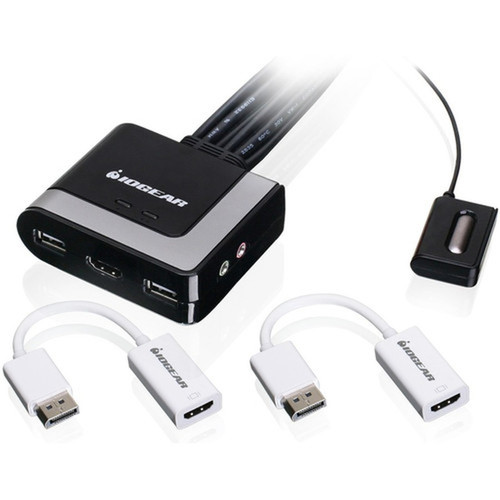
The package includes all necessary components for immediate setup and use.
Highlights
- Connect and control two HD or DisplayPort USB 2.0 interface computers with one keyboard and mouse
- Supports full 1080p and up to 1920x1200 resolution at 60Hz
- Switch between computers via remote button, mouse scroll, or hotkeys
- Includes 2.1 stereo sound and microphone support for audio sharing
- USB 2.0 peripheral sharing with mouse port for expanded connectivity
- USB mouse and keyboard emulation ensures error-free boot-up
- Power-on detection automatically switches to active computers
- Re-programmable hotkeys for keyboards without scroll lock
- Compact design with dimensions of 3.13" x 2.50" x 1"
- Includes two DisplayPort to HDMI adapters for compatibility
Specifications
| Specifications | |
|---|---|
| Manufacturer | IOGEAR, Inc |
| Manufacturer Part Number | GCS62HDPKIT |
| Brand Name | IOGEAR |
| Product Model | GCS62HU |
| Product Name | 2-Port HD Cable KVM with DisplayPort Adapters |
| Packaged Quantity | 1 |
| Product Type | KVM Switchbox |
| Technical Information | |
| Number of Computers Supported | 2 |
| Number of Local Users Supported | 1 |
| Video | |
| Maximum Video Resolution | 1920 x 1200 |
| Interfaces/Ports | |
| USB | Yes |
| HDMI | Yes |
| Number of USB Ports | 2 |
| Number of HDMI Ports | 1 |
| Physical Characteristics | |
| Height | 2.50" (63.50 mm) |
| Width | 3.13" (79.38 mm) |
| Depth | 1" (25.40 mm) |
| Weight (Approximate) | 15.04 oz (426.38 g) |
| Miscellaneous | |
| Package Contents | GCS62HU KVM Switchbox 2 x DisplayPort to HDMI Adapters 1 x Installation Guide 1 x Warranty Card |
| Environmentally Friendly | Yes |
| Environmental Compliance | Restriction of Hazardous Substances (RoHS),Waste Electrical and Electronic Equipment Directive (WEEE) |
| Warranty | |
| Limited Warranty | 3 Year |
User Manual
FAQ
What computers are compatible with this KVM switch?
This KVM switch is compatible with computers that have USB 2.0 interfaces for keyboard and mouse connectivity. It supports video via HDMI, and the included DisplayPort to HDMI adapters allow use with computers that have DisplayPort outputs, making it suitable for a wide range of desktops and laptops.
What is the maximum video resolution supported?
The switch supports a maximum video resolution of 1920 x 1200 at 60Hz. This includes full 1080p HD, providing clear and sharp display quality for both professional and entertainment use on connected computers.
How do I switch between the two connected computers?
You can switch between computers using multiple methods: press the remote switch button, scroll the mouse wheel, or use customizable hotkeys on the keyboard. The hotkeys allow independent switching of KVM and audio, and they can be re-programmed for keyboards without a scroll lock key.
Does this KVM switch support audio and microphone?
Yes, the switch includes 2.1 stereo sound and microphone support. This allows you to share audio output and microphone input between the connected computers, making it ideal for video conferencing, gaming, or multimedia applications without needing separate audio switches.
What is included in the package?
The package contains the GCS62HU KVM switchbox, two DisplayPort to HDMI adapters, an installation guide, and a warranty card. These components provide everything needed for setup and immediate use with compatible computers.
What is the warranty for this product?
This product comes with a 3-year limited warranty from IOGEAR. It is also environmentally compliant with RoHS and WEEE directives, ensuring it meets standards for hazardous substance restrictions and electronic waste management.
| Qty | Price | Available |
|---|


