Shipping included*
Exclusions
Additional shipping fees may apply in rare circumstances for deliveries outside standard service areas. In most cases, this only potentially affects shipments to the Northwest Territories and Yukon, as well as certain heavy or oversized items.
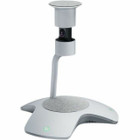
Yealink 1303130 SmartVision 60 Video Conference Equipment - 360° FOV - Dual Stream - USB 3. 0 - Boardroom Ready

Business volume discounts
Technical guidance
Preparation & staging
QC · ON · AB · BC
Product Features
Technical Overview
The SmartVision 60 incorporates advanced imaging technology to support modern video conferencing requirements. The 360° panoramic field of view eliminates blind spots in meeting spaces, while dual stream functionality enables simultaneous transmission of different video resolutions for flexible bandwidth management.
Connectivity is handled through a single USB 3.0 port, delivering both power and data transmission through a single cable connection. This streamlined approach reduces cable clutter while ensuring high-speed data transfer for smooth video performance.
This section brings together practical product details such as Features, Field Of View (FOV) Angle, so buyers can judge configuration, deployment fit, and day-to-day suitability with less guesswork.
Key Product Advantages
The SmartVision 60 distinguishes itself through its comprehensive room coverage and simplified connectivity approach. The 360° field of view ensures every participant is captured without requiring multiple cameras or complex positioning adjustments.
Complete Room Coverage
The 360° panoramic view eliminates camera positioning challenges and ensures all meeting participants remain visible throughout the session.
- No blind spots
- Single camera solution
- Consistent participant visibility
Streamlined Integration
USB 3.0 connectivity simplifies installation while providing sufficient bandwidth for high-quality video transmission.
- Single cable solution
- Plug-and-play compatibility
- Reduced setup complexity
Deployment / Use Cases
The SmartVision 60 is specifically designed for professional meeting environments where comprehensive video coverage and reliable performance are essential. Its capabilities make it particularly suitable for formal conference settings that require consistent visual engagement.
Primary deployment scenarios include medium to large boardrooms where traditional cameras might struggle to capture all participants. The system also excels in dedicated video conferencing rooms where seamless integration with existing collaboration platforms is required.
Boardroom Implementation
Ideal for formal meeting spaces where all participants need to be clearly visible without requiring individual cameras or complex switching systems.
Dedicated Conference Rooms
Suited for rooms specifically designed for video collaboration, providing reliable performance for scheduled meetings and impromptu discussions.
Highlights
- 360° panoramic field of view for complete room coverage
- Dual stream capability for flexible bandwidth management
- USB 3.0 connectivity with single cable simplicity
- Designed specifically for boardroom environments
- Optimized for professional video conferencing applications
- Streamlined installation with plug-and-play compatibility
- Manufacturer part number 1303130 for precise identification
- Yealink SmartVision 60 product line reliability
Specifications
| Specifications | |
|---|---|
| Manufacturer | Yealink Network Technology Co., Ltd |
| Manufacturer Part Number | 1303130 |
| Brand Name | Yealink |
| Product Line | SmartVision 60 |
| Product Name | SmartVision 60 Video Conference Equipment |
| Product Type | Video Conference Equipment |
| Technical Information | |
| Features | Dual Stream |
| Camera | |
| Field Of View (FOV) Angle | 360° |
| Interfaces/Ports | |
| USB | Yes |
| Number of USB 3.0 Ports | 1 |
| Miscellaneous | |
| Application/Usage | Boardroom,Video Conferencing |
User Manual
FAQ
What is the field of view of the Yealink SmartVision 60?
The SmartVision 60 features a 360° panoramic field of view that captures the entire meeting space without blind spots. This comprehensive coverage ensures all participants remain visible throughout video conferences, eliminating the need for multiple cameras or constant camera adjustments during meetings.
How does the dual stream functionality work?
Dual stream capability allows the SmartVision 60 to transmit two simultaneous video streams at different resolutions. This enables flexible bandwidth management where one stream can provide high-quality video for local display while another stream offers optimized quality for network transmission, ensuring smooth performance even with varying connection speeds.
What type of USB connection does this system use?
The SmartVision 60 utilizes a single USB 3.0 port for both power and data transmission. This USB 3.0 interface provides sufficient bandwidth for high-quality video while simplifying installation through a single cable connection that handles both power requirements and video data transfer.
Is the SmartVision 60 suitable for boardroom environments?
Yes, the SmartVision 60 is specifically designed for boardroom and professional video conferencing applications. Its 360° field of view ensures comprehensive coverage of medium to large meeting spaces, while the USB connectivity allows straightforward integration with existing conference room setups and collaboration platforms.
What makes this system different from standard webcams?
Unlike standard webcams designed for individual use, the SmartVision 60 is engineered as dedicated conference equipment with a 360° panoramic field of view that captures entire rooms. The dual stream functionality, boardroom-optimized design, and professional-grade construction distinguish it from consumer-grade webcams for serious business collaboration.
How many USB ports are available on the SmartVision 60?
The SmartVision 60 features one USB 3.0 port that handles both power delivery and data transmission. This single-port design simplifies connectivity while providing the necessary bandwidth for high-quality video conferencing, reducing cable clutter and installation complexity in conference room environments.
| Qty | Price | Available |
|---|