







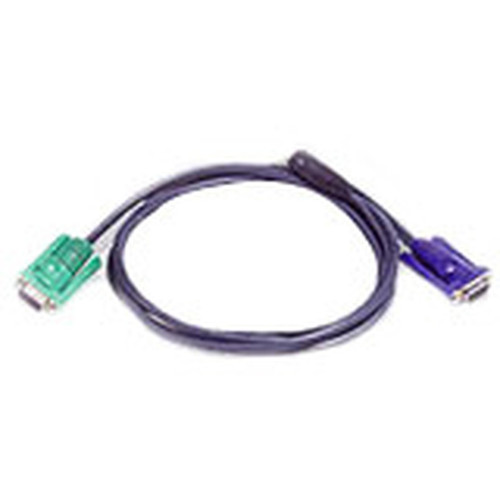
Aten 2L5201U USB Intelligent KVM Cable - 4 ft (1. 22m) Black

Business volume discounts
Technical guidance
Preparation & staging
QC · ON · AB · BC
Product Features
Technical Overview
This KVM cable utilizes a standard USB connection to interface between your keyboard, mouse, and KVM switch. The intelligent design recognizes peripheral signals, maintaining stable operation without requiring additional drivers in most environments.
The cable supports plug-and-play functionality, allowing for quick deployment and minimal configuration. Its construction prioritizes durability to withstand regular use in IT, server room, or multi-station office applications.
This section brings together practical product details such as Cable Type, Cable Length, Product Color, so buyers can judge configuration, deployment fit, and day-to-day suitability with less guesswork.
A strong technical summary explains how the product's interfaces, hardware profile, and operating characteristics work together in real deployment. Buyers often need this context to confirm compatibility with existing devices, expected performance in daily use, and whether installation will be straightforward for IT staff or end users.
Key Product Advantages
This cable delivers essential benefits for KVM-based workstation setups, focusing on reliability, compatibility, and ease of use.
These strengths make the product easier to deploy and manage in real environments, especially where reliability, usability, and day-to-day operational continuity matter. Notable benefits include Exceptional Compatibility, Plug-and-Play Simplicity.
Exceptional Compatibility
Engineered to work with a wide range of KVM switches and USB peripherals, ensuring upright performance across diverse hardware configurations.
- Broad device support
- Minimal compatibility issues
Plug-and-Play Simplicity
The USB interface enables immediate recognition by most operating systems, eliminating complex driver installations and speeding up deployment.
- Quick setup
- Reduced IT overhead
Deployment / Use Cases
The Aten USB Intelligent KVM Cable is ideal for environments where multiple computers need to be controlled from a centralized console. Its design suits both professional and technical applications where efficient space and resource management are priorities.
Common deployment scenarios include data center server racks, IT support desks, financial trading floors, and multimedia editing suites. The cable helps consolidate control interfaces, reducing the number of peripherals needed while maintaining responsive device switching.
Server Room Management
Connect multiple servers to a single keyboard and mouse station, allowing technicians to monitor and troubleshoot systems without moving between racks.
Multi-Workstation Offices
Enable employees to switch between desktop computers for different tasks, optimizing desk space and improving workflow efficiency.
Highlights
- USB Intelligent KVM Cable for keyboard, mouse, and switch connectivity
- 4 ft (1.22m) length offers flexible placement options
- Black color for professional, low-profile appearance
- Plug-and-play USB interface for easy setup
- Designed for exceptional compatibility and reliability
- Lifetime limited warranty for long-term peace of mind
- Ideal for server rooms, IT desks, and multi-computer workstations
- Reduces desk clutter by consolidating peripheral control
Specifications
| Specifications | |
|---|---|
| Manufacturer | ATEN Technology, Inc |
| Manufacturer Part Number | 2L5201U |
| Brand Name | ATEN |
| Product Name | USB Intelligent KVM Cable |
| Product Type | KVM Cable |
| Technical Information | |
| Cable Type | USB |
| Cable Length | 4 ft |
| Physical Characteristics | |
| Product Color | Black |
| Miscellaneous | |
| Country of Origin | China |
| Warranty | |
| Limited Warranty | Lifetime |
FAQ
What is the primary function of this Aten KVM cable?
The Aten 2L5201U USB Intelligent KVM Cable connects a keyboard and mouse to a KVM switch, allowing you to control multiple computers from a single set of peripherals. It transmits USB signals between your input devices and the switch, enabling seamless switching between connected systems without needing separate keyboards and mice for each computer.
What length is the cable, and is it sufficient for typical setups?
This cable is 4 feet long, which is approximately 1.22 meters. This length is suitable for most KVM deployments where the switch is placed within a few feet of the keyboard and mouse. It provides enough reach for flexible positioning while minimizing excess cable that can clutter desks or server racks.
Does this cable require special drivers or software to work?
No, the cable features plug-and-play functionality via its USB interface. It is designed to be recognized automatically by most operating systems without requiring additional driver installations. This makes deployment quick and straightforward, reducing setup time and IT support needs.
What type of warranty does Aten offer with this KVM cable?
Aten provides a lifetime limited warranty for this USB Intelligent KVM Cable. This warranty covers defects in materials and workmanship for the life of the product, offering long-term reliability assurance for professional and enterprise environments where continuous operation is critical.
Can this cable be used with any KVM switch?
The cable is engineered for broad compatibility with KVM switches that support USB peripherals. It is designed to work with most standard USB-based KVM switches, but for optimal performance, verify that your switch accepts USB keyboard and mouse connections. The intelligent design helps ensure stable operation across diverse hardware configurations.
What are the typical applications for this KVM cable?
Common applications include data center server management, IT support desks, financial trading stations, and multimedia editing suites. It is ideal anywhere multiple computers need to be controlled from a centralized console, helping to save space, reduce peripheral clutter, and streamline workflow efficiency.
| Qty | Price | Available |
|---|


