



Visiontek 901532 VT2900 USB-C Dual System KVM Docking Station - 100W Power Delivery - 2 x 4K Display Support - 7-Port Hub

Business volume discounts
Technical guidance
Preparation & staging
QC · ON · AB · BC
Product Features
Technical Overview
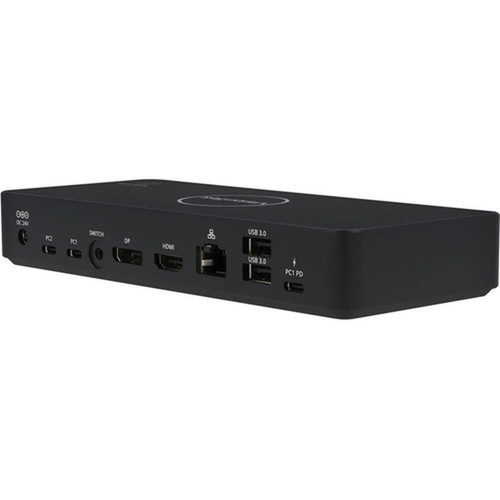
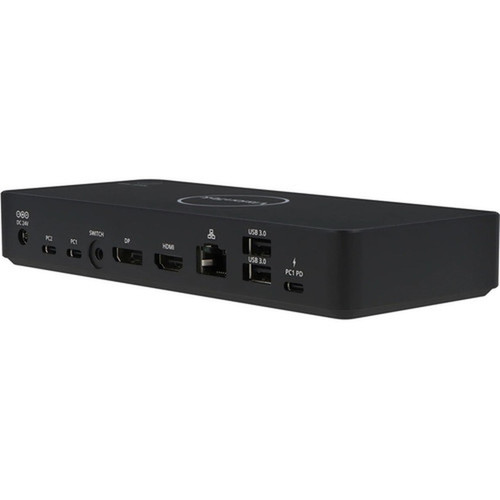
Built around a USB-C host interface, the VT2900 supports DisplayPort 1.4 and HDMI outputs to drive dual monitors at resolutions up to 3840×2160. The dock maintains crisp 4K visuals while also accommodating QHD (2560×1440) and Full HD (1920×1080) displays for flexible multi‑monitor configurations.
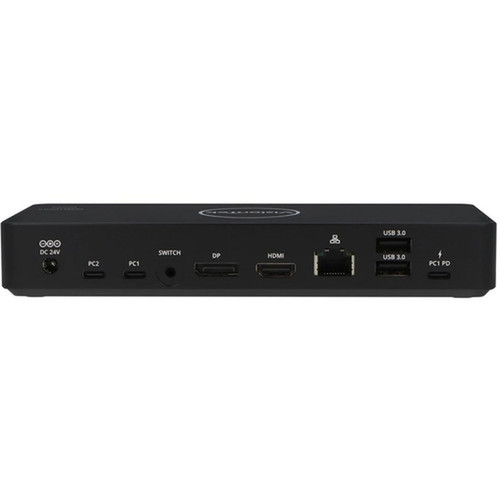
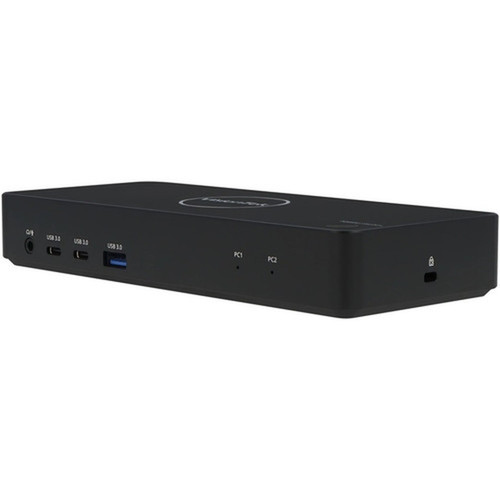
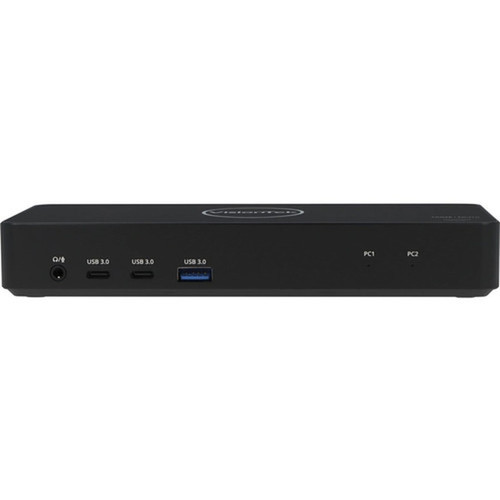
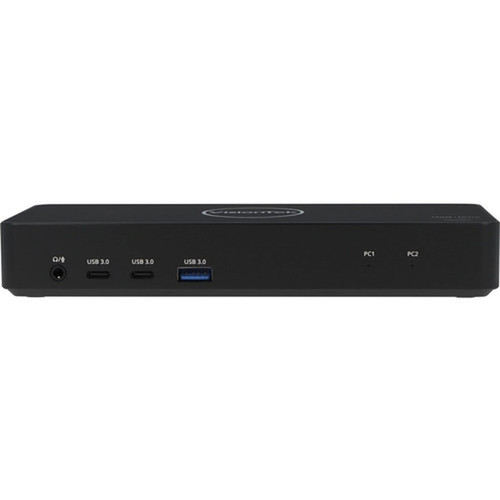
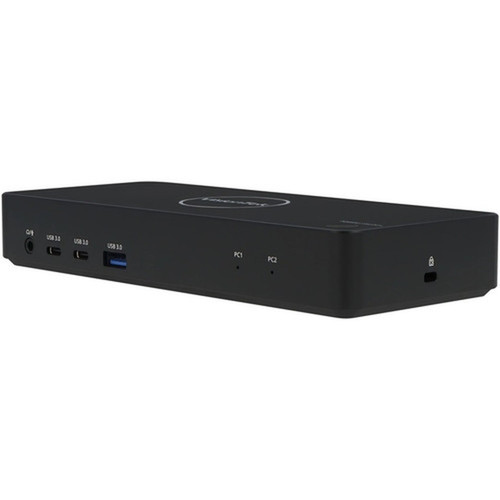
Seven USB ports provide extensive peripheral connectivity: four USB‑C ports (including two 5Gbps data ports and two upstream connections) and three USB‑A ports for legacy devices. A dedicated Gigabit Ethernet port ensures stable wired networking, while the 3.5mm audio jack handles headphone and microphone needs.
This section brings together practical product details such as Connectivity Technology, Number of Displays Supported, Supported Resolutions, Ethernet Technology, so buyers can judge configuration, deployment fit, and day-to-day suitability with less guesswork.
A strong technical summary explains how the product's interfaces, hardware profile, and operating characteristics work together in real deployment. Buyers often need this context to confirm compatibility with existing devices, expected performance in daily use, and whether installation will be straightforward for IT staff or end users.
Key Product Advantages
The VT2900 stands out with its dual‑system KVM functionality, allowing instant switching between two computers without re‑cabling peripherals. This is particularly valuable for users who operate both a personal desktop and a corporate notebook, or for developers testing across multiple platforms.
These strengths make the product easier to deploy and manage in real environments, especially where reliability, usability, and day-to-day operational continuity matter. Notable benefits include Simplified Workspace, High‑Speed Connectivity.
Simplified Workspace
Reduce cable clutter and manual switching by connecting two systems to one set of peripherals and displays.
- Single keyboard/mouse control
- Dual‑monitor support
- Consolidated cable management
High‑Speed Connectivity
Delivers fast data transfer, wired networking, and high‑resolution video through modern USB‑C and DisplayPort interfaces.
- USB‑C 5Gbps ports
- DisplayPort 1.4
- Gigabit Ethernet
Deployment / Use Cases
Ideal for professionals who manage multiple computers, the VT2900 excels in hybrid office setups, IT support stations, and creative work environments. The dock enables quick context switching between a corporate laptop and a personal desktop, maintaining productivity without compromising on display quality or peripheral access.
Developers and engineers can use the KVM to toggle between testing environments, while financial analysts can keep trading platforms and research tools on separate systems. Home office users benefit from a clean, single‑desk solution that supports both work and personal devices with full 4K monitor support.
Hybrid Work Solutions
Seamlessly integrate company‑issued notebooks with personal desktops for a unified, efficient workspace.
IT & Development Stations
Switch between production and testing systems instantly, with consistent peripheral and display performance.
Physical Profile
The compact black enclosure measures just 1.14 inches in height and 3.11 inches in depth, fitting discreetly on any desk or mounted setup. Weighing under 9 ounces, the dock is highly portable for travel between office and home. A Kensington security slot allows for physical theft deterrence in shared environments.
The physical profile is practical for deployment planning because the dimensions and weight are clearly defined: 1.14" (29 mm), 3.11" (79 mm), 8.80 oz (249.48 g). This helps confirm rack, shelf, desk, or cabinet fit before installation.
- Depth
- 3.11" (79 mm)
- Height
- 1.14" (29 mm)
- Weight
- 8.80 oz (249.48 g)
What's in the Box
The retail package includes everything needed for immediate setup and operation.
Highlights
- Dual‑system KVM switch for notebook and desktop control
- Supports two 4K displays at 60Hz via HDMI and DisplayPort
- 100W USB‑C Power Delivery charges compatible laptops
- Seven USB ports (4× USB‑C, 3× USB‑A) for peripherals
- Gigabit Ethernet port for stable wired networking
- Compact black design with Kensington security slot
- Compatible with Windows 11/10/8.1/7 and macOS 10.12+
- Includes power adapter and two USB‑C cables
Specifications
| Specifications | |
|---|---|
| Manufacturer | VisionTek Products, LLC |
| Manufacturer Part Number | 901532 |
| Brand Name | VisionTek |
| Product Model | VT2900 |
| Product Name | VT2900 USB-C Dual System KVM Docking Station with 100W Power Delivery |
| Package Type | Retail |
| Product Type | Docking Station |
| Technical Information | |
| Connectivity Technology | Wired |
| Number of Displays Supported | 2 |
| Supported Resolutions | 3840 x 2160,2560 x 1440,1920 x 1080 |
| Screen Mode Supported | 4K,QHD,Full HD |
| Device Supported | Notebook,Keyboard,Mouse,Monitor,Desktop PC,Smartphone |
| Network & Communication | |
| Ethernet Technology | Gigabit Ethernet |
| Interfaces/Ports | |
| Host Interface | USB Type C |
| Total Number of USB Ports | 7 |
| Number of USB Type-C Ports | 4 |
| USB Type-C | Yes |
| USB Type-C Detail | 2 x USB-C 5Gbps BC 1.2 Ports, PC2 USB-C Upstream Port, PC1 USB-C Upstream Port |
| Number of USB Type-A Ports | 3 |
| USB Type-A | Yes |
| Number of RJ-45 Ports | 1 |
| Network (RJ-45) | Yes |
| Number of DisplayPorts | 1 |
| DisplayPort | Yes |
| DisplayPort Version | 1.4 |
| Headphone/Microphone Combo Port | Yes |
| Number of HDMI Ports | 1 |
| HDMI | Yes |
| Software | |
| Operating System Supported | Windows 11,Windows 10,Windows 8.1,Windows 7,Mac OS X 10.12 Sierra |
| Power Description | |
| Maximum Power Supply Wattage | 130 W |
| Physical Characteristics | |
| Product Color | Black |
| Height | 1.14" (29 mm) |
| Depth | 3.11" (79 mm) |
| Weight (Approximate) | 8.80 oz (249.48 g) |
| Miscellaneous | |
| Package Contents | VT2900 USB-C Dual System KVM Docking Station with 100W Power Delivery 130W - DC 24V/5.41A Certified Power Adapter 2 x USB-C to USB-C Cables 3.5mm Switch User Manual |
| Kensington Security Slot | Yes |
| Country of Origin | China |
| Warranty | |
| Limited Warranty | 3 Year |
FAQ
What is the maximum display resolution supported by the VT2900 docking station?
The VisionTek VT2900 supports dual displays at up to 4K resolution (3840×2160) at 60Hz. It also accommodates QHD (2560×1440) and Full HD (1920×1080) resolutions, providing flexibility for various monitor setups.
How many computers can I connect to this KVM docking station?
This is a dual‑system KVM dock, meaning it supports two host computers simultaneously—typically a notebook and a desktop. You can switch between them instantly using the included switch or keyboard shortcut, sharing peripherals and displays.
Does the dock provide power to my laptop?
Yes, the VT2900 delivers up to 100W of USB‑C Power Delivery, sufficient to charge most modern laptops while in use. The included 130W power adapter ensures stable operation even under full load.
What types of USB ports are available on the docking station?
The dock offers seven USB ports total: four USB‑C ports (including two 5Gbps data ports and two upstream connections) and three USB‑A ports for legacy devices like external drives, keyboards, or mice.
Is wired internet connectivity included?
Yes, the VT2900 features a Gigabit Ethernet (RJ‑45) port for fast, reliable wired networking. This is especially useful in office environments where stable connections are critical for video calls, large file transfers, or cloud applications.
What operating systems are compatible with this docking station?
The dock supports Windows 11, Windows 10, Windows 8.1, Windows 7, and macOS 10.12 Sierra or later. No additional drivers are typically required for basic functionality, though checking VisionTek’s website for updates is recommended.
What screen size is listed?
VisionTek VT2900 USB-C Dual System KVM Docking Station with 100W Power Delivery - for Notebook, Keyboard, Mouse, Monitor, Desktop PC, (901532) is best judged through its screen, connectivity, and installation specifications, which help buyers confirm visual fit and deployment suitability.
What resolution or display format is specified?
3840 x 2160,2560 x 1440,1920 x 1080.
| Qty | Price | Available |
|---|