










Shipping included*
Exclusions
Additional shipping fees may apply in rare circumstances for deliveries outside standard service areas. In most cases, this only potentially affects shipments to the Northwest Territories and Yukon, as well as certain heavy or oversized items.
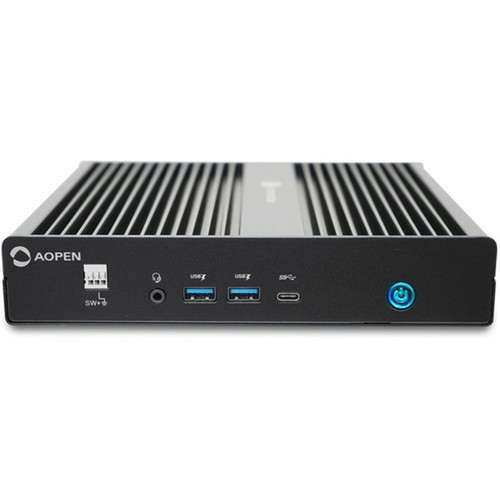
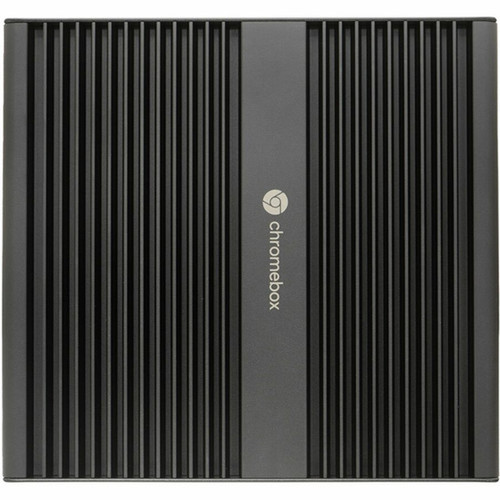
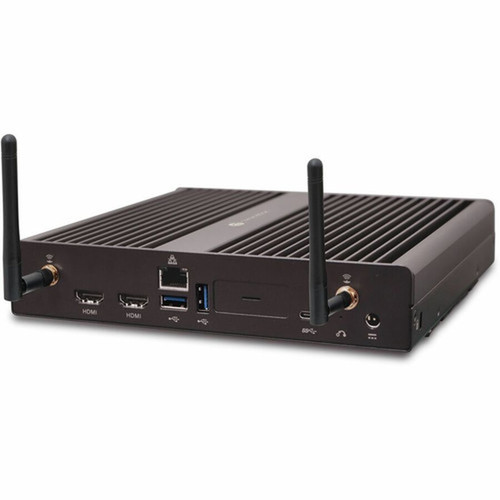
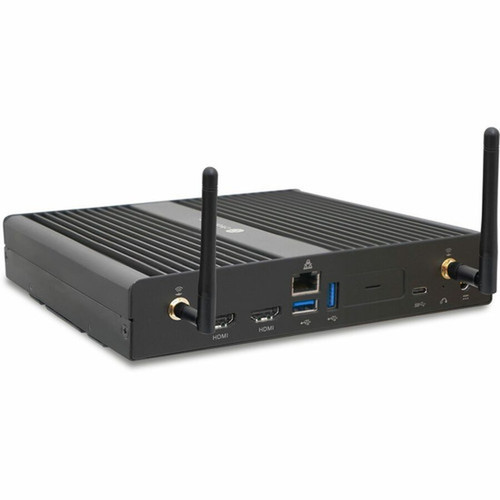
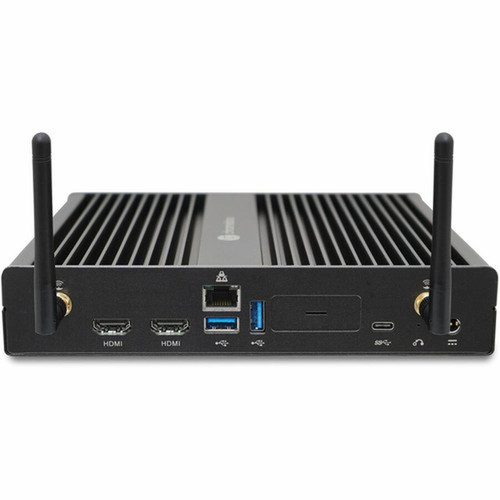
AOpen 91. CX200. GA30 Chromebox Commercial 3 - Intel Celeron 7305 - 4 GB RAM - 64 GB SSD - ChromeOS

Business volume discounts
Technical guidance
Preparation & staging
QC · ON · AB · BC
Product Features
Technical Overview
At the core of the Chromebox Commercial 3 is the Intel Celeron 7305 processor, an efficient compute platform that balances performance with power consumption for always-on applications. The system includes 4 GB of memory, sufficient for smooth multitasking across ChromeOS tabs and lightweight applications. Storage is handled by a 64 GB SSD, which accelerates boot times, application launches, and file access compared to traditional hard drives.
The Intel chipset ensures stable operation and compatibility with ChromeOS's security and management features. This Chromebox is preloaded with ChromeOS and supports an upgrade path to Chrome Enterprise for organizations requiring advanced device management, security policies, and support services. The platform's built-in virus protection and sandboxing architecture provide a robust defense against malware and unauthorized access.
Relevant factors for this section include Processor Manufacturer, Processor Type, Processor Model, Chipset Manufacturer. When those points are considered together, they give buyers a clearer picture of how the product is equipped, how it fits into deployment, and what kind of day-to-day role it is meant to support.
Key Product Advantages
The Chromebox Commercial 3 excels in environments where security, manageability, and simplicity are priorities. Its ChromeOS foundation offers automatic updates, built-in security layers, and seamless integration with Google Workspace and other cloud services. The compact design saves desk space and supports versatile mounting options for digital signage or kiosk deployments.
Security & Management
ChromeOS includes sandboxing, verified boot, and automatic updates to protect against threats. IT administrators can manage devices remotely through the Google Admin console, enforcing policies and deploying applications without physical access.
- Built-in virus protection
- Sandboxed app environment
- Remote management via Google Admin console
Performance & Efficiency
The Intel Celeron 7305 processor and 4 GB RAM handle everyday computing tasks efficiently, while the 64 GB SSD ensures fast system responsiveness. This configuration is optimized for web-based applications and media streaming.
- Fast boot and load times
- Efficient multitasking
- Low power consumption
Deployment / Use Cases
The AOpen Chromebox Commercial 3 is ideal for organizations seeking a low-maintenance, secure computing solution. In education, it serves as a reliable classroom desktop for student labs, digital learning stations, or teacher workstations, with easy management through Google Classroom integration. For business, it supports reception desks, conference room PCs, call center stations, and retail point-of-sale systems where cloud applications are primary.
Its compact size and silent operation make it suitable for environments where space and noise are concerns. The Chromebox can also drive digital signage displays in lobbies, waiting areas, or retail stores, providing a cost-effective platform for dynamic content delivery. IT departments benefit from centralized device management, reducing onsite support needs and ensuring consistent software environments across deployments.
Education & Training
Deploy in computer labs or libraries for secure student access to educational apps and online resources, with easy reset and management for shared use.
Business & Retail
Use as a kiosk, POS terminal, or office workstation for cloud-based CRM, email, and productivity tools, with minimal local storage requirements.
Localization and Operating System
This Chromebox ships with ChromeOS pre-installed, providing a consistent, globally accessible interface that supports multiple languages and regional settings out of the box. ChromeOS is designed for cloud-centric workflows, with native integration for Google Drive, Gmail, and Chrome Web Store applications. The operating system includes automatic updates to ensure security and feature enhancements without user intervention.
For enterprise environments, the device supports an upgrade to Chrome Enterprise, which adds advanced management capabilities, detailed security policies, and dedicated support. This allows IT teams to enforce compliance, control app installations, and monitor device health across large deployments. The ChromeOS platform is optimized for web applications, making it suitable for organizations standardized on SaaS tools and cloud services.
Highlights
- Intel Celeron 7305 processor for efficient everyday computing performance
- 4 GB of RAM supports responsive multitasking and smooth application handling
- 64 GB SSD delivers fast boot times, quick file access, and reliable storage
- ChromeOS provides built-in virus protection, sandboxing, and automatic updates
- Upgradable to Chrome Enterprise for advanced IT management and security policies
- Compact form factor saves space and enables flexible placement options
- Ideal for secure, cloud-based computing in business and education environments
- Hardware and software integration ensures reliable operation and easy maintenance
Specifications
| Specifications | |
|---|---|
| Manufacturer | AOpen, Inc |
| Manufacturer Part Number | 91.CX200.GA30 |
| Brand Name | AOpen |
| Product Line | Chromebox Commercial 3 |
| Product Name | Chromebox Commercial 3 Chromebox |
| Product Type | Chromebox |
| Processor | |
| Processor Manufacturer | Intel |
| Processor Type | Celeron |
| Processor Model | 7305 |
| Chipset | |
| Chipset Manufacturer | Intel |
| Memory | |
| Standard Memory | 4 GB |
| Storage | |
| Total Solid State Drive Capacity | 64 GB |
| Operating System | |
| Operating System Platform | ChromeOS |
| Operating System | ChromeOS |
| Upgradable Operating System | Chrome Enterprise |
User Manual
FAQ
What processor does the AOpen Chromebox Commercial 3 use?
The Chromebox Commercial 3 is equipped with an Intel Celeron 7305 processor. This CPU provides efficient performance for web browsing, productivity applications, and media streaming within the ChromeOS environment, balancing power consumption with capable multitasking for typical business and educational tasks.
How much memory and storage does this Chromebox include?
This model comes with 4 GB of RAM and a 64 GB solid-state drive. The 4 GB memory supports smooth operation of multiple Chrome tabs and lightweight applications, while the 64 GB SSD ensures fast system responsiveness and adequate local storage for essential files and offline apps.
What operating system is pre-installed on this device?
The Chromebox Commercial 3 ships with ChromeOS, Google's cloud-centric operating system. ChromeOS includes built-in security features like sandboxing and automatic updates, and it supports an upgrade path to Chrome Enterprise for organizations needing advanced management tools and support services.
Can this Chromebox be used for digital signage or kiosk applications?
Yes, the compact form factor and ChromeOS platform make this Chromebox well-suited for digital signage, information kiosks, or interactive displays. Its low power consumption and silent operation allow for continuous use in lobbies, retail spaces, or waiting areas, with easy content management through web-based tools.
Is this Chromebox suitable for business or educational deployments?
Absolutely. The Chromebox Commercial 3 is designed for IT-managed environments in businesses and schools. Its security features, remote management capabilities via Chrome Enterprise, and compatibility with cloud services like Google Workspace make it a reliable choice for classrooms, offices, and retail settings where simplicity and security are priorities.
What are the advantages of ChromeOS for this desktop?
ChromeOS offers several advantages, including built-in virus protection, sandboxed applications for enhanced security, and automatic updates that keep the system current without user intervention. It also integrates seamlessly with cloud storage and web apps, reducing local software maintenance and providing a consistent experience across devices.
| Qty | Price | Available |
|---|


