












Shipping included*
Exclusions
Additional shipping fees may apply in rare circumstances for deliveries outside standard service areas. In most cases, this only potentially affects shipments to the Northwest Territories and Yukon, as well as certain heavy or oversized items.
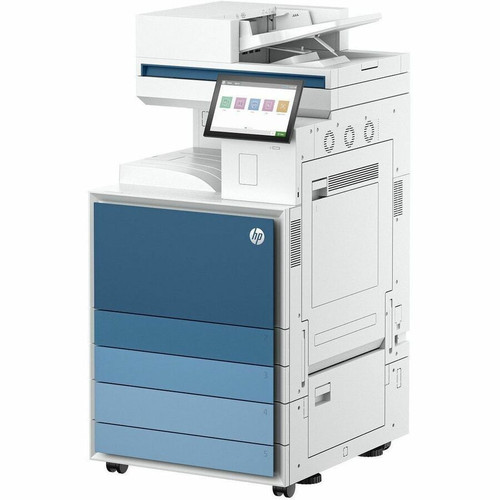
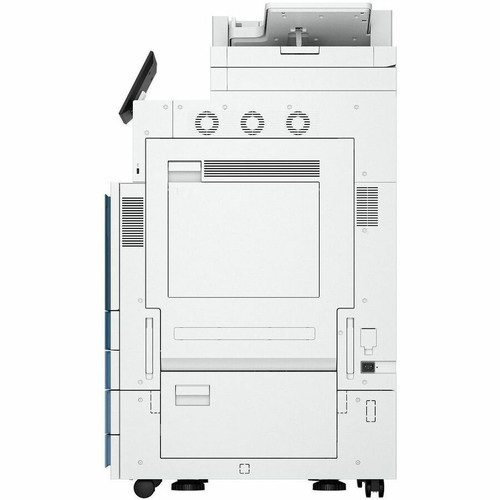
HP 9S186A#202 LaserJet Enterprise 8601DN Laser Multifunction Printer - Network-Ready Office MFP

Business volume discounts
Technical guidance
Preparation & staging
QC · ON · AB · BC
Product Features
Technical Overview
The HP LaserJet Enterprise 8601DN utilizes laser printing technology, known for its sharp text output and fast print speeds. This multifunction printer is engineered to deliver consistent performance with minimal maintenance, supporting high-volume printing tasks typical in office settings. Its network-ready capability ensures seamless integration into wired office networks, allowing multiple users to access the device for printing and scanning functions.
As a LaserJet Enterprise model, this printer is designed with robust components to withstand frequent use. The multifunction aspect combines printing and scanning into one unit, reducing the need for separate devices and saving valuable office space. The technical design focuses on reliability and ease of use, with features that support efficient document management in business environments.
Key Product Advantages
The HP LaserJet Enterprise 8601DN offers several advantages for office deployment. Its laser printing technology ensures high-quality text output with professional appearance, while the multifunction design consolidates printing and scanning tasks into a single device. This reduces equipment costs and simplifies office setup, making it an efficient choice for businesses looking to optimize their document workflow.
Reliable Performance
Built as part of the LaserJet Enterprise series, this printer is designed for durability and consistent operation in demanding office environments.
- Engineered for high-volume use
- Minimal maintenance requirements
Network Integration
With wired network connectivity, this printer easily integrates into existing office networks, allowing multiple users to share printing and scanning resources.
- Supports multiple user access
- Seamless network deployment
Deployment / Use Cases
The HP LaserJet Enterprise 8601DN is ideal for office environments where reliable document handling is essential. Its multifunction capabilities make it suitable for general office printing, scanning, and copying tasks, serving as a central document processing hub for small to medium-sized workgroups.
This printer excels in settings that require consistent performance without frequent maintenance. Offices with moderate to high printing volumes will benefit from its laser technology and network-ready design, which supports shared access among multiple users. The device is particularly well-suited for administrative departments, professional offices, and business environments where document quality and reliability are priorities.
Office Workgroup Printer
Designed to serve multiple users in an office setting, this printer handles everyday document tasks with reliable performance and network accessibility.
Centralized Document Management
The multifunction design allows businesses to consolidate printing and scanning functions into one device, reducing equipment clutter and improving workflow efficiency.
Highlights
- Laser printing technology for sharp text output
- Multifunction design combining printing and scanning
- Network-ready with wired connectivity
- Part of the durable LaserJet Enterprise series
- Designed for reliable office performance
- Suitable for high-volume printing tasks
- Supports multiple user access via network
- Reduces need for separate printing and scanning devices
Specifications
| Specifications | |
|---|---|
| Manufacturer | HP Inc. |
| Manufacturer Part Number | 9S186A#202 |
| Brand Name | HP |
| Product Line | LaserJet Enterprise |
| Product Model | 8601DN |
| Product Name | LaserJet Enterprise 8601DN Laser Multifunction Printer |
| Product Type | Laser Multifunction Printer |
User Manual
FAQ
What type of printing technology does the HP LaserJet Enterprise 8601DN use?
The HP LaserJet Enterprise 8601DN uses laser printing technology. Laser printers are known for producing sharp, professional-quality text output quickly and efficiently, making them ideal for office environments with moderate to high printing volumes. This technology ensures consistent performance with minimal maintenance requirements.
Is this printer network-ready?
Yes, the HP LaserJet Enterprise 8601DN is network-ready with wired connectivity. This allows the printer to be easily integrated into existing office networks, enabling multiple users to access printing and scanning functions from their workstations. The wired network capability supports reliable document sharing in business environments.
What functions does this multifunction printer support?
As a multifunction printer, the HP LaserJet Enterprise 8601DN supports printing and scanning capabilities. This design consolidates multiple document tasks into a single device, reducing the need for separate printers and scanners. It is suitable for offices looking to streamline their document workflow and save space.
What is the product model number for this HP printer?
The product model number is 8601DN. This identifier is part of the HP LaserJet Enterprise series, which is designed for reliable performance in business environments. The model number helps distinguish this specific multifunction printer from other models in the same product line.
Is this printer suitable for high-volume office use?
Yes, the HP LaserJet Enterprise 8601DN is designed for reliable performance in office environments with moderate to high printing volumes. As part of the LaserJet Enterprise series, it is built with durable components to withstand frequent use, making it a dependable choice for businesses that require consistent document output.
What documentation is available for this printer?
Documentation for the HP LaserJet Enterprise 8601DN includes a manufacturer brochure and user manual. These resources provide detailed information about setup, operation, and maintenance, helping users maximize the printer's capabilities in their office environment. The documentation is available for download to support proper deployment and usage.
| Qty | Price | Available |
|---|


