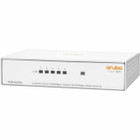
Aruba R8R44A#ABA Instant On 1430 5G Switch - 5-Port Gigabit Ethernet - Layer 2 Unmanaged - Fanless White Compact Switch ( )

Business volume discounts
Technical guidance
Preparation & staging
QC · ON · AB · BC
Product Features
Technical Overview
This switch operates at Layer 2 with support for IEEE 802.3, IEEE 802.3u, IEEE 802.3ab, IEEE 802.3af, IEEE 802.1x, IEEE 802.1p, IEEE 802.3i, IEEE 802.3z, IEEE 802.3at, IEEE 802.3az, and IEEE 802.3x networking standards. The five Gigabit Ethernet ports deliver 10/100/1000Base-T connectivity with 100Base-TX compatibility for legacy devices.
Quality of Service (QoS) and flow control features ensure improved network efficiency by prioritizing traffic and preventing data loss during congestion. The switch includes an uplink port for connecting to other network devices or expanding your network infrastructure.
Relevant factors for this section include Features, Total Number of Network Ports, Network (RJ-45), Uplink Port. When those points are considered together, they give buyers a clearer picture of how the product is equipped, how it fits into deployment, and what kind of day-to-day role it is meant to support.
Key Product Advantages
The Aruba Instant On 1430 5G Switch combines enterprise-grade reliability with consumer-friendly simplicity. Its zero-configuration approach makes network deployment accessible to users without IT expertise while maintaining professional-grade performance.
Silent Operation
The fanless design eliminates noise pollution, making this switch ideal for quiet office environments, retail spaces, or residential settings where acoustic comfort matters.
- No moving parts
- Zero fan noise
- Reduced maintenance
Flexible Installation
Multiple mounting options allow deployment in various scenarios, from desktop placement to wall mounting or under-table installation for space-constrained environments.
- Table top mounting
- Wall mountable
- Under table installation
Energy Efficient
Energy Efficient Ethernet (EEE) technology reduces power consumption during periods of low network activity, lowering operational costs and environmental impact.
- 802.3az compliant
- Reduced power draw
- Lower electricity costs
Deployment / Use Cases
This switch excels in small business environments where simplicity and reliability are paramount. Its compact size and flexible mounting options make it suitable for spaces where larger networking equipment would be impractical.
The unmanaged nature of this switch makes it perfect for connecting computers, printers, IP cameras, and other network devices in offices, retail stores, or home offices. The support for both twisted pair and optical fiber connections provides deployment flexibility for various cabling infrastructures.
Relevant factors for this section include Features, Total Number of Network Ports, Network (RJ-45), Uplink Port. When those points are considered together, they give buyers a clearer picture of how the product is equipped, how it fits into deployment, and what kind of day-to-day role it is meant to support.
Small Office Networking
Connect multiple workstations, network printers, and other office equipment with Gigabit speeds for fast file transfers and responsive network applications.
Home Office Setup
Create a reliable home network for remote work, online collaboration, and connecting smart home devices with enterprise-grade reliability.
Physical Profile
Measuring just 1.02" (26 mm) in height, 4.57" (116 mm) in width, and 3.66" (93 mm) in depth, this compact switch fits easily in tight spaces. The white finish provides a clean, professional appearance that blends well with modern office decor. At only 9.60 ounces (272.16 grams), the lightweight design simplifies installation and relocation.
The physical profile is practical for deployment planning because the dimensions and weight are clearly defined: 1.02" (26 mm), 4.57" (116 mm), 3.66" (93 mm), 9.60 oz (272.16 g). This helps confirm rack, shelf, desk, or cabinet fit before installation.
- Width
- 4.57" (116 mm)
- Depth
- 3.66" (93 mm)
- Height
- 1.02" (26 mm)
- Weight
- 9.60 oz (272.16 g)
Highlights
- 5 Gigabit Ethernet ports for high-speed network connectivity
- Layer 2 switching with support for multiple IEEE standards
- Fanless design for silent operation in office environments
- Unmanaged operation with zero configuration required
- Flexible mounting options: table top, under table, or wall mountable
- Support for both twisted pair and optical fiber media
- Energy Efficient Ethernet for reduced power consumption
- Compact white design measuring only 4.57" x 3.66" x 1.02"
- Quality of Service (QoS) and flow control for network efficiency
- Lifetime limited warranty for long-term reliability
Specifications
| Specifications | |
|---|---|
| Manufacturer | Hewlett Packard Enterprise |
| Manufacturer Part Number | R8R44A#ABA |
| Brand Name | HPE |
| Product Line | Instant On |
| Product Series | 1430 |
| Product Name | Instant On 1430 5G Switch |
| Product Type | Ethernet Switch |
| Technical Information | |
| Features | Fanless |
| Interfaces/Ports | |
| Total Number of Network Ports | 5 |
| Network (RJ-45) | Yes |
| Uplink Port | Yes |
| Port/Expansion Slot Details | 5 x Gigabit Ethernet Network |
| Media & Performance | |
| Media Type Supported | Twisted Pair,Optical Fiber |
| Ethernet Technology | Gigabit Ethernet |
| Network Technology | 100Base-TX,10/100/1000Base-T |
| Network & Communication | |
| Layer Supported | 2 |
| Networking Standards | IEEE 802.3,IEEE 802.3u,IEEE 802.3ab,IEEE 802.3af,IEEE 802.1x,IEEE 802.1p,IEEE 802.3i,IEEE 802.3z,IEEE 802.3at,IEEE 802.3az,IEEE 802.3x |
| Management & Protocols | |
| Manageable | No |
| Power Description | |
| Input Voltage | 120 V AC,230 V AC |
| Power Source | Power Adapter |
| Physical Characteristics | |
| Product Color | White |
| Form Factor | Table Top,Under Table,Wall Mountable |
| Height | 1.02" (26 mm) |
| Width | 4.57" (116 mm) |
| Depth | 3.66" (93 mm) |
| Weight (Approximate) | 9.60 oz (272.16 g) |
| Warranty | |
| Limited Warranty | Lifetime |
User Manual
FAQ
How many ports does this Aruba Instant On switch have?
The Aruba Instant On 1430 5G Switch features five Gigabit Ethernet ports. All ports support 10/100/1000Base-T connectivity with automatic speed and duplex negotiation. This port configuration provides sufficient connectivity for small office environments, allowing you to connect multiple computers, printers, and network devices simultaneously.
Is this switch managed or unmanaged?
This is an unmanaged Layer 2 switch that requires no configuration or ongoing management. It operates with plug-and-play functionality, automatically detecting network devices and optimizing connections. The switch includes built-in Quality of Service (QoS) and flow control features that work automatically without user intervention.
Does this switch support Power over Ethernet (PoE)?
No, this particular model does not provide Power over Ethernet capabilities. The switch requires external power via the included power adapter and does not deliver power to connected devices. For PoE requirements, consider other models in the Aruba Instant On series that specifically include PoE functionality.
What mounting options are available for this switch?
The Aruba Instant On 1430 5G Switch offers three mounting options: table top placement, under table mounting, and wall mounting. The compact dimensions of 4.57" wide x 3.66" deep x 1.02" high make it suitable for space-constrained environments. The lightweight design at 9.60 ounces simplifies installation in any of these configurations.
What type of network cables does this switch support?
This switch supports both twisted pair (standard Ethernet cables) and optical fiber media. It's compatible with 100Base-TX and 10/100/1000Base-T network technologies, allowing connection with various cable types including Cat5e, Cat6, and fiber optic cables through appropriate transceivers. The media type flexibility enables deployment in different network infrastructures.
What is the warranty coverage for this Aruba switch?
The Aruba Instant On 1430 5G Switch comes with a lifetime limited warranty. This warranty covers defects in materials and workmanship for the life of the product, providing long-term reliability assurance. The warranty terms are detailed in the product documentation available through the manufacturer's support resources.
| Qty | Price | Available |
|---|