








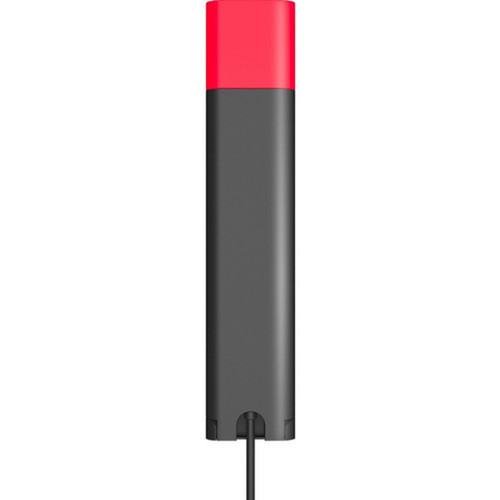

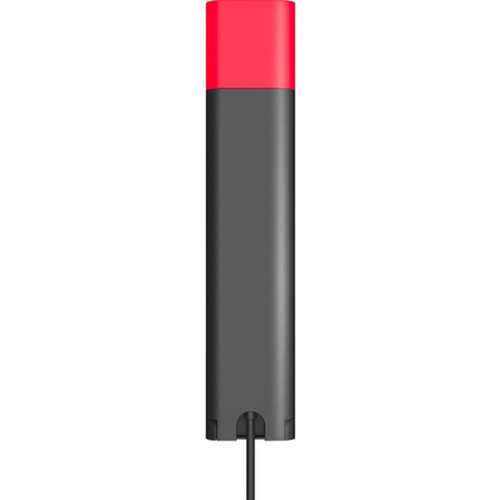
Yealink BLT60 Light Indicator - Visual Alarm Monitor - Plug-in for Headset & Phone Status

Business volume discounts
Technical guidance
Preparation & staging
QC · ON · AB · BC
Product Features
Product Overview
The Yealink BLT60 Light Indicator provides professional visual status monitoring for modern office communication systems, delivering immediate visual feedback about headset and phone activity to eliminate guesswork during critical calls and work sessions. This compact device enhances workplace awareness by synchronizing with connected devices to display their operational states through clear, non-intrusive light indicators.
Designed specifically for integration within Yealink's professional audio ecosystem, the BLT60 connects seamlessly with WH62, WH63, WH66, and WH67 headsets plus the MP50 Microsoft Teams USB phone. Its plug-and-play installation requires no complex configuration, making it accessible for users at all technical levels while maintaining the reliability expected from Yealink business communication solutions. The monitor and plug-in form factor enables flexible desk placement that integrates smoothly into office environments without occupying significant workspace.
As a dedicated visual alarm system, the BLT60 transforms how teams monitor communication device status through intuitive visual feedback that reduces interruptions and improves workflow efficiency. This approach proves particularly valuable in shared workspaces, call centers, and collaborative office settings where clear status visibility enhances productivity and reduces operational friction.
Technical Overview
The BLT60 operates as a dedicated visual alarm system that monitors and displays real-time working states of connected communication devices through synchronized light indicators. Using a visual alarm type, it communicates device status without requiring users to physically check individual headsets or phones, providing non-intrusive yet unmistakable status cues that maintain office quiet while delivering essential operational information.
This monitor employs a plug-in form factor that connects directly to compatible Yealink devices, establishing immediate synchronization between the light indicator and the operational status of each monitored unit. The product functions as an alarm system specifically designed for visual status indication, with application and usage optimized for headset, telephone system, and office environments where reliable status monitoring supports professional communication workflows.
The technical architecture ensures compatibility with Yealink's business communication ecosystem, including WH62, WH63, WH66, and WH67 professional headsets plus the MP50 Microsoft Teams USB phone. This compatibility framework enables seamless integration without requiring additional drivers or complex configuration, allowing the BLT60 to begin displaying status information immediately upon connection to supported devices.
Key Product Advantages
The Yealink BLT60 Light Indicator transforms communication device monitoring through several distinct advantages that enhance workplace efficiency and operational awareness. Its visual feedback system provides immediate status visibility without interrupting workflow, while the seamless integration with Yealink's professional audio ecosystem ensures reliable performance in business environments.
Plug-and-Play Simplicity
The BLT60 requires no technical configuration or complex setup procedures. Simply connect it to compatible Yealink devices, and it immediately begins synchronizing and displaying status information, making deployment straightforward for IT staff and accessible for end users at all technical levels.
Real-Time Status Synchronization
This device maintains continuous synchronization with connected communication devices, providing immediate visual feedback about working states. This real-time monitoring eliminates the need for manual device checks and reduces interruptions during critical calls and work sessions.
Non-Intrusive Visual Alerts
Using light indicators rather than audible alerts, the BLT60 provides clear status information while maintaining office quiet. This visual approach delivers unmistakable status cues without creating noise pollution in shared workspaces or disrupting concentration in focused work environments.
Deployment / Use Cases
Deploy the Yealink BLT60 Light Indicator in professional environments where clear communication device status monitoring enhances productivity and reduces operational friction. Its visual feedback system proves particularly valuable in shared workspaces, call centers, and collaborative office settings where immediate status visibility supports efficient workflow management and resource allocation.
Common deployment scenarios include reception areas where staff need immediate visibility into headset availability, shared workstations where multiple users access the same communication devices, and executive offices where discreet status monitoring maintains professional decorum. The BLT60 also serves well in training environments where instructors need to monitor trainee device usage without interrupting sessions, and in call centers where supervisors require immediate visual status of agent headsets to optimize resource allocation during high-volume periods.
Call Center Optimization
Provide supervisors with immediate visual status of agent headsets, enabling quick identification of available resources and reducing wait times during high-volume call periods. This visual monitoring system supports more efficient workforce management and improves customer service response times in professional call center environments.
Shared Workspace Efficiency
Eliminate confusion about device availability in hot-desking environments by offering clear visual indicators that show which headsets and phones are currently active or available for use. This reduces time wasted searching for available equipment and supports more efficient workspace utilization in modern office layouts.
Professional Reception Areas
Enhance reception desk operations with immediate visual status monitoring of communication devices, allowing reception staff to quickly identify available resources and maintain professional responsiveness. This visual feedback system supports smoother visitor interactions and more efficient call handling in busy reception environments.
Highlights
- Plug-and-play installation requires no technical configuration
- Synchronizes working state with connected Yealink devices in real time
- Visual alarm system provides clear, non-intrusive status indicators
- Compatible with Yealink WH62, WH63, WH66, and WH67 headsets
- Works with Yealink MP50 Microsoft Teams USB phone
- Designed for headset, telephone system, and office applications
- Monitor and plug-in form factor enables flexible desk placement
- Enhances workplace awareness through immediate visual feedback
Specifications
| Specifications | |
|---|---|
| Manufacturer | Yealink Network Technology Co., Ltd |
| Manufacturer Part Number | BLT60 |
| Brand Name | Yealink |
| Product Name | Light Indicator |
| Product Type | Light Indicator |
| Technical Information | |
| Alarm Type | Visual |
| Product Functions | Alarm |
| Form Factor | Monitor,Plug-in |
| Physical Characteristics | |
| Application/Usage | Headset,Telephone System,Office |
| Miscellaneous | |
| Compatibility | Yealink Products: WH62 Headset WH63 Headset WH66 Headset WH67 Headset MP50 Microsoft Teams USB Phone |
FAQ
What is the Yealink BLT60 Light Indicator designed to monitor?
The Yealink BLT60 Light Indicator is designed to monitor the working status of compatible Yealink communication devices, providing real-time visual feedback about headset and phone activity. It synchronizes with connected devices to display operational states, helping users quickly identify whether equipment is active, available, or in use without interrupting workflow.
Which specific Yealink devices are compatible with the BLT60 Light Indicator?
The BLT60 Light Indicator is compatible with Yealink WH62, WH63, WH66, and WH67 professional headsets, as well as the Yealink MP50 Microsoft Teams USB phone. This compatibility ensures seamless integration within Yealink's business communication ecosystem for reliable status monitoring in office environments.
How does the BLT60 Light Indicator install and operate?
The BLT60 features plug-and-play installation with no technical configuration required. Simply connect it to compatible Yealink devices, and it immediately begins synchronizing and displaying status information through visual light indicators. This straightforward setup makes it accessible for users at all technical levels while maintaining reliable performance.
What type of alerts does the BLT60 Light Indicator provide?
The BLT60 provides visual alerts through light indicators rather than audible alarms. This visual approach delivers clear status cues without creating noise pollution, making it ideal for shared workspaces, call centers, and office environments where maintaining quiet is important while still ensuring immediate status visibility.
What are the primary applications for the BLT60 Light Indicator?
The BLT60 is optimized for headset, telephone system, and office applications. Common deployment scenarios include call centers for supervisor monitoring of agent headset status, shared workspaces for indicating device availability, reception areas for quick resource identification, and executive offices for discreet status monitoring that maintains professional decorum.
What form factor does the BLT60 Light Indicator use?
The BLT60 uses a monitor and plug-in form factor that enables flexible desk placement. This compact design integrates smoothly into office environments without occupying significant workspace, allowing for convenient positioning where status visibility is most needed while maintaining a professional appearance.
| Qty | Price | Available |
|---|


