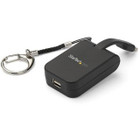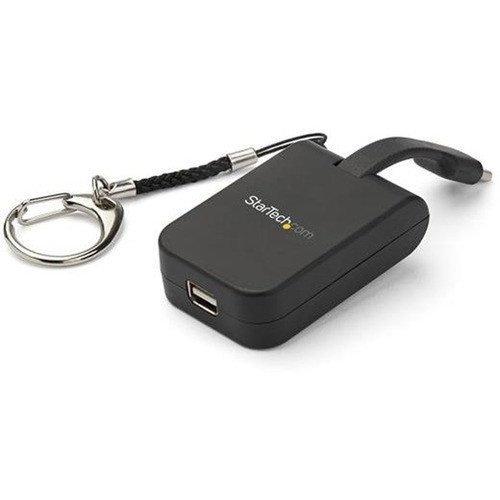
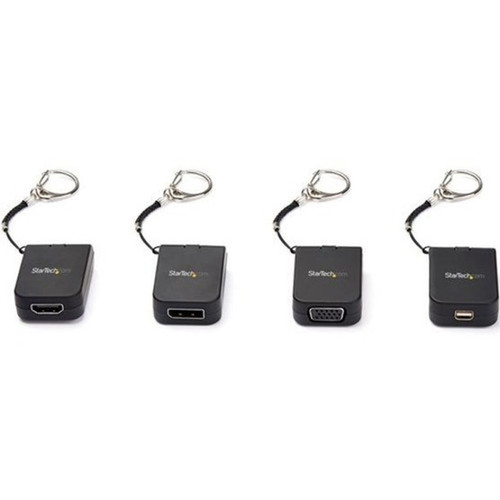
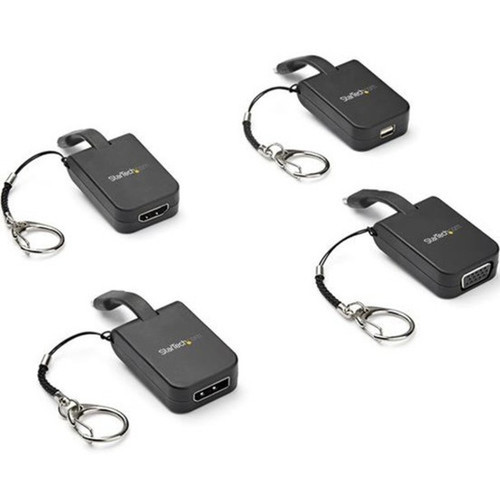

StarTech. com CDP2MDPFC USB-C to Mini DisplayPort Adapter - 4K 60Hz - Compact Keychain Design - Plug & Play

Business volume discounts
Technical guidance
Preparation & staging
QC · ON · AB · BC
Product Features
Technical Overview
This video adapter supports DisplayPort 1.2 standards with 4K resolution at 60Hz refresh rates, ensuring smooth video playback and detailed imagery for presentations, multimedia content, and productivity applications. The USB 3.1 Type C connector delivers both video signal and power through a single cable connection.
The adapter requires no additional drivers or software installation, offering true plug-and-play functionality across Windows, macOS, Chrome OS, and other operating systems that support DisplayPort over USB-C.
This section brings together practical product details such as Adapter Type, Connector Type on First End, Connector on First End Details, Color Family, so buyers can judge configuration, deployment fit, and day-to-day suitability with less guesswork.
A strong technical summary explains how the product's interfaces, hardware profile, and operating characteristics work together in real deployment. Buyers often need this context to confirm compatibility with existing devices, expected performance in daily use, and whether installation will be straightforward for IT staff or end users.
Key Product Advantages
This adapter combines high-performance video conversion with exceptional portability, making it ideal for mobile professionals who need reliable display connectivity without carrying bulky equipment.
These strengths make the product easier to deploy and manage in real environments, especially where reliability, usability, and day-to-day operational continuity matter. Notable benefits include Ultra-Compact Design, Premium Build Quality.
Ultra-Compact Design
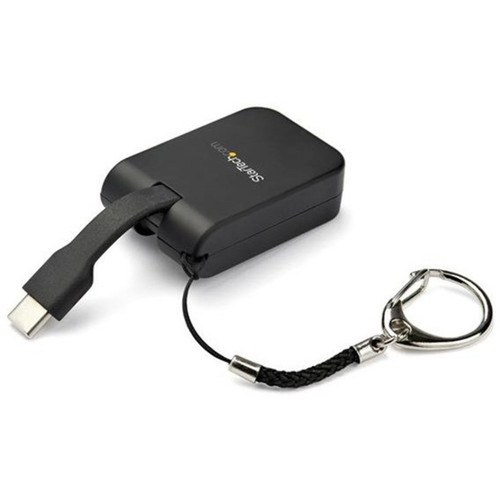
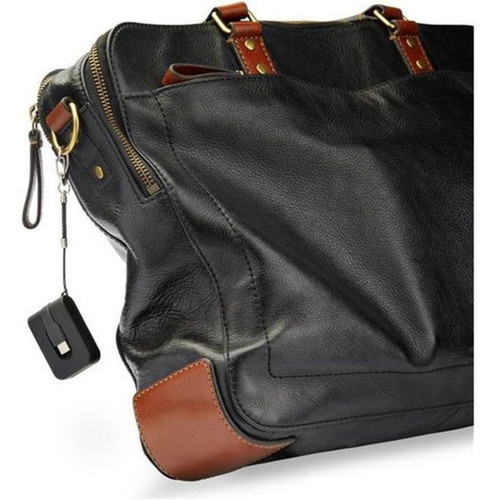
Measuring just 1.90 inches in length and weighing less than an ounce, this adapter fits easily in pockets, laptop sleeves, or attaches directly to keychains for instant accessibility.
- Palm-sized footprint
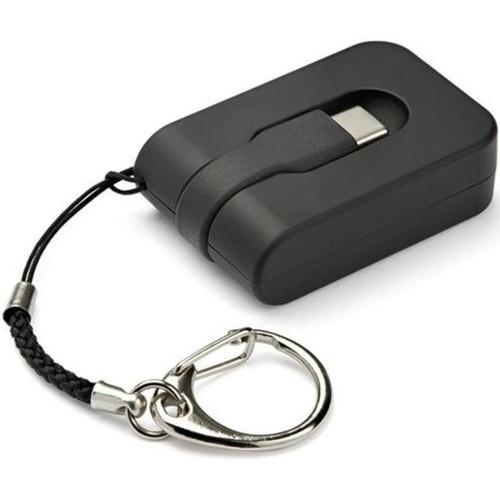
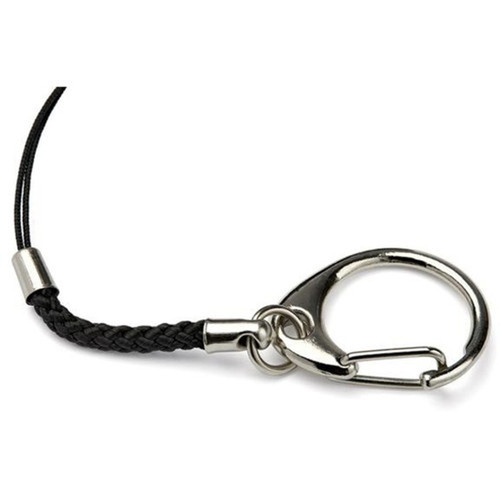
- Removable keychain connector
- Lightweight construction
Premium Build Quality
The soft-touch housing provides both comfort during handling and protection against daily wear, while the matte black finish maintains a professional appearance in any workspace.
- Soft-touch textured surface
- Matte black finish
- Durable plastic construction
Deployment / Use Cases
The CDP2MDPFC adapter serves multiple connectivity scenarios where USB-C devices need to connect to Mini DisplayPort displays. Its compact size and keychain attachment make it particularly valuable for professionals who frequently present in different locations or use multiple workstations.
Common deployment scenarios include connecting modern laptops to conference room monitors, extending desktop displays in office environments, setting up temporary workstations with external monitors, and integrating USB-C tablets with larger displays for enhanced productivity.
Mobile Presentation Setup
Quickly connect USB-C laptops to Mini DisplayPort projectors or monitors in conference rooms, client offices, or educational facilities without carrying multiple adapters or bulky equipment.
Workspace Expansion
Extend desktop real estate by adding secondary monitors to USB-C equipped workstations, supporting detailed spreadsheets, multi-window workflows, and creative applications that benefit from additional screen space.
Physical Profile
The adapter's compact dimensions (1.90" x 1.20" x 0.50") and lightweight construction (0.60 oz) make it one of the most portable video converters available. The black plastic housing features a soft-touch texture that improves grip while resisting fingerprints and minor scratches. The removable keychain connector provides flexible attachment options for maximum accessibility during travel.
The physical profile is practical for deployment planning because the dimensions and weight are clearly defined: 0.50" (12.70 mm), 1.20" (30.48 mm), 0.60 oz (17.01 g). This helps confirm rack, shelf, desk, or cabinet fit before installation.
- Width
- 1.20" (30.48 mm)
- Height
- 0.50" (12.70 mm)
- Weight
- 0.60 oz (17.01 g)
- Length
- 1.90" (48.26 mm)
Highlights
- Supports 4K UHD resolution at 60Hz refresh rates
- Compact design with removable keychain for maximum portability
- Plug-and-play operation requires no drivers or software
- Soft-touch matte black housing for durability and style
- USB 3.1 Type C to Mini DisplayPort 1.2 conversion
- Lightweight construction at just 0.60 ounces
- Compatible with Windows, macOS, and Chrome OS systems
- Backed by a 3-year manufacturer warranty
Specifications
| Specifications | |
|---|---|
| Manufacturer | StarTech.com |
| Manufacturer Part Number | CDP2MDPFC |
| Brand Name | StarTech.com |
| Product Name | Portable USB-C to Mini DisplayPort Adapter with Quick-Connect Keychain |
| Packaged Quantity | 1 Each |
| Product Type | Video Adapter |
| Technical Information | |
| Adapter Type | Mini DisplayPort/USB-C |
| Connector Type on First End | USB 3.1 Type C - Male |
| Connector on First End Details | 1 x 24-pin Type C USB 3.1 USB Male |
| Connector Type on Second End | Mini DisplayPort 1.2 Digital Audio/Video - Female |
| Connector on Second End Details | 1 x Mini DisplayPort DisplayPort 1.2 Digital Audio/Video Female |
| Maximum Resolution Supported | 3840 x 2160 |
| Features | Plug and Play |
| Physical Characteristics | |
| Color Family | Black |
| Product Color | Black |
| Product Material | Plastic |
| Height | 0.50" (12.70 mm) |
| Width | 1.20" (30.48 mm) |
| Length | 1.90" (48.26 mm) |
| Weight (Approximate) | 0.60 oz (17.01 g) |
| Miscellaneous | |
| Country of Origin | China |
| Environmentally Friendly | Yes |
| Environmental Compliance | Restriction of Hazardous Substances (RoHS),Registration, Evaluation, Authorization and Restriction of Chemicals (REACH),Waste Electrical and Electronic Equipment Directive (WEEE) |
| Warranty | |
| Limited Warranty | 3 Year |
User Manual
FAQ
What resolution and refresh rate does this adapter support?
The StarTech.com CDP2MDPFC adapter supports maximum resolution of 3840 x 2160 (4K UHD) at 60Hz refresh rate. This ensures detailed imagery and smooth video playback for presentations, multimedia content, and productivity applications when connecting USB-C devices to Mini DisplayPort displays.
Is this adapter plug-and-play or does it require drivers?
This adapter offers true plug-and-play functionality and requires no additional drivers or software installation. It works immediately when connected to systems running Windows, macOS, Chrome OS, and other operating systems that support DisplayPort over USB-C standards.
How portable is this USB-C to Mini DisplayPort adapter?
Extremely portable. The adapter measures just 1.90 inches in length, 1.20 inches in width, and 0.50 inches in height, weighing only 0.60 ounces. It includes a removable keychain connector that attaches securely to laptop bags, backpacks, or key rings for maximum accessibility during travel.
What devices are compatible with this video adapter?
The adapter connects USB-C equipped laptops, tablets, and smartphones to Mini DisplayPort monitors, projectors, and displays. It's compatible with devices that output DisplayPort Alternate Mode over USB-C, including many modern Windows laptops, MacBooks, Chromebooks, and USB-C tablets.
What is the build quality and finish of this adapter?
The adapter features a durable plastic construction with soft-touch housing that provides comfortable handling and protection against daily wear. The matte black finish maintains a professional appearance while resisting fingerprints and minor scratches in workspace environments.
What warranty coverage does StarTech.com provide for this adapter?
StarTech.com backs this adapter with a 3-year limited warranty, providing coverage for manufacturing defects and ensuring reliable performance. The company also complies with environmental standards including RoHS, REACH, and WEEE directives for responsible electronics manufacturing.
What resolution or display format is specified?
It features a display specification of 3840 x 2160, giving you clear visuals for work and media use.
What refresh rate or brightness details are available?
Display-oriented products are best judged through screen, connectivity, and installation specifications. Those facts help buyers confirm visual fit, mounting flexibility, and deployment suitability more clearly than generic summary text.
| Qty | Price | Available |
|---|