










Dell DELL-PN7320A Active Stylus for Latitude 7320 Notebook - Precision Touch Pen

Business volume discounts
Technical guidance
Preparation & staging
QC · ON · AB · BC
Product Features
Product Overview
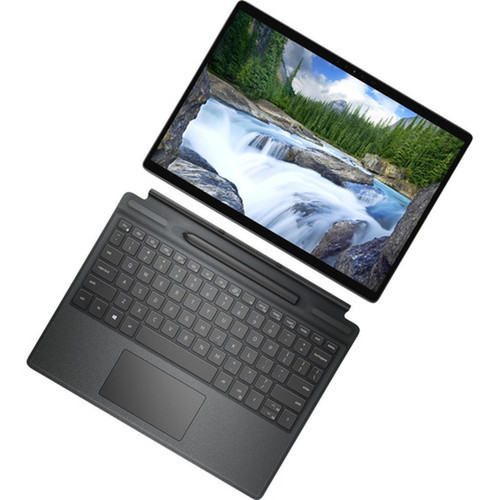
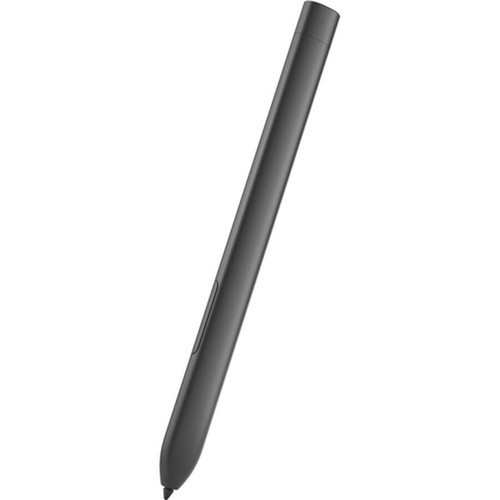
The Dell DELL-PN7320A active stylus transforms your Dell Latitude 7320 notebook into a versatile digital workspace. This precision touch pen delivers accurate input for professional and creative tasks, bridging the gap between traditional pen-and-paper workflows and modern digital documentation.
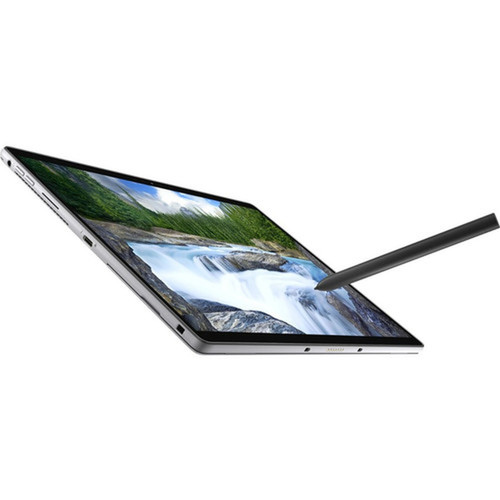
Designed specifically for the Dell Latitude 7320 notebook, this active stylus provides responsive interaction with your device's touchscreen interface. It reduces reliance on traditional input methods while helping protect your screen from the oils, smears, and potential scratches that can occur with direct finger contact. The stylus supports detailed work across various applications, making it an essential accessory for users who require precise control in their digital workflows.
Relevant factors for this section include Device Supported, Stylus Type, Compatibility. When those points are considered together, they give buyers a clearer picture of how the product is equipped, how it fits into deployment, and what kind of day-to-day role it is meant to support.
Technical Overview
This Dell active stylus operates as a dedicated input device engineered for seamless integration with Dell Latitude 7320 notebooks. It utilizes active technology to deliver precise cursor control and responsive interaction with your notebook's touch interface. The stylus is designed to work optimally with the specific display characteristics and touch sensitivity of the Latitude 7320 model.
Active stylus technology typically offers advantages over passive alternatives, including reduced interference, improved accuracy, and potential pressure sensitivity where supported by applications. This Dell stylus provides an alternative to finger-based navigation, enabling more controlled input for detailed tasks. Its compatibility is specifically validated for the Dell Latitude 7320 notebook, ensuring reliable performance in professional environments.
Relevant factors for this section include Device Supported, Stylus Type, Compatibility. When those points are considered together, they give buyers a clearer picture of how the product is equipped, how it fits into deployment, and what kind of day-to-day role it is meant to support.
Key Product Advantages
The Dell active stylus enhances notebook productivity by providing precise control that transforms how you interact with digital content. It serves as a versatile tool that improves both efficiency and accuracy in various professional and creative applications.
These strengths make the product easier to deploy and manage in real environments, especially where reliability, usability, and day-to-day operational continuity matter. Notable benefits include Precision Navigation, Screen Protection, Creative Flexibility, Notebook Enhancement.
For buyers comparing similar models, the strongest advantage is usually the balance between dependable day-to-day operation and a simpler rollout experience. That means less time spent troubleshooting fit, compatibility, or user adoption after installation, which is especially important for shared business environments and repeat purchasing decisions.
Deployment / Use Cases
This stylus is ideal for professionals who use Dell Latitude 7320 notebooks for detailed work requiring accurate input. It supports various productivity and creative applications where precise control enhances outcomes and workflow efficiency.
Common deployment scenarios include business environments where users annotate documents during meetings, educational settings for note-taking and diagram creation, and creative workflows involving digital sketching or design markup. The stylus provides a natural writing experience while maintaining the portability and convenience of your notebook, making it suitable for mobile professionals, students, designers, and anyone who needs precise digital input on their Dell Latitude 7320 device.
Business Annotation
Mark up contracts, presentations, and reports directly on your notebook screen with pinpoint accuracy during meetings and reviews.
- Document annotation
- Presentation markup
- Contract review
Creative & Educational Use
Support drawing, painting, and note-taking activities for artists, designers, students, and educators working with digital content.
- Digital sketching
- Educational notes
- Design markup
Highlights
- Active stylus technology for precise notebook input
- Compatible specifically with Dell Latitude 7320 notebooks
- Protects screens from smears, scratches, and fingerprints
- Enables drawing, painting, and annotation of electronic documents
- Provides accurate navigation and selection capabilities
- Enhances notebook operation for professional and creative tasks
- Supports note-taking and detailed digital work
- Backed by 1-year limited warranty from Dell
Specifications
| Specifications | |
|---|---|
| Manufacturer | Dell Technologies |
| Manufacturer Part Number | DELL-PN7320A |
| Brand Name | Dell |
| Product Name | Stylus |
| Product Type | Stylus |
| Technical Information | |
| Device Supported | Notebook |
| Stylus Type | Active |
| Miscellaneous | |
| Compatibility | Dell Latitude 7320 Notebook |
| Warranty | |
| Limited Warranty | 1 Year |
FAQ
What specific Dell notebook models is this stylus compatible with?
This Dell active stylus is designed specifically for the Dell Latitude 7320 notebook. It is optimized to work with the touch interface and display characteristics of this particular model. For compatibility with other Dell notebook models, please consult Dell's official compatibility documentation.
What does 'active stylus' mean compared to other stylus types?
An active stylus contains electronic components that communicate with the touchscreen device, typically offering higher precision, pressure sensitivity where supported, and reduced interference compared to passive or capacitive styluses. This Dell active stylus provides accurate cursor control and responsive interaction with compatible Dell Latitude 7320 notebooks.
What types of tasks is this stylus best suited for?
This stylus excels at precision tasks including note-taking, document annotation, digital drawing and painting, accurate navigation through interfaces, and detailed selection in applications. It transforms your Dell Latitude 7320 notebook into a versatile tool for both productivity and creative workflows.
What warranty coverage does this Dell stylus include?
The Dell DELL-PN7320A active stylus comes with a 1-year limited warranty from Dell Technologies. This warranty covers defects in materials and workmanship under normal use conditions. For specific warranty terms and claim procedures, refer to Dell's official warranty documentation.
Does this stylus require batteries or charging?
Active styluses typically either contain a battery or draw power through the device connection. For specific power requirements and whether charging or battery replacement is needed for this Dell DELL-PN7320A stylus, please consult the product documentation or Dell's specifications for this model.
What screen size is listed?
Dell Stylus - Active - Notebook Device Supported (DELL-PN7320A) is best judged through its screen, connectivity, and installation specifications, which help buyers confirm visual fit and deployment suitability.
| Qty | Price | Available |
|---|


