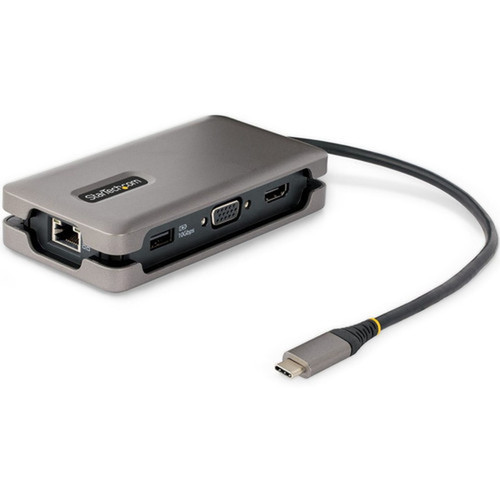
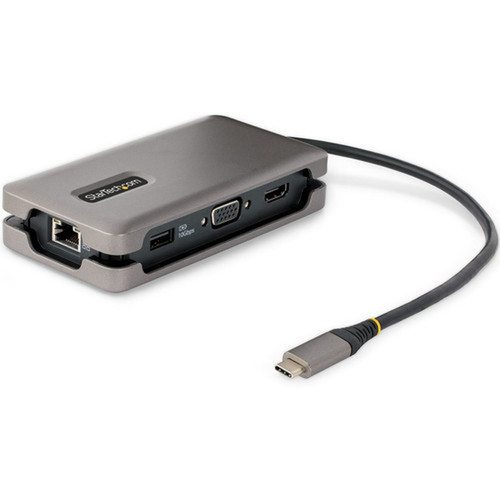
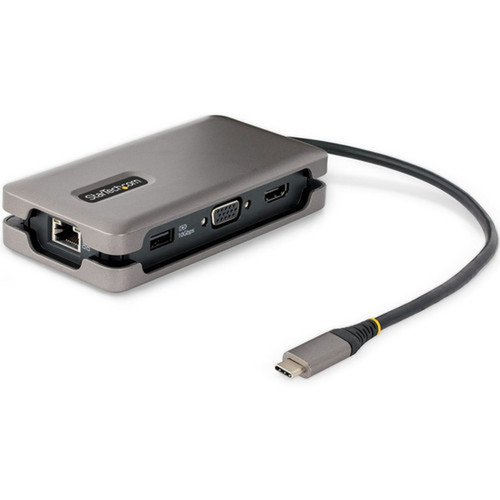


StarTech.com DKT31CVHPD3 USB-C Mini Docking Station - 4K HDMI 2.0b/VGA - 100W PD - Gigabit Ethernet - 4x USB 3.2 Ports - Space Gray

Business volume discounts
Technical guidance
Preparation & staging
QC · ON · AB · BC
Product Features
Technical Overview
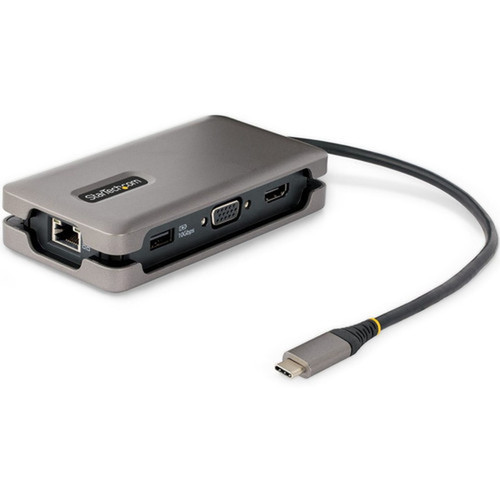
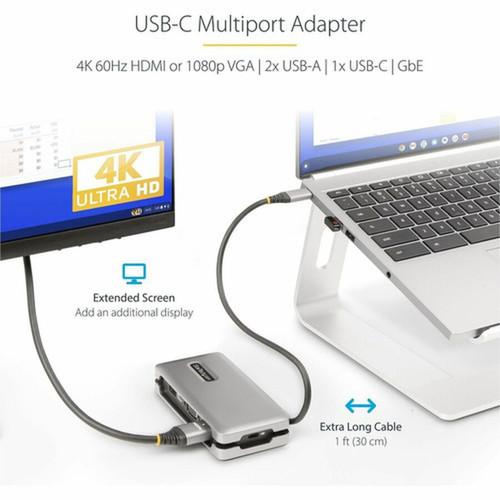
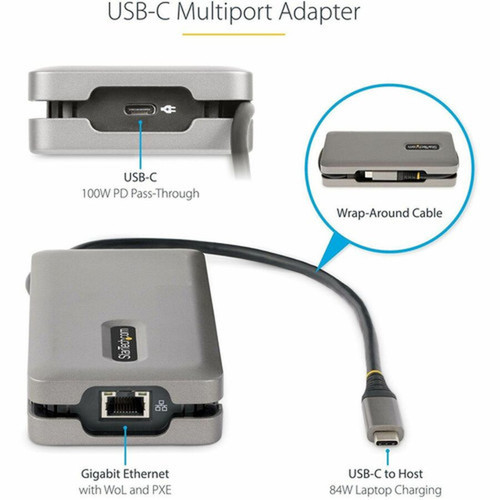
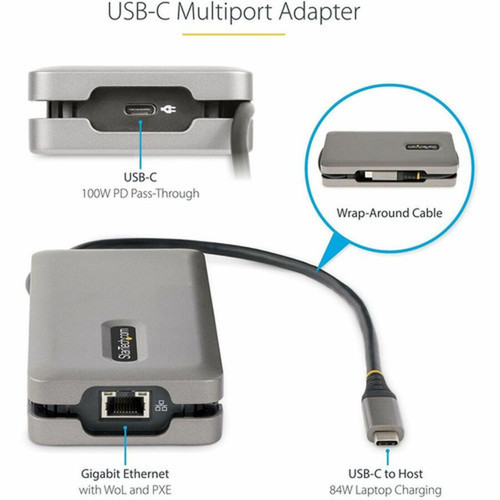
This docking station connects via a USB 3.2 Gen 2 Type-C host interface, providing sufficient bandwidth for 4K video, fast peripheral connections, and network traffic simultaneously. The integrated 1-foot (32 cm) attached cable is designed to reduce strain on the laptop's USB-C port, a common point of failure with shorter, detachable cables.
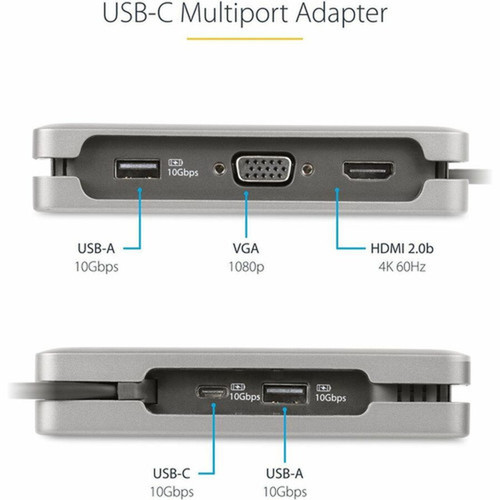
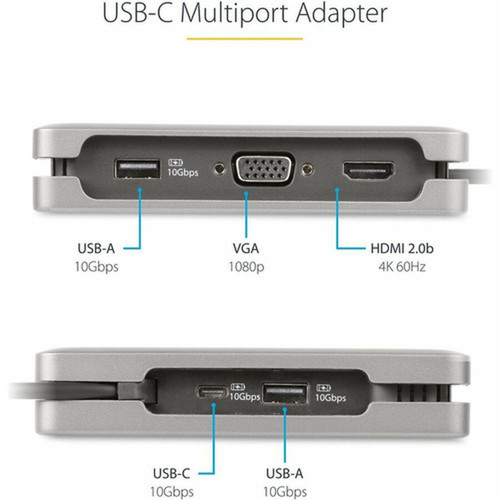
Video output is handled by either an HDMI 2.0b port, capable of driving a 4K display at 60Hz, or a legacy VGA port for 1080p resolution. The dock supports a single external monitor with resolutions up to 4096 x 2160 (4K), 1920 x 1200 (WUXGA), or 1920 x 1080 (Full HD).
Power Delivery Architecture
The dock features intelligent 100W USB Power Delivery pass-through. It allocates up to 84W for charging the host laptop while reserving 16W to power the dock itself and any connected USB devices, preventing power overdraw and ensuring stable operation.
Key Product Advantages
Beyond basic expansion, this StarTech dock offers distinct advantages for business and IT environments. Its design prioritizes reliability and manageability.
For buyers comparing similar models, the strongest advantage is usually the balance between dependable day-to-day operation and a simpler rollout experience. That means less time spent troubleshooting fit, compatibility, or user adoption after installation, which is especially important for shared business environments and repeat purchasing decisions.
Advantages are also easier to justify when they translate into measurable operational value, such as less downtime, more consistent user experience, easier replacement planning, or better alignment with existing accessories and workflows. That practical value tends to matter more than broad marketing language when teams are standardizing purchases.
Deployment / Use Cases
The DKT31CVHPD3 is ideal for creating instant, cable-managed workspaces for hybrid and mobile professionals. Its small footprint and comprehensive port selection make it a versatile tool for various scenarios.
For IT help desks, the included utilities for network management and USB monitoring simplify troubleshooting and support tasks. The dock's broad compatibility ensures it works seamlessly with a fleet of mixed devices, from corporate Dell Latitudes and Lenovo ThinkPads to Apple MacBooks and Microsoft Surface tablets.
Hot-Desking & Flexible Workspaces
Employees can connect their laptop with one cable to gain immediate access to a full-sized monitor, wired internet, peripherals, and charging. The dock's portability allows it to be easily moved between workstations.
Travel & Remote Work
The compact, lightweight design is perfect for travel. Users can maintain productivity in hotels or client offices by connecting to available displays and networks without carrying multiple dongles and chargers.
Physical Profile
Housed in a space-gray enclosure, the dock measures just 1" high by 2.50" wide (25.4 mm x 63.5 mm) and weighs approximately 4.6 ounces (130 g). Its portable form factor is designed for easy transport in a laptop bag or pocket. The build complies with environmental standards including EU RoHS, REACH, and WEEE directives.
The physical profile is practical for deployment planning because the dimensions and weight are clearly defined: 1" (25.40 mm), 2.50" (63.50 mm), 4.60 oz (130.41 g). This helps confirm rack, shelf, desk, or cabinet fit before installation.
- Width
- 2.50" (63.50 mm)
- Height
- 1" (25.40 mm)
- Weight
- 4.60 oz (130.41 g)
What's in the Box
The package includes everything needed for immediate setup and use.
Package contents include Docking Station, 1 x Quick-Start Guide. These included items support setup, installation, and immediate deployment without needing to source the core bundled accessories separately.
Highlights
- USB-C to HDMI 2.0b supporting 4K resolution at 60Hz or VGA for 1080p displays.
- 100W USB Power Delivery pass-through charges your laptop while powering the dock.
- Four USB 3.2 (10 Gbps) ports: two Type-A and two Type-C for peripherals.
- Integrated Gigabit Ethernet port with PXE boot and Wake-on-LAN support.
- Universal OS compatibility with Windows, macOS, ChromeOS, Linux, and Android.
- Works with USB-C, USB4, Thunderbolt 3, and Thunderbolt 4 host devices.
- Compact, portable design in Space Gray with a 1-foot attached cable to reduce port strain.
- Includes IT professional tools: MAC Address Pass-Through, WiFi Auto Switching, and USB monitoring.
- Backed by a 3-year limited warranty from StarTech.com.
Specifications
| Specifications | |
|---|---|
| Manufacturer | StarTech.com |
| Manufacturer Part Number | DKT31CVHPD3 |
| Brand Name | StarTech.com |
| Product Name | Docking Station |
| Packaged Quantity | 1 |
| Product Type | Docking Station |
| Technical Information | |
| Connectivity Technology | Wired |
| Number of Displays Supported | 1 |
| Supported Resolutions | 4096 x 2160,1920 x 1200,1920 x 1080 |
| Screen Mode Supported | 4K,Full HD,WUXGA |
| Device Supported | Monitor,Tablet,Notebook |
| Network & Communication | |
| Ethernet Technology | Gigabit Ethernet |
| Interfaces/Ports | |
| Host Interface | USB 3.2 (Gen 2) Type C |
| Total Number of USB Ports | 4 |
| Number of USB 3.2 Gen 2 Type-A Ports | 2 |
| Number of USB Type-C Ports | 2 |
| USB Type-C | Yes |
| USB Type-C Detail | 1 x USB 3.2 Type-C (24 pin, Gen 2, 10Gbps), 1 x USB Type-C (24 pin) USB Power Delivery Only |
| Number of USB Type-A Ports | 2 |
| USB Type-A | Yes |
| Number of RJ-45 Ports | 1 |
| Network (RJ-45) | Yes |
| VGA | Yes |
| Number of HDMI Ports | 1 |
| HDMI | Yes |
| Software | |
| Operating System Supported | Windows 7,Windows 8,Windows 8.1,Windows 10,Windows 11,Mac OS X 10.15 Catalina,Mac OS X 11.0 Big Sur,Mac OS X 12.0 Monterey,Mac OS X 13.0 Ventura,Android,Linux,Ubuntu 18.04,Ubuntu 20.04,ChromeOS |
| Physical Characteristics | |
| Product Color | Space Gray |
| Form Factor | Portable |
| Height | 1" (25.40 mm) |
| Width | 2.50" (63.50 mm) |
| Weight (Approximate) | 4.60 oz (130.41 g) |
| Miscellaneous | |
| Package Contents | Docking Station 1 x Quick-Start Guide |
| Compatibility | Compatible Devices: Chromebook Dell XPS Laptops Apple MacBook MIcrosoft Surface Tablet MIcrosoft Surface Notebook USB-C Laptops USB-C Tablets USB4 Laptops Thunderbolt 3 Laptops Thunderbolt 4 Laptops |
| Environmentally Friendly | Yes |
| Environmental Certification | EU RoHS |
| Environmental Compliance | Restriction of Hazardous Substances (RoHS) 2,Registration, Evaluation, Authorization and Restriction of Chemicals (REACH),Waste Electrical and Electronic Equipment Directive (WEEE) |
| Country of Origin | China |
| Warranty | |
| Limited Warranty | 3 Year |
User Manual
FAQ
What is the maximum display resolution supported by this docking station?
The StarTech DKT31CVHPD3 supports a maximum resolution of 4096 x 2160, which is 4K. It can also drive displays at 1920 x 1200 (WUXGA) and 1920 x 1080 (Full HD) through its HDMI 2.0b port. The alternate VGA output supports a maximum of 1080p resolution.
How much power does the dock deliver to my laptop?
The dock supports USB Power Delivery pass-through up to 100W total. It intelligently allocates up to 84W for charging the connected laptop, while reserving 16W to power the dock's own circuitry and any peripherals connected to its USB ports, ensuring stable operation without overdrawing power.
Which operating systems are compatible with this USB-C dock?
This dock offers broad operating system support. It is compatible with Windows 7, 8, 8.1, 10, and 11; macOS from Catalina (10.15) through Ventura (13.0); ChromeOS; various Linux distributions including Ubuntu 18.04 and 20.04; and Android. No additional drivers are typically required for basic functionality.
Can I connect both an HDMI monitor and the VGA port at the same time?
No, this is a single-display docking station. It supports one external monitor at a time. You can connect a display using either the HDMI 2.0b port or the VGA port, but not both simultaneously. The dock will output video to the first display detected.
What are the 'IT connectivity tools' included with this dock?
This dock includes software utilities designed for IT management, such as Network MAC Address Pass-Through (which allows a laptop to use the dock's MAC address on the network), WiFi Auto Switching, USB Event Monitoring for security and auditing, and Windows Layout Utilities to manage application window positioning. These tools are provided by StarTech and are not common in consumer-grade docking products.
Is this docking station compatible with Apple M1 or M2 MacBooks?
Yes, the StarTech DKT31CVHPD3 is fully compatible with Apple Silicon MacBooks (M1 and M2 series) as well as Intel-based MacBooks. It supports the macOS operating systems from Catalina onward. The dock works over the standard USB-C connection used by these laptops for video, data, and power delivery.
| Qty | Price | Available |
|---|