






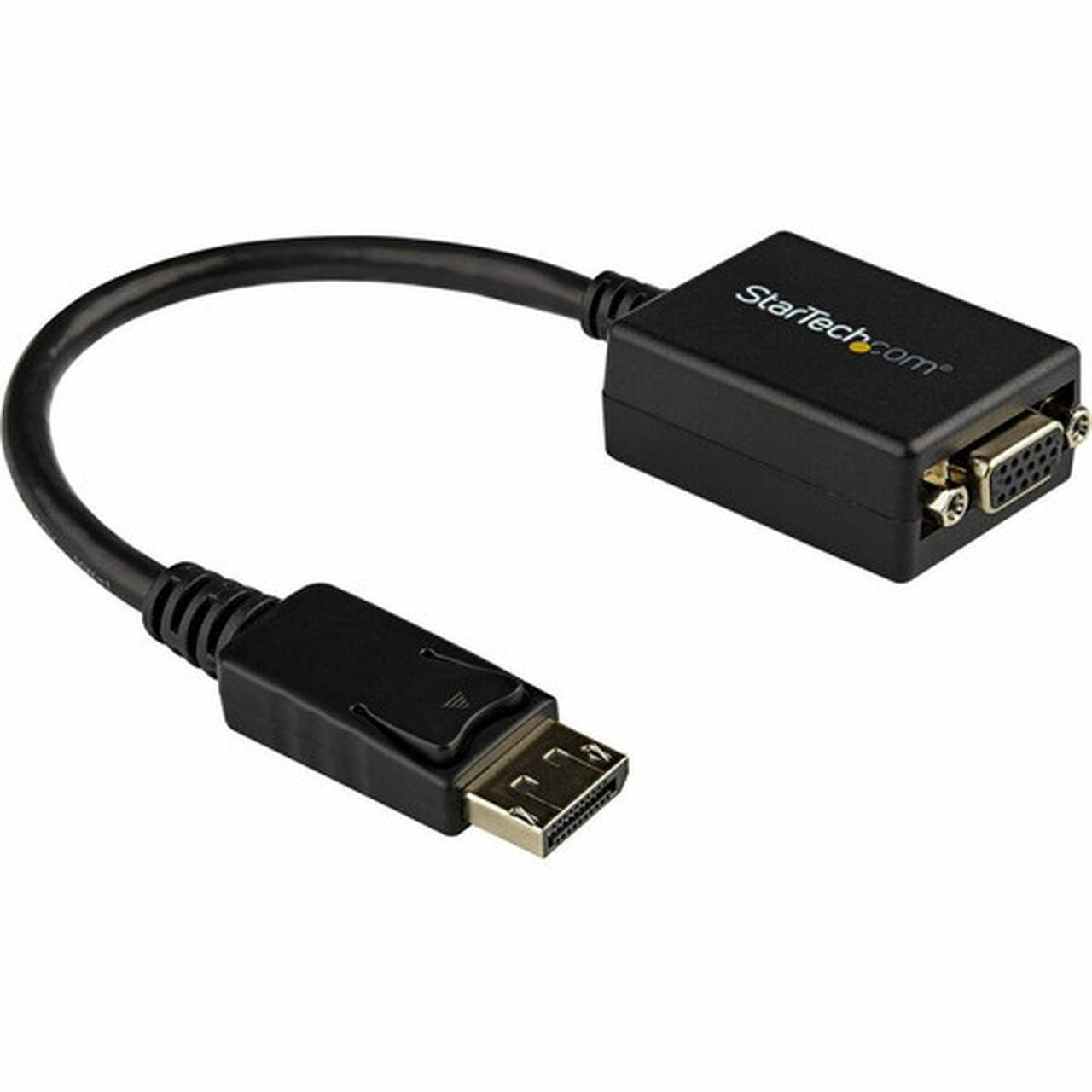
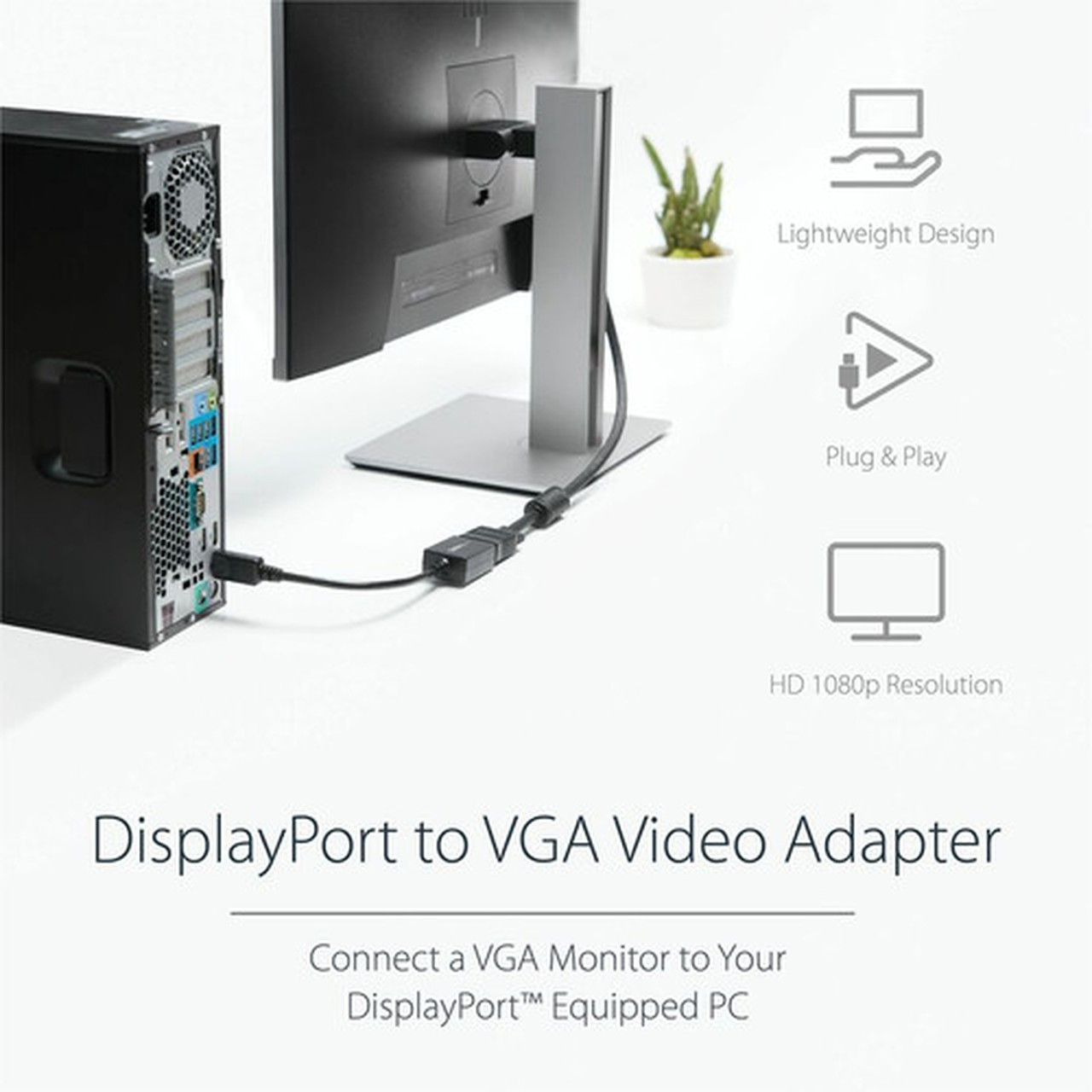
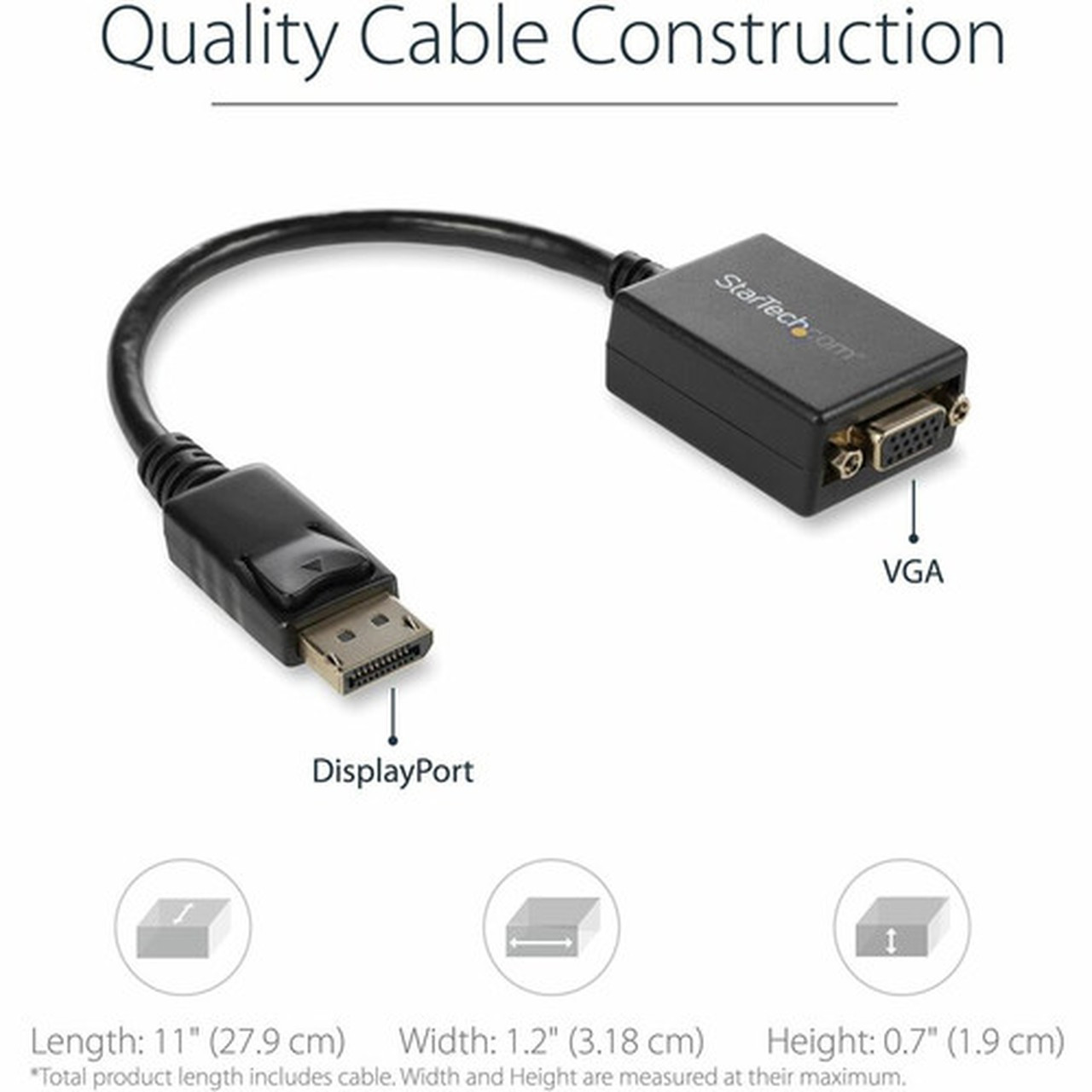



StarTech. com DP2VGA2 DisplayPort to VGA Adapter - Active DP to VGA Converter - 1080p - 60Hz - Latching DP & Screw Lock VGA

Business volume discounts
Technical guidance
Preparation & staging
QC · ON · AB · BC
Product Features
Technical Overview
This adapter utilizes an active digital-to-analog converter chipset, which is necessary for converting the digital DisplayPort signal to analog VGA. It is fully compliant with DisplayPort 1.2 standards (High Bit Rate 2) and supports DP++ (Dual-Mode DisplayPort) sources, providing broad compatibility with graphics cards from AMD and NVIDIA, as well as integrated graphics from Intel.
The technical design includes a 9-inch (22.5 cm) integrated cable on the DisplayPort side, offering flexibility in tight spaces. The adapter has been tested with VGA cables up to 25 feet in length, ensuring stable performance in extended cable runs typical in office and presentation environments.
This section brings together practical product details such as Connector Type on First End, Connector on First End Details, Connector Type on Second End, Color Family, so buyers can judge configuration, deployment fit, and day-to-day suitability with less guesswork.
Key Product Advantages
The DP2VGA2 stands out with its robust physical design and plug-and-play simplicity, making it a dependable choice for IT professionals and business users.
Secure Connection Design
The latching mechanism on the DisplayPort connector ensures a solid, vibration-resistant connection to the host device, while the screw-lock terminals on the VGA side prevent accidental cable disconnection during use.
- Latching DP connector
- Screw-lock VGA terminals
Universal Compatibility
As a true active converter, it works with any standard DisplayPort or DP++ source. Its driver-free operation means immediate functionality across Windows, Linux (Ubuntu), and macOS systems without software installation.
- Works with DP and DP++ sources
- OS independent
Deployment / Use Cases
This adapter is ideal for modernizing AV setups in corporate, educational, and home office environments where legacy VGA monitors or projectors are still in service.
Common deployment scenarios include connecting a new laptop or desktop with only DisplayPort outputs to a conference room projector, adding a secondary VGA monitor to a multi-display workstation for extended desktop space, or integrating older VGA-based signage displays with modern media players. Its compact and lightweight form factor also makes it an excellent travel companion for professionals who frequently present in different locations.
This section brings together practical product details such as Connector Type on First End, Connector on First End Details, Connector Type on Second End, Color Family, so buyers can judge configuration, deployment fit, and day-to-day suitability with less guesswork.
Physical Profile
The adapter features a sleek, all-black design that blends discreetly with most office hardware. Weighing just 1.5 ounces, its lightweight and compact dongle form factor minimizes desk clutter and is easy to store in a laptop bag. The construction complies with EU RoHS, REACH, and WEEE environmental directives, reflecting StarTech.com's commitment to responsible manufacturing.
The physical profile is practical for deployment planning because the dimensions and weight are clearly defined: 1.50 oz (42.52 g). This helps confirm rack, shelf, desk, or cabinet fit before installation.
- Weight
- 1.50 oz (42.52 g)
Highlights
- Active DisplayPort 1.2 to VGA adapter for digital-to-analog conversion.
- Supports high resolutions including 1080p, 1920x1200, and 2048x1280 at 60Hz.
- Features a latching DisplayPort connector and screw-lock VGA for secure connections.
- Plug-and-play operation with no drivers required for Windows, Ubuntu, or macOS.
- Includes EDID pass-through for automatic display detection and compatibility.
- Compact dongle design with a 9-inch cable for easy portability and use.
- Tested for reliability with VGA cable runs up to 25 feet.
- Backed by a 3-year limited warranty and compliant with RoHS/REACH standards.
Specifications
| Specifications | |
|---|---|
| Manufacturer | StarTech.com |
| Manufacturer Part Number | DP2VGA2 |
| Brand Name | StarTech.com |
| Product Name | DisplayPort To VGA Adapter - Active - 1080p - DP to VGA Adapter |
| Packaged Quantity | 1 Each |
| Product Type | Video Adapter |
| Technical Information | |
| Connector Type on First End | HD-15 - Female |
| Connector on First End Details | 1 x 15-pin HD-15 - Female |
| Connector Type on Second End | DisplayPort 1.2 Digital Audio/Video - Male |
| Connector on Second End Details | 1 x 20-pin DisplayPort 1.2 Digital Audio/Video - Male |
| Features | Active,Latching Connector,Extended Display Identification Data (EDID),Screw Lock |
| Physical Characteristics | |
| Color Family | Black |
| Product Color | Black |
| Weight (Approximate) | 1.50 oz (42.52 g) |
| Miscellaneous | |
| Country of Origin | Vietnam |
| Environmentally Friendly | Yes |
| Environmental Certification | EU RoHS |
| Environmental Compliance | Restriction of Hazardous Substances (RoHS) 2,Registration, Evaluation, Authorization and Restriction of Chemicals (REACH),Waste Electrical and Electronic Equipment Directive (WEEE) |
| Warranty | |
| Limited Warranty | 3 Year |
User Manual
FAQ
What is the difference between an active and passive DisplayPort to VGA adapter?
An active adapter, like the DP2VGA2, contains a chipset that actively converts the digital DisplayPort signal to an analog VGA signal. This is necessary because VGA is an analog interface. A passive adapter only works if the source device (like a GPU) has built-in dual-mode (DP++) support and can output an analog signal itself, which is less common. The active design ensures broader compatibility with standard DisplayPort sources.
Does this adapter work with Apple Mac computers?
Yes. The adapter is driver-free and works with macOS systems that have a standard DisplayPort or Thunderbolt port (using a DisplayPort signal). It is compatible with MacBooks, iMacs, and Mac minis that support DisplayPort output.
What is the purpose of the latching connector and screw locks?
The latching mechanism on the DisplayPort connector physically locks the adapter into the host port, preventing it from being accidentally unplugged due to cable tension or movement. The screw locks on the VGA side allow you to secure a standard VGA cable by tightening the built-in screws, ensuring a stable connection that won't vibrate loose. Both features are designed for reliability in professional environments.
Can I use this adapter to add a second monitor to my computer?
Absolutely. This adapter is perfect for adding a secondary VGA monitor to a computer with a spare DisplayPort output. It enables extended or mirrored desktop modes, which is useful for multitasking, coding, design work, or financial trading setups where multiple screens increase productivity.
What is EDID pass-through and why is it important?
EDID (Extended Display Identification Data) is information stored in a display that tells the source device about its capabilities, like supported resolutions and refresh rates. EDID pass-through means the adapter reads this data from the connected VGA monitor and communicates it to the computer. This ensures automatic and optimal resolution selection, preventing issues like unsupported mode errors or manual configuration needs.
What refresh rate or brightness details are available?
Display-oriented products are best judged through screen, connectivity, and installation specifications. Those facts help buyers confirm visual fit, mounting flexibility, and deployment suitability more clearly than generic summary text.
What input or connectivity options are listed?
Connectivity options include 1 x 15-pin HD-15 - Female, helping the product integrate into common office or home setups.
Does the display support VESA mounting or adjustment features?
Display-oriented products are best judged through screen, connectivity, and installation specifications. Those facts help buyers confirm visual fit, mounting flexibility, and deployment suitability more clearly than generic summary text.
| Qty | Price | Available |
|---|


