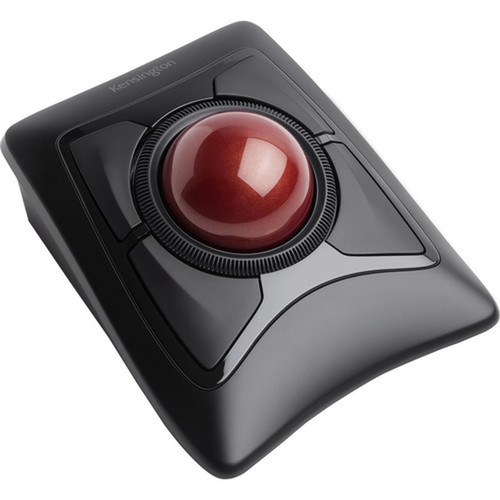


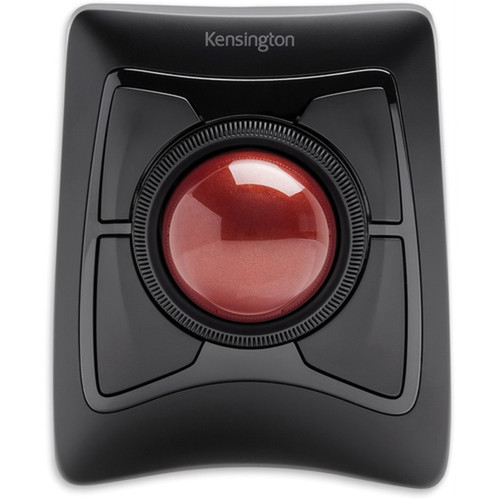

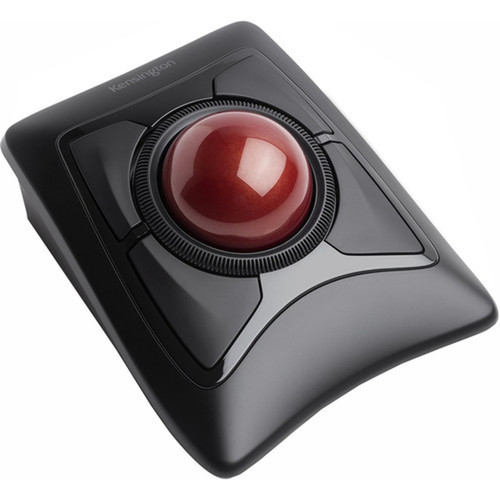


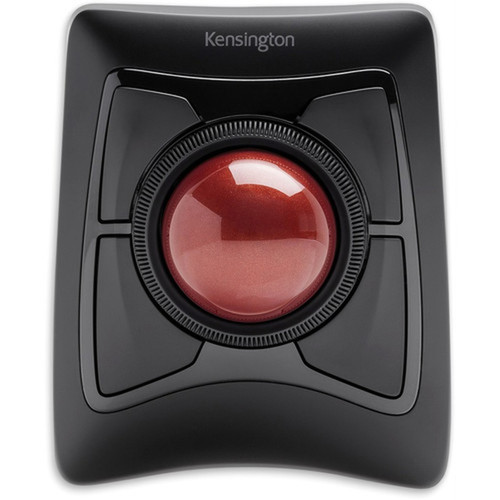
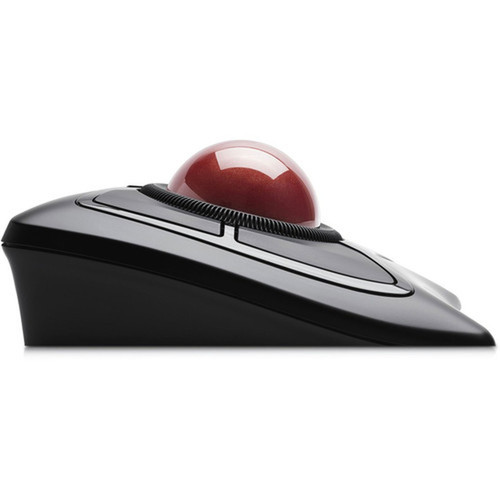
Kensington K72359WW Expert Mouse Trackball - Wireless Bluetooth/Radio Frequency - Optical - Black - USB

Business volume discounts
Technical guidance
Preparation & staging
QC · ON · AB · BC
Product Features
Technical Overview
The Kensington Expert Mouse Trackball K72359WW features dual wireless technology, supporting Bluetooth and Radio Frequency for versatile connectivity options. Optical movement detection ensures accurate and responsive cursor control, while the trackball scroller provides precise scrolling without requiring hand repositioning. The device interfaces with host systems via USB, ensuring broad compatibility with computers and other compatible devices.
This trackball is engineered for durability and consistent performance, with a focus on reducing physical effort during extended use. The optical sensor enhances tracking smoothness across various surfaces, and the wireless capabilities allow for clutter-free desk setups. The integration of both Bluetooth and Radio Frequency modes provides flexibility for different user preferences and device requirements.
Relevant factors for this section include Pointing Device Connectivity Technology, Pointing Device Wireless Technology, Movement Detection, Pointing Device Host Interface. When those points are considered together, they give buyers a clearer picture of how the product is equipped, how it fits into deployment, and what kind of day-to-day role it is meant to support.
Key Product Advantages
The Kensington Expert Mouse Trackball K72359WW offers several advantages for users prioritizing ergonomics and connectivity. Its trackball design minimizes hand movement and desk space requirements, making it ideal for compact workspaces or users with mobility considerations. The dual wireless technology provides reliable connectivity options, enhancing freedom of movement and reducing cable clutter.
Ergonomic Efficiency
The trackball scroller allows precise cursor control without extensive hand motion, reducing wrist strain and improving comfort during long sessions.
- Minimizes hand movement
- Reduces desk space needs
- Enhances user comfort
Flexible Connectivity
Bluetooth and Radio Frequency wireless modes offer compatibility with various devices, supporting both short-range and extended-distance use cases.
- Dual wireless options
- Broad device compatibility
- Stable connection
Smooth Performance
Optical movement detection ensures accurate tracking and responsive performance, suitable for detailed tasks like graphic design or gaming.
- Precise cursor control
- Responsive tracking
- Reliable across surfaces
Deployment / Use Cases
The Kensington Expert Mouse Trackball K72359WW is versatile for multiple deployment scenarios. In office environments, it supports productivity by reducing physical strain and accommodating limited desk space, making it suitable for administrative tasks, data entry, or general computing. For gaming and creative applications, the optical tracking and precise control enhance performance in detail-oriented activities.
This trackball is also effective in settings where wireless flexibility is crucial, such as home offices, educational institutions, or presentation setups. Its dual connectivity modes allow seamless switching between devices, supporting workflows that involve multiple computers or peripherals. The ergonomic design benefits users with repetitive strain concerns or those seeking alternative input methods for improved accessibility.
Office Productivity
Ideal for administrative and data-intensive tasks, reducing wrist fatigue and optimizing workspace efficiency in corporate or remote work environments.
Gaming & Creative Work
Supports precise control for gaming, graphic design, or video editing, leveraging optical tracking for accuracy and responsiveness.
Highlights
- Wireless Bluetooth/Radio Frequency connectivity for flexible device pairing
- Optical movement detection ensures smooth and accurate cursor control
- Trackball scroller minimizes hand movement and reduces desk space requirements
- USB interface provides broad compatibility with computers and devices
- Black color suits professional and personal workstation setups
- Dual wireless modes support both short-range and extended-distance use
- Ergonomic design reduces wrist strain during extended sessions
- Precise tracking suitable for office tasks, gaming, and creative applications
Specifications
| Specifications | |
|---|---|
| Manufacturer | Kensington Computer Products Group |
| Manufacturer Part Number | K72359WW |
| Brand Name | Kensington |
| Product Line | Expert Mouse |
| Product Name | Expert Mouse TrackBall |
| Product Type | Trackball |
| Pointing Device | |
| Pointing Device Connectivity Technology | Wireless |
| Pointing Device Wireless Technology | Bluetooth/Radio Frequency |
| Movement Detection | Optical |
| Scroller Type | Trackball |
| Interfaces/Ports | |
| Pointing Device Host Interface | USB |
| Physical Characteristics | |
| Color Family | Black |
| Product Color | Black |
| Miscellaneous | |
| Country of Origin | Malaysia |
User Manual
FAQ
What wireless connectivity options does the Kensington Expert Mouse Trackball K72359WW support?
The Kensington Expert Mouse Trackball K72359WW supports dual wireless technology, including Bluetooth and Radio Frequency. This allows flexible connectivity with various devices, offering both short-range Bluetooth pairing and reliable Radio Frequency for extended distances. Users can choose the mode that best fits their setup, enhancing freedom of movement and reducing cable clutter in office, home, or gaming environments.
How does the trackball scroller improve user experience compared to a traditional mouse?
The trackball scroller in the Kensington Expert Mouse Trackball K72359WW allows cursor control through ball rotation rather than hand movement. This minimizes physical effort, reduces wrist strain, and requires less desk space. It provides precise navigation for tasks like scrolling, clicking, or dragging, making it ideal for users with ergonomic concerns, compact workspaces, or those seeking alternative input methods for improved comfort during extended use.
What is optical movement detection, and how does it benefit this trackball?
Optical movement detection uses an LED sensor to track movement, providing smooth and accurate cursor control. In the Kensington Expert Mouse Trackball K72359WW, this technology ensures responsive performance across various surfaces without skips or lag. It enhances precision for detailed tasks like graphic design or gaming, and reduces maintenance compared to mechanical sensors, offering reliable tracking for daily use in professional or personal settings.
Can the Kensington Expert Mouse Trackball K72359WW be used with multiple devices?
Yes, the Kensington Expert Mouse Trackball K72359WW can be used with multiple devices due to its dual wireless modes. Bluetooth allows pairing with compatible computers, tablets, or smartphones, while Radio Frequency supports connections via a USB receiver. This flexibility enables users to switch between devices seamlessly, making it suitable for multi-device workflows, presentations, or shared environments where different systems are in use.
What are the ergonomic advantages of using this trackball?
The Kensington Expert Mouse Trackball K72359WW offers ergonomic advantages by reducing hand movement and wrist strain. The trackball design allows cursor control with minimal arm motion, which can alleviate discomfort from repetitive use. It also requires less desk space, promoting a cleaner workspace. These features make it beneficial for users with mobility issues, those prone to repetitive strain injuries, or anyone seeking a more comfortable input device for long sessions.
Is the Kensington Expert Mouse Trackball K72359WW suitable for gaming?
The Kensington Expert Mouse Trackball K72359WW is suitable for gaming due to its optical movement detection and precise trackball control. Optical tracking ensures accurate and responsive cursor movements, which is crucial for gaming accuracy. The trackball allows for fine control without extensive hand motion, potentially improving performance in strategy or simulation games. However, users accustomed to traditional gaming mice may require an adjustment period to master the trackball mechanics.
| Qty | Price | Available |
|---|