






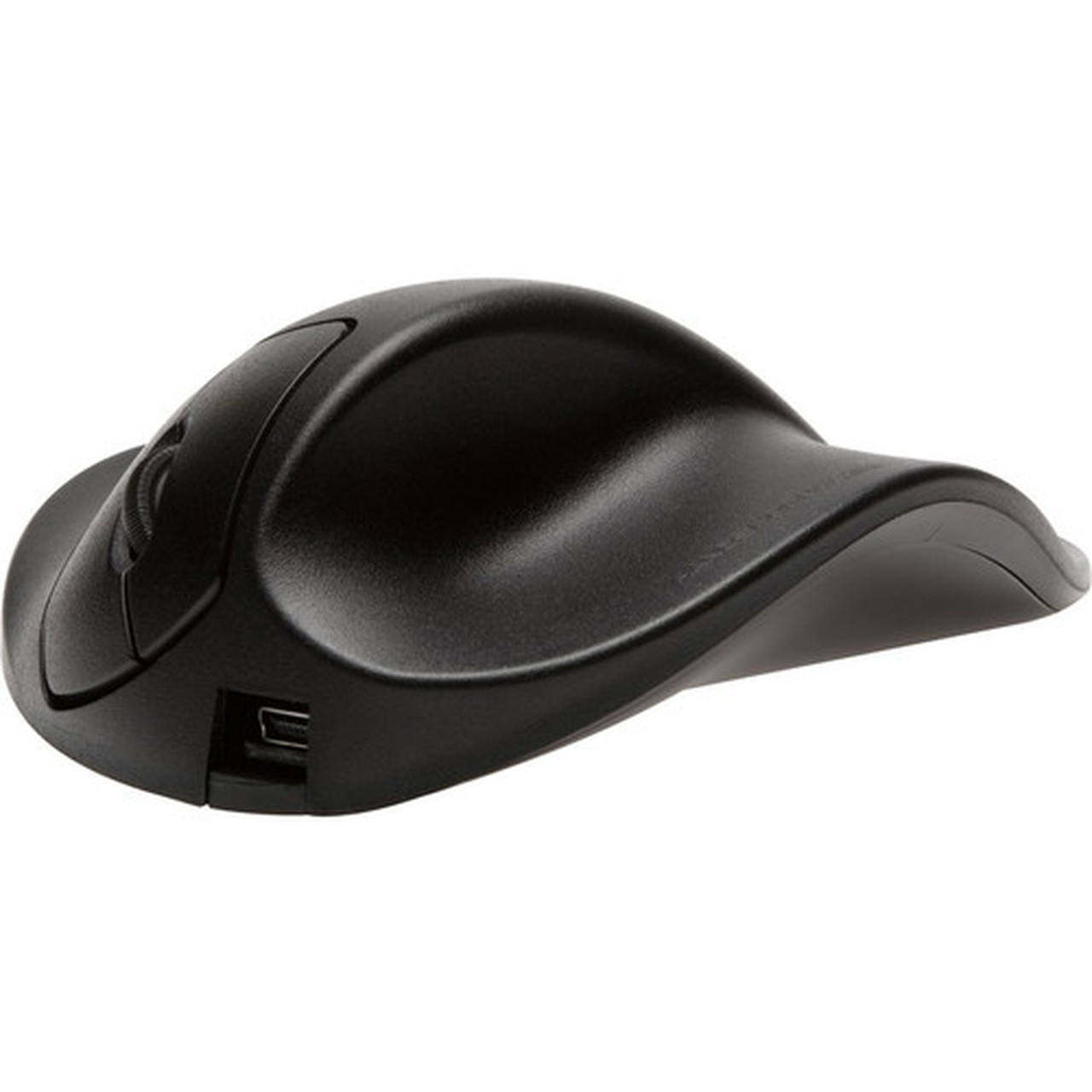
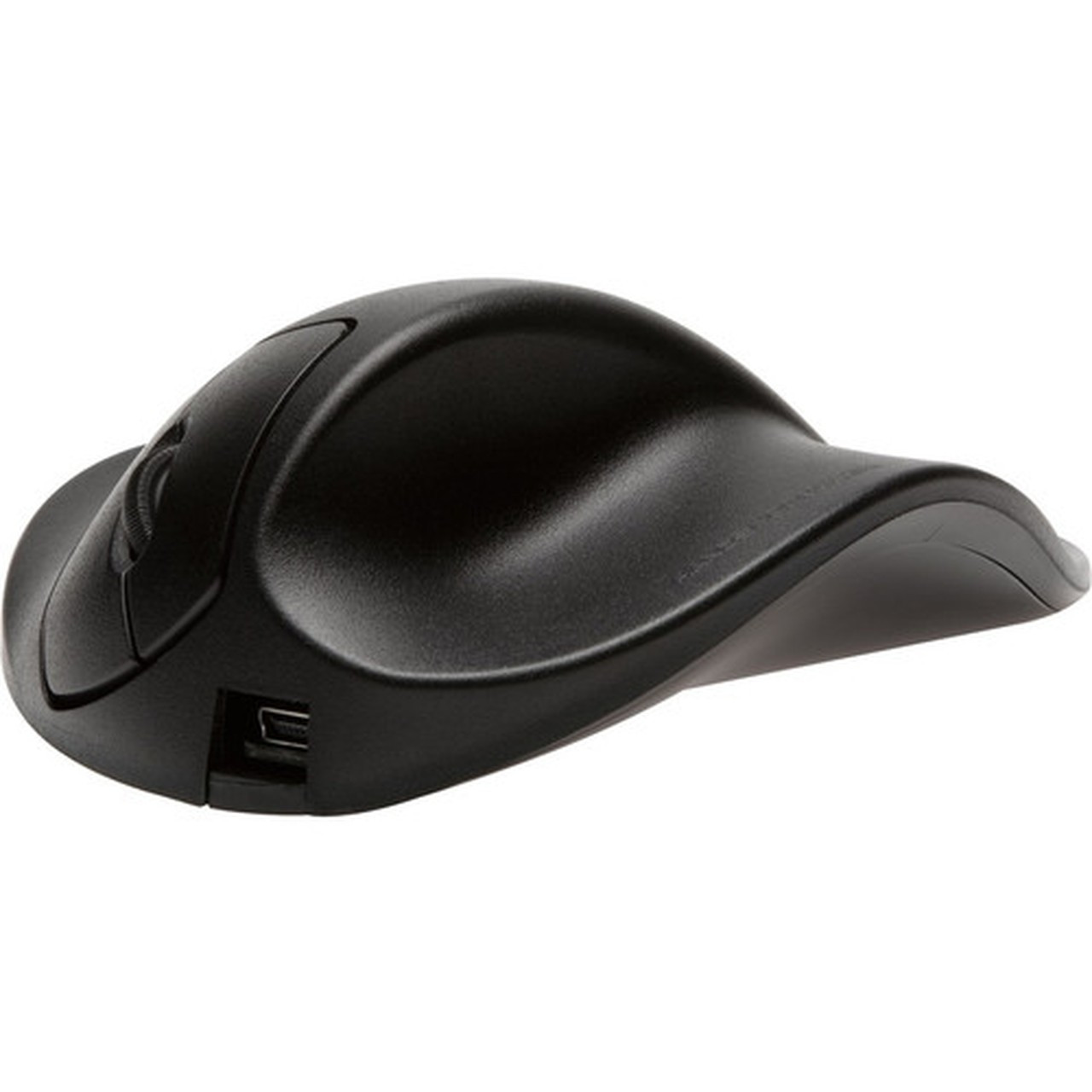
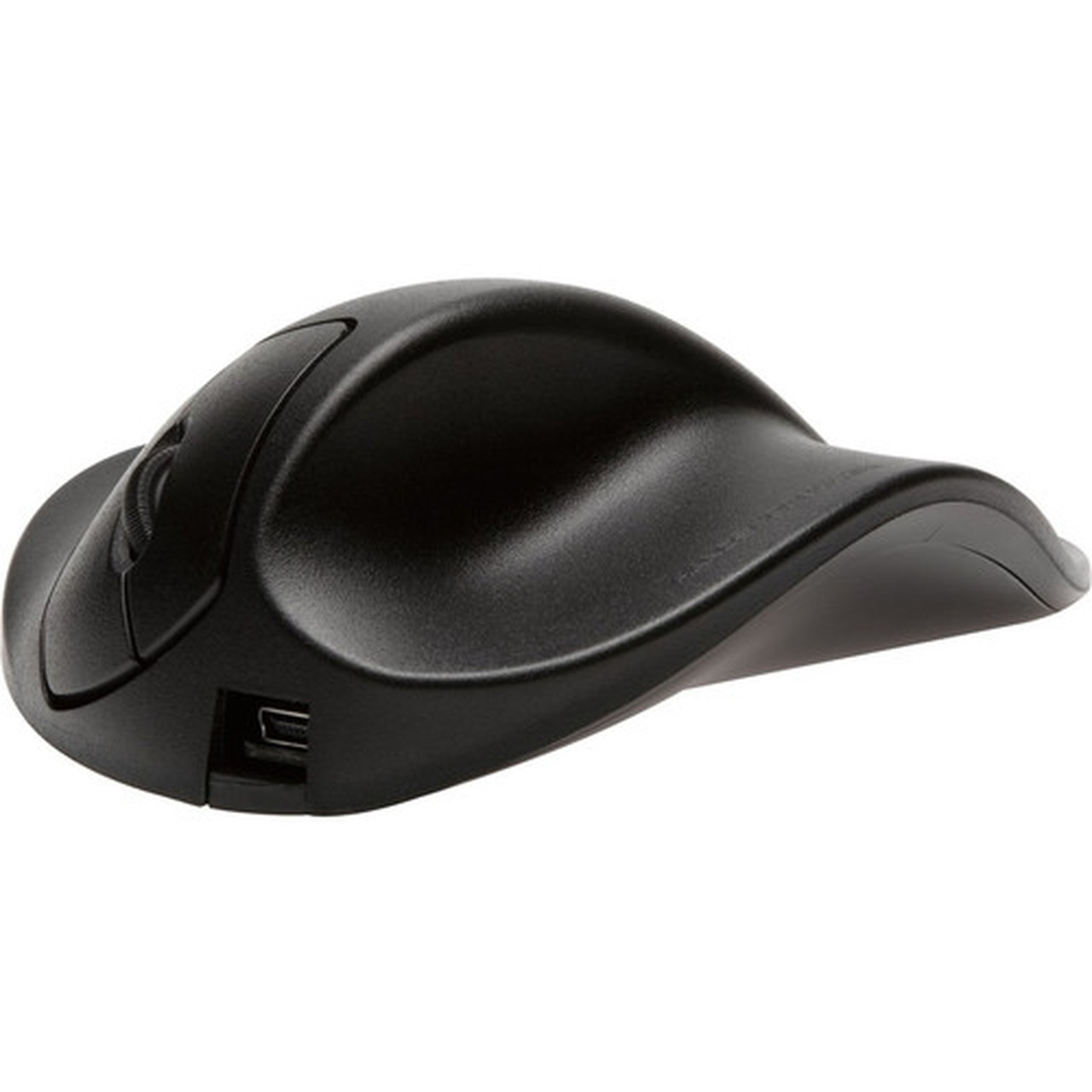


L2WB-LC HandShoeMouse Ergonomic Right-Handed Optical Wired USB Mouse with Scroll Wheel

Business volume discounts
Technical guidance
Preparation & staging
QC · ON · AB · BC
Product Features
Product Overview
The HandShoeMouse L2WB-LC is a wired ergonomic mouse engineered for right-handed users who demand comfort and precision during extended computing sessions. Its optical sensor delivers smooth, responsive tracking across various surfaces, while the built-in scroll wheel and three-button layout streamline everyday navigation tasks.
This mouse connects via a reliable USB 2.0 cable, ensuring a stable, plug-and-play setup without the need for batteries or wireless pairing. It is fully compatible with both Windows PCs and macOS systems, making it a versatile peripheral for home offices, professional workstations, and general computing environments where ergonomic support is valued.
Designed to reduce repetitive strain, the HandShoeMouse L2WB-LC features a contoured shape that aligns with the natural curvature of the right hand. This ergonomic approach promotes a neutral wrist position, which can help minimize fatigue during long-term use. The wired design eliminates latency and interference concerns, providing consistent performance ideal for stationary desktop setups where reliability is paramount.
Technical Overview
The HandShoeMouse L2WB-LC employs an optical movement detection system for accurate cursor control without the skipping or lag associated with older mechanical ball designs. Optical sensors use an LED light and a small camera to track surface details, providing precise tracking that works effectively on most non-reflective surfaces.
Its 3-button configuration includes left-click, right-click, and a central scroll wheel that supports vertical scrolling for documents, web pages, and spreadsheets. The scroll wheel also functions as a middle button when pressed, adding versatility for tasks like opening links in new tabs or closing browser windows.
Connectivity is handled through a wired USB 2.0 interface, which provides consistent data transfer and power without interference. The cable design eliminates charging concerns and offers a dependable connection suitable for stationary desktop setups where mobility is less critical than reliability. This interface uses standard USB HID protocols, ensuring broad compatibility without requiring additional drivers for basic functionality.
Key Product Advantages
This mouse combines ergonomic design with straightforward functionality to reduce strain and improve productivity. The right-handed shape supports a natural hand position, which can help minimize wrist fatigue during long-term use.
Ergonomic Comfort
The contoured right-handed design promotes a relaxed grip, aligning with the natural curvature of the hand to reduce pressure on the wrist and lower arm during repetitive clicking and scrolling actions.
- Reduces wrist strain
- Encourages neutral hand posture
- Ideal for extended desktop use
Plug-and-Play Simplicity
USB 2.0 connectivity allows for immediate use upon connection—no drivers or software installation is required for basic functionality on supported operating systems, ensuring a hassle-free setup.
- No software installation needed
- Works instantly upon plug-in
- Broad OS compatibility
Reliable Wired Performance
The cable connection provides stable, interference-free operation without the latency or pairing issues common in wireless models. This makes it ideal for environments where consistent cursor control is essential.
- No battery replacements
- Consistent data transfer
- Eliminates wireless dropouts
Deployment / Use Cases
The HandShoeMouse L2WB-LC is well-suited for environments where users spend significant time at a desk performing routine computing tasks. Its wired nature and ergonomic focus make it a practical choice for office workstations, home offices, and educational settings.
Common applications include document editing, web browsing, data entry, and general navigation where precise cursor control and comfort are priorities. The cross-platform compatibility allows seamless integration into mixed-OS environments, such as offices using both Windows and Mac systems, without requiring separate peripherals.
This mouse is particularly valuable for users who experience discomfort with standard mouse designs. The ergonomic shape can benefit individuals with mild repetitive strain issues or those seeking preventive measures during prolonged computer use. Its simple plug-and-play operation makes it easy to deploy across multiple workstations without technical configuration.
Office Workstations
Ideal for corporate environments where employees perform extended data entry, spreadsheet management, and document processing tasks. The ergonomic design supports productivity while reducing strain-related downtime.
- Reduces repetitive strain injuries
- Supports long work sessions
- Easy IT deployment
Home Office Setup
Perfect for remote workers and freelancers who need reliable, comfortable peripherals for daily computing. The cross-platform compatibility ensures it works with both personal and work devices.
- Works with PC and Mac systems
- No driver installation required
- Cost-effective ergonomic solution
Highlights
- Right-handed ergonomic design for reduced wrist strain
- Optical sensor ensures smooth, accurate tracking
- Built-in scroll wheel for efficient page navigation
- Plug-and-play USB 2.0 connectivity for quick setup
- Three-button layout supports essential click functions
- Wired cable provides reliable, interference-free operation
- Compatible with both PC and Mac computers
- Ideal for extended use in office and home environments
Specifications
| Specifications | |
|---|---|
| Manufacturer | Hippus, N.V |
| Manufacturer Part Number | L2WB-LC |
| Brand Name | HandShoeMouse |
| Product Name | Mouse |
| Product Type | Mouse |
| Pointing Device | |
| Pointing Device Connectivity Technology | Cable |
| Movement Detection | Optical |
| Total Number of Buttons | 3 |
| Scroller Type | Scroll Wheel |
| Ergonomic Fit | Right-handed |
| Interfaces/Ports | |
| Pointing Device Host Interface | USB 2.0 |
| Miscellaneous | |
| Device Supported | Computer |
| Platform Supported | PC,Mac |
FAQ
Is this mouse compatible with both Windows and macOS?
Yes, the HandShoeMouse L2WB-LC is fully compatible with Windows PCs and macOS systems. It uses standard USB HID protocols, so it works plug-and-play on both platforms without requiring additional drivers for basic pointing and scrolling functions. This makes it ideal for mixed-OS environments or users who switch between different computer systems.
What type of sensor does this mouse use for movement detection?
This mouse uses an optical sensor for movement detection. Optical sensors track surface details using an LED light and a small camera, providing smooth, precise cursor control without the mechanical parts found in older ball mice. This technology reduces skipping and maintenance needs while working effectively on most non-reflective surfaces like mouse pads and desks.
How many buttons does the HandShoeMouse L2WB-LC have?
The HandShoeMouse L2WB-LC has three buttons: a left-click button, a right-click button, and a central scroll wheel that also functions as a middle button when pressed. This configuration covers essential pointing device functions for most computing tasks, including selection, context menus, and scrolling through documents or web pages.
Does this mouse require batteries or charging?
No, this mouse does not require batteries or charging because it is a wired model. It draws power directly from the computer via the USB 2.0 cable, ensuring uninterrupted operation without the need for battery replacements or recharging cycles. This eliminates the downtime associated with wireless mice that need periodic charging or battery changes.
Is the HandShoeMouse L2WB-LC designed for left-handed or right-handed users?
The HandShoeMouse L2WB-LC is specifically designed for right-handed users. Its ergonomic shape is contoured to fit the natural grip of the right hand, providing comfort and support that may not be suitable for left-handed individuals. This design promotes a neutral wrist position to reduce strain during extended use.
What is the connectivity method for this mouse?
This mouse connects via a wired USB 2.0 cable. The cable provides a stable, direct connection to the computer, eliminating wireless interference and ensuring consistent performance without latency or pairing issues common in wireless models. This wired approach is ideal for stationary setups where reliability is more important than mobility.
| Qty | Price | Available |
|---|


