




Shipping included*
Exclusions
Additional shipping fees may apply in rare circumstances for deliveries outside standard service areas. In most cases, this only potentially affects shipments to the Northwest Territories and Yukon, as well as certain heavy or oversized items.
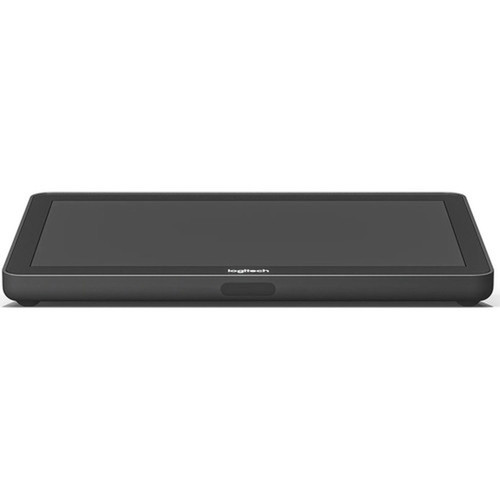
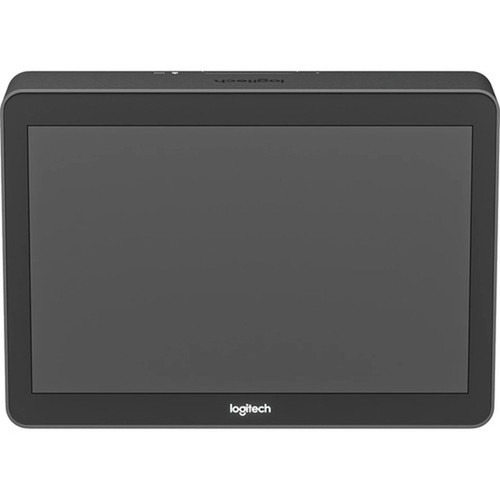
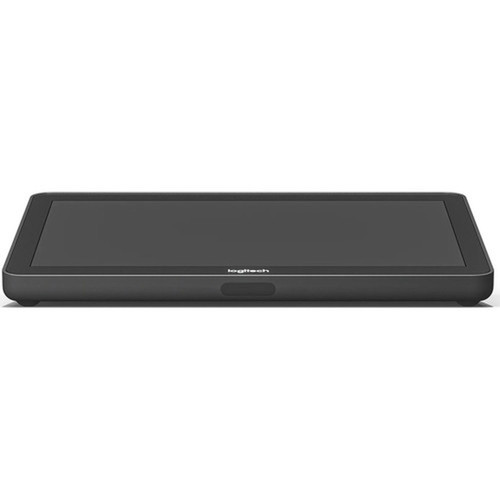
Logitech 939-001950 Tap Touch Controller - 10.1" Anti-Glare Touch Screen - HDMI & USB - Tabletop/Wall/Riser Mount - Video Conferencing

Business volume discounts
Technical guidance
Preparation & staging
QC · ON · AB · BC
Product Features
Technical Overview
This touch controller is engineered for reliable daily use in conference rooms. It features an HDMI input for wired content sharing from laptops or other devices directly into the conferencing system. The USB port supports connecting tabletop accessories like USB speakerphones, expanding audio capabilities.
Power management is handled by a built-in motion sensor that conserves energy when the room is unoccupied and activates the display upon approach. The included 10-meter Logitech Strong USB cable is plenum-rated and Eca certified, allowing for secure installation through walls, ceilings, and conduit.
Relevant factors for this section include Features, HDMI In, USB. When those points are considered together, they give buyers a clearer picture of how the product is equipped, how it fits into deployment, and what kind of day-to-day role it is meant to support.
Key Product Advantages
The Tap Touch Controller reduces meeting-room friction by replacing disparate controls with a unified, reliable interface. Its durable construction and thoughtful design details, like the Kensington lock slot, ensure security and longevity in shared workspaces.
Intuitive Room Control
Provides a single, responsive touch interface to launch meetings, adjust volume, share content, and manage participants across major unified communications platforms.
- One-touch meeting start
- Direct content sharing via HDMI
- Volume and camera controls
Professional Installation Ready
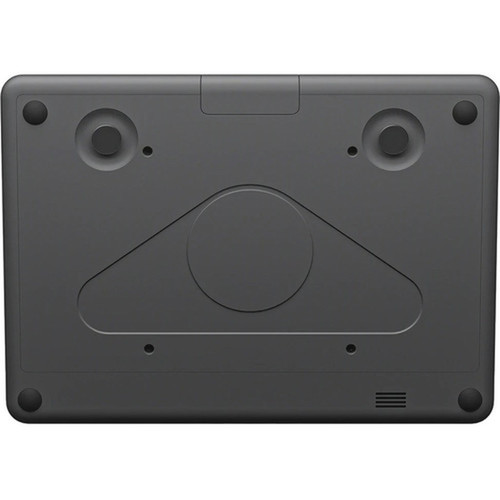
Designed with integrators in mind, featuring a hidden cable strain relief system, a long certified USB cable, and standard 100mm VESA mounting for compatibility with thousands of third-party mounts.
- Hidden cable management
- Plenum-rated included cable
- Universal VESA compatibility
Deployment / Use Cases
This controller is purpose-built for small to medium-sized meeting rooms, huddle spaces, and training rooms where simplified technology operation is critical. It serves as the central command hub for video conferencing systems, making it ideal for organizations standardized on Google Meet, Microsoft Teams, or Zoom Rooms.
The flexible mounting options allow it to be integrated into various room layouts. Use it as a tabletop console for boardroom tables, mount it on a wall near the room entrance for quick access, or attach it to a monitor riser for optimal viewing angle. Its silent operation ensures it never distracts from the meeting content.
Standard Conference Room
Deploy as the primary room control on the conference table, connected to a meeting room PC and display, for easy meeting management and content sharing by all participants.
Huddle Space or Focus Room
Wall-mount the controller in a smaller collaboration space to save table surface area while providing full control over quick ad-hoc video calls and presentations.
Physical Profile
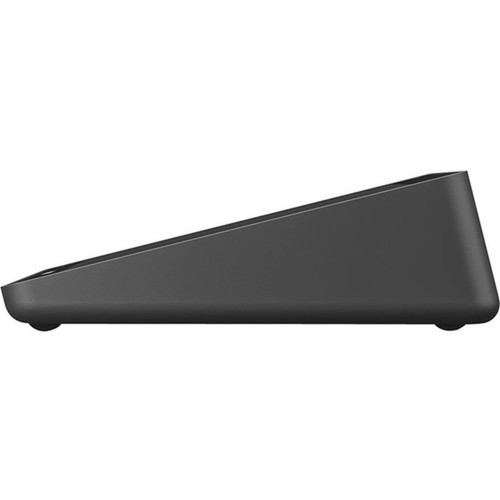
The controller has a compact, low-profile design with dimensions of 9.61" wide by 7.05" deep by 2.28" high (244 x 179 x 58 mm). Its Graphite color offers a professional, neutral aesthetic that blends with modern office furniture and AV equipment. The form factor is optimized for the viewing angle and cable routing, with all retention mechanisms housed internally for a clean appearance.
- Width
- 9.61" (244 mm)
- Depth
- 7.05" (179 mm)
- Height
- 2.28" (58 mm)
- Weight
- 2.76 lb (1250 g)
What's in the Box
The package includes all necessary components for setup and integration.
Package contents include Tap Touch Controller HDMI 1.4a cable 2.0 m Microfiber Cloth Documentation Cat5e Kit, Tap Touch Controller. These included items support setup, installation, and immediate deployment without needing to source the core bundled accessories separately.
Highlights
- 10.1-inch anti-glare touch screen for clear visibility and easy operation.
- HDMI input enables wired content sharing from laptops and other devices.
- USB port for connecting compatible accessories like USB speakerphones.
- Flexible mounting: tabletop, wall, or riser mount with 100mm VESA compatibility.
- Built-in motion sensor for automatic power management.
- Includes a 10m (32.8 ft) plenum-rated Logitech Strong USB cable for professional installations.
- Compatible with Google Meet, Microsoft Teams, and Zoom Rooms.
- Silent, fan-free operation for distraction-free meetings.
- Comprehensive hidden cable strain relief system.
- Backed by a 2-year limited warranty.
Specifications
| Specifications | |
|---|---|
| Manufacturer | Logitech |
| Manufacturer Part Number | 939-001950 |
| Brand Name | Logitech |
| Product Name | Tap Touch Controller |
| Product Type | Video Conference Equipment |
| Technical Information | |
| Features | Anti-glare,Kensington Lock |
| Interfaces/Ports | |
| HDMI In | Yes |
| USB | Yes |
| Operating System | |
| Operating System Supported | Windows 10,ChromeOS |
| Physical Characteristics | |
| Product Color | Graphite |
| Form Factor | Tabletop,Wall Mountable,Riser Mount |
| Height | 2.28" (58 mm) |
| Width | 9.61" (244 mm) |
| Depth | 7.05" (179 mm) |
| Weight (Approximate) | 2.76 lb (1250 g) |
| Miscellaneous | |
| Package Contents | Tap Touch Controller HDMI 1.4a cable 2.0 m Microfiber Cloth Documentation Cat5e Kit |
| Application/Usage | Video Conferencing,Meeting Room |
| Unified Communications Platform | Google Meet,Microsoft Teams,Zoom |
| Country of Origin | China |
| Warranty | |
| Limited Warranty | 2 Year |
User Manual
FAQ
What video conferencing platforms is the Logitech Tap Touch Controller compatible with?
The Logitech Tap Touch Controller is designed for use with Google Meet, Microsoft Teams Rooms, and Zoom Rooms. It provides a dedicated touch interface to control meetings on these specific unified communications platforms, allowing users to start calls, manage participants, and share content seamlessly.
Can I share content from my laptop using this controller?
Yes, content sharing is supported via the HDMI input port. You can connect a laptop or other HDMI-enabled device directly to the controller to wirelessly share your screen or presentation within the active video conference on the connected platform (Meet, Teams, or Zoom).
What mounting options are available for the Tap Touch Controller?
The controller offers versatile mounting for different room layouts. It can be used as a standalone tabletop unit, mounted on a wall using its integrated 100mm VESA pattern, or attached to a monitor riser. This flexibility allows integrators to position it optimally for user access and viewing angles.
Does the included USB cable support long-distance installation?
Yes, the package includes a 10-meter (32.8-foot) Logitech Strong USB cable that is plenum-rated and Eca certified. This certification means the cable is suitable for installation in air-handling spaces (like above ceilings or in walls) and through conduit, meeting requirements for professional, in-wall AV installations.
What operating systems does the controller support?
The Logitech Tap Touch Controller is supported on Windows 10 and ChromeOS. These operating systems are typically run on the meeting room PC or device that the controller interfaces with to manage the conferencing software and peripherals.
How does the motion sensor work on this device?
The built-in motion sensor helps conserve power and extend device life. When the room is unoccupied and no motion is detected, the controller can enter a low-power idle state. It automatically powers on and activates the display when it senses a person approaching, ensuring it's ready for use without manual intervention.
| Qty | Price | Available |
|---|