



Shipping included*
Exclusions
Additional shipping fees may apply in rare circumstances for deliveries outside standard service areas. In most cases, this only potentially affects shipments to the Northwest Territories and Yukon, as well as certain heavy or oversized items.
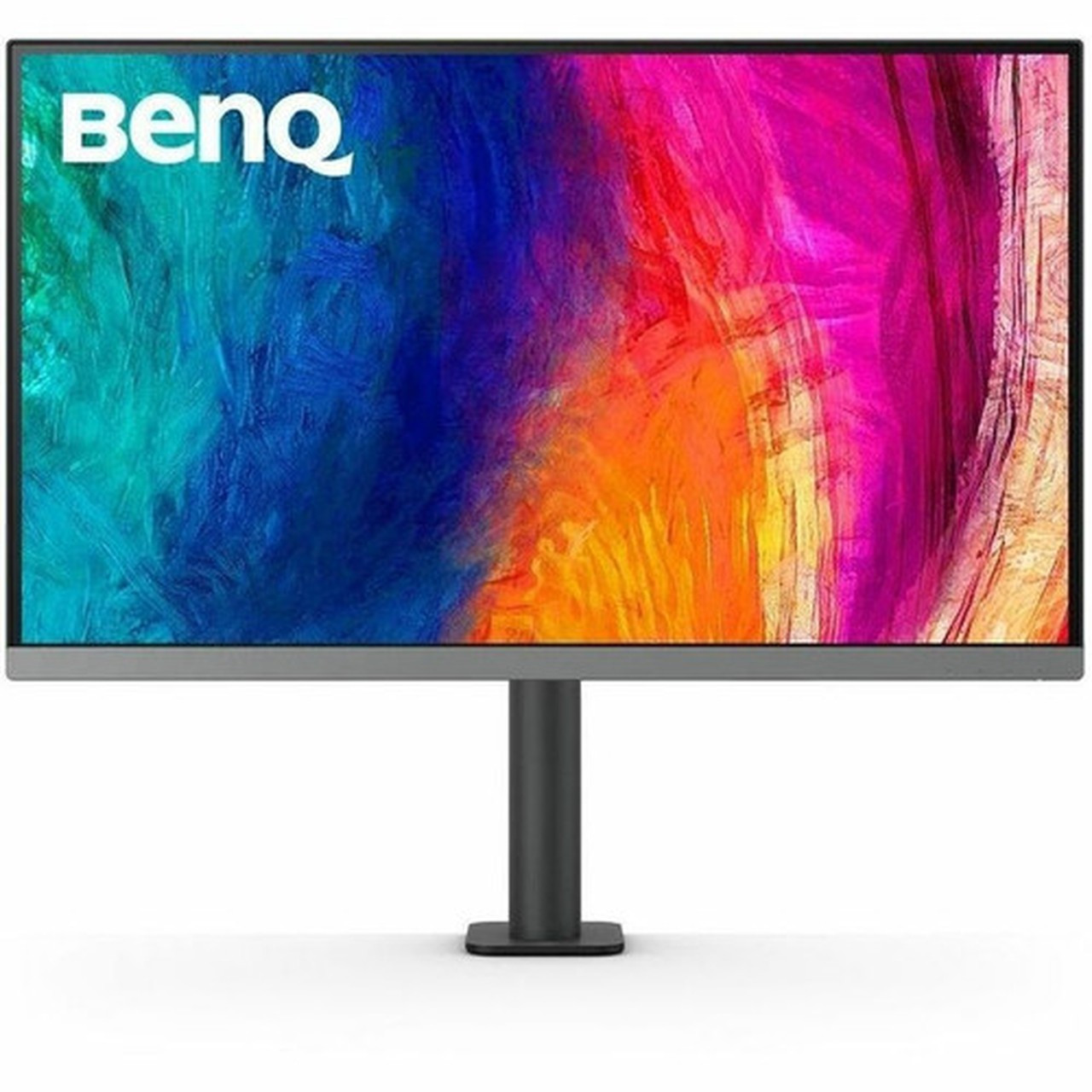
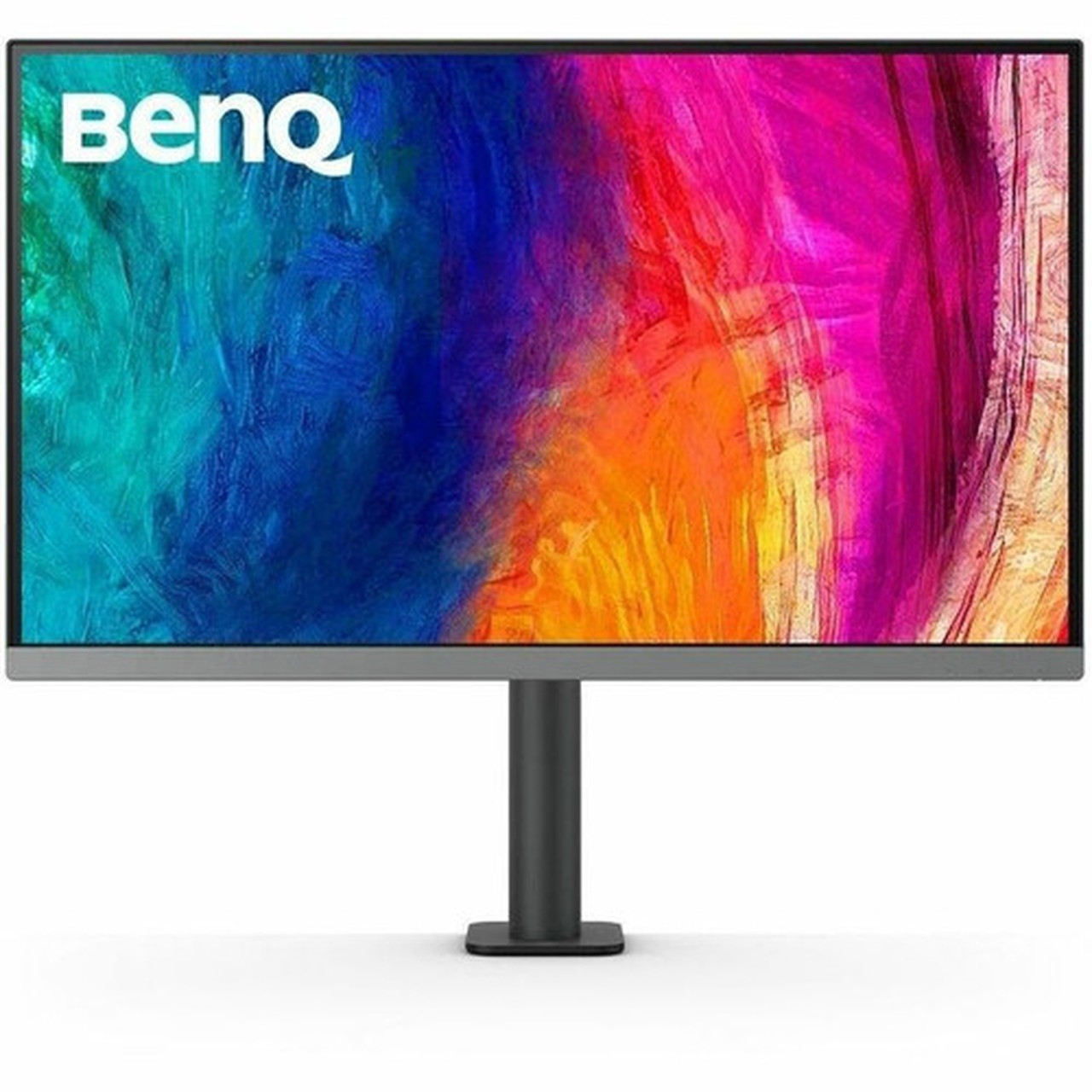
BenQ PD2706UA Designer 27" 4K UHD IPS Monitor - 3840 x 2160400 cd/m² - HDR10 - VESA DisplayHDR 400 - 99% sRGB - USB-C - KVM Switch - Ergonomic Stand

Business volume discounts
Technical guidance
Preparation & staging
QC · ON · AB · BC
Product Features
Product Overview
The BenQ PD2706UA Designer monitor is a 27-inch 4K UHD display engineered for creative professionals and demanding visual workflows. With its IPS panel delivering 3840x2160 resolution and 400 cd/m² brightness, it provides exceptional clarity and detail for design, animation, video editing, and content creation.
This monitor integrates professional-grade color accuracy with 99% sRGB and 95% P3 coverage, validated by Calman and Pantone certification. The inclusion of HDR10 and VESA DisplayHDR 400 ensures vibrant contrast and stable brightness across different content types, while the 5 ms response time maintains sharpness during dynamic media playback.
Relevant factors for this section include Number of Screens, Screen Size Class, Viewable Screen Size, Maximum Resolution. When those points are considered together, they give buyers a clearer picture of how the product is equipped, how it fits into deployment, and what kind of day-to-day role it is meant to support.
Technical Overview
The PD2706UA employs an In-plane Switching (IPS) panel that achieves consistent color and clarity across wide 178-degree viewing angles. Its 4K UHD resolution at 163 PPI delivers precise pixel density for intricate design work and high-resolution media.
Connectivity is comprehensive with HDMI 2.0, DisplayPort, and dual USB-C ports supporting video, data, and power delivery. The integrated USB hub offers six ports including three USB 3.2 downstream connections, while the built-in KVM switch allows control of two computers through a single keyboard, mouse, and monitor setup.
Relevant factors for this section include Number of Screens, Screen Size Class, Viewable Screen Size, Maximum Resolution. When those points are considered together, they give buyers a clearer picture of how the product is equipped, how it fits into deployment, and what kind of day-to-day role it is meant to support.
Key Product Advantages
The Hotkey Puck G2 provides quick access to display settings and mode switching, streamlining workflow adjustments without navigating on-screen menus.
Professional Color Accuracy
Factory-calibrated with 99% sRGB, 99% Rec.709, and 95% P3 color gamuts, plus Calman verification and Pantone validation for reliable color-critical work.
- Calman Verified
- Pantone-validated Display
- 1.07 Billion Colors
Enhanced Productivity Features
Dedicated modes like CAD/CAM, Animation, Darkroom, and ePaper optimize the display for specific tasks, while Picture-by-Picture and Picture-in-Picture support multi-source workflows.
- CAD/CAM Mode
- Animation Mode
- Picture by Picture
Eye Comfort Technology
Flicker-free backlight, Low Blue Light mode, and ComfortView reduce eye strain during extended sessions, complemented by anti-glare coating.
- Flicker-free
- Low Blue Light
- Anti-glare
Deployment / Use Cases
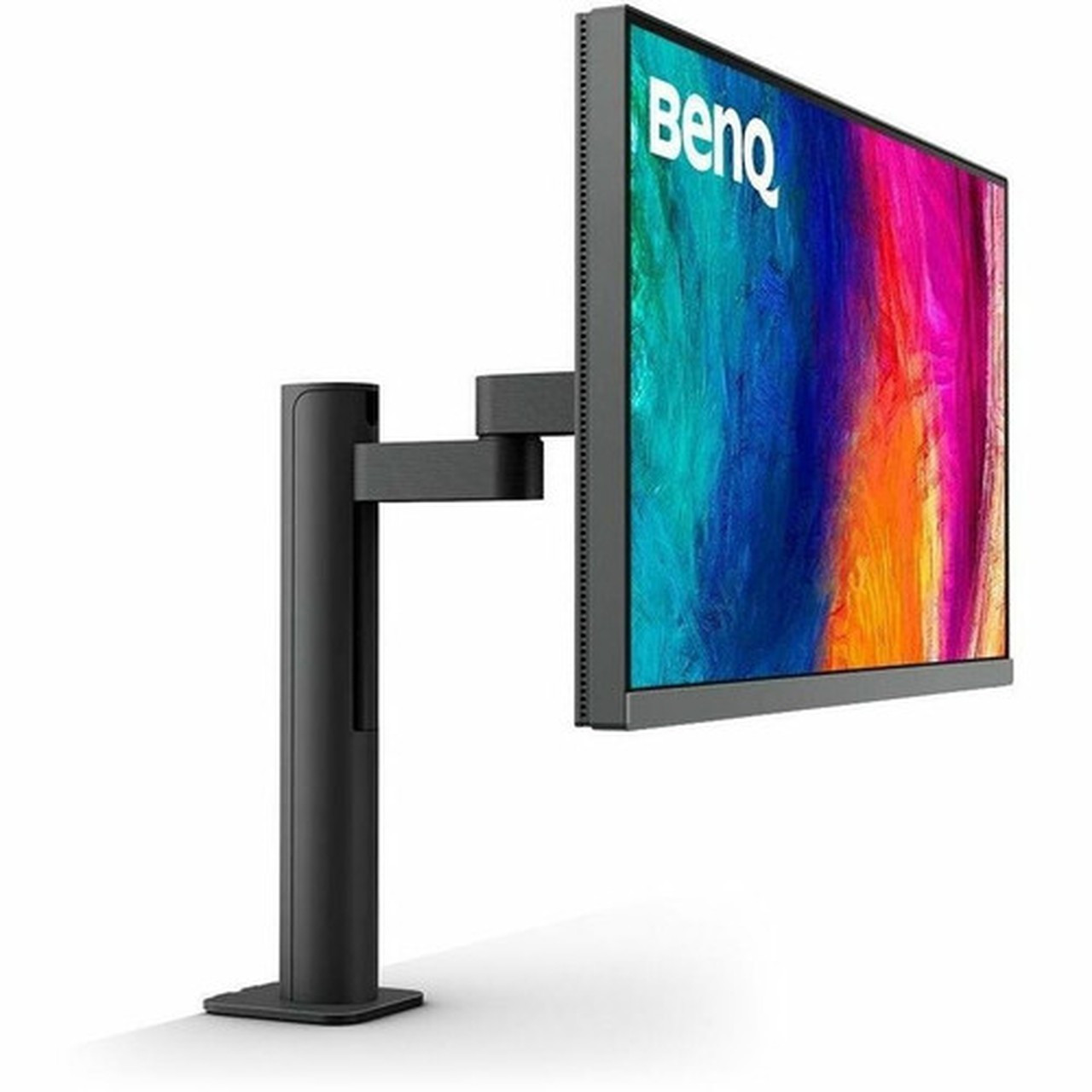
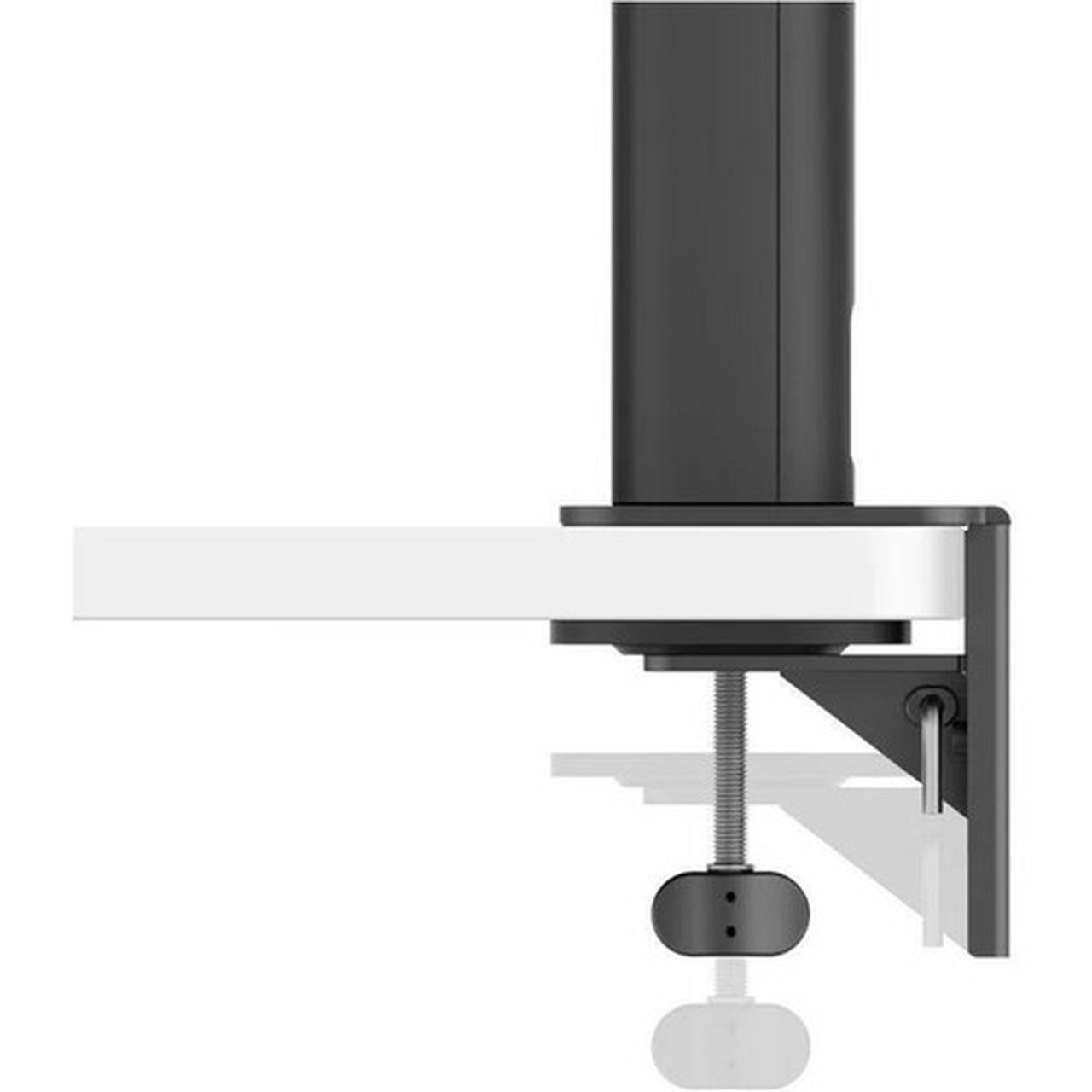
This monitor suits environments where precise visual output and ergonomic flexibility are priorities. The ergonomic stand with height, tilt, swivel, and pivot adjustments accommodates various desk setups, while VESA mount compatibility allows for wall or arm mounting in space-constrained offices.
With its 4K resolution and HDR support, it also serves well for media consumption, gaming, and presentation displays where vibrant imagery and sharp detail enhance the viewing experience.
Relevant factors for this section include Number of Screens, Screen Size Class, Viewable Screen Size, Maximum Resolution. When those points are considered together, they give buyers a clearer picture of how the product is equipped, how it fits into deployment, and what kind of day-to-day role it is meant to support.
Creative Professional Workstation
Ideal for graphic designers, video editors, and animators requiring accurate color reproduction and high resolution for detailed visual work.
Multi-Computer Productivity Setup
The KVM switch and USB hub enable seamless control of two systems, perfect for developers, IT administrators, or financial analysts managing multiple machines.
Physical Profile
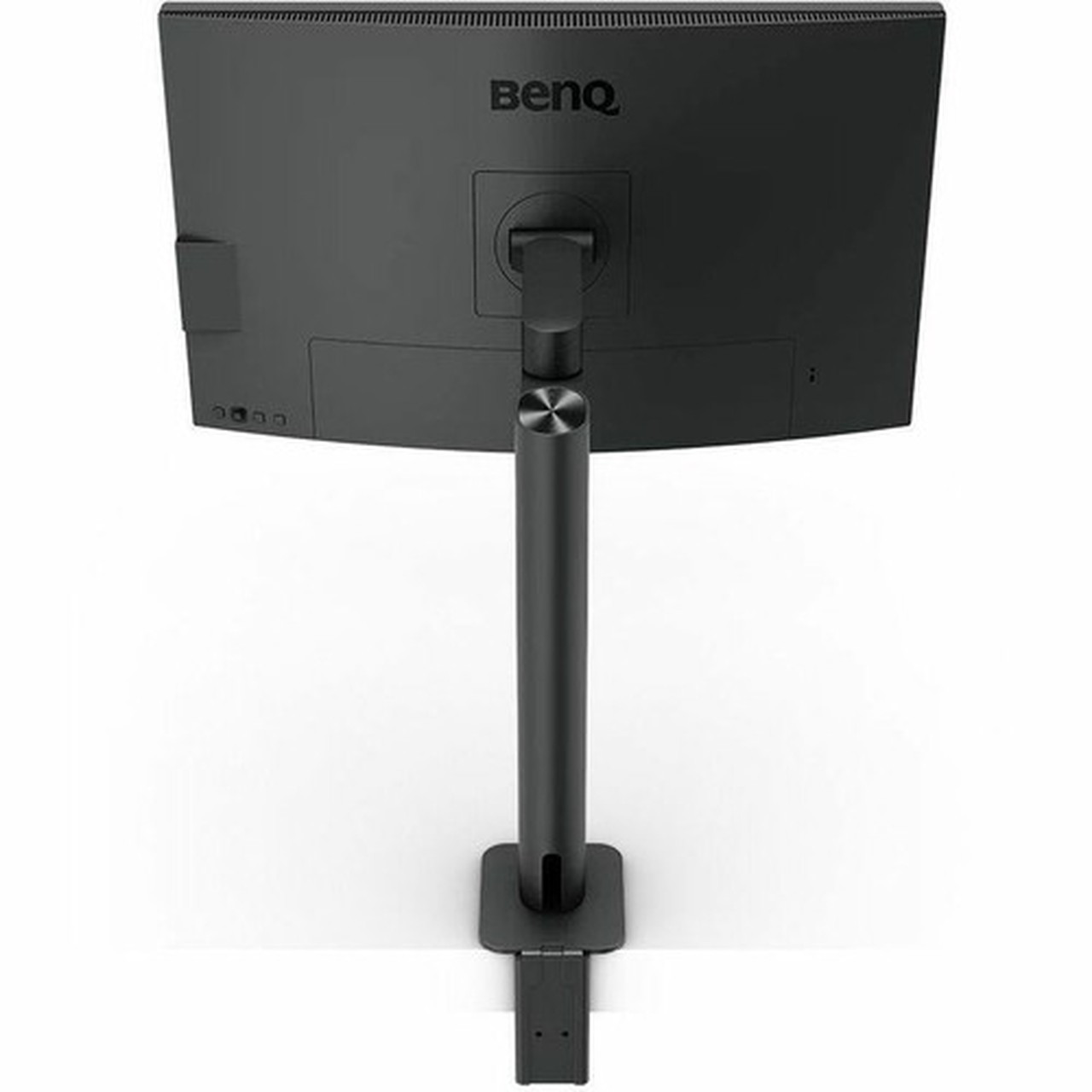
The monitor features a sleek black finish with a professional aesthetic. Its stand offers substantial adjustability, extending from a compressed height of 21.76 inches to an extended height of 27.67 inches, with tilt, swivel, and pivot functionality for optimal viewing angles.
Dimensions without stand are 24.17 inches wide, 14.47 inches high, and 3.45 inches deep. With stand, it measures 24.17 inches wide, 27.67 inches high, and 18.23 inches deep. Weight is 11.68 pounds without stand and 20.06 pounds with stand, ensuring stability during adjustments. Cable management features keep desks organized.
- Width
- 24.17" (613.80 mm)
- Depth
- 3.45" (87.70 mm)
- Height
- 14.47" (367.60 mm)
- Weight
- 11.68 lb (5300 g)
Highlights
- 27-inch 4K UHD IPS display with 3840x2160 resolution
- 400 cd/m² brightness with HDR10 and VESA DisplayHDR 400 support
- Professional color accuracy: 99% sRGB, 99% Rec.709, 95% P3, Calman Verified
- Dual USB-C ports plus HDMI 2.0 and DisplayPort connectivity
- Built-in KVM switch and USB hub with six USB ports
- Ergonomic stand with height, tilt, swivel, and pivot adjustments
- VESA mount compatible for wall or arm mounting
- Specialized modes: CAD/CAM, Animation, Darkroom, ePaper, M-book
- Eye care features: flicker-free, Low Blue Light, ComfortView
- 5 ms GTG response time and 60 Hz refresh rate
Specifications
| Specifications | |
|---|---|
| Manufacturer | BenQ Corporation |
| Manufacturer Part Number | PD2706UA |
| Brand Name | BenQ |
| Product Line | Designer |
| Product Model | PD2706UA |
| Product Name | Designer PD2706UA Widescreen LED Monitor |
| Product Type | LED Monitor |
| Technical Information | |
| Number of Screens | 1 |
| Screen Size Class | 27" |
| Viewable Screen Size | 27" |
| Screen Mode | 4K UHD |
| Panel Technology | In-plane Switching (IPS) Technology |
| Response Time | 5 ms |
| Response Time Details | 5 ms GTG |
| Aspect Ratio | 16:9 |
| Horizontal Viewing Angle | 178° |
| Vertical Viewing Angle | 178° |
| Backlight Technology | LED |
| Mount Type | Wall Mountable |
| HDCP Supported | Yes |
| Features | HDR10,VESA DisplayHDR 400,sRGB,M-book Mode,CAD/CAM Mode,Animation Mode,Low Blue Light,ePaper Mode,Anti-glare,Advanced Motion Accelerator (AMA),On-screen Display (OSD),Eye Care Technology,Flicker-free,Calman Verified,Pantone-validated Display,Darkroom Mode,Hotkey Puck G2,Picture by Picture,Picture in Picture,Ergonomic Design,Cable Management,ComfortView,Auto Power Off |
| Vertical Frequency | 60 Hz |
| Adjustable Stand | Yes |
| Stand Adjustments | Tilt,Swivel,Pivot,Height |
| Video | |
| Maximum Resolution | 3840 x 2160 |
| Color Supported | 1.07 Billion Colors |
| Native Contrast Ratio | 1,200:1 |
| Brightness | 400 cd/m² |
| Color Gamut | 99% sRGB,99% Rec.709 (CIE 1931),95% P3 |
| Pixel Per Inch (PPI) | 163 |
| Audio | |
| Number of Speakers | 2 |
| Speakers | Yes |
| Interfaces/Ports | |
| HDMI | Yes |
| USB | Yes |
| DisplayPort | Yes |
| USB Type-C | Yes |
| Total Number of HDMI Ports | 1 |
| Number of DisplayPorts | 1 |
| Number of USB Ports | 6 |
| Number of USB 3.2 Ports | 3 |
| Number of USB 3.2 Downstream Ports | 3 |
| Number of USB Type-B Ports | 1 |
| Number of USB Type-B Upstream Ports | 1 |
| Total Number of USB Type-C Ports | 2 |
| Number of HDMI 2.0 Ports | 1 |
| USB Type-B | Yes |
| Built-in Devices | |
| Built-in Devices | KVM Switch,USB Hub |
| Physical Characteristics | |
| VESA Mount Compatible | Yes |
| Color Family | Black |
| Product Color | Black |
| Height | 14.47" (367.60 mm) |
| Width | 24.17" (613.80 mm) |
| Depth | 3.45" (87.70 mm) |
| Height with Stand | 27.67" (702.70 mm) |
| Width with Stand | 24.17" (613.80 mm) |
| Depth with Stand | 18.23" (463 mm) |
| Weight (Approximate) | 11.68 lb (5300 g) |
| Weight with Stand (Approximate) | 20.06 lb (9100 g) |
| Compressed Height with Stand | 21.76" (552.70 mm) |
| Extended Height with Stand | 27.67" (702.70 mm) |
User Manual
FAQ
What is the screen size and resolution of the BenQ PD2706UA monitor?
The BenQ PD2706UA features a 27-inch viewable screen with a 4K UHD resolution of 3840 x 2160 pixels. This high pixel density of 163 PPI delivers sharp, detailed imagery suitable for creative work, media editing, and high-definition content consumption.
Does this monitor support HDR content?
Yes, the PD2706UA supports HDR10 content and is certified for VESA DisplayHDR 400. With a brightness of 400 cd/m², it provides enhanced contrast and vibrant colors for HDR-compatible media, games, and applications, ensuring a more dynamic visual experience.
What color accuracy features does this monitor offer?
This monitor delivers professional-grade color accuracy with 99% sRGB, 99% Rec.709, and 95% P3 color gamut coverage. It is factory-calibrated and validated by Calman and Pantone, supporting 1.07 billion colors for reliable color-critical tasks in design, photography, and video production.
What connectivity options are available on the PD2706UA?
Connectivity includes one HDMI 2.0 port, one DisplayPort, two USB-C ports, and a USB hub with six USB ports (three USB 3.2 downstream). The built-in KVM switch allows control of two computers using a single keyboard, mouse, and monitor, streamlining multi-system workflows.
Is the stand adjustable, and is the monitor VESA compatible?
The ergonomic stand offers height adjustment from 21.76 to 27.67 inches, plus tilt, swivel, and pivot functionality for optimal viewing angles. The monitor is also VESA mount compatible, enabling installation on walls or monitor arms to save desk space and customize setup.
What specialized modes does this monitor include for different workflows?
The PD2706UA includes dedicated modes such as CAD/CAM for engineering designs, Animation for frame-by-frame work, Darkroom for photo editing, ePaper for reduced eye strain, and M-book for matching MacBook colors. These modes optimize the display for specific professional tasks, enhancing productivity and visual accuracy.
| Qty | Price | Available |
|---|