














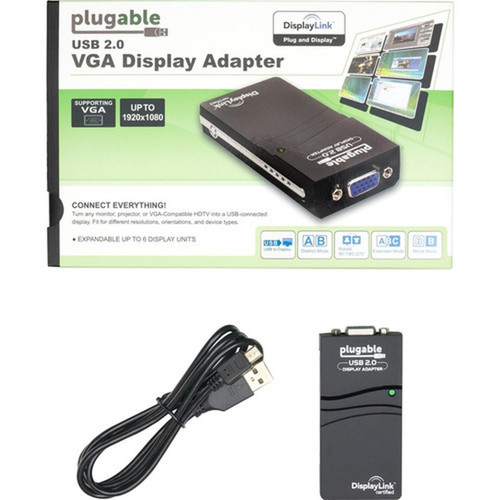

Plugable USB-VGA-165 USB 2. 0 to VGA Video Adapter - 1920 x 1080 Resolution - HD-15 VGA - Plug and Play for Windows Multiple Monitors

Business volume discounts
Technical guidance
Preparation & staging
QC · ON · AB · BC
Product Features
Technical Overview
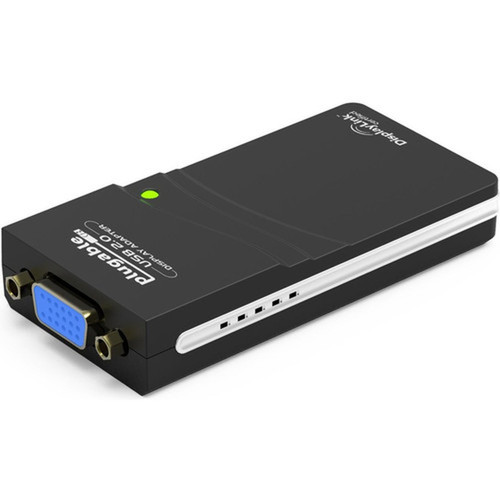
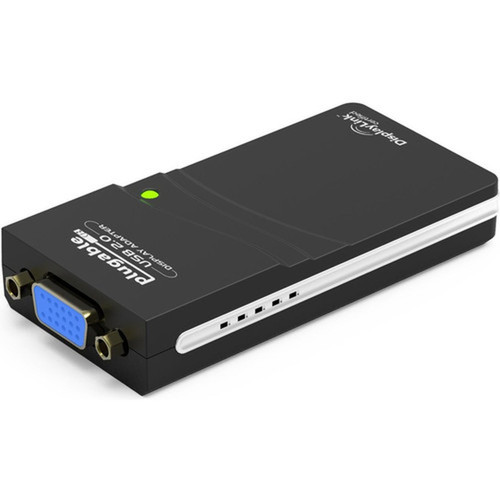
This video adapter utilizes USB 2.0 bandwidth to transmit video signals to VGA displays at up to 1080p resolution. The 15-pin HD-15 VGA connector ensures compatibility with most monitors, projectors, and legacy display equipment that feature VGA inputs.
The adapter draws power directly from the USB port, eliminating the need for external power adapters. DisplayLink compression technology optimizes data transfer to maintain smooth desktop performance while minimizing system resource usage.
This section brings together practical product details such as Adapter Type, Connector Type on First End, Connector on First End Details, Height, so buyers can judge configuration, deployment fit, and day-to-day suitability with less guesswork.
A strong technical summary explains how the product's interfaces, hardware profile, and operating characteristics work together in real deployment. Buyers often need this context to confirm compatibility with existing devices, expected performance in daily use, and whether installation will be straightforward for IT staff or end users.
Key Product Advantages
The compact form factor—roughly the size of a playing card deck—makes the adapter highly portable for mobile professionals. You can easily carry it in a laptop bag or backpack for impromptu presentation setups or temporary workstation expansions.
Multi-Monitor Expansion
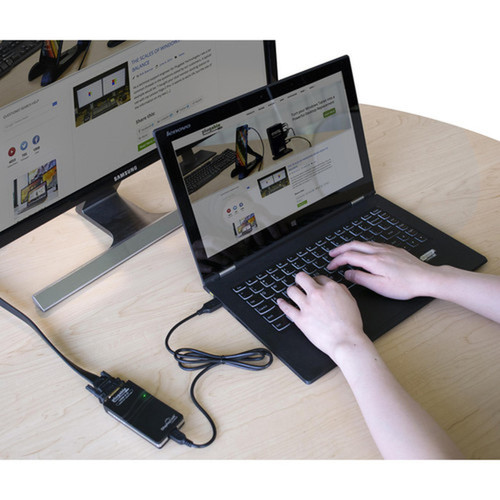
Connect multiple USB-VGA-165 adapters to a single computer to drive up to six additional 1080p displays. This scalable approach lets you build extensive multi-screen workstations without internal hardware upgrades.
- One adapter per 1920x1080 display
- Works alongside existing video outputs
- No internal PCIe slots required
Universal Windows Compatibility
The adapter functions with modern Windows laptops, desktops, and tablets, plus most legacy Windows systems. Automatic driver installation through Windows Update simplifies deployment across diverse hardware environments.
- Supports Windows 10 and 11
- Compatible with older Windows versions
- Works with tablets and compact devices
Deployment / Use Cases
The adapter serves as a cost-effective solution for adding monitor connectivity to systems with limited video outputs. IT departments can standardize on these adapters for quick display expansions without purchasing new computers with additional built-in ports.
Office Productivity Stations
Extend desktop real estate for financial analysts, software developers, or content creators who work with multiple applications simultaneously. The additional screen space reduces window switching and improves workflow efficiency.
- Spreadsheet analysis across monitors
- Code editing with reference documentation
- Media editing with timeline and preview panels
Presentation and Training Environments
Connect laptops to projectors or secondary displays in conference rooms, classrooms, or training facilities. The VGA output ensures compatibility with most installed presentation equipment.
- Business presentations with extended desktop
- Training sessions with instructor and participant views
- Trade show demonstrations with multiple displays
Physical Profile
Measuring just 0.79 inches high by 1.77 inches wide by 3.35 inches deep, the adapter maintains a minimal footprint on your desk or behind your computer. The compact design prevents cable strain and fits comfortably in tight spaces near USB ports.
The physical profile is practical for deployment planning because the dimensions and weight are clearly defined: 0.79" (20 mm), 1.77" (45 mm), 3.35" (85 mm). This helps confirm rack, shelf, desk, or cabinet fit before installation.
- Width
- 1.77" (45 mm)
- Depth
- 3.35" (85 mm)
- Height
- 0.79" (20 mm)
What's in the Box
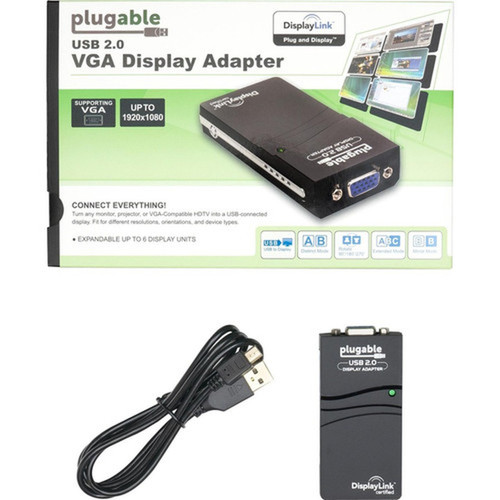
The package includes everything needed for immediate setup and operation of the video adapter.
Highlights
- Connect multiple adapters for up to six additional 1920x1080 VGA displays
- Boost productivity with expanded screen space for multitasking across windows and tabs
- Compact, portable design roughly the size of a playing card deck
- No external power adapter required—draws power from USB port
- Works with modern Windows laptops, desktops, tablets, and most legacy systems
- Plug-and-play setup with automatic driver installation on supported systems
- HDCP support for protected content compatibility
- 2-year limited warranty with Seattle-based email support
Specifications
| Specifications | |
|---|---|
| Manufacturer | Plugable Technologies |
| Manufacturer Part Number | USB-VGA-165 |
| Brand Name | Plugable |
| Product Model | USB-VGA-165 |
| Product Name | USB 2.0 to VGA Video Graphics Adapter for Multiple Monitors, Windows |
| Packaged Quantity | 1 |
| Product Type | Video Adapter |
| Technical Information | |
| Adapter Type | USB/VGA |
| Connector Type on First End | USB 2.0 |
| Connector on First End Details | USB 2.0 |
| Connector Type on Second End | HD-15 |
| Connector on Second End Details | 1 x 15-pin HD-15 VGA |
| Maximum Resolution Supported | 1920 x 1080 |
| Features | Plug and Play,HDCP |
| Physical Characteristics | |
| Height | 0.79" (20 mm) |
| Width | 1.77" (45 mm) |
| Depth | 3.35" (85 mm) |
| Miscellaneous | |
| Package Contents | DisplayLink Monitor Adapter - USB 2.0 to VGA for Windows USB 2.0 cable CD quick-start guide |
| Country of Origin | China |
| Warranty | |
| Limited Warranty | 2 Year |
FAQ
What is the maximum resolution supported by this USB to VGA adapter?
The Plugable USB-VGA-165 supports a maximum resolution of 1920 x 1080 (Full HD). This resolution delivers crisp text and clear images for productivity applications, document review, and general desktop use on VGA-compatible monitors and displays.
How many additional monitors can I connect using this adapter?
You can connect one 1920x1080 display per USB-VGA-165 adapter. For multi-monitor setups, connect multiple adapters to different USB ports on your computer. The adapter supports configurations with up to six additional displays when using multiple units with sufficient USB bandwidth.
Does this adapter require external power or special drivers?
The adapter draws power directly from the USB 2.0 port, eliminating the need for an external power adapter. For driver requirements, most modern Windows systems automatically install the necessary DisplayLink drivers through Windows Update, providing plug-and-play functionality. Some legacy systems may require manual driver installation from the included CD or manufacturer website.
What is included in the package with the adapter?
The package contains the DisplayLink Monitor Adapter (USB 2.0 to VGA for Windows), a USB 2.0 cable for connection to your computer, and a CD with a quick-start guide. These components provide everything needed for immediate setup and operation of the video adapter.
What warranty coverage does Plugable provide for this adapter?
Plugable backs the USB-VGA-165 adapter with a 2-year limited parts and labor warranty. This coverage includes manufacturer defects and workmanship issues. The company also provides Seattle-based email support to assist with setup, troubleshooting, and warranty service throughout the coverage period.
What resolution or display format is specified?
It features a display specification of 1920 x 1080, giving you clear visuals for work and media use.
What refresh rate or brightness details are available?
Display-oriented products are best judged through screen, connectivity, and installation specifications. Those facts help buyers confirm visual fit, mounting flexibility, and deployment suitability more clearly than generic summary text.
What input or connectivity options are listed?
Connectivity options include USB 2.0, helping the product integrate into common office or home setups.
| Qty | Price | Available |
|---|


