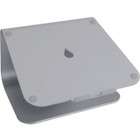
10072 Rain Design mStand Laptop Stand - Space Gray - Aluminum Desktop Stand with Ventilation - Cable Management - Ergonomic Tilt

Business volume discounts
Technical guidance
Preparation & staging
QC · ON · AB · BC
Product Features
Technical Overview
Built from a single piece of solid aluminum, the mStand offers remarkable durability without excessive weight. The 5.98-inch elevation creates an optimal viewing angle that promotes better posture, while the 10.16-inch width provides stable support for most notebook sizes.
The stand's ventilated design allows for improved airflow around your laptop, helping to prevent overheating during intensive computing tasks. This technical approach to laptop support combines structural integrity with thermal management in a compact desktop footprint.
Relevant factors for this section include Features, Product Color, Product Material, Form Factor. When those points are considered together, they give buyers a clearer picture of how the product is equipped, how it fits into deployment, and what kind of day-to-day role it is meant to support.
A strong technical summary explains how the product's interfaces, hardware profile, and operating characteristics work together in real deployment. Buyers often need this context to confirm compatibility with existing devices, expected performance in daily use, and whether installation will be straightforward for IT staff or end users.
Key Product Advantages
These strengths make the product easier to deploy and manage in real environments, especially where reliability, usability, and day-to-day operational continuity matter. Notable benefits include Ergonomic Elevation, Thermal Management, Workspace Organization.
Ergonomic Elevation
Raises your laptop screen to eye level to reduce neck strain and promote healthier posture during long work sessions.
- 5.98-inch height optimal for viewing
- Reduces forward head posture
- Encourages proper spinal alignment
Thermal Management
Ventilated design allows air to circulate freely around your laptop, preventing heat buildup that can affect performance.
- Prevents overheating during intensive tasks
- Extends laptop component lifespan
- Maintains optimal operating temperatures
Workspace Organization
Integrated cable management system keeps power cords and peripheral cables neatly organized and out of sight.
- Reduces desktop clutter
- Prevents cable tangling
- Creates cleaner workspace appearance
Deployment / Use Cases
The mStand excels in office environments where professionals spend hours at their laptops, providing the elevation needed to maintain comfort and productivity throughout the workday. Its stable platform is equally valuable for home offices, supporting remote workers who need reliable ergonomic solutions without sacrificing desk space.
Creative professionals benefit from the improved viewing angle for design work and video editing, while students appreciate the posture support during study sessions. The stand's TAA compliance makes it suitable for government and educational procurement, and its durable aluminum construction withstands daily use in shared workspaces and hot-desking environments.
Relevant factors for this section include Features, Product Color, Product Material, Form Factor. When those points are considered together, they give buyers a clearer picture of how the product is equipped, how it fits into deployment, and what kind of day-to-day role it is meant to support.
Physical Profile
The mStand's Space Gray aluminum finish offers a sophisticated appearance that complements both Apple and PC laptops. Its compact 10.16-inch width fits comfortably on most desks without dominating workspace, while the solid construction ensures your laptop remains securely positioned. The stand's slight tilt angle provides optimal keyboard positioning, and the smooth aluminum surface protects your laptop from scratches during placement and removal.
- Width
- 10.16" (258.06 mm)
- Height
- 5.98" (151.89 mm)
- Weight
- 2.89 lb (1310.88 g)
Highlights
- Aluminum construction for durability and stability
- Space Gray finish complements modern laptops
- 5.98-inch elevation improves viewing ergonomics
- Ventilated design prevents laptop overheating
- Integrated cable management reduces workspace clutter
- Tilt feature optimizes keyboard positioning
- TAA compliant for government and educational procurement
- Supports laptops up to 17 inches in size
- Compact 10.16-inch width conserves desk space
- 1-year limited warranty for peace of mind
Specifications
| Specifications | |
|---|---|
| Manufacturer | Rain Design, Inc |
| Manufacturer Part Number | 10072 |
| Brand Name | Rain Design |
| Product Line | mStand |
| Product Name | mStand Laptop Stand - Space Grey |
| Packaged Quantity | 6 |
| Product Type | Notebook Stand |
| Technical Information | |
| Features | Ergonomic,Cable Management,Ventilated,Tilt,Sturdy |
| Physical Characteristics | |
| Product Color | Space Gray |
| Product Material | Aluminum |
| Form Factor | Desktop |
| Height | 5.98" (151.89 mm) |
| Width | 10.16" (258.06 mm) |
| Weight (Approximate) | 2.89 lb (1310.88 g) |
| Miscellaneous | |
| Country of Origin | Taiwan |
| TAA Compliant | Yes |
| Warranty | |
| Limited Warranty | 1 Year |
FAQ
What is the maximum laptop size the mStand can support?
The Rain Design mStand is designed to support laptops up to 17 inches in size. Its 10.16-inch width provides a stable platform for most standard notebooks, while the solid aluminum construction ensures secure placement without wobbling or shifting during use.
How does the ventilated design benefit my laptop?
The mStand's ventilated design allows air to circulate freely around your laptop, preventing heat buildup that can affect performance and component lifespan. This is particularly valuable during intensive computing tasks like video editing, gaming, or software development where thermal management is crucial.
Is this stand compatible with both Apple and PC laptops?
Yes, the mStand works with both Apple MacBooks and Windows-based PC laptops. Its universal design accommodates most notebook sizes and weights, and the Space Gray finish complements the aesthetic of both Apple products and many PC laptops with similar color schemes.
What are the ergonomic benefits of using this laptop stand?
The 5.98-inch elevation raises your laptop screen closer to eye level, reducing neck strain from looking downward. This promotes better posture by encouraging proper spinal alignment and reducing forward head position, which can help prevent discomfort during extended work sessions.
Does the mStand include cable management features?
Yes, the stand features an integrated cable management system that routes power cords and peripheral cables through designated channels. This keeps your workspace organized, prevents cable tangling, and creates a cleaner appearance on your desk while maintaining easy access to connections.
What does TAA compliance mean for this product?
TAA (Trade Agreements Act) compliance indicates that the mStand meets federal procurement requirements for government and educational institutions. This certification ensures the product is manufactured in a TAA-designated country (Taiwan in this case), making it eligible for purchase by government agencies and institutions with TAA requirements.
| Qty | Price | Available |
|---|