








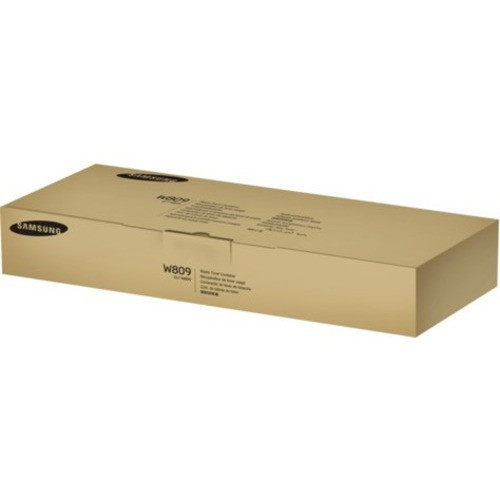

Genuine Samsung SS704A CLT-W809 Waste Toner Container - Laser - Black - Cyan - Magenta - Yellow

Business volume discounts
Technical guidance
Preparation & staging
QC · ON · AB · BC
Product Features
Technical Overview
This waste toner container utilizes laser print technology and is engineered to handle the specific waste toner characteristics of Samsung's color laser printing systems. The unit accommodates waste toner from all four standard printing colors, ensuring comprehensive waste management for color printing operations.
The container is designed with the precise dimensions and connection points required for seamless integration into compatible Samsung printers. Its construction prevents toner leakage and contamination, maintaining printer cleanliness and operational reliability.
This section brings together practical product details such as Print Technology, Print Color, Compatibility, so buyers can judge configuration, deployment fit, and day-to-day suitability with less guesswork.
Key Product Advantages
The Samsung CLT-W809 offers several practical benefits for printer maintenance and operational efficiency. As a genuine Samsung component, it ensures optimal compatibility and performance with supported printer models.
These strengths make the product easier to deploy and manage in real environments, especially where reliability, usability, and day-to-day operational continuity matter. Notable benefits include Genuine Samsung Quality, Four-Color Waste Management, Prevents Toner Spillage, Maintains Print Quality.
Deployment / Use Cases
This waste toner container is specifically designed for deployment in business environments using Samsung MultiXpress laser multifunction printers. It serves as a maintenance component that requires periodic replacement based on printer usage and waste toner accumulation.
Primary use cases include office printing environments, document production centers, and any setting where Samsung CLX-9201NA or CLX-9301NA multifunction printers are in operation. Regular replacement of the waste toner container helps maintain printer performance, prevents mechanical issues related to toner overflow, and supports consistent print output quality.
Highlights
- Genuine Samsung waste toner container for laser printers
- Handles waste toner from black, cyan, magenta, and yellow printing processes
- Compatible with Samsung MultiXpress CLX-9201NA and CLX-9301NA multifunction printers
- Prevents toner spillage and maintains printer cleanliness
- Essential maintenance component for color laser printing systems
- Manufactured to Samsung's exact specifications for reliable performance
Specifications
| Specifications | |
|---|---|
| Manufacturer | HP Inc. |
| Manufacturer Part Number | SS704A |
| Brand Name | Samsung |
| Product Name | CLT-W809 Waste Toner Container |
| Product Type | Waste Toner Unit |
| Technical Information | |
| Print Technology | Laser |
| Print Color | Black,Cyan,Magenta,Yellow |
| Miscellaneous | |
| Compatibility | Samsung MultiXpress Laser Multifunction Printers: CLX-9201NA CLX-9301NA |
FAQ
What printers is the Samsung CLT-W809 waste toner container compatible with?
The Samsung CLT-W809 waste toner container is specifically designed for Samsung MultiXpress laser multifunction printers. It is compatible with the CLX-9201NA and CLX-9301NA models. This genuine Samsung component ensures proper fit and function with these designated printer systems.
What colors does this waste toner container handle?
This waste toner container handles all four standard printing colors: black, cyan, magenta, and yellow. It collects excess toner from each color channel during the laser printing process, making it essential for maintaining color print quality and preventing cross-contamination in compatible Samsung printers.
How often should I replace the waste toner container in my Samsung printer?
Replacement frequency depends on your printer's usage volume and the amount of waste toner generated. Samsung printers typically provide notifications when the waste toner container is approaching capacity. Regular replacement prevents toner overflow, maintains print quality, and helps avoid potential mechanical issues in your printing system.
| Qty | Price | Available |
|---|


