Shipping included*
Exclusions
Additional shipping fees may apply in rare circumstances for deliveries outside standard service areas. In most cases, this only potentially affects shipments to the Northwest Territories and Yukon, as well as certain heavy or oversized items.
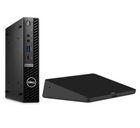
Logitech TAPMSTBASEDEL2 Video Conference Equipment - Microsoft Teams Touch Controller & Room Integration

Business volume discounts
Technical guidance
Preparation & staging
QC · ON · AB · BC
Product Features
Product Overview
The Logitech TAPMSTBASEDEL2 video conference equipment provides professional-grade Microsoft Teams room integration with touch controller solutions designed for modern meeting environments. This unified communications platform transforms standard conference rooms into fully functional collaboration spaces with intuitive control interfaces.
Engineered for seamless deployment, the system delivers reliable performance for organizations requiring consistent video conferencing capabilities. The touch controller interface offers straightforward room management, allowing teams to initiate meetings, control audio/video settings, and manage room systems without technical complexity.
This section brings together practical product details such as Unified Communications Platform, so buyers can judge configuration, deployment fit, and day-to-day suitability with less guesswork.
Technical Overview
Built on the Microsoft Teams platform, this video conference equipment ensures compatibility with enterprise collaboration ecosystems. The touch controller provides direct access to meeting controls, room scheduling, and system configuration through an optimized user interface.
The integration solution supports professional meeting room requirements with reliable connectivity and system management capabilities. Designed for IT-managed environments, the equipment maintains consistent performance across scheduled meetings and ad-hoc collaboration sessions.
This section brings together practical product details such as Unified Communications Platform, so buyers can judge configuration, deployment fit, and day-to-day suitability with less guesswork.
A strong technical summary explains how the product's interfaces, hardware profile, and operating characteristics work together in real deployment. Buyers often need this context to confirm compatibility with existing devices, expected performance in daily use, and whether installation will be straightforward for IT staff or end users.
Key Product Advantages
This Logitech video conference equipment delivers professional meeting-room readiness through dedicated Microsoft Teams integration and touch controller functionality. The system provides organizations with reliable collaboration tools that support modern workplace requirements.
Microsoft Teams Integration
Seamless compatibility with Microsoft Teams room systems ensures consistent meeting experiences across organization-wide deployments.
- Native platform support
- Enterprise collaboration ecosystem
- Scheduled meeting integration
Touch Controller Interface
Intuitive touch controls simplify room management with direct access to meeting functions and system configuration.
- User-friendly interface
- Meeting initiation controls
- Room system management
Professional Deployment
Designed for IT-managed environments with reliable performance for scheduled meetings and ad-hoc collaboration sessions.
- Enterprise-grade reliability
- Consistent performance
- Managed deployment support
Deployment / Use Cases
The Logitech TAPMSTBASEDEL2 video conference equipment serves organizations requiring professional Microsoft Teams room integration with touch controller solutions. The system transforms standard conference spaces into fully functional collaboration environments.
Ideal for medium to large meeting rooms, boardrooms, and dedicated collaboration spaces, this equipment supports scheduled enterprise meetings, team collaborations, and client presentations. The touch controller interface provides straightforward room management for both technical and non-technical users.
Enterprise Meeting Rooms
Deploy in dedicated conference spaces requiring reliable Microsoft Teams integration with professional touch controls for scheduled meetings and presentations.
Collaboration Spaces
Transform standard meeting areas into fully functional collaboration environments with intuitive system controls and consistent platform performance.
Highlights
- Microsoft Teams unified communications platform integration
- Professional video conference equipment with touch controller
- Logitech TAPMSTBASEDEL2 manufacturer part number
- Enterprise-grade meeting room solutions
- Intuitive touch interface for room management
- Designed for IT-managed deployment environments
- Reliable performance for scheduled meetings
- Compatibility with organization-wide collaboration ecosystems
Specifications
| Specifications | |
|---|---|
| Manufacturer | Logitech |
| Manufacturer Part Number | TAPMSTBASEDEL2 |
| Brand Name | Logitech |
| Product Name | Video Conference Equipment |
| Product Type | Video Conference Equipment |
| Miscellaneous | |
| Unified Communications Platform | Microsoft Teams |
FAQ
What type of controller interface does this video conference equipment include?
The equipment features a touch controller interface that provides intuitive room management capabilities. This touch controller allows users to initiate meetings, control audio/video settings, manage room systems, and access scheduling functions without requiring technical expertise or complex configuration.
What is the manufacturer part number for this Logitech video conference equipment?
The manufacturer part number is TAPMSTBASEDEL2. This identifier corresponds specifically to this Logitech video conference equipment model designed for Microsoft Teams integration with touch controller functionality for professional meeting environments.
What types of meeting environments is this equipment designed for?
This Logitech video conference equipment is engineered for professional meeting rooms, including medium to large conference spaces, boardrooms, and dedicated collaboration areas. The system supports scheduled enterprise meetings, team collaborations, client presentations, and ad-hoc working sessions requiring reliable Microsoft Teams integration.
How does this equipment support IT-managed deployment?
The Logitech TAPMSTBASEDEL2 is designed for IT-managed environments with enterprise-grade reliability and consistent performance. The system maintains compatibility with organization-wide collaboration ecosystems and supports managed deployment scenarios, ensuring reliable operation across scheduled meetings and regular business use.
What are the key advantages of this video conference equipment for professional meeting rooms?
Key advantages include dedicated Microsoft Teams integration, intuitive touch controller functionality, professional meeting-room readiness, and enterprise-grade reliability. The system transforms standard conference spaces into fully functional collaboration environments with straightforward room management and consistent platform performance.
What refresh rate or brightness details are available?
Display-oriented products are best judged through screen, connectivity, and installation specifications. Those facts help buyers confirm visual fit, mounting flexibility, and deployment suitability more clearly than generic summary text.
| Qty | Price | Available |
|---|