










StarTech.com USB3SDOCKHDV Dual Monitor USB 3.0 Docking Station - HDMI - DVI/VGA - 3x USB-A - GbE - Audio - TAA Compliant

Business volume discounts
Technical guidance
Preparation & staging
QC · ON · AB · BC
Product Features
Technical Overview
This docking station utilizes a USB 3.0 host interface, providing sufficient bandwidth for dual HD display output, Gigabit Ethernet, and multiple USB peripherals. It supports display resolutions up to 1920x1200 via DVI, 1920x1080 via HDMI, and 2048x1152 via VGA, accommodating a wide range of monitor technologies from legacy to contemporary.
Connectivity is comprehensive: three USB 3.2 Gen 1 Type-A ports operate at 5 Gbps for fast data transfers, while a dedicated Gigabit Ethernet RJ-45 port ensures stable wired network access. The integrated headphone/microphone combo port supports both audio output and microphone input, eliminating the need for separate adapters for voice calls or multimedia.
Relevant factors for this section include Connectivity Technology, Number of Displays Supported, Supported Resolutions, Ethernet Technology. When those points are considered together, they give buyers a clearer picture of how the product is equipped, how it fits into deployment, and what kind of day-to-day role it is meant to support.
Key Product Advantages
The USB3SDOCKHDV stands out by combining broad display compatibility with robust peripheral expansion in a single, universally compatible dock. Its ability to drive two monitors via HDMI, DVI, and VGA simultaneously allows mixed monitor setups, preserving investments in older displays while integrating newer ones.
Universal Laptop Compatibility
Works with Windows laptops, MacBooks, and Chromebooks featuring a USB-A port, including models like Dell Latitude, Lenovo ThinkPad, HP Spectre, and Apple MacBook Pro. No proprietary drivers are required for basic functionality across operating systems.
- Windows XP SP3 through Windows 11
- macOS 10.6 Snow Leopard through macOS 14
- ChromeOS 69 and later
Productivity-Enhancing Ports
Delivers three high-speed USB 3.2 Gen 1 ports for connecting storage drives, keyboards, and mice, plus Gigabit Ethernet for reliable networking—consolidating multiple cables into one clean connection.
- 5 Gbps USB data transfer
- Wired network stability
- Reduced cable clutter
Deployment / Use Cases
This docking station is ideal for professionals requiring a flexible dual-monitor setup across different computing platforms. It serves as a permanent desk solution for hybrid workers who switch between corporate Windows laptops and personal MacBooks, providing consistent peripheral connections without re-cabling.
In educational and government settings, its TAA compliance ensures eligibility for contracts requiring trade agreement adherence. IT departments can standardize on this dock for its support of legacy VGA/DVI monitors still prevalent in conference rooms and training facilities, while also connecting modern HDMI displays.
Home Office & Remote Work
Enables a dual-screen productivity environment with a personal laptop, connecting both a primary HDMI monitor and a secondary VGA display. The integrated Ethernet and USB ports support webcams, headsets, and external storage for video conferencing and file management.
Corporate Hot-Desking
Allows employees to dock any compatible laptop quickly, accessing dual monitors, network, and peripherals instantly. The universal compatibility reduces the need for multiple dock models, simplifying IT procurement and support.
Physical Profile
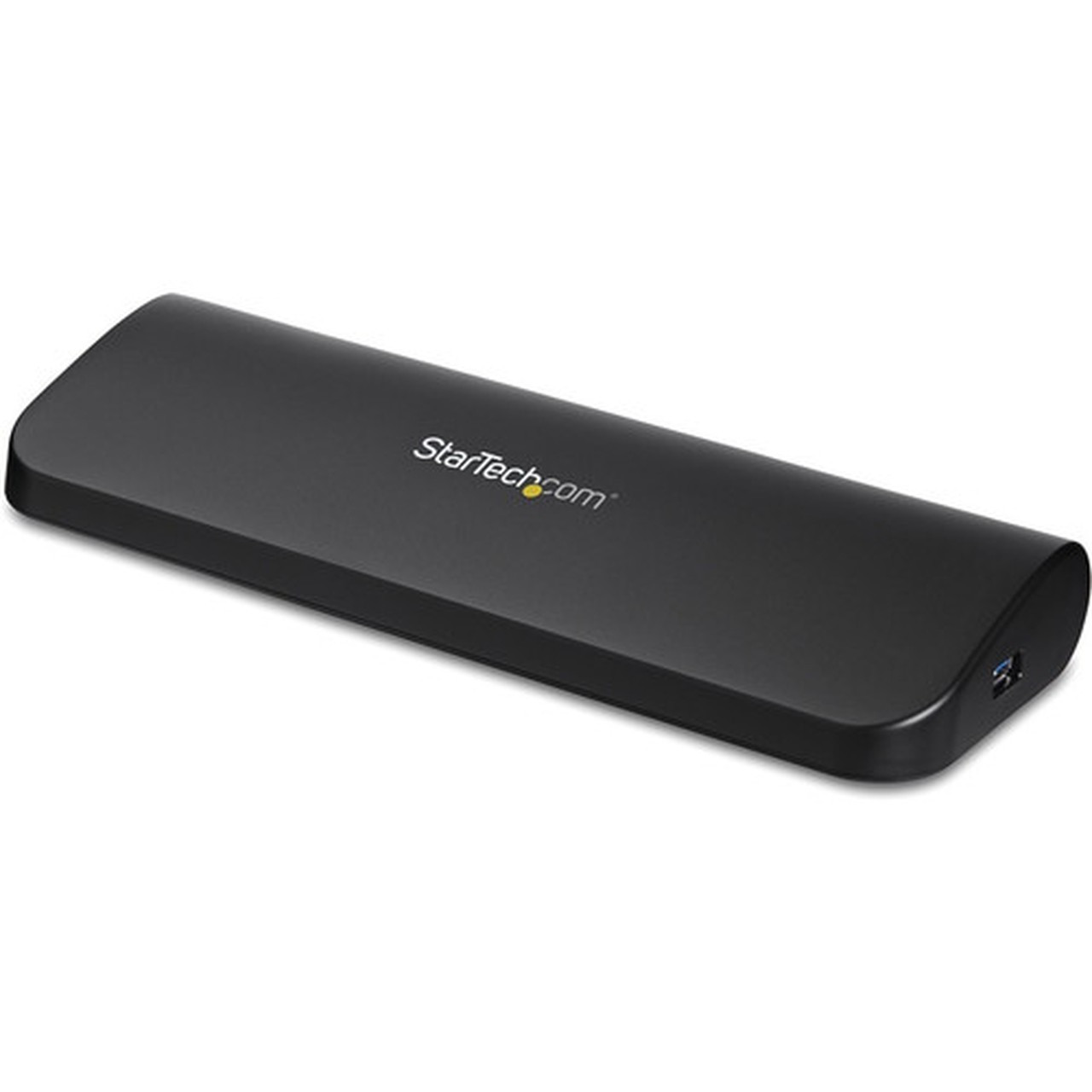
Encased in a sleek black finish, the dock measures 7.01" (178 mm) in width, 1.73" (44 mm) in height, and weighs just 10.41 oz (295 g). Its low-profile design sits discreetly on any desk or can be mounted underneath using optional adhesive pads. The compact form factor ensures it doesn’t obstruct workspace while providing full connectivity.
The physical profile is practical for deployment planning because the dimensions and weight are clearly defined: 1.73" (44 mm), 7.01" (178 mm), 10.41 oz (295 g). This helps confirm rack, shelf, desk, or cabinet fit before installation.
- Width
- 7.01" (178 mm)
- Height
- 1.73" (44 mm)
- Weight
- 10.41 oz (295 g)
Highlights
- Drives two external monitors simultaneously via HDMI, DVI, or VGA.
- Supports display resolutions up to 1920x1200 (DVI) and 2048x1152 (VGA).
- Includes three USB 3.2 Gen 1 Type-A ports (5 Gbps) for fast peripheral connections.
- Features a Gigabit Ethernet RJ-45 port for stable wired networking.
- Universal compatibility with Windows, macOS, and ChromeOS laptops.
- TAA compliant for U.S. government and educational procurement.
- Compact black design with a 3-foot USB 3.0 host cable included.
- Headphone/microphone combo port for audio input and output.
Specifications
| Specifications | |
|---|---|
| Manufacturer | StarTech.com |
| Manufacturer Part Number | USB3SDOCKHDV |
| Brand Name | StarTech.com |
| Product Name | Dual-Monitor USB 3.0 Docking Station with HDMI &DVI/VGA |
| Packaged Quantity | 1 Each |
| Product Type | Docking Station |
| Technical Information | |
| Connectivity Technology | Wired |
| Number of Displays Supported | 2 |
| Supported Resolutions | 1920 x 1200,1920 x 1080,2048 x 1152 |
| Screen Mode Supported | HD |
| Device Supported | Notebook |
| Network & Communication | |
| Ethernet Technology | Gigabit Ethernet |
| Interfaces/Ports | |
| Host Interface | USB 3.0 |
| Audio Line Out | Yes |
| Total Number of USB Ports | 4 |
| Number of USB Type-A Ports | 3 |
| USB Type-A | Yes |
| Number of RJ-45 Ports | 1 |
| Network (RJ-45) | Yes |
| VGA | Yes |
| Headphone/Microphone Combo Port | Yes |
| Microphone | Yes |
| Number of HDMI Outputs | 1 |
| HDMI | Yes |
| DVI | Yes |
| Software | |
| Operating System Supported | macOS 14,Windows XP SP3,Windows Vista,Windows 7,Windows 8,Windows 8.1,Windows 10,Windows 11,Mac OS X 10.6 Snow Leopard,Mac OS X 10.12 Sierra,Mac OS X 10.14 Mojave,Mac OS X 10.15 Catalina,Mac OS X 11.0 Big Sur,Mac OS X 12.0 Monterey,Mac OS X 13.0 Ventura,ChromeOS 69+ |
| Physical Characteristics | |
| Product Color | Black |
| Height | 1.73" (44 mm) |
| Width | 7.01" (178 mm) |
| Weight (Approximate) | 10.41 oz (295 g) |
| Miscellaneous | |
| Compatibility | Compatible with Windows, macOS, & ChromeOS, enabling extended dual displays on laptops, Chromebooks and MacBooks that feature a USB-A host connection such as X1 Carbon, ThinkPad, Latitude, Precision, XPS 15, Spectre, and ZBook |
| Environmentally Friendly | Yes |
| Environmental Certification | EU RoHS |
| Environmental Compliance | Restriction of Hazardous Substances (RoHS) 2,Registration, Evaluation, Authorization and Restriction of Chemicals (REACH),Waste Electrical and Electronic Equipment Directive (WEEE) |
| TAA Compliant | Yes |
| Country of Origin | Taiwan |
User Manual
FAQ
How many monitors can this docking station support at once?
The StarTech.com USB3SDOCKHDV supports two external monitors simultaneously. You can connect one display via HDMI and another via DVI or VGA, or use both DVI and VGA together. It does not support more than two displays concurrently.
What is the maximum resolution supported for each video output?
The docking station supports up to 1920x1080 at 60Hz via HDMI, 1920x1200 via DVI-D, and 2048x1152 via VGA. These resolutions cover common HD and WUXGA formats, making it suitable for business applications, spreadsheets, and general productivity tasks.
Is this dock compatible with MacBooks and Chromebooks?
Yes, it is universally compatible with MacBooks (macOS 10.6 Snow Leopard through macOS 14), Chromebooks (ChromeOS 69 and later), and Windows laptops (Windows XP SP3 through Windows 11). It connects via the USB-A port found on many older and some current laptop models.
Does the docking station require external power or drivers?
The dock is bus-powered via the USB 3.0 connection, so no external power adapter is needed. Basic display, USB, and Ethernet functions work without additional drivers on supported operating systems, though optional utilities for MAC address changing and layout management are available for download.
What does TAA compliance mean for this product?
TAA (Trade Agreements Act) compliance indicates the docking station meets U.S. government procurement requirements, meaning it is manufactured or substantially transformed in a designated country. This makes it eligible for purchase by federal agencies, schools, and other entities bound by TAA regulations.
Can I use this dock with a laptop that only has USB-C ports?
Not directly. This docking station requires a USB-A host port. If your laptop has only USB-C ports, you would need a USB-C to USB-A adapter or cable to connect it. The dock itself does not natively support USB-C host connectivity.
| Qty | Price | Available |
|---|