


Rocstor Y10A327-B1 SolidKVM SK04 4×1 KVM Switch - DisplayPort 1.4 & USB 3.0 - 4K 4096 x 2160 - 8 USB Ports - 5 DisplayPorts

Business volume discounts
Technical guidance
Preparation & staging
QC · ON · AB · BC
Product Features
Technical Overview
This KVM switch provides robust technical specifications for reliable operation in professional settings. The DisplayPort 1.4 interface offers 8.1Gbps per channel bandwidth (32.4Gbps total) with 16-bit per channel deep color support (48-bit total), while HDMI connectivity delivers 6Gbps per channel bandwidth (18Gbps total) with 12-bit per channel deep color (36-bit total). Both interfaces support HDCP 2.2/1.4 and HDR content for protected media playback.
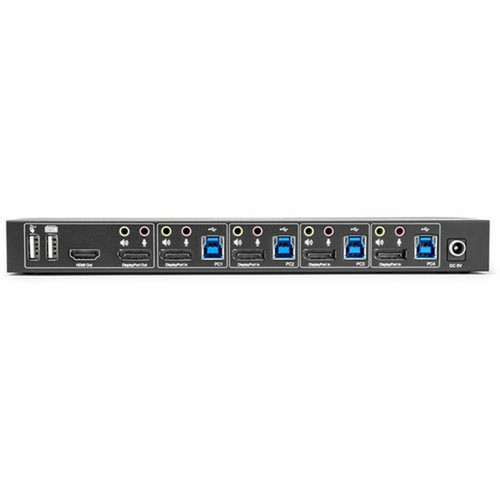
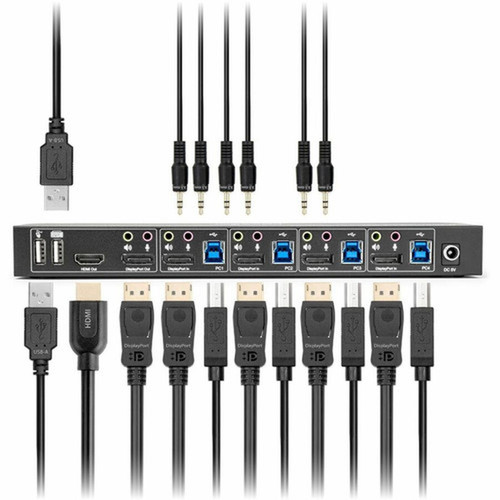
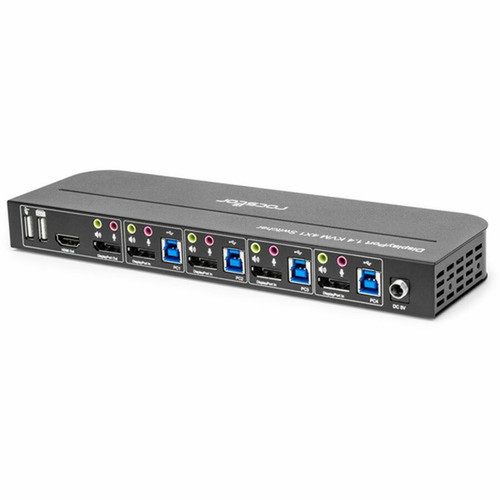
The eight USB ports include two dedicated USB 3.0 hub ports for high-speed data transfer, while the remaining ports handle keyboard, mouse, and audio device connections. Five DisplayPort outputs provide flexible monitor configuration options, and the switch operates with plug-and-play simplicity across supported operating systems.
Relevant factors for this section include Connectivity Technology, Number of Computers Supported, Number of Local Users Supported, Graphic Mode. When those points are considered together, they give buyers a clearer picture of how the product is equipped, how it fits into deployment, and what kind of day-to-day role it is meant to support.
Key Product Advantages
The SolidKVM SK04 combines high-performance video switching with practical workspace management features that benefit IT professionals, content creators, and multi-system users.
Intelligent Switching Flexibility
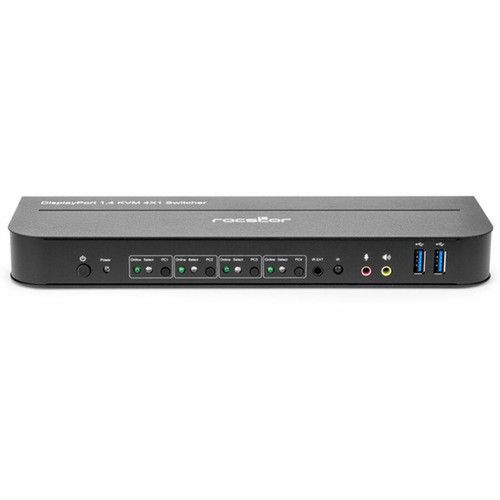
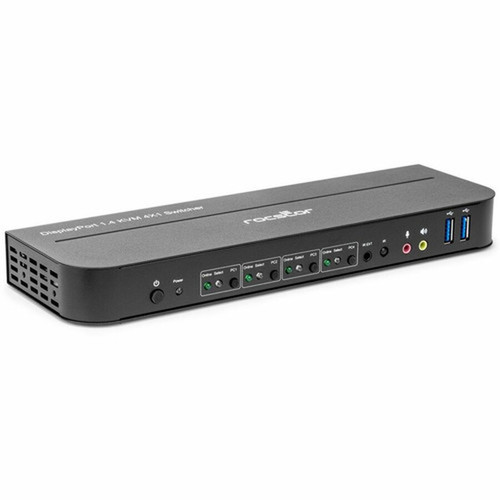
Switch between connected computers using either front-panel buttons or the included infrared remote control. LED indicators clearly show active input selection and power status for at-a-glance monitoring.
- Dual switching methods: manual and remote
- Clear visual status indicators
- No software required for basic operation
Comprehensive Peripheral Support
Beyond keyboard and mouse sharing, the switch extends connectivity to audio devices and USB peripherals. The integrated USB hub functionality allows direct connection of storage devices, cameras, or other accessories to the active system.
- Shares microphone and speaker connections
- USB 3.0 hub for high-speed data transfer
- Supports multiple peripheral types simultaneously
Deployment / Use Cases
The Rocstor SolidKVM SK04 serves multiple professional scenarios where efficient multi-system management enhances productivity. In IT support and server rooms, technicians can monitor and control multiple servers or workstations from a single console, reducing equipment footprint and simplifying troubleshooting procedures.
For creative professionals and financial traders, the switch enables seamless transitions between dedicated systems for specialized applications while maintaining high-resolution visual output. The compact form factor and optional mounting brackets allow for clean installations under desks, in rack enclosures, or within media consoles where space optimization is critical.
Multi-Workstation Environments
Ideal for users who operate separate systems for different functions—such as one computer for design work and another for administrative tasks—allowing instant switching without reconnecting cables or rearranging workspace layouts.
Compact Control Stations
The switch's slim profile (1" height) and lightweight design make it suitable for space-constrained installations. The included ear hanger brackets enable vertical or under-desk mounting to keep workspaces organized and professional.
Physical Profile
Measuring 9.50" × 2.90" × 1" (241.30 × 73.66 × 25.40 mm) and weighing just 1.11 lb (504.62 g), the SolidKVM SK04 features a compact, low-profile design that fits easily into various installation scenarios. The unit includes optional ear hanger brackets for vertical or under-desk mounting, providing flexibility for different workspace configurations. The durable construction ensures reliable operation in continuous-use environments, while the LED indicators remain clearly visible from typical viewing angles.
- Width
- 2.90" (73.66 mm)
- Height
- 1" (25.40 mm)
- Weight
- 1.11 lb (504.62 g)
- Length
- 9.50" (241.30 mm)
What's in the Box
The package includes all necessary components for immediate deployment:
Highlights
- Controls four computers with one keyboard, mouse, microphone, and speaker set
- Delivers 4K video at 4096x2160 resolution with 60Hz refresh rate
- Supports DisplayPort 1.4 and HDMI outputs with HDR and HDCP 2.2/1.4
- Features eight USB ports including two USB 3.0 hub ports
- Includes infrared remote control for convenient switching
- Provides plug-and-play operation with LED status indicators
- Compatible with Windows 10/11, Linux, and macOS systems
- Compact design with optional mounting brackets for space-saving installation
- Backed by a 3-year limited warranty from Rocstor
- Environmentally friendly manufacturing in Vietnam
Specifications
| Specifications | |
|---|---|
| Manufacturer | Rocstor |
| Manufacturer Part Number | Y10A327-B1 |
| Brand Name | Rocstor |
| Product Name | SolidKVM SK04 DisplayPort 1.4 and USB 3.0 4×1 KVM Switch |
| Packaged Quantity | 1 |
| Product Type | KVM Switchbox |
| Technical Information | |
| Connectivity Technology | Wired |
| Number of Computers Supported | 4 |
| Number of Local Users Supported | 1 |
| Features | Plug and Play,LED Indicator |
| Video | |
| Graphic Mode | 4K |
| Maximum Video Resolution | 4096 x 2160 |
| Interfaces/Ports | |
| USB | Yes |
| USB Standard | USB 2.0,USB 3.0 |
| USB 2.0 | Yes |
| HDMI | Yes |
| DisplayPort | Yes |
| Number of USB Ports | 8 |
| Number of DisplayPorts | 5 |
| Physical Characteristics | |
| Height | 1" (25.40 mm) |
| Width | 2.90" (73.66 mm) |
| Length | 9.50" (241.30 mm) |
| Weight (Approximate) | 1.11 lb (504.62 g) |
| Miscellaneous | |
| Package Contents | SolidKVM SK04 DisplayPort 1.4 and USB 3.0 4×1 KVM Switch 5V/3A Power Adapter x1 IR Remote Control x1 IR Extender x1 USB 3.0-B Male to USB 3.0-A Male Cable x4 User Manual x1 Ear Hanger Bracket x2 (Optional) |
| Environmentally Friendly | Yes |
| Country of Origin | Vietnam |
| Warranty | |
| Limited Warranty | 3 Year |
User Manual
FAQ
How many computers can I connect to this KVM switch?
The Rocstor SolidKVM SK04 supports four computers simultaneously. You can connect four different systems and switch between them using either the front-panel buttons or the included infrared remote control, all while sharing a single set of peripherals including keyboard, mouse, microphone, and speakers.
What video resolutions does this switch support?
This switch supports up to 4K resolution at 4096x2160 with a 60Hz refresh rate. It maintains high-quality video output through both DisplayPort 1.4 and HDMI interfaces, supporting advanced color formats including RGB 4:4:4, YCbCr 4:4:4, YCbCr 4:2:2, and YCbCr 4:2:0 for accurate color reproduction in professional applications.
Does this KVM switch require software installation?
No software installation is required for basic operation. The Rocstor SolidKVM SK04 functions as a plug-and-play device that works immediately when connected. The switch uses hardware-based switching controlled by front-panel buttons or the infrared remote, making it compatible with various operating systems without needing dedicated drivers or configuration software.
What types of USB devices can I connect to the switch?
The switch features eight USB ports that support keyboards, mice, microphones, speakers, and other USB peripherals. Two of these ports function as USB 3.0 hubs for high-speed data transfer with compatible storage devices, cameras, or other accessories. All connected USB devices will be available to the currently active computer system.
Can I mount this KVM switch in a rack or under a desk?
Yes, the switch includes two optional ear hanger brackets that enable flexible mounting options. You can mount the unit vertically in a rack enclosure, horizontally under a desk, or in other space-constrained locations. The compact dimensions (9.50" × 2.90" × 1") and lightweight design (1.11 lb) make it suitable for various installation scenarios while keeping your workspace organized.
What connectivity or interface options are available?
Connectivity support is listed in the product specifications, including the relevant wireless or port options when available.
| Qty | Price | Available |
|---|