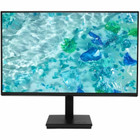
Acer UM.QV7AA.G02 Vero V247Y G 24" LCD Monitor - 23.8" Viewable - 250 cd/m² - 4ms GTG - Adaptive Sync - HDMI - VGA - Black

Business volume discounts
Technical guidance
Preparation & staging
QC · ON · AB · BC
Product Features
Product Overview
The Acer Vero V247Y G is a 24-inch class LCD monitor designed for reliable everyday use in office, home, and light multimedia environments. Its 23.8-inch viewable screen delivers clear, vibrant visuals with a 16:9 widescreen aspect ratio that enhances productivity and media viewing.
Built with eco-conscious materials and certified to stringent environmental standards, this monitor balances performance with sustainability. The black chassis offers a professional look that fits seamlessly into any workspace, while features like Adaptive Sync and a fast 4ms response time ensure smooth on-screen motion.
Relevant factors for this section include Number of Screens, Screen Size Class, Viewable Screen Size, Dynamic Contrast Ratio. When those points are considered together, they give buyers a clearer picture of how the product is equipped, how it fits into deployment, and what kind of day-to-day role it is meant to support.
Technical Overview
This monitor features a 23.8-inch viewable LCD panel with a brightness of 250 cd/m², providing adequate luminance for typical indoor lighting conditions. The 4ms Gray-to-Gray (GTG) response time minimizes motion blur, making it suitable for general computing, video playback, and casual gaming.
Connectivity includes one HDMI port and one VGA port, offering compatibility with modern and legacy devices. Adaptive Sync technology helps eliminate screen tearing by synchronizing the monitor's refresh rate with the output of compatible graphics cards.
Relevant factors for this section include Number of Screens, Screen Size Class, Viewable Screen Size, Dynamic Contrast Ratio. When those points are considered together, they give buyers a clearer picture of how the product is equipped, how it fits into deployment, and what kind of day-to-day role it is meant to support.
A strong technical summary explains how the product's interfaces, hardware profile, and operating characteristics work together in real deployment. Buyers often need this context to confirm compatibility with existing devices, expected performance in daily use, and whether installation will be straightforward for IT staff or end users.
Key Product Advantages
The Vero V247Y G combines practical performance features with environmental responsibility, making it a smart choice for businesses and home users focused on both quality and sustainability.
These strengths make the product easier to deploy and manage in real environments, especially where reliability, usability, and day-to-day operational continuity matter. Notable benefits include Smooth Visual Performance, Eco-Friendly Design.
Smooth Visual Performance
With Adaptive Sync and a 4ms GTG response time, this monitor reduces motion artifacts for clearer video and smoother scrolling, enhancing the viewing experience during dynamic content.
- Reduces screen tearing
- Minimizes motion blur
Eco-Friendly Design
Certified to EPEAT Gold and TCO standards, this monitor meets high environmental criteria for energy efficiency, materials, and recyclability, supporting green IT initiatives.
- Lower power consumption
- Sustainable manufacturing
Deployment / Use Cases
Ideal for office workstations, the Acer Vero V247Y G supports daily tasks like document editing, web browsing, and video conferencing with its clear screen and reliable connectivity.
Its widescreen format and decent motion handling also make it suitable for home entertainment setups, casual gaming, and educational environments where a balance of performance and cost is key.
Relevant factors for this section include Number of Screens, Screen Size Class, Viewable Screen Size, Dynamic Contrast Ratio. When those points are considered together, they give buyers a clearer picture of how the product is equipped, how it fits into deployment, and what kind of day-to-day role it is meant to support.
Office Productivity
The 16:9 aspect ratio allows for efficient multitasking with multiple windows, while the HDMI and VGA inputs ensure compatibility with various office hardware.
Light Multimedia Use
With 250 cd/m² brightness and a fast response time, this monitor handles streaming video, photo viewing, and casual gaming without significant lag or blur.
What's in the Box
The package includes all essential components for immediate setup and use.
Highlights
- 23.8-inch viewable LCD screen with 16:9 widescreen aspect ratio for enhanced productivity and media viewing
- 4ms GTG response time reduces motion blur for smoother video playback and casual gaming
- Adaptive Sync technology minimizes screen tearing by synchronizing refresh rates with compatible GPUs
- 250 cd/m² brightness ensures clear visuals in typical indoor lighting conditions
- HDMI and VGA inputs provide connectivity options for modern and legacy devices
- AI-powered features optimize system behavior based on usage patterns for improved efficiency
- EPEAT Gold and TCO Certified for environmental sustainability and energy efficiency
- Includes HDMI cable and power cord for quick setup out of the box
Specifications
| Specifications | |
|---|---|
| Manufacturer | Acer, Inc |
| Manufacturer Part Number | UM.QV7AA.G02 |
| Brand Name | Acer |
| Product Line | Vero |
| Product Series | V |
| Product Model | V247Y G |
| Product Name | Vero V247Y G Widescreen LCD Monitor |
| Product Type | LCD Monitor |
| Technical Information | |
| Number of Screens | 1 |
| Screen Size Class | 24" |
| Viewable Screen Size | 23.8" |
| Response Time | 4 ms |
| Response Time Details | 4 ms GTG |
| Aspect Ratio | 16:9 |
| AI-powered | Yes |
| Video | |
| Dynamic Contrast Ratio | 100,000,000:1 |
| Brightness | 250 cd/m² |
| Tearing Prevention Technology | Adaptive Sync |
| Interfaces/Ports | |
| HDMI | Yes |
| VGA | Yes |
| Total Number of HDMI Ports | 1 |
| Physical Characteristics | |
| Color Family | Black |
| Product Color | Black |
| Miscellaneous | |
| Package Contents | 1 x Vero V247Y G Widescreen LCD Monitor 1 x Power Cord (US) 1 x HDMI Cable |
| Country of Origin | China |
| TCO Certified | Yes |
| Environmentally Friendly | Yes |
| Environmental Certification | Electronic Product Environmental Assessment Tool Gold (EPEAT Gold),TCO Certified |
User Manual
FAQ
What is the actual viewable screen size of this Acer monitor?
The Acer Vero V247Y G has a viewable screen size of 23.8 inches diagonally, which is typical for a 24-inch class monitor. This measurement refers to the active display area, providing a widescreen 16:9 aspect ratio suitable for multitasking and media consumption.
Does this monitor support Adaptive Sync technology?
Yes, this monitor includes Adaptive Sync tearing prevention technology. It helps eliminate screen tearing and stuttering by synchronizing the monitor's refresh rate with the frame rate output of compatible graphics cards, resulting in smoother visuals during gaming and video playback.
What video inputs are available on the Acer V247Y G?
The monitor offers one HDMI port and one VGA port. HDMI delivers digital video and audio through a single cable, ideal for connecting to modern PCs, gaming consoles, or media players. VGA provides analog connectivity for older computers or devices, ensuring broad compatibility.
What is the brightness level of this monitor?
The brightness is rated at 250 candelas per square meter (cd/m²). This level provides adequate luminance for most indoor environments, making it suitable for office work, web browsing, and general multimedia use without straining the eyes in typical lighting conditions.
Is this monitor environmentally certified?
Yes, the Acer Vero V247Y G is certified to Electronic Product Environmental Assessment Tool (EPEAT) Gold and TCO standards. These certifications indicate it meets stringent criteria for energy efficiency, reduced hazardous materials, and recyclability, supporting sustainable IT practices.
What does the AI-powered feature do on this monitor?
The AI-powered functionality analyzes usage patterns to optimize system behavior, such as adjusting power settings or reducing distractions. This helps streamline workflows and improve efficiency by adapting the monitor's performance based on how it's being used over time.
| Qty | Price | Available |
|---|