Shipping included*
Exclusions
Additional shipping fees may apply in rare circumstances for deliveries outside standard service areas. In most cases, this only potentially affects shipments to the Northwest Territories and Yukon, as well as certain heavy or oversized items.
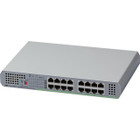
Allied Telesis AT-GS910/16-10 16-Port Gigabit Unmanaged Switch - Desktop/Wall Mount - Layer 2 - 10/100/1000Base-T

Business volume discounts
Technical guidance
Preparation & staging
QC · ON · AB · BC
Product Features
Technical Overview
This switch operates at Layer 2, supporting basic switching functions for efficient data forwarding within a local network. It features 16 Gigabit Ethernet ports that auto-negotiate speeds of 10/100/1000 Mbps, ensuring compatibility with a wide range of devices from legacy equipment to modern high-performance hardware.
The AT-GS910/16-10 uses twisted-pair cabling (10/100/1000Base-T) for connectivity, supporting data transfers up to 100 meters per port. Its internal power supply provides stable operation without external adapters, and the switch is environmentally friendly, reflecting Allied Telesis's commitment to sustainable manufacturing practices.
Relevant factors for this section include Total Number of Network Ports, Uplink Port, Modular, Media Type Supported. When those points are considered together, they give buyers a clearer picture of how the product is equipped, how it fits into deployment, and what kind of day-to-day role it is meant to support.
Key Product Advantages
The AT-GS910/16-10 combines simplicity with performance, offering a hassle-free networking solution that doesn't sacrifice speed or reliability. Its design prioritizes ease of use while maintaining the robust connectivity needed for modern small-scale networks.
Plug-and-Play Operation
As an unmanaged switch, it requires no configuration or ongoing management, reducing setup time and eliminating the need for specialized IT skills.
- Zero configuration required
- Ideal for non-technical users
- Immediate network expansion
Versatile Deployment Options
The desktop and wall-mountable form factor allows flexible placement in various environments, from office desks to network closets.
- Desktop or wall installation
- Compact footprint
- Low-profile design
Cost-Effective Connectivity
By leveraging standard twisted-pair cabling and eliminating management overhead, this switch provides an economical way to add Gigabit speeds to any network.
- Uses existing cabling infrastructure
- No licensing fees
- Low power consumption
Deployment / Use Cases
The AT-GS910/16-10 is well-suited for scenarios where reliable, high-speed wired connectivity is needed without the complexity of managed networking. Its 16 ports provide ample capacity for connecting multiple devices in a single location.
Common applications include small office networks where computers, printers, and VoIP phones require stable connections, home offices needing to centralize internet access for multiple workstations, and retail environments where point-of-sale systems and security cameras benefit from dedicated Ethernet links.
Small Business Backbone
Serve as the core switch for a small office, connecting desktops, network-attached storage, and peripherals with Gigabit throughput for fast file transfers and smooth collaboration.
Home Network Hub
Expand a home network to support gaming consoles, streaming devices, and smart home equipment, ensuring lag-free performance for bandwidth-intensive activities.
Physical Profile
Measuring 10.35 inches wide, 7.05 inches deep, and 1.50 inches high (263 x 179 x 38 mm), the AT-GS910/16-10 has a compact footprint that fits easily on a desk or mounts neatly on a wall. Its weight of 3.31 pounds (1500 g) makes it lightweight yet sturdy, with a design that supports both horizontal and vertical orientation. The switch's low-profile form factor and desktop/wall-mountable options provide flexibility in placement, whether in a crowded equipment rack or a discreet corner of an office.
- Width
- 10.35" (263 mm)
- Depth
- 7.05" (179 mm)
- Height
- 1.50" (38 mm)
- Weight
- 3.31 lb (1500 g)
Highlights
- 16 Gigabit Ethernet ports for connecting PCs, laptops, printers, and peripherals
- Unmanaged operation for plug-and-play setup with no configuration required
- Layer 2 switching support for efficient local network data forwarding
- 10/100/1000Base-T auto-negotiating ports compatible with a wide range of devices
- Desktop or wall-mountable form factor for flexible deployment
- Internal power supply eliminates the need for external adapters
- Uses cost-effective twisted-pair cabling with support for up to 100-meter runs
- Environmentally friendly design and manufacturing
- Lifetime limited warranty for long-term peace of mind
- Compact dimensions (10.35" W x 7.05" D x 1.50" H) fit easily in tight spaces
Specifications
| Specifications | |
|---|---|
| Manufacturer | Allied Telesis, Inc |
| Manufacturer Part Number | AT-GS910/16-10 |
| Brand Name | Allied Telesis |
| Product Line | CentreCOM |
| Product Series | GS910 |
| Product Model | AT-GS910/16 |
| Product Name | 16-Port 10/100/1000T Unmanaged Switch with Internal PSU |
| Product Type | Ethernet Switch |
| Interfaces/Ports | |
| Total Number of Network Ports | 16 |
| Uplink Port | No |
| Modular | No |
| Stack Port | No |
| Port/Expansion Slot Details | 16 x Gigabit Ethernet Network |
| Media & Performance | |
| Media Type Supported | Twisted Pair |
| Ethernet Technology | Gigabit Ethernet |
| Network Technology | 10/100/1000Base-T |
| Network & Communication | |
| Layer Supported | 2 |
| Management & Protocols | |
| Manageable | No |
| Power Description | |
| Power Source | Power Supply |
| Redundant Power Supply Supported | No |
| Physical Characteristics | |
| Form Factor | Desktop,Wall Mountable |
| Height | 1.50" (38 mm) |
| Width | 10.35" (263 mm) |
| Depth | 7.05" (179 mm) |
| Weight (Approximate) | 3.31 lb (1500 g) |
| Miscellaneous | |
| Environmentally Friendly | Yes |
| Country of Origin | China |
| Warranty | |
| Limited Warranty | Lifetime |
FAQ
How many devices can I connect to this switch?
The Allied Telesis AT-GS910/16-10 has 16 Gigabit Ethernet ports, allowing you to connect up to 16 wired devices such as computers, printers, network storage, or VoIP phones directly. If you need to connect more devices, you can daisy-chain additional switches, though this may impact overall network performance depending on traffic patterns.
Does this switch support Power over Ethernet (PoE)?
No, this switch does not support Power over Ethernet. It is a standard unmanaged Gigabit switch that provides data connectivity only. If you need to power devices like IP cameras or wireless access points through the Ethernet cable, you would require a PoE-enabled switch or separate PoE injectors.
Can I mount this switch on a wall or in a rack?
Yes, the AT-GS910/16-10 is designed for both desktop and wall mounting. It includes mounting provisions for secure wall installation. While it is not a rack-mountable unit in the traditional sense (it lacks standard rack ears), its compact size allows it to be placed on a shelf within a rack enclosure if needed.
What is the difference between managed and unmanaged switches?
An unmanaged switch, like the AT-GS910/16-10, operates automatically with no configuration required—you simply connect devices and it forwards data. Managed switches offer advanced features like VLANs, QoS, and port monitoring, which require setup and management. This unmanaged model is ideal for simple networks where ease of use is a priority.
What type of cables should I use with this switch?
This switch supports twisted-pair Ethernet cables (10/100/1000Base-T), specifically Category 5e, 6, or higher. These are standard Ethernet cables with RJ45 connectors. For optimal Gigabit performance, use Cat5e or better cables, and ensure runs do not exceed 100 meters (328 feet) per port to maintain signal integrity.
Does this switch have uplink ports for connecting to other network equipment?
No, the AT-GS910/16-10 does not have dedicated uplink ports. All 16 ports are standard Gigabit Ethernet ports that auto-negotiate speed and duplex. You can use any of these ports to connect to a router, modem, or another switch—the switch will automatically detect and configure the connection appropriately for upstream or downstream traffic.
| Qty | Price | Available |
|---|