Shipping included*
Exclusions
Additional shipping fees may apply in rare circumstances for deliveries outside standard service areas. In most cases, this only potentially affects shipments to the Northwest Territories and Yukon, as well as certain heavy or oversized items.
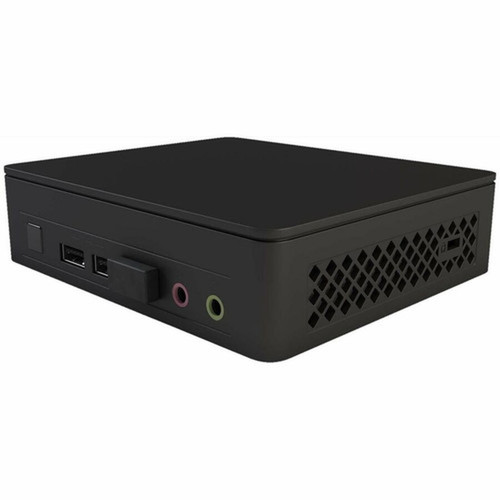
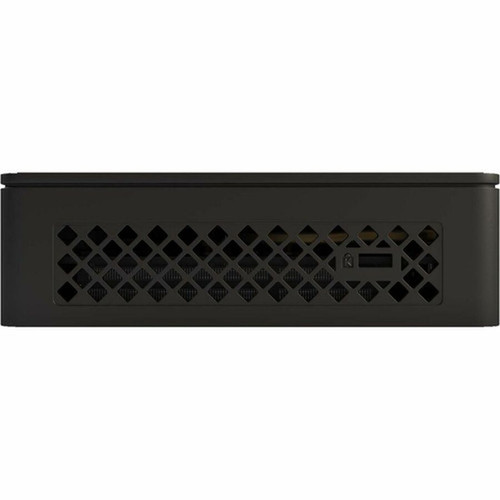
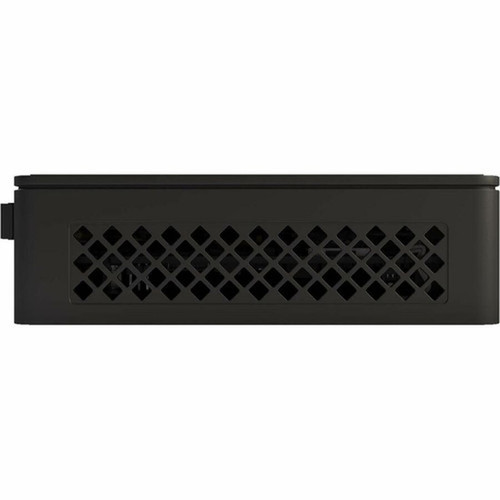
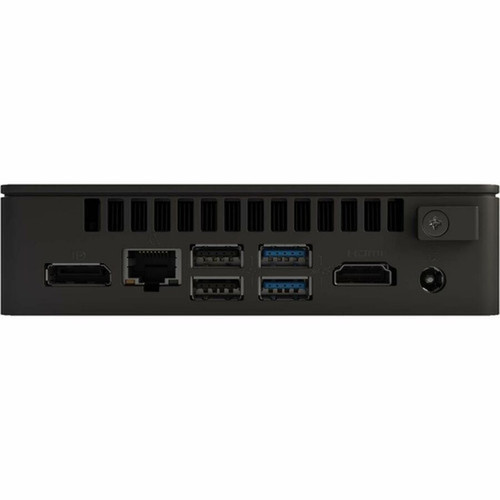
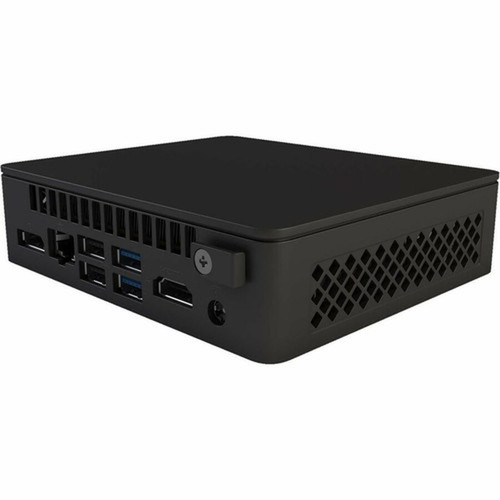
Asus BNUC11ATKC20RA0 NUC 11 Essential Mini PC - Intel Celeron N4505 - 4GB DDR4 RAM - 64GB Flash - Windows 11 Home - Gigabit Ethernet - Wi-Fi 5

Business volume discounts
Technical guidance
Preparation & staging
QC · ON · AB · BC
Product Features
Technical Overview
This desktop computer features the Intel Celeron N4505, a dual-core processor built on Intel's efficient architecture. It operates at a base frequency of 2.0 GHz with a maximum turbo frequency of 2.90 GHz, providing headroom for burst workloads. The processor does not include Intel vPro technology, positioning this model for general-purpose and consumer-grade deployments.
System memory is configured as a single 4 GB DDR4 SDRAM module, offering a straightforward upgrade path if future expansion is needed. Storage is handled by 64 GB of integrated flash memory, sufficient for the Windows 11 Home operating system, core applications, and user data. Graphics are powered by Intel UHD Graphics, which utilizes shared system memory and supports dual-display output through HDMI and DisplayPort interfaces.
Network Connectivity
The NUC 11 Essential includes Gigabit Ethernet for wired networking and dual-band Wi-Fi 5 (802.11ac) for wireless connectivity. Bluetooth support enables connection to peripherals like keyboards, mice, and audio devices without cables.
Key Product Advantages
The Asus NUC 11 Essential combines compact design with practical connectivity, creating a versatile mini PC suitable for multiple deployment scenarios. Its small form factor allows installation in locations where traditional desktops cannot fit, while the comprehensive port selection ensures compatibility with modern peripherals and displays.
For buyers comparing similar models, the strongest advantage is usually the balance between dependable day-to-day operation and a simpler rollout experience. That means less time spent troubleshooting fit, compatibility, or user adoption after installation, which is especially important for shared business environments and repeat purchasing decisions.
Advantages are also easier to justify when they translate into measurable operational value, such as less downtime, more consistent user experience, easier replacement planning, or better alignment with existing accessories and workflows. That practical value tends to matter more than broad marketing language when teams are standardizing purchases.
Deployment / Use Cases
The NUC 11 Essential's balance of size, connectivity, and Windows 11 compatibility makes it suitable for various light-duty computing roles. Its low power draw and silent operation (with proper cooling) allow it to run continuously in environments where noise and heat are concerns.
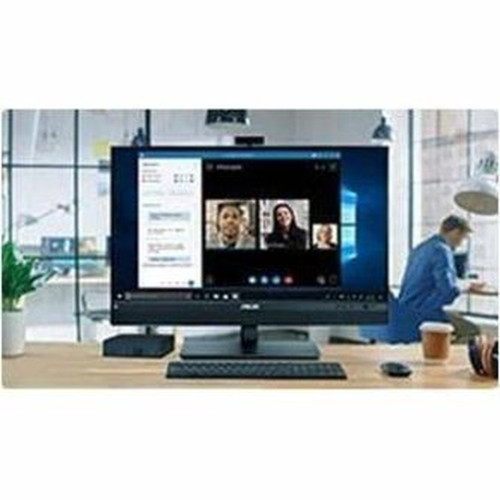
Common deployment scenarios include digital signage controllers, where the small size allows discreet placement behind displays; point-of-sale systems in retail or hospitality settings; basic office workstations for email, web browsing, and document editing; and home media centers for streaming content to televisions.
Digital Signage & Kiosk
The mini PC form factor and dual video outputs make this system ideal for driving single or dual displays in digital signage, informational kiosks, or menu board applications. Windows 11 provides a stable platform for signage software.
Light Office & Administrative Work
With Windows 11 Home, Microsoft Office compatibility, and sufficient performance for web applications, this computer serves well as a dedicated workstation for administrative tasks, student use, or secondary office computers.
Localization and Operating System
This Asus NUC 11 Essential ships with Windows 11 Home pre-installed, providing immediate out-of-box functionality. Windows 11 Home includes core Microsoft features like the redesigned Start menu, Snap Layouts for window management, integrated Microsoft Teams, and ongoing security updates.
The operating system is configured for general use without enterprise management features, making it straightforward for individual users or small businesses. No specific keyboard localization or regional software variations are indicated in the specifications, suggesting a standard North American configuration.
Relevant factors for this section include Processor Manufacturer, Processor Type, Processor Model, Chipset Manufacturer. When those points are considered together, they give buyers a clearer picture of how the product is equipped, how it fits into deployment, and what kind of day-to-day role it is meant to support.
Highlights
- Compact mini PC form factor saves space on desks or in installations
- Intel Celeron N4505 dual-core processor with up to 2.9 GHz turbo frequency
- 4 GB of DDR4 RAM for smooth multitasking in light workloads
- 64 GB of flash storage for the operating system and applications
- Windows 11 Home pre-installed for a modern, secure computing experience
- Dual-display support via HDMI and DisplayPort outputs
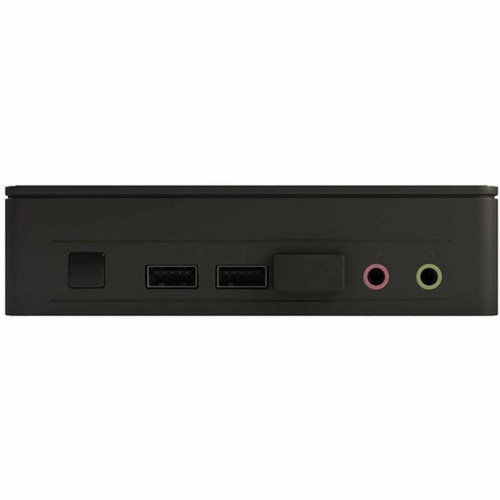
- Six USB ports including four high-speed USB 3.2 ports
- Gigabit Ethernet, Wi-Fi 5 (802.11ac), and Bluetooth connectivity
- Energy-efficient design suitable for always-on applications
- Ideal for digital signage, point-of-sale, light office work, or media centers
Specifications
| Specifications | |
|---|---|
| Manufacturer | ASUS Computer International |
| Manufacturer Part Number | BNUC11ATKC20RA0 |
| Brand Name | Asus |
| Product Line | NUC 11 Essential |
| Product Model | NUC11ATKC2 |
| Product Name | NUC 11 Essential NUC11ATKC2 Desktop Computer |
| Packaged Quantity | 1 |
| Product Type | Desktop Computer |
| Processor | |
| Processor Manufacturer | Intel |
| Processor Type | Celeron |
| Processor Model | N4505 |
| Processor Core | Dual-core (2 Core) |
| Processor Threads | 2 |
| Processor Speed | 2 GHz |
| Maximum Turbo Speed | 2.90 GHz |
| vPro Technology | No |
| Chipset | |
| Chipset Manufacturer | Intel |
| Memory | |
| Standard Memory | 4 GB |
| Memory Technology | DDR4 SDRAM |
| Memory Configuration | 1 x 4GB |
| Storage | |
| Flash Memory Capacity | 64 GB |
| Display & Graphics | |
| Graphics Controller Manufacturer | Intel |
| Graphics Controller Model | UHD Graphics |
| Graphics Memory Technology | DDR4 SDRAM |
| Graphics Memory Accessibility | Shared |
| Network & Communication | |
| Ethernet Technology | Gigabit Ethernet |
| Wireless LAN | Yes |
| Wireless LAN Standard | IEEE 802.11ac |
| Bluetooth | Yes |
| Interfaces/Ports | |
| HDMI | Yes |
| Total Number of USB Ports | 6 |
| Number of USB 2.0 Ports | 2 |
| Number of USB 3.2 Gen 1 Ports | 2 |
| Number of USB 3.2 Gen 2 Ports | 2 |
| DisplayPort | Yes |
| Operating System | |
| Operating System Platform | Windows |
| Operating System | Windows 11 Home |
| Physical Characteristics | |
| Form Factor | Mini PC |
User Manual
FAQ
What processor does this Asus NUC 11 Essential mini PC use?
This mini PC is equipped with an Intel Celeron N4505 dual-core processor. It has a base clock speed of 2.0 GHz and can turbo boost up to 2.90 GHz when needed. This processor provides efficient performance for everyday computing tasks like web browsing, office applications, and media playback.
How much memory and storage does this computer have?
The system comes with 4 GB of DDR4 SDRAM installed as a single module, which supports basic multitasking. For storage, it includes 64 GB of flash memory, which holds the Windows 11 Home operating system and provides space for applications and files. Both memory and storage can potentially be upgraded depending on the specific hardware design.
What operating system is pre-installed on this Asus NUC?
This Asus NUC 11 Essential ships with Windows 11 Home already installed and ready to use. Windows 11 Home offers a modern interface, built-in security features, and compatibility with a wide range of software. It receives regular updates from Microsoft to maintain performance and protection.
What video outputs are available for connecting monitors?
The mini PC includes both HDMI and DisplayPort outputs, allowing you to connect up to two displays simultaneously. This dual-monitor support is useful for expanding your workspace, running digital signage on multiple screens, or mirroring content. The graphics are handled by integrated Intel UHD Graphics.
What networking and connectivity options does this NUC offer?
For wired networking, there is a Gigabit Ethernet port. Wireless connectivity includes Wi-Fi 5 (802.11ac) for fast wireless internet and Bluetooth for connecting peripherals like keyboards, mice, and headphones. The system also has six USB ports: two USB 2.0, two USB 3.2 Gen 1, and two USB 3.2 Gen 2 ports for various devices.
What are typical uses for this compact desktop computer?
Due to its small size and capable specs, this Asus NUC 11 Essential is well-suited for roles like digital signage controller, point-of-sale system, light-duty office workstation, home media center, or educational computer. Its mini PC form factor allows installation in tight spaces, and Windows 11 ensures software compatibility for these applications.
| Qty | Price | Available |
|---|