
Belkin INC015BTSGY USB-C 8-in-1 Dual Display Core Hub Docking Station - 10 Gbps - 100W PD - 2x HDMI - 3x USB-C - 2x USB-A - Ethernet - 4K UHD - Space

Business volume discounts
Technical guidance
Preparation & staging
QC · ON · AB · BC
Product Features
Technical Overview
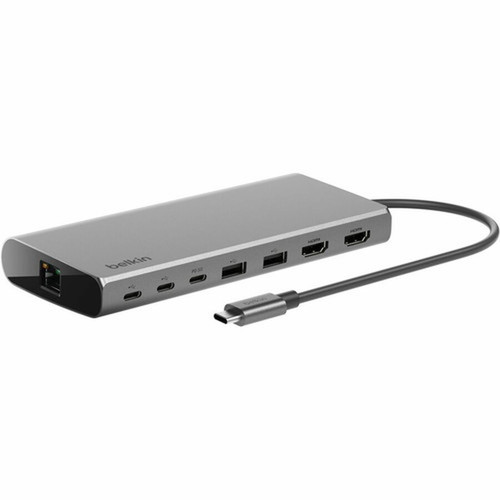
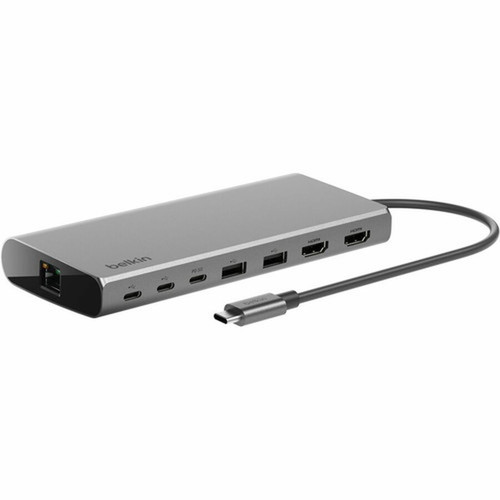
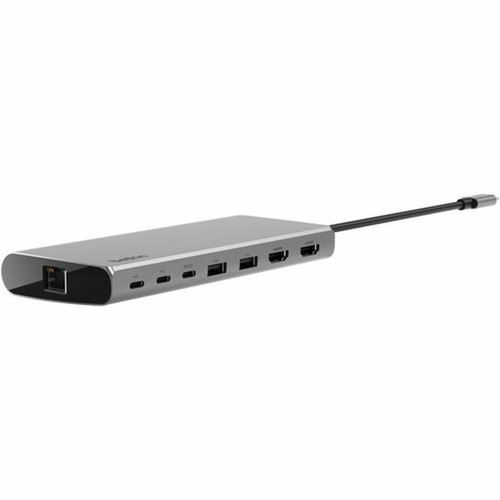
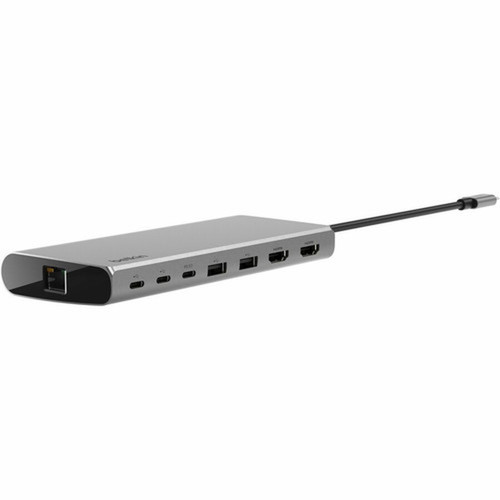
Engineered for reliable performance, the docking station uses wired connectivity to ensure stable data and video transmission. It features three USB-C ports, two USB-A ports, and two HDMI ports, providing flexibility for connecting monitors, peripherals, storage drives, and network cables.
The 100W USB Power Delivery capability charges compatible laptops efficiently while powering connected devices. The 10 Gbps data speed supports fast file transfers and responsive peripheral operation.
Relevant factors for this section include Connectivity Technology, Number of Displays Supported, Supported Resolutions, Ethernet Technology. When those points are considered together, they give buyers a clearer picture of how the product is equipped, how it fits into deployment, and what kind of day-to-day role it is meant to support.
A strong technical summary explains how the product's interfaces, hardware profile, and operating characteristics work together in real deployment. Buyers often need this context to confirm compatibility with existing devices, expected performance in daily use, and whether installation will be straightforward for IT staff or end users.
Key Product Advantages
This Belkin hub stands out by combining high-resolution display support with substantial power delivery and versatile connectivity in one sleek unit. It eliminates the need for multiple adapters and simplifies cable management.
Dual 4K Display Capability
Drive two external monitors at 3840 x 2160 resolution simultaneously, enhancing productivity for video editing, data analysis, or multi-window workflows.
- Supports UHD screen mode
- Ideal for high-detail visual tasks
High-Speed Data & Charging
With 10 Gbps USB-C ports and 100W Power Delivery, it ensures fast data transfers and reliable laptop charging without performance bottlenecks.
- Enables quick file sync
- Powers devices efficiently
Comprehensive Port Selection
Offers a balanced mix of USB-C, USB-A, HDMI, and Ethernet ports to connect monitors, peripherals, networks, and legacy devices seamlessly.
- Reduces dongle clutter
- Supports diverse hardware
Deployment / Use Cases
The Belkin Dual Display Core Hub is suited for professionals who need to extend their laptop's capabilities in office, home, or hybrid work environments. It serves as a central connectivity point for docking setups.
Common applications include creating dual-monitor workstations for finance or development teams, connecting peripherals like keyboards and external drives in compact desks, and providing Ethernet for stable video conferencing. Its Space Gray finish matches modern office aesthetics.
Relevant factors for this section include Connectivity Technology, Number of Displays Supported, Supported Resolutions, Ethernet Technology. When those points are considered together, they give buyers a clearer picture of how the product is equipped, how it fits into deployment, and what kind of day-to-day role it is meant to support.
Office Workstation Expansion
Transform a laptop into a desktop-like setup with dual monitors, wired network access, and multiple peripherals for enhanced productivity.
Creative & Design Studios
Support high-resolution displays for graphic design, video editing, or 3D modeling, with fast data ports for external storage and accessories.
Highlights
- Supports dual 4K UHD displays at 3840 x 2160 resolution
- Delivers 100W USB Power Delivery for charging laptops
- Provides 10 Gbps data transfer speeds across USB-C ports
- Includes two HDMI ports for monitor connectivity
- Features three USB-C and two USB-A ports for versatile device support
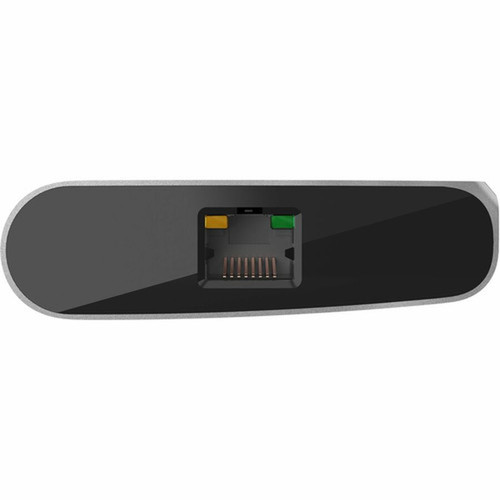
- Integrates Gigabit Ethernet via a single RJ-45 port
- Uses wired connectivity for reliable performance
- Comes in a sleek Space Gray finish
Specifications
| Specifications | |
|---|---|
| Manufacturer | Belkin International, Inc |
| Manufacturer Part Number | INC015BTSGY |
| Brand Name | Belkin |
| Product Line | CONNECT |
| Product Name | CONNECT Docking Station |
| Product Type | Docking Station |
| Technical Information | |
| Connectivity Technology | Wired |
| Number of Displays Supported | 2 |
| Supported Resolutions | 3840 x 2160 |
| Screen Mode Supported | UHD |
| Device Supported | Monitor |
| Network & Communication | |
| Ethernet Technology | Ethernet |
| Interfaces/Ports | |
| USB Type-C | Yes |
| Number of RJ-45 Ports | 1 |
| Network (RJ-45) | Yes |
| Number of HDMI Ports | 2 |
| HDMI | Yes |
| USB Power Delivery | 100W |
| Physical Characteristics | |
| Product Color | Space Gray |
FAQ
How many external monitors can this docking station support?
The Belkin INC015BTSGY supports two external monitors simultaneously. It can drive both displays at up to 4K UHD resolution (3840 x 2160), making it suitable for dual-screen setups that require high detail for tasks like video editing, data analysis, or multitasking across applications.
What is the maximum resolution supported per display?
Each display connected to this hub can achieve a maximum resolution of 3840 x 2160, which is 4K Ultra HD. This resolution provides sharp, detailed visuals for professional work, media consumption, or gaming, and it supports the UHD screen mode for compatible monitors and content.
Does this docking station provide power to charge my laptop?
Yes, it offers 100W USB Power Delivery, which can charge compatible laptops efficiently while also powering connected devices. This feature reduces cable clutter by allowing you to charge your laptop through the same USB-C connection used for data and video, ideal for maintaining productivity without separate power adapters.
What types of ports are included on this hub?
The hub includes a total of eight ports: three USB-C ports, two USB-A ports, two HDMI ports, and one Gigabit Ethernet RJ-45 port. This selection covers modern and legacy devices, enabling connections for monitors, storage drives, keyboards, mice, and wired networks from a single docking station.
What is the data transfer speed of the USB-C ports?
The USB-C ports support data transfer speeds of up to 10 Gbps. This high-speed capability ensures fast file transfers, responsive peripheral operation, and efficient data syncing for external SSDs, hard drives, or other USB devices, minimizing wait times in workflow-intensive environments.
Is this docking station compatible with all laptops?
It is compatible with laptops that have a USB-C port supporting DisplayPort Alt Mode and Power Delivery. Most modern Windows, macOS, and Chrome OS devices with USB-C will work, but it's best to check your laptop's specifications for USB-C video and power support to ensure full functionality with dual displays and charging.
| Qty | Price | Available |
|---|