









Shipping included*
Exclusions
Additional shipping fees may apply in rare circumstances for deliveries outside standard service areas. In most cases, this only potentially affects shipments to the Northwest Territories and Yukon, as well as certain heavy or oversized items.
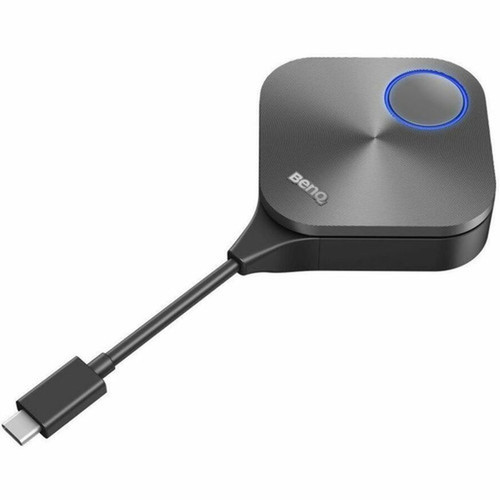
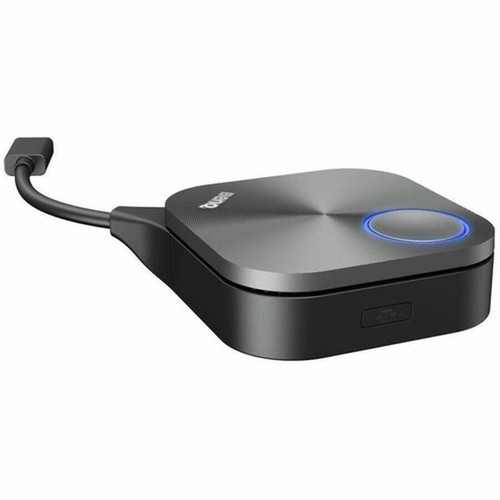
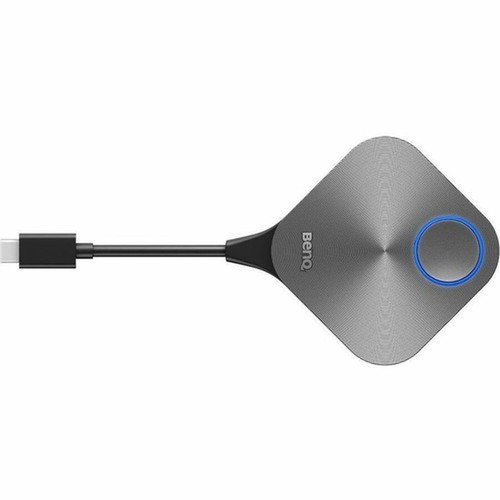
BenQ 5A. F7V28. BP2 TWY31 InstaShare Button - 4K 60fps Wireless Presentation Hub for Meeting Rooms - Silver

Business volume discounts
Technical guidance
Preparation & staging
QC · ON · AB · BC
Product Features
Technical Overview
Built on BenQ's InstaShare platform, the TWY31 delivers robust wireless performance through dual connectivity options. The device supports standard Wi-Fi networks for flexible deployment and includes a USB interface for direct device connections where network access is restricted.
Video output is optimized for modern high-resolution displays, supporting 3840x2160 4K resolution at 60Hz refresh rates. This ensures detailed imagery and smooth motion during video playback and screen mirroring sessions.
This section brings together practical product details such as Graphics Modes (Live), Maximum Video Resolution (Live), Maximum Frame Rate, Wireless LAN, so buyers can judge configuration, deployment fit, and day-to-day suitability with less guesswork.
Key Product Advantages
The TWY31 eliminates cable clutter and simplifies the presentation workflow in conference rooms, training facilities, and collaborative workspaces. Its intuitive one-touch operation allows presenters to share content instantly from their personal devices without installing drivers or configuring network settings.
Enhanced Meeting Efficiency
Reduces meeting start-up time by enabling instant wireless screen sharing from any supported device, keeping discussions focused and productive.
- No cable swapping
- One-touch connection
- Supports multiple presenters
High-Fidelity Visuals
Delivers 4K resolution at 60fps for sharp text, detailed graphics, and smooth video playback during presentations and video conferences.
- True 4K output
- Fluid 60fps motion
- Optimized for modern displays
Deployment / Use Cases
The TWY31 InstaShare Button is purpose-built for environments where quick, reliable screen sharing enhances collaboration. Its compact form factor and versatile connectivity make it suitable for permanent installation in dedicated meeting rooms or portable use between different spaces.
In corporate conference rooms, the device enables seamless presentation switching between team members during brainstorming sessions or client meetings. Educational institutions benefit from its ability to share content from instructor and student devices in classrooms and lecture halls. For video conferencing setups, it ensures presenters can share high-resolution content directly into the meeting stream without quality degradation.
Corporate Meeting Rooms
Ideal for boardrooms, huddle spaces, and training rooms where multiple presenters need to share content wirelessly during meetings and presentations.
Educational Environments
Perfect for classrooms and lecture halls where instructors and students need to share content from various devices without interrupting the flow of instruction.
Physical Profile
The TWY31 features a compact, square design measuring 2.64" (67 mm) in width and height, with a slim 0.91" (23.20 mm) depth. Its silver finish blends discreetly with modern office aesthetics while remaining durable for daily use. The small footprint allows flexible placement on tables, under monitors, or mounted discreetly within conference room furniture.
- Width
- 2.64" (67 mm)
- Depth
- 0.91" (23.20 mm)
- Height
- 2.64" (67 mm)
Highlights
- Wireless 4K presentation hub for meeting rooms and video conferencing
- Supports 3840x2160 resolution at 60 frames per second for crisp visuals
- Dual connectivity with Wi-Fi and USB interfaces for flexible deployment
- Compatible with Windows, macOS, and ChromeOS operating systems
- Compact silver design measuring 2.64" square with 0.91" depth
- Plug-and-play operation with no software installation required
- Enables instant screen sharing from laptops, tablets, and mobile devices
- Reduces cable clutter and simplifies meeting room setups
Specifications
| Specifications | |
|---|---|
| Manufacturer | BenQ Corporation |
| Manufacturer Part Number | 5A.F7V28.BP2 |
| Brand Name | BenQ |
| Product Line | InstaShare |
| Product Model | TWY31 |
| Product Name | TWY31 InstaShare Button |
| Product Type | Video Conferencing Accessory Hub |
| Video | |
| Graphics Modes (Live) | 4K |
| Maximum Video Resolution (Live) | 3840 x 2160 |
| Maximum Frame Rate | 60 fps |
| Wireless Specifications | |
| Wireless LAN | Yes |
| Interfaces/Ports | |
| USB | Yes |
| Operating System | |
| Operating System Supported | Windows,macOS,ChromeOS |
| Physical Characteristics | |
| Product Color | Silver |
| Height | 2.64" (67 mm) |
| Width | 2.64" (67 mm) |
| Depth | 0.91" (23.20 mm) |
| Miscellaneous | |
| Application/Usage | Meeting Room,Video Conferencing,Presentation |
FAQ
What video resolution does the BenQ TWY31 InstaShare Button support?
The TWY31 supports live 4K video transmission at 3840 x 2160 resolution. This ensures presentations, slides, and video content appear sharp and detailed on modern high-resolution displays during meetings and collaborative sessions.
How does the wireless presentation functionality work?
The device uses standard Wi-Fi connectivity to enable wireless screen sharing from compatible devices. Presenters can connect their laptops, tablets, or smartphones to the TWY31 without cables, then share their screen instantly with one touch for seamless meeting-room collaboration.
Which operating systems are compatible with this presentation hub?
The TWY31 is compatible with Windows, macOS, and ChromeOS operating systems. This broad compatibility ensures it works with most business and education devices without requiring specialized software or drivers for basic functionality.
What are the physical dimensions of the InstaShare Button?
The device measures 2.64 inches (67 mm) in width and height, with a depth of 0.91 inches (23.20 mm). Its compact square design and silver finish allow discreet placement in conference rooms while remaining accessible for presenters.
Can I use this device in environments without Wi-Fi access?
Yes, the TWY31 includes a USB interface that enables direct connections between the presentation hub and source devices. This provides an alternative connection method when wireless networks are unavailable or restricted in certain meeting environments.
What types of meeting environments is this product designed for?
The TWY31 is optimized for corporate conference rooms, educational classrooms, training facilities, and collaborative workspaces. Its wireless presentation capabilities streamline content sharing during meetings, video conferences, lectures, and brainstorming sessions where multiple presenters need to share content quickly.
| Qty | Price | Available |
|---|


