








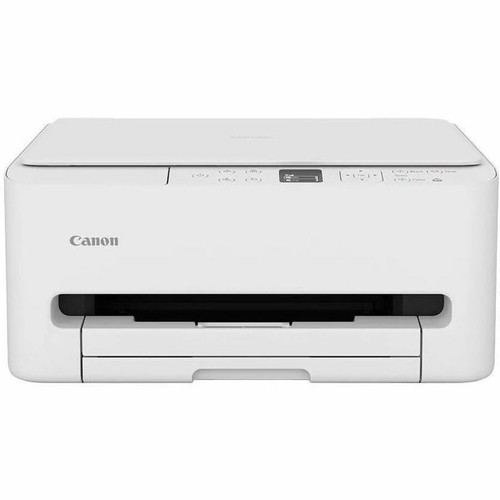
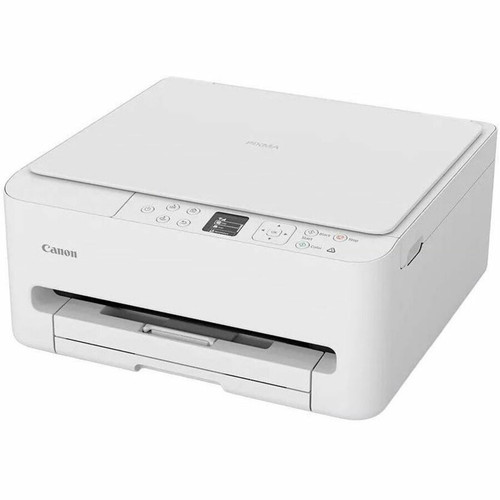


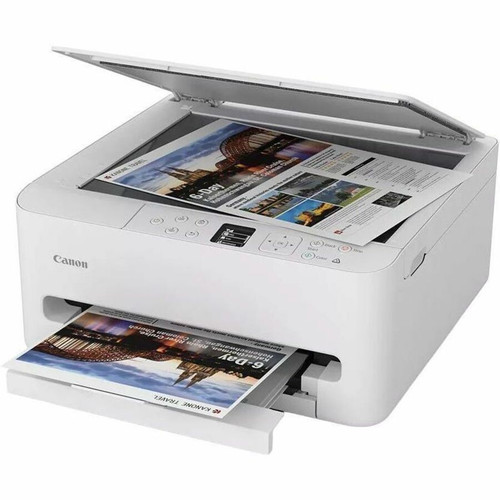

Canon 7179C003 PIXMA TS6520 Color Inkjet Multifunction Printer - 14/9 ppm - 100-Sheet Tray - Auto Duplex - Wired & Wireless - 1. 42" OLED

Business volume discounts
Technical guidance
Preparation & staging
QC · ON · AB · BC
Product Features
Technical Overview
The PIXMA TS6520 delivers ISO-rated print speeds of 14 pages per minute for monochrome documents and 9 pages per minute for color output. Its maximum print resolution of 1200 x 1200 dpi ensures detailed text and graphics, while the scanner provides 1200 x 2400 dpi optical resolution for high-quality document and photo digitization.
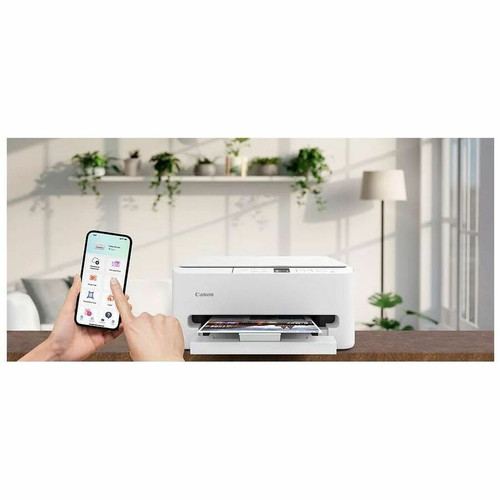
Connectivity options include both wired USB and wireless 802.11a/b/g/n networking with support for WPA-PSK, WPA2-PSK, and WPA3-SAE security protocols. The printer is compatible with multiple mobile printing technologies including Apple AirPrint, Mopria Print Service, Wi-Fi Direct, and Canon's own PRINT application and PIXMA Cloud Link services.
This section brings together practical product details such as Multifunction Devices, Recommended Use, First Print Speed, USB, so buyers can judge configuration, deployment fit, and day-to-day suitability with less guesswork.
Key Product Advantages
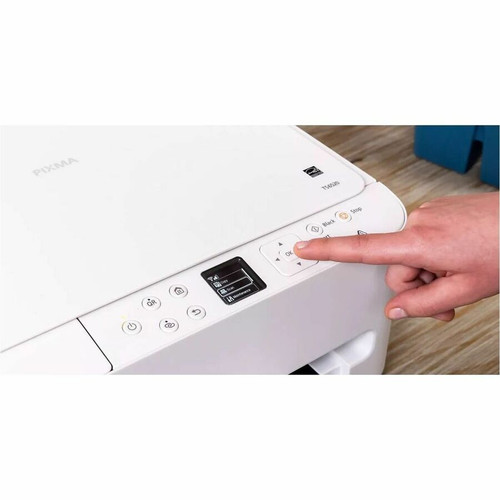
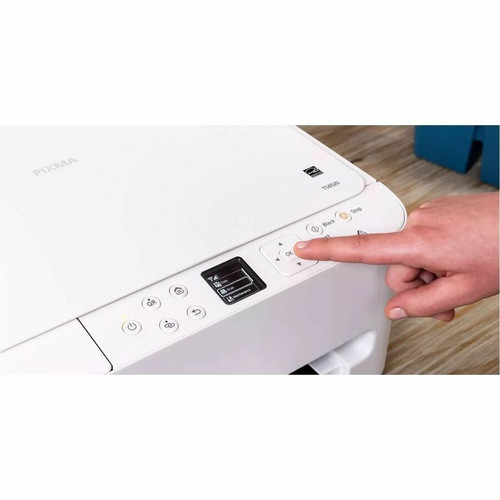
The 1.42" OLED display provides clear visibility of printer status, ink levels, and configuration options, making operation straightforward even for users who aren't technically inclined. Virtual assistant support for Alexa adds voice control capabilities for certain printer functions.
Efficient Paper Handling
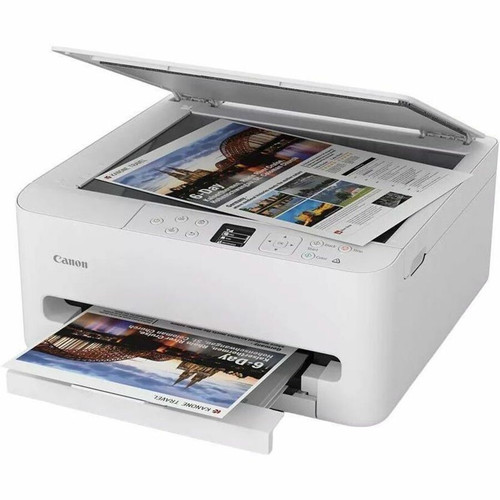
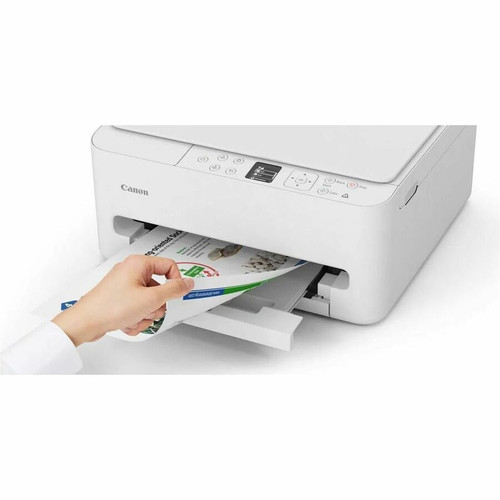
The 100-sheet cassette tray supports standard letter-size paper along with various specialty media types, while automatic duplex printing reduces paper consumption by enabling two-sided printing without manual page flipping.
- 100-sheet input capacity
- Automatic two-sided printing
- Supports envelopes, labels, and photo paper
Versatile Media Support
Print on a wide range of media including plain paper, photo paper, envelopes, labels, greeting cards, and borderless media up to 8.5" x 11". The copier function supports enlargement up to 400% and reduction down to 25%.
- Borderless printing capability
- Multiple photo paper types
- Document enlargement/reduction
Deployment / Use Cases
The PIXMA TS6520 is well-suited for home offices and small businesses that need reliable multifunction capabilities without occupying excessive desk space. Its 500-page recommended monthly print volume and efficient ink system make it cost-effective for moderate printing needs.
Educational environments can benefit from the printer's compatibility with Chromebooks and multiple operating systems, while creative users will appreciate the borderless photo printing and support for various specialty papers. The Energy Star certification ensures energy-efficient operation during both active use and standby periods.
Home Office Productivity
Print professional documents, scan contracts to email or PDF, and make quick copies with color accuracy. The wireless connectivity allows placement flexibility away from the computer workstation.
Creative Projects
Produce borderless photos, greeting cards, and labels using the supported specialty media. The high-resolution scanning preserves detail for digitizing artwork or important documents.
Physical Profile
With dimensions of 21" wide x 6.70" high and weighing approximately 11.60 pounds, the PIXMA TS6520 maintains a compact footprint suitable for desks or dedicated printer stands. The design accommodates the 100-sheet paper tray while remaining space-efficient for typical home and office environments.
The physical profile is practical for deployment planning because the dimensions and weight are clearly defined: 6.70" (170.18 mm), 21" (533.40 mm), 11.60 lb (5261.67 g). This helps confirm rack, shelf, desk, or cabinet fit before installation.
- Width
- 21" (533.40 mm)
- Height
- 6.70" (170.18 mm)
- Weight
- 11.60 lb (5261.67 g)
What's in the Box
The printer arrives ready for setup with all necessary components to begin printing immediately.
Highlights
- Color inkjet multifunction printer with print, scan, and copy capabilities
- ISO print speeds of 14 ppm monochrome and 9 ppm color for efficient document production
- 100-sheet input capacity with automatic duplex printing for two-sided documents
- Wired and wireless connectivity including USB and 802.11a/b/g/n Wi-Fi
- 1.42" OLED display for clear status monitoring and easy operation
- Supports multiple mobile printing technologies including AirPrint and Mopria
- Scanner with 1200 x 2400 dpi optical resolution for high-quality digitization
- Energy Star certified for energy-efficient operation
- Compatible with Windows, macOS, iOS, iPadOS, and Android operating systems
- Includes initial set of PG-295 black and CL-286 color ink cartridges
Specifications
| Specifications | |
|---|---|
| Manufacturer | Canon, Inc |
| Manufacturer Part Number | 7179C003 |
| Brand Name | Canon |
| Product Line | PIXMA |
| Product Model | TS6520 |
| Product Name | PIXMA TS6520 Inkjet Multifunction Printer |
| Product Type | Inkjet Multifunction Printer |
| Technical Information | |
| Multifunction Devices | Copier/Printer/Scanner |
| Recommended Use | Plain Paper Print |
| First Print Speed | 7.5 Second Monochrome,9.5 Second Color |
| Print Color Capability | Color |
| ISO Mono Print Speed (ipm) | 14 |
| ISO Color Print Speed (ipm) | 9 |
| Maximum Print Resolution (dpi) | 1200 x 1200 |
| Wireless Print Technology | Chromebook,Apple AirPrint,Canon PRINT Application,Easy-PhotoPrint Editor Software/App,Mopria Print Service,Wi-Fi Direct,PIXMA Cloud Link,Canon Printer Service,Creative Park App |
| Duplex Printing | Automatic |
| Mobile Device Printing | Yes |
| Virtual Assistant Supported | Alexa |
| Connectivity Technology | Wired & Wireless |
| Interfaces/Ports | |
| USB | Yes |
| Network & Communication | |
| Wireless LAN | Yes |
| Wireless LAN Standard | IEEE 802.11a/b/g/n |
| Supported Network Protocols | WPA-PSK,WPA2-PSK,WPA3-SAE |
| Display & Graphics | |
| Screen Size | 1.42" |
| Display Screen Type | OLED |
| Scanner | |
| Scanner Type | CIS,Flatbed |
| Optical Resolution (dpi) | 1200 x 2400 |
| Scan To | PC,E-mail |
| Image Formats Supported | |
| Copier | |
| Copy Color | Color |
| Maximum Document Enlargement | 400% |
| Maximum Document Reduction | 25% |
| Media Types & Handling | |
| Media Type | Borderless Media,Greeting Card,ID Card,Label,Photo Paper,Plain Paper,Canon High Resolution Paper,Photo Paper Plus Glossy II,Glossy Photo Paper,Matte Photo Paper,Restickable Photo Paper,Envelope,Recycled Paper |
| Media Handling | 1 x Cassette Tray Capacity - 100 sheets |
| Standard Input Media Capacity | 100 sheets |
| Reliability | |
| Recommended Monthly Print Volume | 500 |
| Software | |
| Operating System Supported | Google AndroidTM Microsoft: Windows 11 Windows 10 Windows 8.1 Windows 7 SP1 Apple: Mac OS v14 - macOS v12 iOS iPadOS |
| Power Description | |
| Power Source | AC Supply |
| Input Voltage | 120 V AC,230 V AC |
| Off-Mode Power Consumption | 100 mW |
| Standby Power Consumption | 900 mW |
| Physical Characteristics | |
| Height | 6.70" (170.18 mm) |
| Width | 21" (533.40 mm) |
| Weight (Approximate) | 11.60 lb (5261.67 g) |
| Environmental Conditions | |
| Minimum Operating Temperature | 41°F (5°C) |
| Maximum Operating Temperature | 95°F (35°C) |
| Minimum Operating Humidity | 5% |
| Maximum Operating Humidity | 95% |
| Miscellaneous | |
| Package Contents | PIXMA TS6520 Inkjet Multifunction Printer Set of Ink Cartridges (PG-295 Black, CL-286 Color) Setup and Other Documentation Power Cord |
| Energy Star | Yes |
| Warranty | |
| Limited Warranty | 1 Year |
User Manual
FAQ
What are the print speeds for this Canon PIXMA printer?
The Canon PIXMA TS6520 delivers ISO-rated print speeds of 14 pages per minute for black-and-white documents and 9 pages per minute for color printing. First print speeds are 7.5 seconds for monochrome and 9.5 seconds for color, providing quick initial output when starting print jobs.
How much paper can the printer hold at once?
This printer features a 100-sheet cassette tray as its standard input capacity. This paper handling system supports various media types including plain paper, photo paper, envelopes, and labels, making it suitable for mixed document workflows without frequent paper reloading.
Does this printer support automatic two-sided printing?
Yes, the PIXMA TS6520 includes automatic duplex printing capability. This feature allows the printer to automatically print on both sides of the paper without manual intervention, reducing paper consumption and creating professional-looking double-sided documents efficiently.
What wireless connectivity options are available?
The printer supports 802.11a/b/g/n Wi-Fi standards with WPA-PSK, WPA2-PSK, and WPA3-SAE security protocols. Wireless features include Wi-Fi Direct for device-to-printer connections, plus compatibility with Apple AirPrint, Mopria Print Service, and Canon's PRINT application and PIXMA Cloud Link services.
What operating systems are compatible with this printer?
The PIXMA TS6520 is compatible with Windows 11, 10, 8.1, and 7 SP1; macOS versions 12 through 14; iOS; iPadOS; and Android operating systems. This broad compatibility ensures the printer works with most computers, tablets, and smartphones in home and small office environments.
What is included in the box with the printer?
The package includes the PIXMA TS6520 inkjet multifunction printer, a set of ink cartridges (PG-295 black and CL-286 color), setup documentation, and a power cord. These components provide everything needed for initial setup and immediate printing capability.
What connectivity options are listed?
Chromebook,Apple AirPrint,Canon PRINT Application,Easy-PhotoPrint Editor Software/App,Mopria Print Service,Wi-Fi Direct,PIXMA Cloud Link,Canon Printer Service,Creative Park App.
What label, receipt, or business-print workflow detail is listed?
Chromebook,Apple AirPrint,Canon PRINT Application,Easy-PhotoPrint Editor Software/App,Mopria Print Service,Wi-Fi Direct,PIXMA Cloud Link,Canon Printer Service,Creative Park App.
| Qty | Price | Available |
|---|


