








Shipping included*
Exclusions
Additional shipping fees may apply in rare circumstances for deliveries outside standard service areas. In most cases, this only potentially affects shipments to the Northwest Territories and Yukon, as well as certain heavy or oversized items.
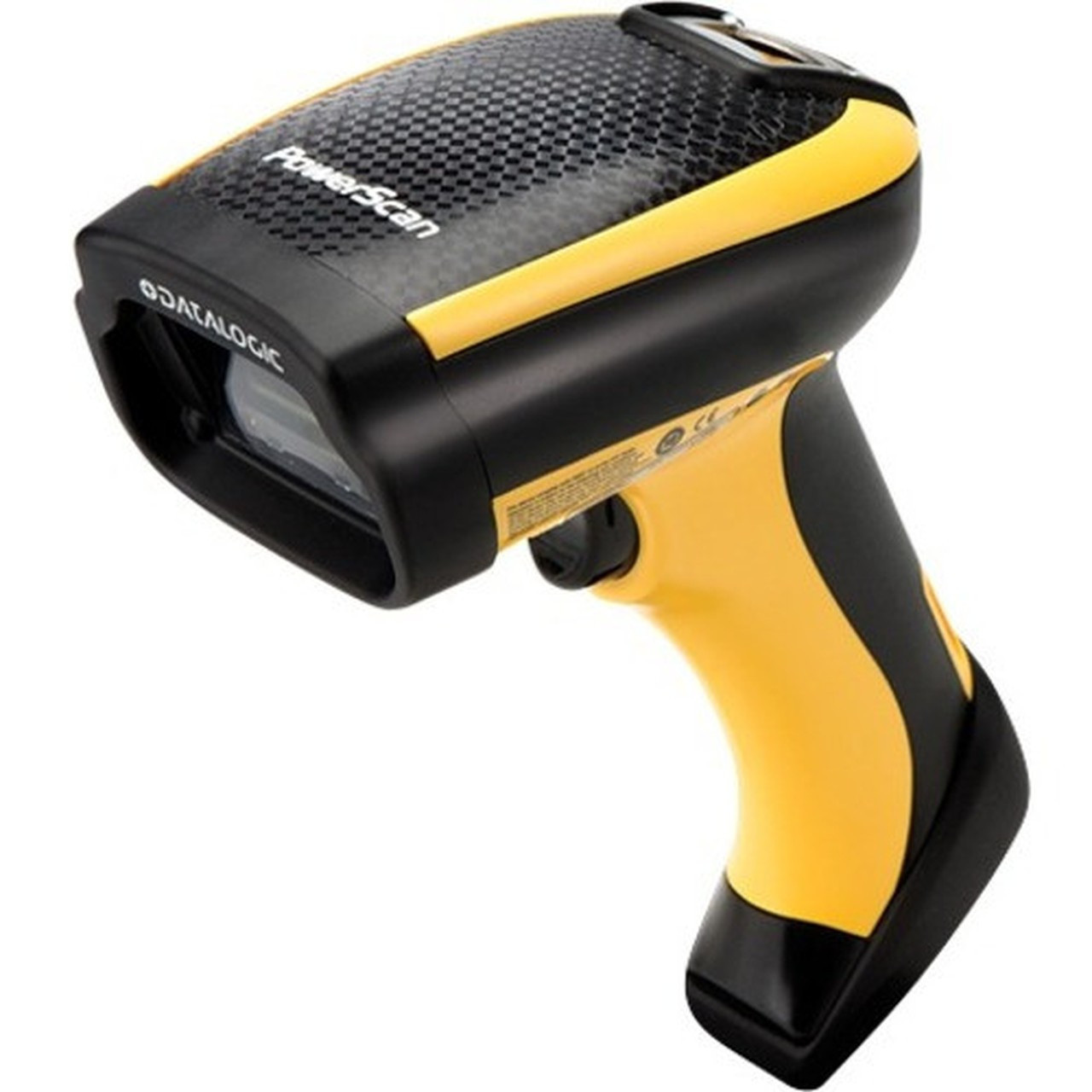
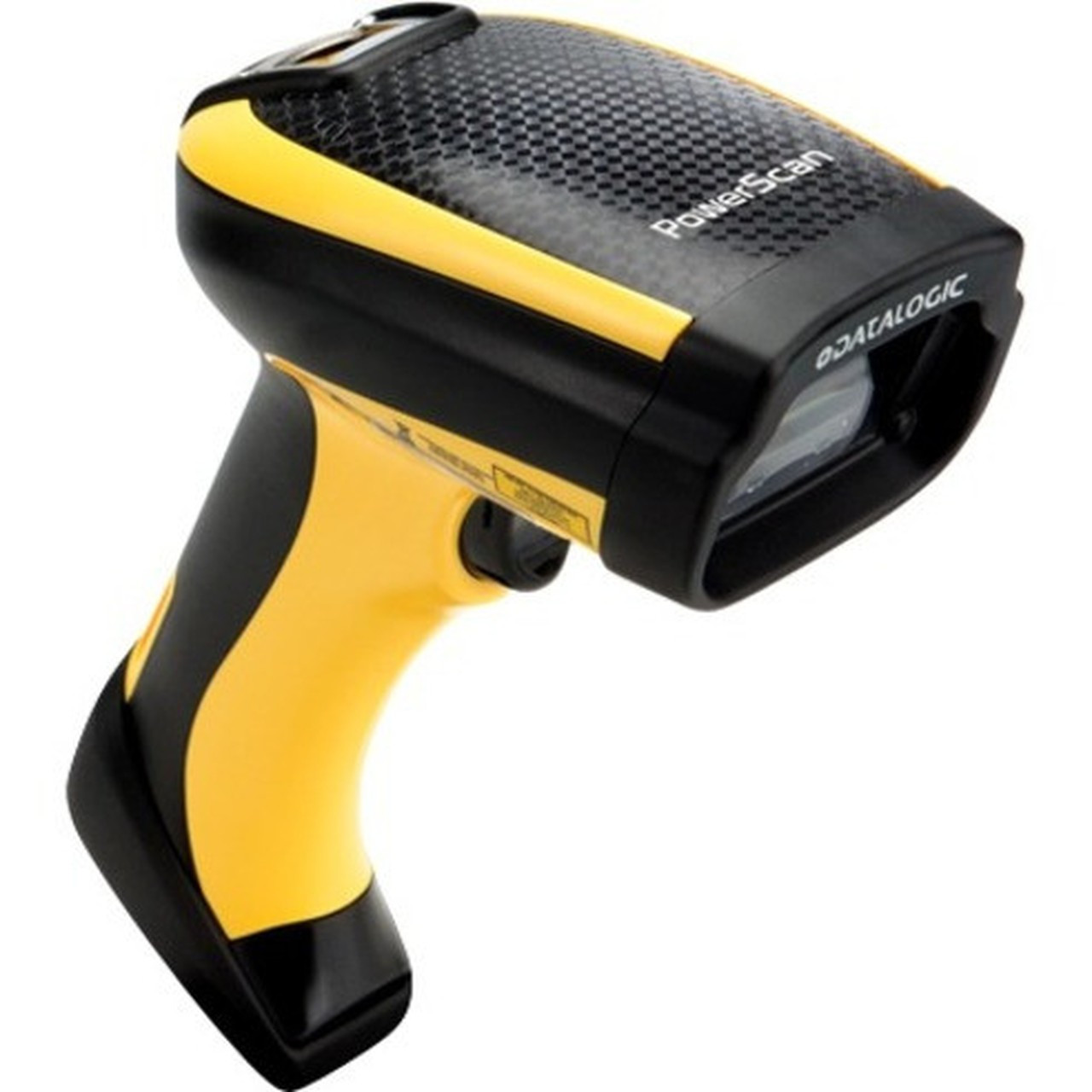
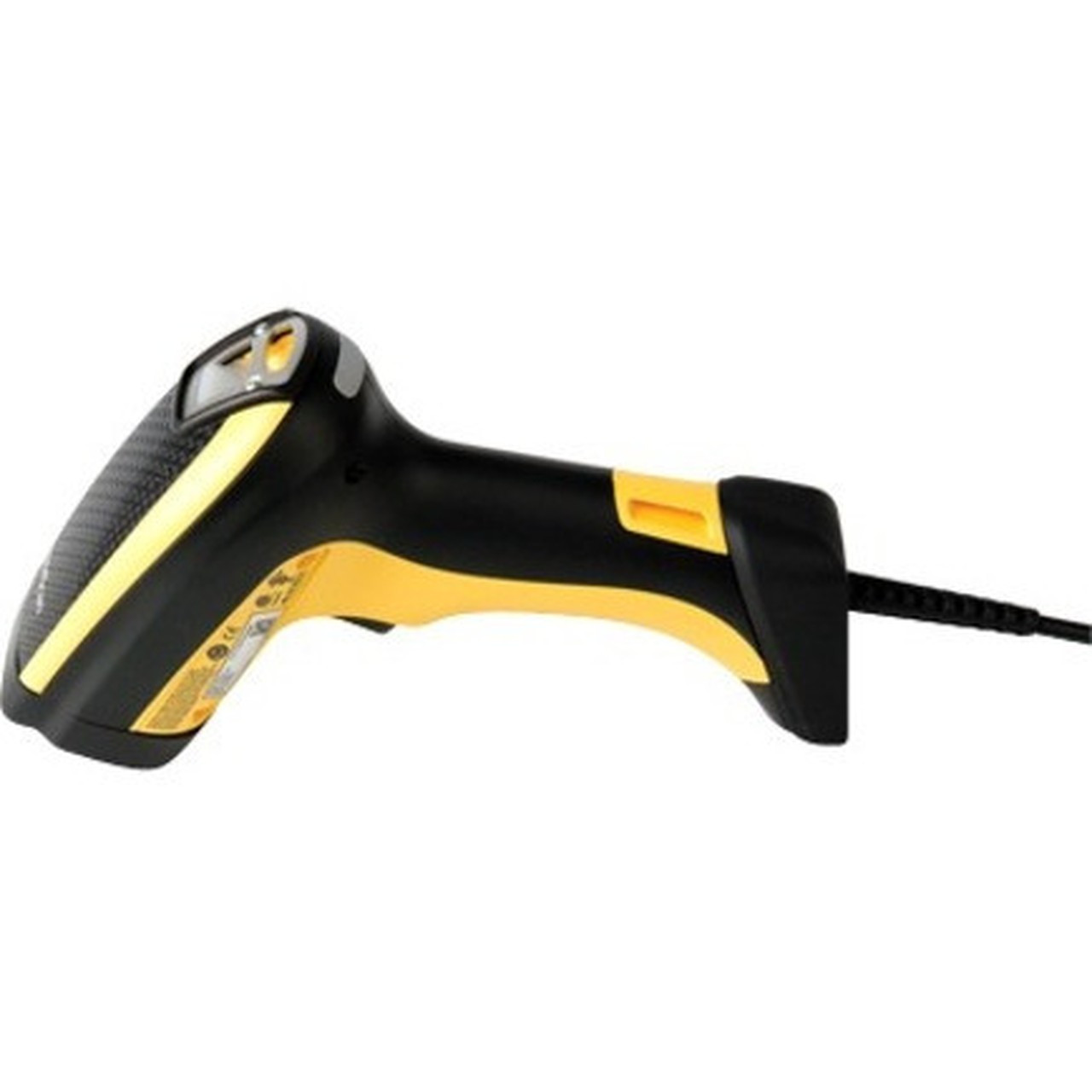
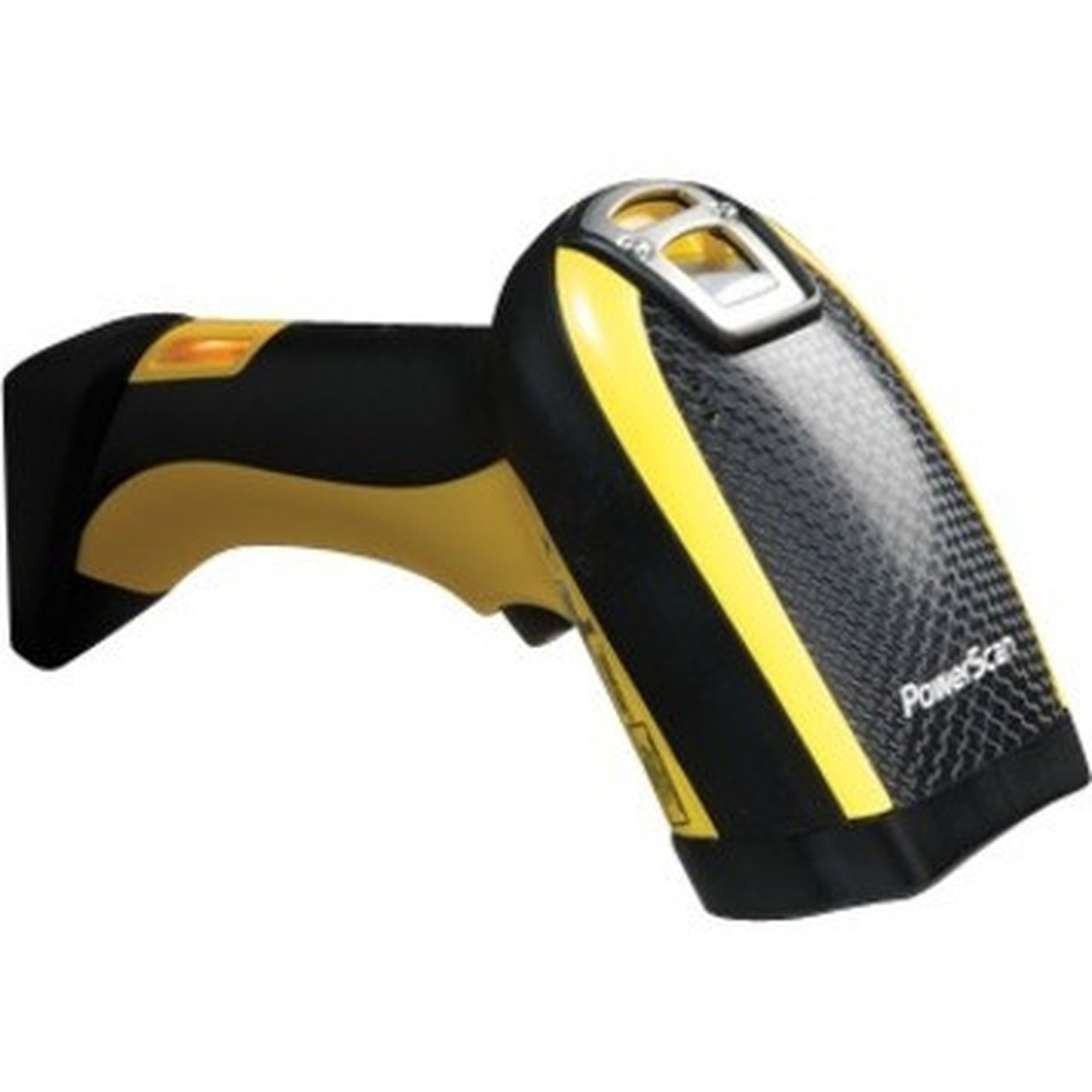
Datalogic PD9130-K2 PowerScan Handheld Barcode Scanner Kit - Cable Connectivity - 1D LED Imager - Keyboard Wedge - USB - Serial - Yellow/Black

Business volume discounts
Technical guidance
Preparation & staging
QC · ON · AB · BC
Product Features
Technical Overview
This scanner uses an LED light source and imager sensor to read 1D barcodes, supporting symbologies including Codabar, Code 11, Code 128, Code 32, Code 39, Code 93, EAN 2, EAN 5, GS1 DataBar Expanded, GS1 DataBar Omnidirectional, GS1-128 (UCC/EAN-128), Interleaved 2 of 5, MSI Plessey, and UPC.
Cable connectivity ensures stable data transmission, with host interfaces supporting keyboard wedge, USB, and serial connections for compatibility with most computing devices. The handheld form factor and ergonomic design facilitate comfortable use during extended scanning sessions.
This section brings together practical product details such as Connectivity Technology, Scanning Capability, Barcode Symbology Supported, Host Interface, so buyers can judge configuration, deployment fit, and day-to-day suitability with less guesswork.
A strong technical summary explains how the product's interfaces, hardware profile, and operating characteristics work together in real deployment. Buyers often need this context to confirm compatibility with existing devices, expected performance in daily use, and whether installation will be straightforward for IT staff or end users.
Key Product Advantages
The PD9130-K2 combines safety, performance, and versatility in a single handheld scanner. Its laser-free LED imager design provides high-performance scanning without the risk of eye injury, making it a safer choice for environments with frequent user interaction.
These strengths make the product easier to deploy and manage in real environments, especially where reliability, usability, and day-to-day operational continuity matter. Notable benefits include Laser-Free Safety, Wide 1D Symbology Support, Multiple Interface Options, Ergonomic Handheld Design.
For buyers comparing similar models, the strongest advantage is usually the balance between dependable day-to-day operation and a simpler rollout experience. That means less time spent troubleshooting fit, compatibility, or user adoption after installation, which is especially important for shared business environments and repeat purchasing decisions.
Deployment / Use Cases
This scanner is ideal for applications requiring direct association with a workstation or notebook, such as retail point-of-sale, inventory management, and asset tracking. Its cable connectivity ensures reliable operation in fixed-location setups where wireless signals may be unreliable or unnecessary.
Common use cases include scanning product barcodes at checkout counters, tracking inventory in warehouses, and managing assets in office settings. The keyboard wedge interface allows seamless integration with existing POS systems without requiring additional software drivers.
Retail Point-of-Sale
Efficiently scan product barcodes at checkout with reliable cable connectivity and keyboard wedge support.
- Fast 1D scanning
- Direct workstation integration
- Reduced eye injury risk
Warehouse Inventory
Track inventory items using supported 1D symbologies in handheld operation for mobility within fixed areas.
- Wide symbology support
- Ergonomic design
- Stable cable connection
Physical Profile
The scanner features a compact handheld design measuring 2.91" in height, 8.35" in width, and 4.33" in depth, with a weight of approximately 11.99 oz. Its yellow and black color scheme provides high visibility in busy environments, while the ergonomic shape ensures comfortable grip during prolonged use.
The physical profile is practical for deployment planning because the dimensions and weight are clearly defined: 2.91" (74 mm), 8.35" (212 mm), 4.33" (110 mm), 11.99 oz (340 g). This helps confirm rack, shelf, desk, or cabinet fit before installation.
- Width
- 8.35" (212 mm)
- Depth
- 4.33" (110 mm)
- Height
- 2.91" (74 mm)
- Weight
- 11.99 oz (340 g)
Highlights
- Handheld 1D barcode scanner with LED imager technology
- Cable connectivity for stable data transmission
- Supports keyboard wedge, USB, and serial host interfaces
- Laser-free design eliminates eye injury risks
- Wide range of supported 1D barcode symbologies
- Compact dimensions: 2.91" H x 8.35" W x 4.33" D
- Lightweight at approximately 11.99 oz (340 g)
- Yellow and black color scheme for high visibility
- Ideal for workstation and notebook applications
- Ergonomic design for comfortable extended use
Specifications
| Specifications | |
|---|---|
| Manufacturer | Datalogic S.p.A |
| Manufacturer Part Number | PD9130-K2 |
| Brand Name | Datalogic |
| Product Line | PowerScan |
| Product Series | 9100 |
| Product Model | PD9130-K2 |
| Product Name | PowerScan PD9130-K2 Handheld Barcode Scanner Kit |
| Product Type | Barcode Scanner Kit |
| Technical Information | |
| Connectivity Technology | Cable |
| Scanning Capability | 1D |
| Barcode Symbology Supported | 1D: Codabar, Code 11 Code 128 Code 32 Code 39 Code 93 EAN 2 EAN 5 GS1 DataBar Expanded GS1 DataBar Omnidirectional GS1-128 (UCC / EAN-128) Interl ... 2 or 5 MSI Plessey UPC |
| Light Source | LED |
| Image Sensor Type | Imager |
| Interfaces/Ports | |
| Host Interface | Keyboard Wedge,USB,Serial |
| Physical Characteristics | |
| Form Factor | Handheld |
| Product Color | Yellow,Black |
| Height | 2.91" (74 mm) |
| Width | 8.35" (212 mm) |
| Depth | 4.33" (110 mm) |
| Weight (Approximate) | 11.99 oz (340 g) |
FAQ
What types of barcodes can the PD9130-K2 scanner read?
This scanner reads 1D barcodes, supporting symbologies including Codabar, Code 11, Code 128, Code 32, Code 39, Code 93, EAN 2, EAN 5, GS1 DataBar Expanded, GS1 DataBar Omnidirectional, GS1-128 (UCC/EAN-128), Interleaved 2 of 5, MSI Plessey, and UPC. It uses an LED imager for reliable scanning across these formats.
How does the scanner connect to a computer or POS system?
The PD9130-K2 uses cable connectivity with host interfaces supporting keyboard wedge, USB, and serial connections. This allows direct integration with workstations, notebooks, or point-of-sale systems without requiring wireless setup, ensuring stable data transmission in fixed-location deployments.
Is this scanner safe for use in environments with frequent user interaction?
Yes, the scanner features a laser-free LED imager design that eliminates the risk of eye injury associated with laser scanners. This makes it a safer choice for retail, warehouse, and office settings where operators handle the device regularly throughout the day.
What are the physical dimensions and weight of the scanner?
The scanner measures 2.91 inches in height, 8.35 inches in width, and 4.33 inches in depth, with a weight of approximately 11.99 ounces (340 grams). Its compact handheld form factor and lightweight design facilitate comfortable operation during extended scanning sessions.
Can this scanner be used with both Windows and other operating systems?
The scanner's keyboard wedge interface allows it to emulate keyboard input, making it compatible with most operating systems that accept standard keyboard data, including Windows, Linux, and macOS. USB and serial interfaces provide additional connectivity options for system integration.
What applications is this scanner best suited for?
The PD9130-K2 is ideal for applications requiring direct association with a workstation or notebook, such as retail point-of-sale, inventory management, and asset tracking. Its cable connectivity and multiple interface options make it suitable for fixed-location setups where reliable scanning is essential.
What duplex or duty-cycle detail is listed?
the specifications are intended to help buyers confirm fit, compatibility, and expected day-to-day operation. In practical terms, the best reading of this product comes from how its hardware, connectivity, and deployment details work together.
What connectivity options are listed?
Connectivity details help confirm how the product integrates with your network, accessories, and surrounding peripherals before rollout or replacement planning. They are often the difference between a technically compatible device and one that is genuinely easy to deploy.
| Qty | Price | Available |
|---|


