








Dell DELL-KM300C-US KM300C Wired Keyboard and Mouse - USB Keyboard with Hot Keys & Optical Mouse 1000 DPI - Black

Business volume discounts
Technical guidance
Preparation & staging
QC · ON · AB · BC
Product Features
Technical Overview
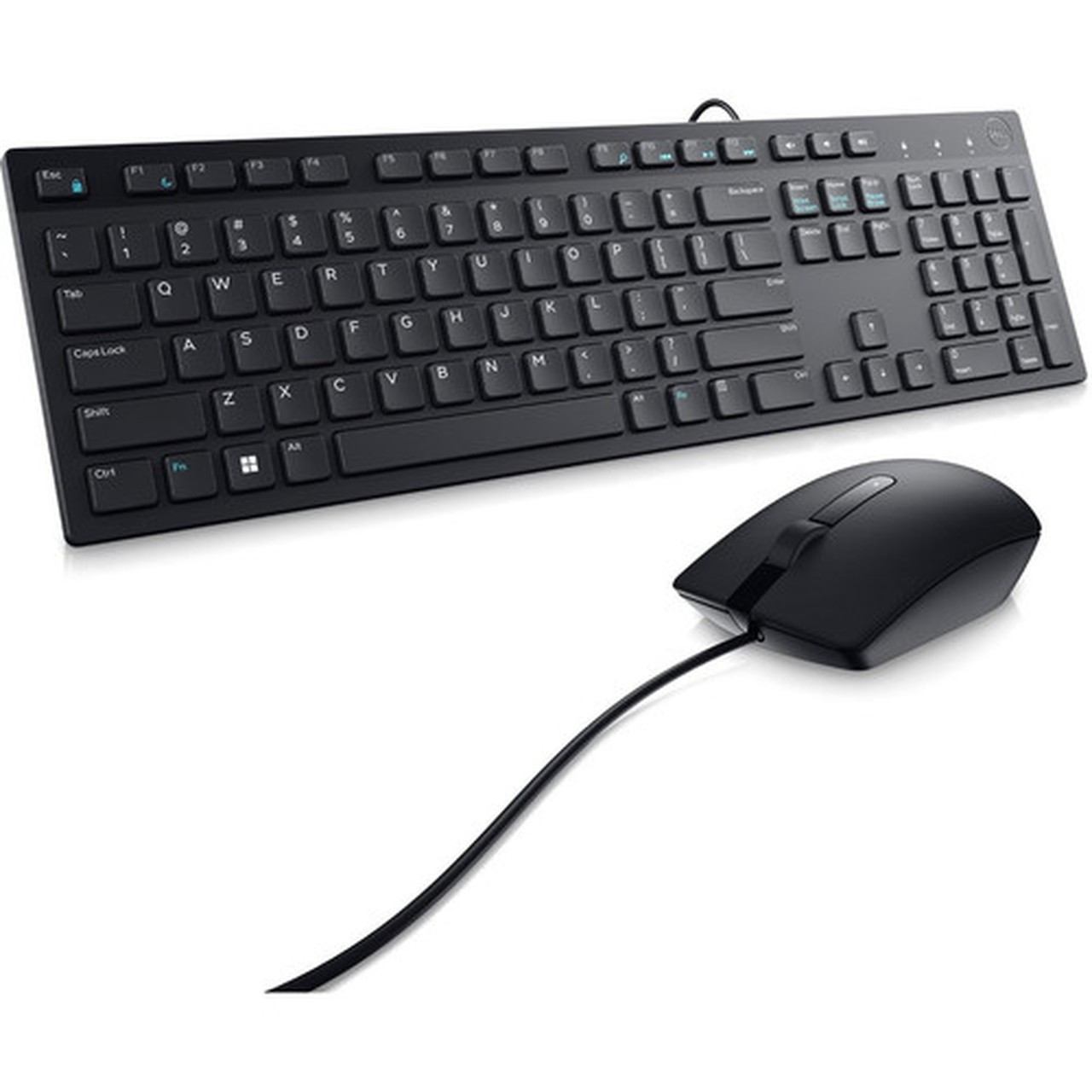
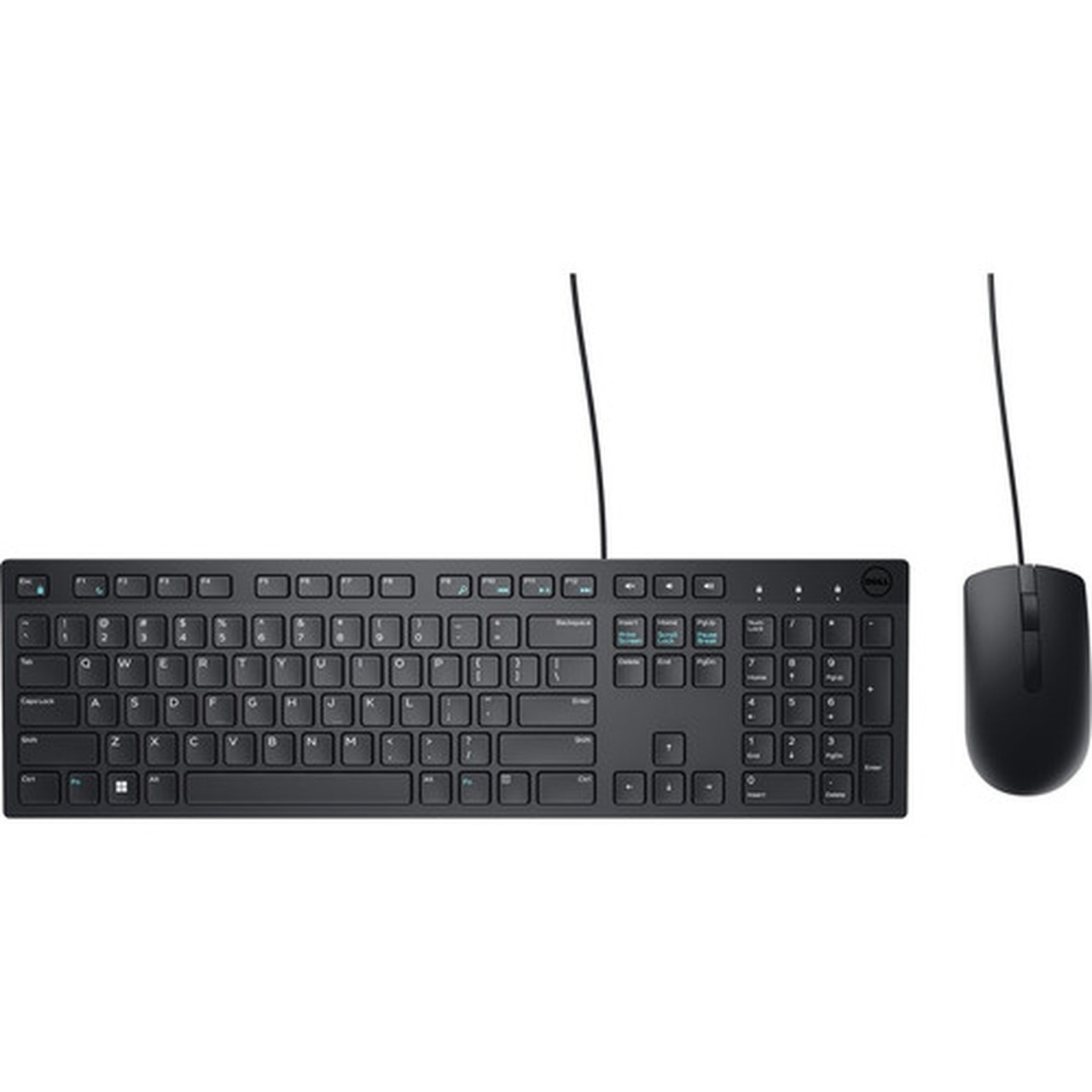
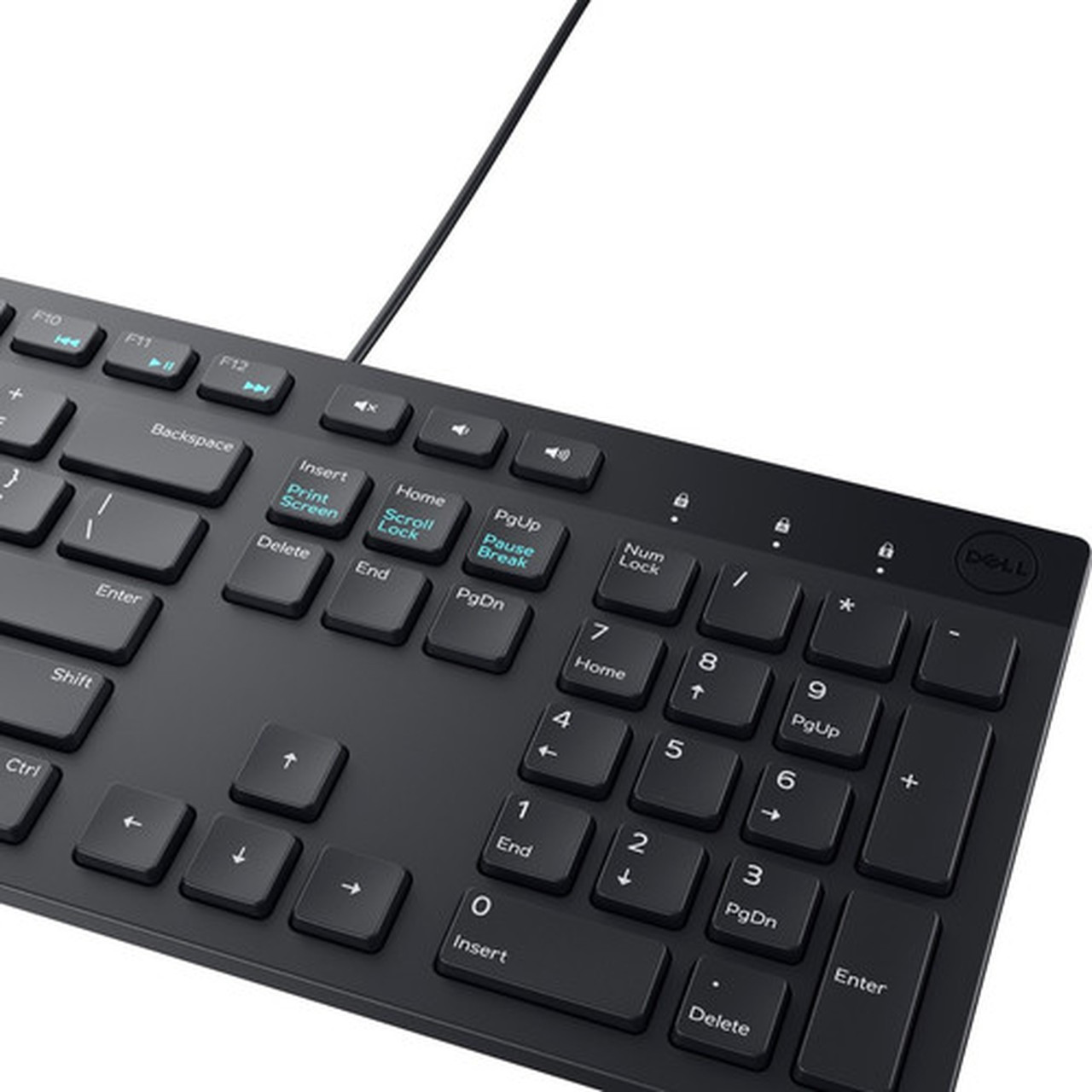
The KM300C keyboard features a standard layout with hot keys for mute, volume down, and volume up, allowing quick audio control during calls or media playback. It connects via a USB cable, ensuring stable input without wireless interference or battery concerns. The keyboard's dimensions are 17.40 inches wide by 5 inches deep by 1 inch high, providing a comfortable typing experience with a compact footprint.
The included optical mouse uses LED-based movement detection with a resolution of 1000 DPI, suitable for general computing tasks and precise cursor control. It also connects via USB and matches the keyboard's black finish. The mouse measures 2.40 inches wide by 4.40 inches deep by 1.40 inches high, offering a ergonomic shape for extended use. Both devices are lightweight, with the keyboard weighing approximately 15.90 ounces and the mouse at 3.20 ounces.
Key Product Advantages
The Dell KM300C stands out with its integrated hot keys, wide compatibility, and reliable wired performance. The dedicated mute and volume buttons enhance productivity by providing instant access to audio controls, reducing the need to navigate on-screen menus. This feature is particularly valuable in environments where frequent audio adjustments are necessary, such as during video conferences or while listening to multimedia content.
Plug-and-Play Simplicity
Both the keyboard and mouse connect via USB and are automatically recognized by supported operating systems, enabling quick setup without software installation.
- No drivers required for basic functions
- Immediate usability out of the box
Cross-Platform Compatibility
The KM300C works with a broad range of operating systems, including Windows, Mac OS, Linux variants, and Android, making it versatile for mixed-device environments.
- Supports legacy and modern OS versions
- Ideal for shared workstations
Deployment / Use Cases
This keyboard and mouse combo is well-suited for general office use, educational settings, and home computing. Its wired design ensures consistent performance without latency or battery issues, making it a dependable choice for tasks that require reliable input, such as data entry, document editing, and web browsing. The hot keys add convenience for users who regularly adjust audio settings during work or entertainment.
In corporate or educational deployments, the KM300C offers a cost-effective solution for equipping workstations, labs, or training rooms. Its compatibility with multiple operating systems allows IT departments to standardize peripherals across different platforms, simplifying procurement and support. The durable construction and one-year warranty provide assurance for long-term use in high-traffic environments.
Office Workstations
Deploy across desks for employees needing reliable, no-frills input devices with essential media controls for daily tasks.
- Reduces peripheral clutter
- Enhances audio management efficiency
Educational Labs
Ideal for computer labs or classrooms where simplicity and broad OS support are priorities for student and instructor use.
- Withstands frequent handling
- Minimizes setup time
Highlights
- Wired keyboard and mouse combo with USB connectivity for both devices
- Keyboard includes hot keys for mute, volume down, and volume up
- Optical mouse with 1000 DPI resolution for precise cursor control
- Professional black color finish for a cohesive look
- Plug-and-play setup; no drivers needed for basic functionality
- Compatible with Windows, Mac OS, Linux, and Android operating systems
- Keyboard dimensions: 17.40" x 5" x 1" (441.96 mm x 127 mm x 25.40 mm)
- Mouse dimensions: 2.40" x 4.40" x 1.40" (60.96 mm x 111.76 mm x 35.56 mm)
- Lightweight design: keyboard ~15.90 oz, mouse ~3.20 oz
- Backed by a 1-year limited warranty from Dell
Specifications
| Specifications | |
|---|---|
| Manufacturer | Dell Technologies |
| Manufacturer Part Number | DELL-KM300C-US |
| Brand Name | Dell |
| Product Model | KM300C |
| Product Name | Wired Keyboard and Mouse - KM300C |
| Product Type | Keyboard & Mouse |
| Keyboard/Keypad | |
| Keyboard/Keypad Type | Keyboard |
| Hot Keys | Mute,Volume Down,Volume Up |
| Pointing Device | |
| Pointing Device Type | Mouse |
| Pointing Device Connectivity Technology | Cable |
| Movement Detection | Optical |
| Movement Resolution (dpi) | 1000 |
| Interfaces/Ports | |
| Keyboard/Keypad Host Interface | USB |
| Pointing Device Host Interface | USB |
| Physical Characteristics | |
| Keyboard/Keypad Color | Black |
| Pointing Device Color | Black |
| Keyboard/Keypad Height | 1" (25.40 mm) |
| Keyboard/Keypad Width | 17.40" (441.96 mm) |
| Keyboard/Keypad Depth | 5" (127 mm) |
| Pointing Device Height | 1.40" (35.56 mm) |
| Pointing Device Width | 2.40" (60.96 mm) |
| Pointing Device Depth | 4.40" (111.76 mm) |
| Keyboard/Keypad Weight (Approximate) | 15.90 oz (450.76 g) |
| Pointing Device Weight (Approximate) | 3.20 oz (90.72 g) |
| Miscellaneous | |
| Operating System Compatibility | Mac OS,FreeDOS,Android,Red Hat Enterprise Linux 6,Windows 7,Windows 8.1,Windows 10,Windows 11 |
| Platform Supported | Mac,PC |
| Warranty | |
| Limited Warranty | 1 Year |
User Manual
FAQ
What hot keys are included on the Dell KM300C keyboard?
The keyboard features three dedicated hot keys: Mute, Volume Down, and Volume Up. These buttons provide instant control over audio output, allowing users to quickly adjust sound levels or silence audio without navigating through software menus. This is particularly useful during video calls, media playback, or in noisy environments where frequent audio adjustments are needed.
What is the DPI of the mouse in this combo?
The mouse has a movement resolution of 1000 DPI (dots per inch). This optical sensor delivers smooth and accurate cursor tracking suitable for everyday computing tasks like web browsing, document editing, and general navigation. While not designed for high-precision gaming, 1000 DPI provides a responsive experience that balances speed and control for most users in office or home settings.
Which operating systems are compatible with the Dell KM300C?
This keyboard and mouse combo supports a wide range of operating systems, including Mac OS, FreeDOS, Android, Red Hat Enterprise Linux 6, Windows 7, Windows 8.1, Windows 10, and Windows 11. It also works with Mac and PC platforms. This broad compatibility makes it versatile for mixed environments, such as offices with both Windows and Mac computers, or educational labs using various systems.
Does the KM300C require software installation or drivers?
No, the KM300C operates as a plug-and-play device for basic functionality. When connected via USB, it is automatically recognized by supported operating systems without needing additional drivers. This ensures quick setup and immediate usability. However, for advanced features or customization, users may check Dell's support site for optional software, though it is not required for standard keyboard and mouse operations.
What are the dimensions and weight of the keyboard and mouse?
The keyboard measures 17.40 inches wide, 5 inches deep, and 1 inch high (441.96 mm x 127 mm x 25.40 mm) and weighs approximately 15.90 ounces (450.76 grams). The mouse measures 2.40 inches wide, 4.40 inches deep, and 1.40 inches high (60.96 mm x 111.76 mm x 35.56 mm) and weighs about 3.20 ounces (90.72 grams). These compact and lightweight designs help conserve desk space while remaining comfortable for extended use.
What warranty comes with the Dell KM300C?
The KM300C is backed by a 1-year limited warranty from Dell. This warranty covers defects in materials and workmanship under normal use. For warranty service or support, customers should retain their proof of purchase and contact Dell's customer support. This provides assurance of product reliability and manufacturer backing for the first year of ownership.
| Qty | Price | Available |
|---|


