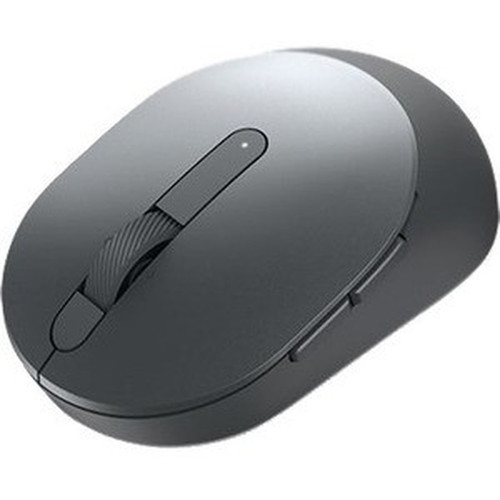


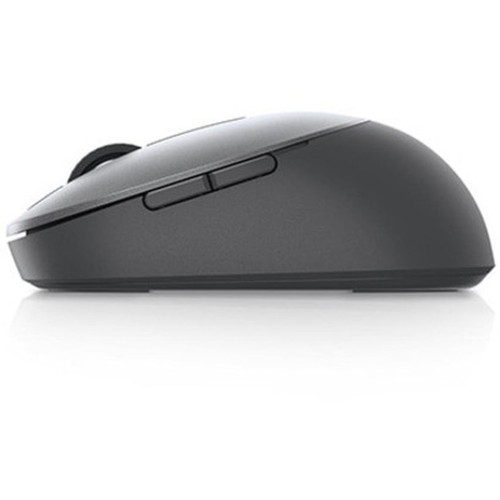

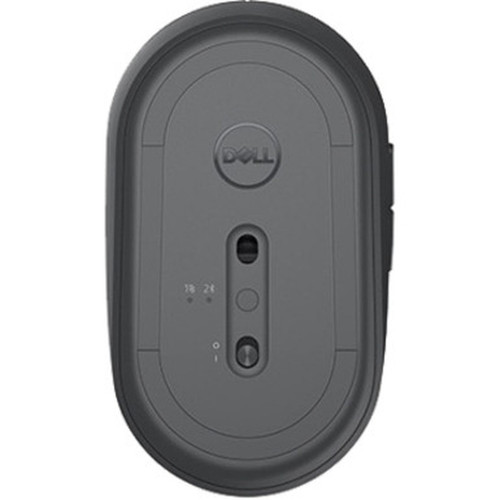

Dell MS5120W-GY Pro Wireless Mouse - MS5120W - Titan Gray - Wireless

Business volume discounts
Technical guidance
Preparation & staging
QC · ON · AB · BC
Product Features
Technical Overview
The MS5120W operates on wireless connectivity, enabling plug-and-play use without the limitations of wired peripherals. This technology supports stable pointing device performance across typical office ranges, reducing interference and battery concerns through efficient design.
As part of Dell's Pro series, this mouse is built to meet the demands of daily professional use, with a focus on reliability and minimal maintenance. The Titan Gray finish is not just cosmetic; it reflects a durable build that resists wear in active work environments.
Relevant factors for this section include Pointing Device Connectivity Technology, Product Color. When those points are considered together, they give buyers a clearer picture of how the product is equipped, how it fits into deployment, and what kind of day-to-day role it is meant to support.
A strong technical summary explains how the product's interfaces, hardware profile, and operating characteristics work together in real deployment. Buyers often need this context to confirm compatibility with existing devices, expected performance in daily use, and whether installation will be straightforward for IT staff or end users.
Key Product Advantages
The Dell Pro Wireless Mouse MS5120W stands out with its combination of wireless convenience, professional-grade durability, and strong warranty support. It is engineered to reduce desktop clutter and enhance user mobility without sacrificing performance.
These strengths make the product easier to deploy and manage in real environments, especially where reliability, usability, and day-to-day operational continuity matter. Notable benefits include Wireless Freedom, Professional Durability.
Wireless Freedom
Enjoy cable-free operation that supports flexible positioning and reduces desk tangles, ideal for multitasking and ergonomic setups.
- Stable connectivity
- Easy setup
- Battery-efficient design
Professional Durability
Built with robust materials in a Titan Gray finish, this mouse withstands daily office use and maintains a clean appearance over time.
- Resistant to wear
- Professional aesthetic
- Reliable construction
Deployment / Use Cases
This mouse is optimized for professional and business environments where reliable peripherals are essential. Its wireless design makes it a versatile choice for various setups, from corporate offices to home workstations.
Common applications include general office computing, remote work configurations, and as a dependable accessory for Dell Pro desktop systems. The 3-year advanced exchange warranty further supports its use in critical settings where downtime must be minimized.
Relevant factors for this section include Pointing Device Connectivity Technology, Product Color. When those points are considered together, they give buyers a clearer picture of how the product is equipped, how it fits into deployment, and what kind of day-to-day role it is meant to support.
Office Workstations
Ideal for daily tasks in corporate environments, offering consistent performance and reduced cable management hassles.
Remote Work Solutions
Suits home offices and flexible work arrangements with its portable, clutter-free wireless operation.
Highlights
- Wireless connectivity for cable-free desktop use
- Titan Gray finish with professional durability
- Part of Dell's Pro product line for business reliability
- 3-year limited warranty included
- Advanced Exchange Service for quick support resolution
- Manufacturer part number MS5120W-GY for easy identification
- Designed for consistent pointing device performance
- Suitable for office and remote work environments
Specifications
| Specifications | |
|---|---|
| Manufacturer | Dell Technologies |
| Manufacturer Part Number | MS5120W-GY |
| Brand Name | Dell |
| Product Line | Pro |
| Product Model | MS5120W |
| Product Name | Pro Wireless Mouse - MS5120W - Titan Gray |
| Product Type | Mouse |
| Pointing Device | |
| Pointing Device Connectivity Technology | Wireless |
| Physical Characteristics | |
| Product Color | Titan Gray |
| Warranty | |
| Limited Warranty | 3 Year |
| Additional Warranty Information | 3 years Advanced Exchange Service |
FAQ
What type of connectivity does the Dell Pro Wireless Mouse MS5120W use?
The Dell Pro Wireless Mouse MS5120W uses wireless connectivity technology. This allows for cable-free operation, providing flexibility in desktop setup and reducing clutter, making it ideal for professional environments where ease of use and mobility are important.
What color is the Dell Pro Wireless Mouse MS5120W available in?
This mouse is available in Titan Gray. This color offers a professional and subtle aesthetic that complements modern office hardware, while the finish is designed to be durable and resistant to everyday wear in active work settings.
What warranty comes with the Dell Pro Wireless Mouse MS5120W?
The Dell Pro Wireless Mouse MS5120W includes a 3-year limited warranty. Additionally, it comes with 3 years of Advanced Exchange Service, which provides expedited support and replacement options to minimize downtime in business or professional use cases.
Is the Dell Pro Wireless Mouse MS5120W part of a specific product line?
Yes, the MS5120W is part of Dell's Pro product line. This series is tailored for professional and business users, emphasizing reliability, durability, and support features like extended warranties, making it suitable for demanding office environments.
What is the manufacturer part number for this mouse?
The manufacturer part number for this mouse is MS5120W-GY. This identifier ensures accurate ordering, compatibility checks, and support references, helping users and IT departments manage inventory and procurement efficiently.
Who is the Dell Pro Wireless Mouse MS5120W best suited for?
This mouse is best suited for professional users, businesses, and remote workers who need a reliable, wireless pointing device. Its combination of wireless convenience, durable Titan Gray finish, and 3-year warranty makes it ideal for office setups, corporate environments, and home workstations where performance and support are priorities.
| Qty | Price | Available |
|---|