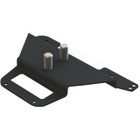
Gamber-Johnson 7160-0817 Zebra QLN420 Printer Bracket - 1" x 6" x 4" Mounting Bracket for Mobile Printers

Business volume discounts
Technical guidance
Preparation & staging
QC · ON · AB · BC
Product Features
Technical Overview
This mounting bracket features precise dimensions tailored to the Zebra QLn420 mobile printer, ensuring a snug and secure fit. The bracket's design focuses on durability and ease of installation, with a form factor that accommodates the printer's chassis without obstructing access to ports, buttons, or paper feeds.
Constructed from high-quality materials, the bracket maintains structural integrity under typical vibration and movement conditions encountered in vehicle mounting scenarios. Its weight distribution and mounting points are optimized to support the printer securely, preventing shifts or dislodgement during operation.
This section brings together practical product details such as Device Supported, Height, Width, Depth, so buyers can judge configuration, deployment fit, and day-to-day suitability with less guesswork.
Key Product Advantages
The Gamber-Johnson 7160-0817 bracket offers several advantages for organizations deploying Zebra QLn420 printers in dynamic environments. Its specialized design ensures compatibility and reliability, reducing the risk of printer damage or misalignment during use.
Secure Fit
Precisely engineered to match the Zebra QLn420 printer's dimensions, providing a stable mounting solution that minimizes movement and vibration transfer.
- Tailored to printer chassis
- Reduces operational disruptions
Space-Efficient Profile
With a low 1" height and compact 6" x 4" footprint, this bracket integrates seamlessly into confined spaces such as vehicle cabins or crowded workstations.
- Minimizes workspace intrusion
- Ideal for mobile setups
Durable Construction
Built to withstand the rigors of mobile and industrial use, ensuring long-term reliability and consistent printer performance in demanding conditions.
- Robust material quality
- Suitable for high-vibration environments
Deployment / Use Cases
This mounting bracket is designed for scenarios where Zebra QLn420 mobile printers require secure, stationary positioning during operation. Its primary use cases include vehicle mounting for mobile workforce applications, such as delivery services, field inspections, and transportation logistics, where printers must remain accessible and stable while on the move.
In desktop or workstation environments, the bracket provides a dedicated mounting solution that keeps printers organized and secure, reducing clutter and preventing accidental falls. It is also suitable for retail point-of-sale setups, warehouse inventory management stations, and healthcare mobile cart systems where reliable printing is essential.
Vehicle Mounting
Ideal for mounting in trucks, vans, or service vehicles, ensuring the printer stays securely in place during transit and operation.
Desktop Organization
Provides a stable base for printer placement on desks or workbenches, optimizing workspace efficiency and reducing equipment movement.
Physical Profile
The bracket measures 1" in height, 6" in width, and 4" in depth, with an approximate weight of 8 oz. Its low-profile design and lightweight construction facilitate easy installation and minimal impact on the overall setup. The compact dimensions ensure compatibility with tight spaces, while the sturdy build maintains support for the printer's weight and operational demands.
- Width
- 6" (152.40 mm)
- Depth
- 4" (101.60 mm)
- Height
- 1" (25.40 mm)
- Weight
- 8 oz (226.80 g)
Highlights
- Compatible with Zebra QLn420 mobile printer
- Compact dimensions: 1" H x 6" W x 4" D
- Lightweight at approximately 8 oz
- Designed for secure vehicle or desktop mounting
- Durable construction for reliable performance
- Minimizes workspace intrusion
- Easy installation and integration
- Ideal for mobile workforce and field operations
Specifications
| Specifications | |
|---|---|
| Manufacturer | Gamber-Johnson, LLC |
| Manufacturer Part Number | 7160-0817 |
| Brand Name | Gamber-Johnson |
| Product Name | Zebra QLN420 Printer Bracket |
| Product Type | Mounting Bracket |
| Product Information | |
| Device Supported | Printer |
| Physical Characteristics | |
| Height | 1" (25.40 mm) |
| Width | 6" (152.40 mm) |
| Depth | 4" (101.60 mm) |
| Weight (Approximate) | 8 oz (226.80 g) |
| Miscellaneous | |
| Compatibility | Zebra QLn420 Mobile Printer |
User Manual
FAQ
What printer models are compatible with this mounting bracket?
This Gamber-Johnson 7160-0817 bracket is specifically designed for the Zebra QLn420 mobile printer. It is engineered to match the printer's dimensions and mounting points, ensuring a secure and stable fit. It is not compatible with other printer models unless explicitly stated by the manufacturer.
What are the dimensions and weight of this mounting bracket?
The bracket measures 1 inch in height, 6 inches in width, and 4 inches in depth, with metric equivalents of 25.40 mm, 152.40 mm, and 101.60 mm respectively. It weighs approximately 8 ounces (226.80 grams), making it lightweight and easy to handle during installation.
Can this bracket be used for both vehicle and desktop mounting?
Yes, the Gamber-Johnson 7160-0817 is designed for versatile deployment in both vehicle and desktop environments. Its compact and sturdy construction provides secure mounting in vehicles like trucks or vans, as well as on desks or workstations, ensuring printer stability across different settings.
How does this bracket ensure secure mounting for the printer?
The bracket is precisely engineered to fit the Zebra QLn420 printer's chassis, with dimensions and mounting points tailored for a snug fit. Its durable materials and design minimize movement and vibration, reducing the risk of printer dislodgement or damage during operation in mobile or stationary use.
Is installation of this mounting bracket complicated?
Installation is straightforward due to the bracket's simple design and lightweight construction. It typically involves securing the bracket to a surface using appropriate hardware (not included), then placing the printer into the bracket. Refer to the manufacturer's documentation for specific installation guidelines and compatibility details.
Where can I find more detailed specifications or installation instructions?
Detailed specifications and installation instructions are available in the manufacturer's brochure, which can be accessed via the provided document link. This resource offers comprehensive guidance on proper setup, compatibility, and usage to ensure optimal performance and safety.
| Qty | Price | Available |
|---|