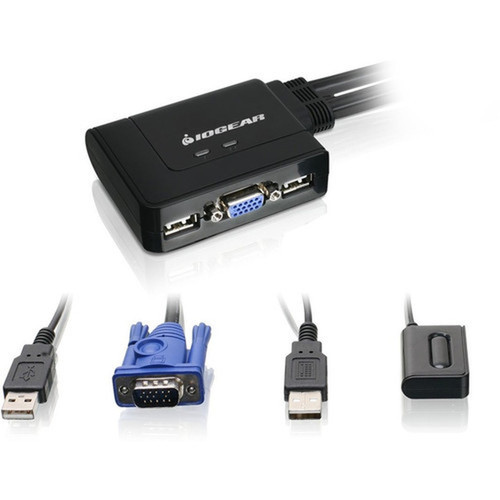
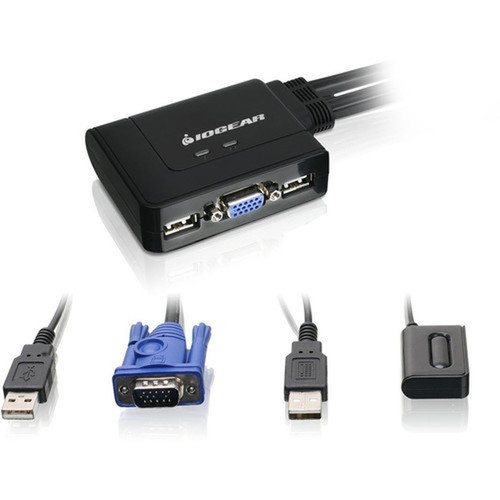
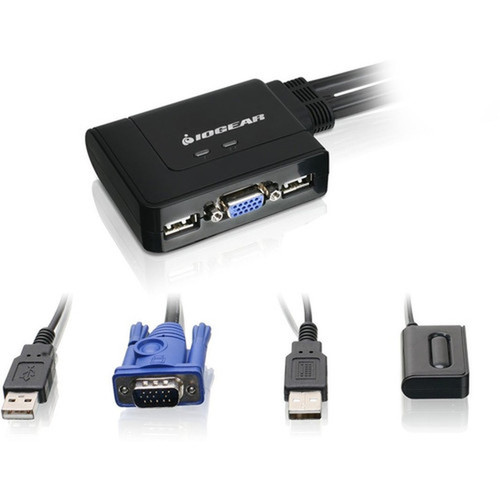
IOGEAR GCS22U 2-Port USB KVM Switch - 2 Computers - 6 USB Ports - VGA 2048 x 1536 QXGA

Business volume discounts
Technical guidance
Preparation & staging
QC · ON · AB · BC
Product Features
Product Overview
The IOGEAR GCS22U 2-Port USB KVM Switch delivers efficient multi-computer management by allowing a single USB keyboard, USB mouse, and VGA monitor to control two separate computers. This compact desktop switch eliminates the need for duplicate peripherals while maintaining full functionality across both systems.
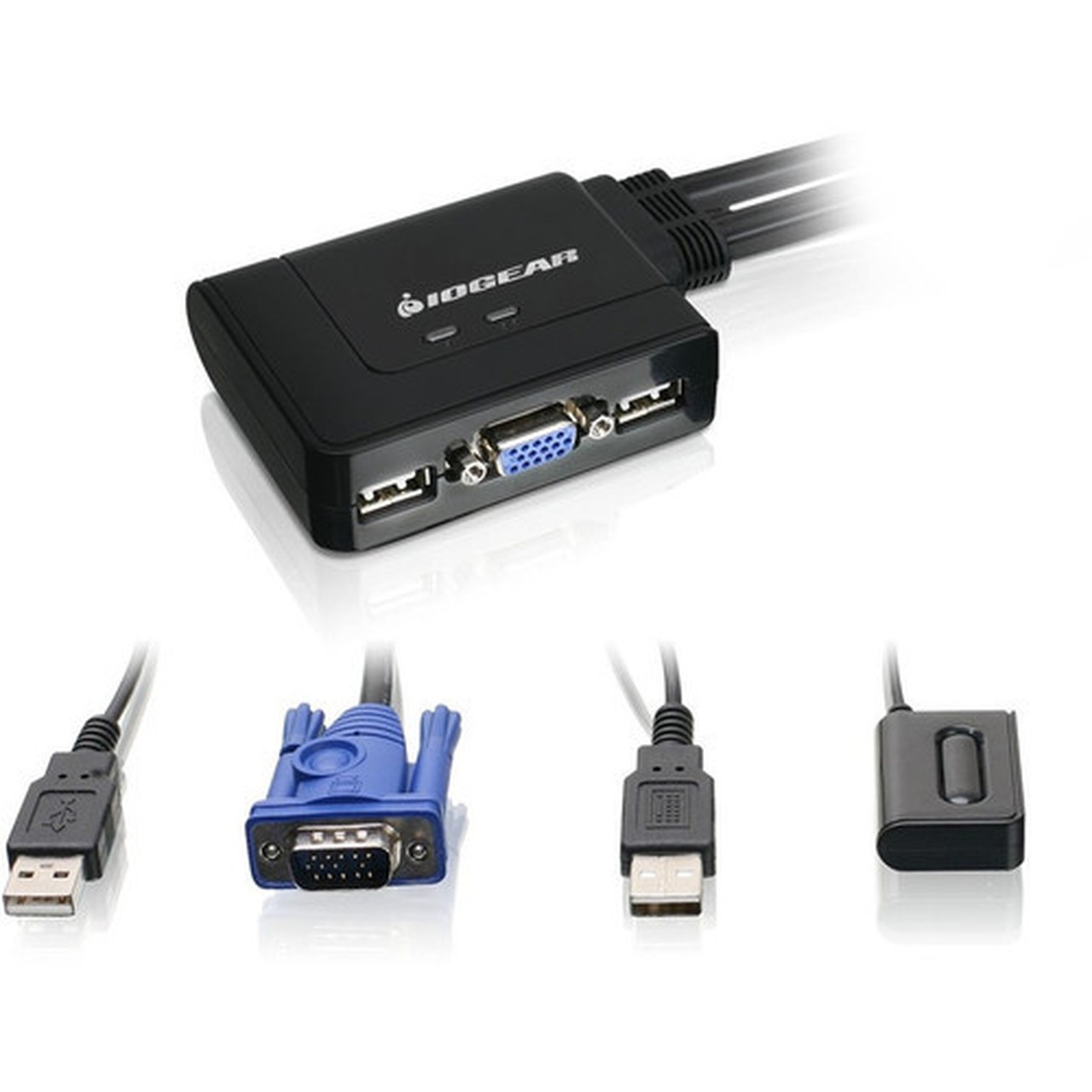
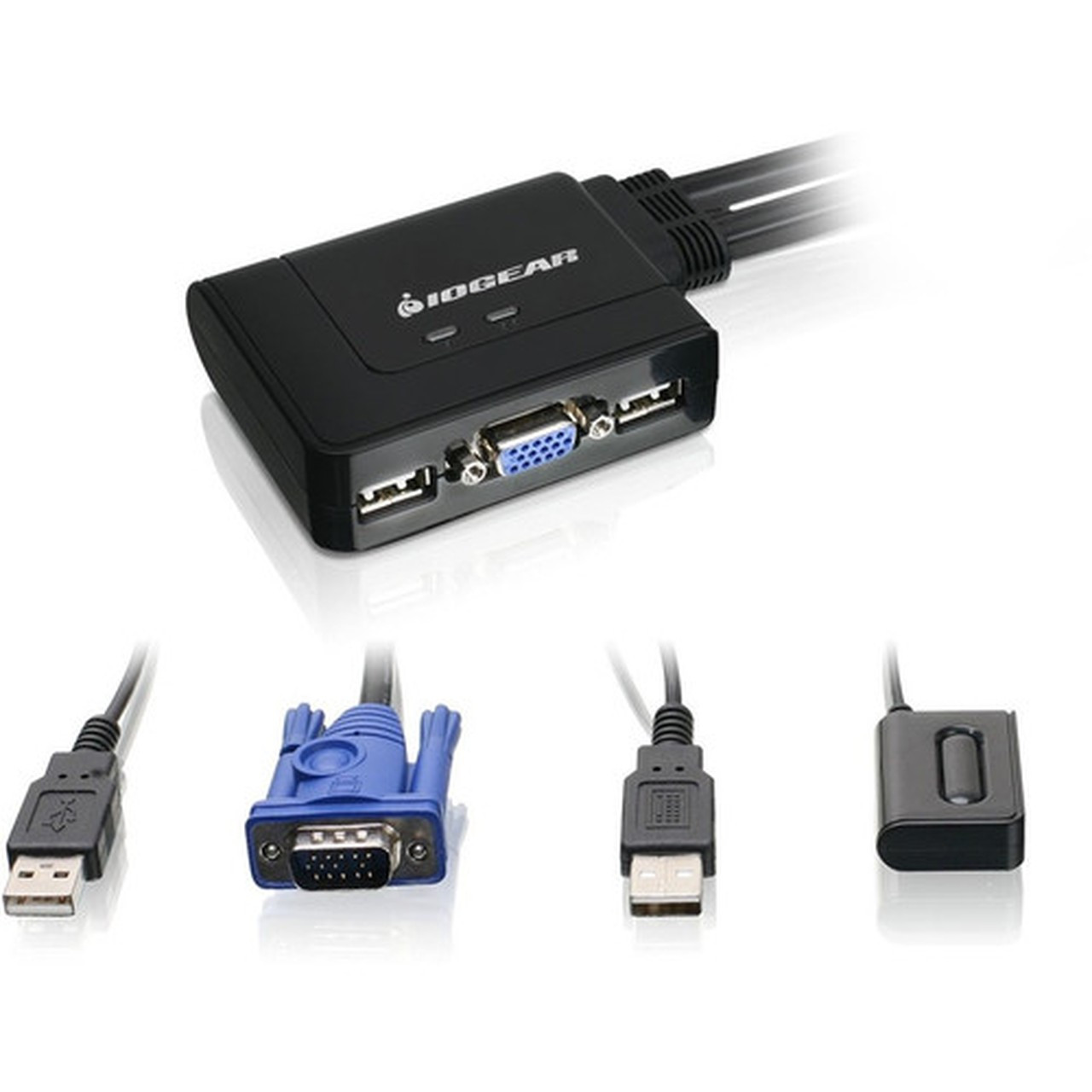
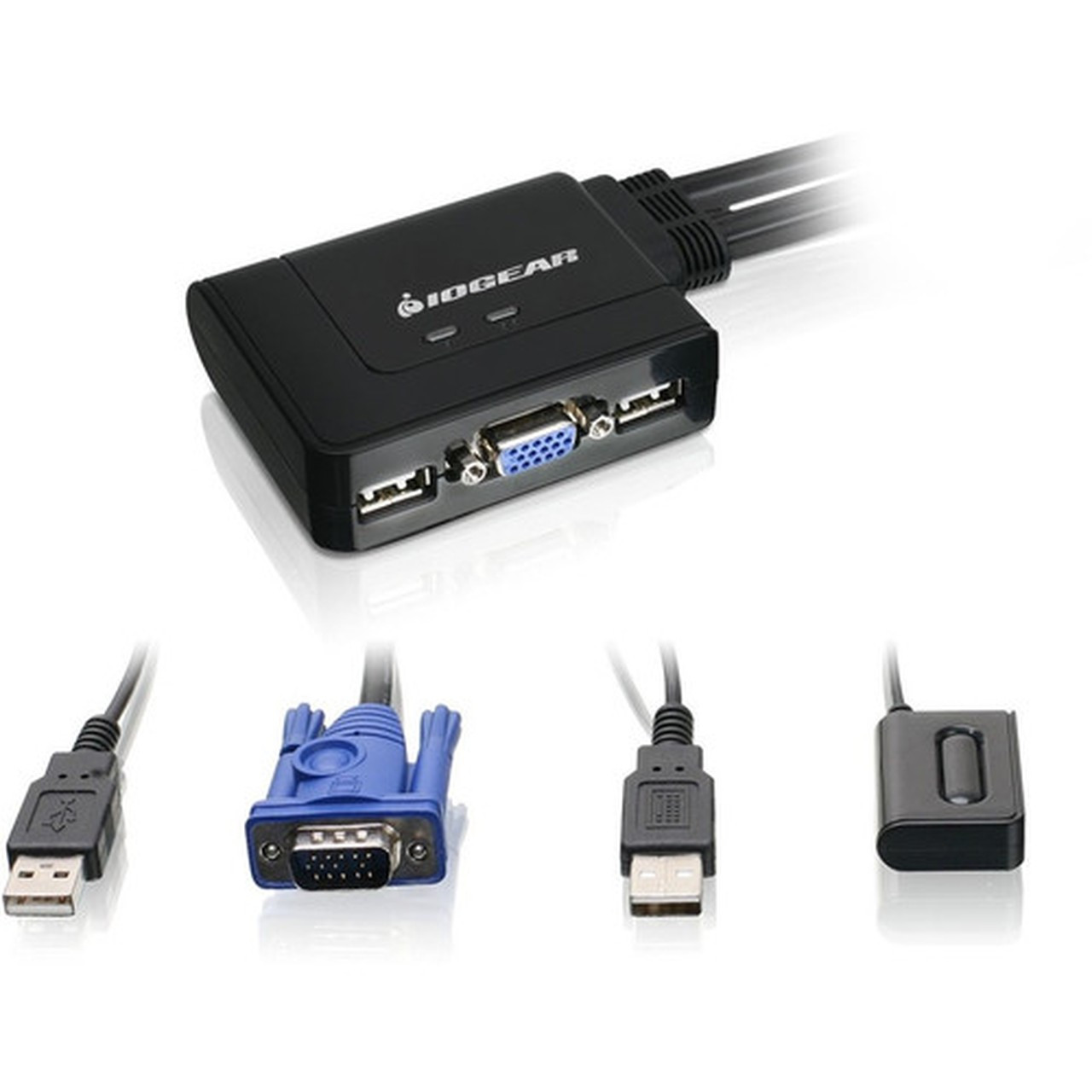
Engineered for straightforward deployment, the GCS22U features molded-in USB and VGA cables that simplify setup and reduce cable clutter. The included 6-foot remote controller cable provides convenient computer selection from your desk, making it ideal for environments where space optimization and quick access are priorities.
Relevant factors for this section include Number of Computers Supported, Graphic Mode, Maximum Video Resolution. When those points are considered together, they give buyers a clearer picture of how the product is equipped, how it fits into deployment, and what kind of day-to-day role it is meant to support.
Technical Overview
This KVM switch supports QXGA graphic mode with a maximum video resolution of 2048 x 1536, ensuring crisp visual output for productivity and general computing tasks. The VGA interface utilizes DDC2B for plug-and-play monitor compatibility, while the six USB ports accommodate your keyboard, mouse, and additional USB devices.
The GCS22U operates without requiring software drivers on supported platforms, enabling immediate functionality upon connection. Its compact footprint measures just 3 inches wide by 2.50 inches deep by 0.87 inches high, making it suitable for constrained workspaces without sacrificing performance.
Relevant factors for this section include Number of Computers Supported, Graphic Mode, Maximum Video Resolution. When those points are considered together, they give buyers a clearer picture of how the product is equipped, how it fits into deployment, and what kind of day-to-day role it is meant to support.
Key Product Advantages
The GCS22U streamlines workspace organization by consolidating control of multiple computers through a single set of peripherals. This approach reduces desktop clutter while maintaining immediate access to both systems with a simple button press or remote controller selection.
Simplified Connectivity
Molded-in USB and VGA cables eliminate loose cable management and ensure reliable connections between the switch and your computers.
- Pre-attached cables reduce setup time
- Minimizes connection points for improved reliability
Broad Platform Compatibility
This KVM switch supports Windows 2000 or higher, Mac OS 9.0 or higher, and Sun Solaris 9 or higher operating systems, making it suitable for mixed-environment deployments.
- Cross-platform functionality
- No additional software required
Deployment / Use Cases
The IOGEAR GCS22U is particularly effective in environments where users need to manage separate computing resources while maintaining a clean, organized workspace. Its compact design and straightforward operation make it suitable for both professional and personal computing scenarios.
Common deployment environments include development workstations where programmers switch between testing and production systems, security operations centers requiring separation between secure and general networks, and home offices where users manage both personal and work computers from a single desk setup. The remote controller cable placement option adds flexibility for ergonomic positioning.
Network Separation
Quickly toggle between Internet and Intranet connections with a single button press, maintaining security boundaries while using shared peripherals.
- Instant network isolation
- Maintains security protocols
Space-Constrained Environments
The compact footprint and integrated cables minimize the physical space required for multi-computer management, ideal for small desks or shared workstations.
- Reduces desktop footprint
- Integrated cable management
Physical Profile
Measuring just 3 inches wide, 2.50 inches deep, and 0.87 inches high, the GCS22U presents a minimal desktop footprint that fits easily beside monitors or under desks. The 14-ounce weight ensures stability without adding significant bulk to your workspace. The compact design incorporates two attached KVM cables (USB and VGA) that extend approximately 6 feet from the unit, providing flexible placement options while maintaining a tidy appearance.
- Width
- 3" (76.20 mm)
- Depth
- 2.50" (63.50 mm)
- Height
- 0.87" (22.10 mm)
- Weight
- 14 oz (396.89 g)
What's in the Box
The package includes everything needed for immediate deployment of your KVM switching solution.
Package contents include 2-Port USB KVM Switch Quick Start Guide, 2-Port USB KVM Switch. These included items support setup, installation, and immediate deployment without needing to source the core bundled accessories separately.
Highlights
- Controls two computers with one USB keyboard, mouse, and VGA monitor
- Six USB ports support keyboard, mouse, and additional USB devices
- Maximum resolution of 2048 x 1536 with QXGA graphic mode
- Plug-and-play operation with no software drivers required
- Molded-in USB and VGA cables simplify setup and reduce clutter
- Compact design measures just 3" W x 2.50" D x 0.87" H
- Includes 6-foot remote controller cable for convenient computer selection
- Compatible with Windows, Mac, and Sun Solaris operating systems
- Environmentally friendly construction
- Backed by a 3-year limited warranty
Specifications
| Specifications | |
|---|---|
| Manufacturer | IOGEAR, Inc |
| Manufacturer Part Number | GCS22U |
| Brand Name | IOGEAR |
| Product Model | GCS22u |
| Product Name | GCS22u 2-Port USB KVM Switch |
| Packaged Quantity | 1 |
| Package Type | Retail |
| Product Type | KVM Switchbox |
| Technical Information | |
| Number of Computers Supported | 2 |
| Video | |
| Graphic Mode | QXGA |
| Maximum Video Resolution | 2048 x 1536 |
| Interfaces/Ports | |
| USB | Yes |
| Number of USB Ports | 6 |
| Physical Characteristics | |
| Height | 0.87" (22.10 mm) |
| Width | 3" (76.20 mm) |
| Depth | 2.50" (63.50 mm) |
| Weight (Approximate) | 14 oz (396.89 g) |
| Miscellaneous | |
| Package Contents | 2-Port USB KVM Switch Quick Start Guide |
| Environmentally Friendly | Yes |
| Country of Origin | China |
| Warranty | |
| Limited Warranty | 3 Year |
User Manual
FAQ
How many computers can the GCS22U KVM switch control simultaneously?
The IOGEAR GCS22U supports two computers simultaneously. You can connect both systems to the switch and control them using a single set of USB keyboard, USB mouse, and VGA monitor peripherals. The remote controller cable or front-panel button allows instant switching between the two connected computers.
What video resolution does this KVM switch support?
This KVM switch supports QXGA graphic mode with a maximum video resolution of 2048 x 1536. The VGA interface utilizes DDC2B technology for plug-and-play monitor compatibility, ensuring proper display detection and configuration across supported resolutions without manual adjustment.
How many USB ports are available on the GCS22U?
The GCS22U features six USB ports. These accommodate your USB keyboard and mouse while providing additional ports for other USB peripherals such as flash drives, webcams, or external storage devices. All USB connectivity is managed through the switch without requiring separate connections to each computer.
Does this KVM switch require software installation?
No software installation is required for the GCS22U KVM switch. It operates in plug-and-play mode across all supported platforms, eliminating the need for driver downloads or configuration software. Simply connect the molded-in cables to your computers and peripherals, and the switch is ready for immediate use.
What is included in the package with the GCS22U?
The package includes the 2-port USB KVM switch unit with attached USB and VGA cables, plus a quick start guide. The switch itself incorporates the necessary connectivity, while the guide provides basic setup instructions. No additional cables or accessories are required for standard deployment scenarios.
What connectivity or interface options are available?
Connectivity support is listed in the product specifications, including the relevant wireless or port options when available.
| Qty | Price | Available |
|---|