








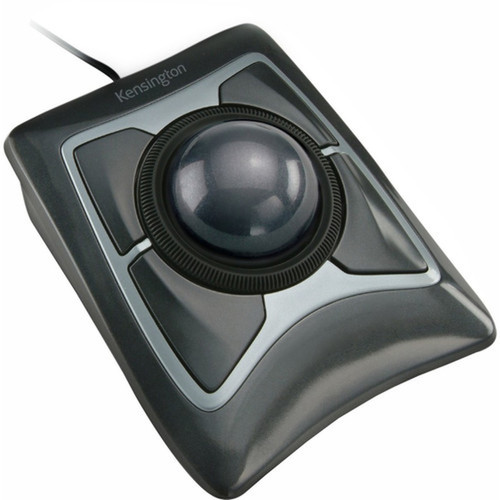
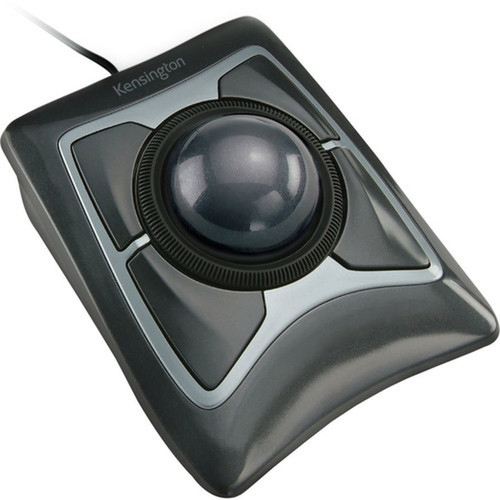


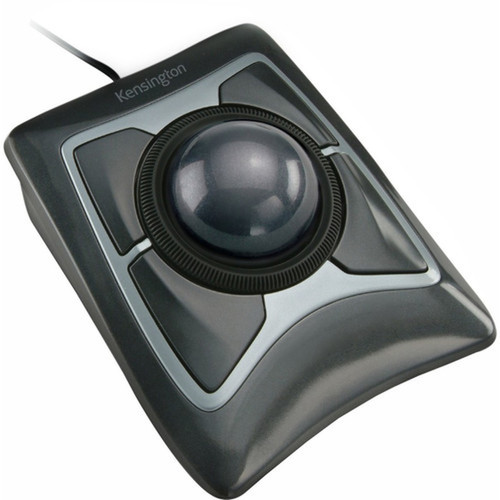
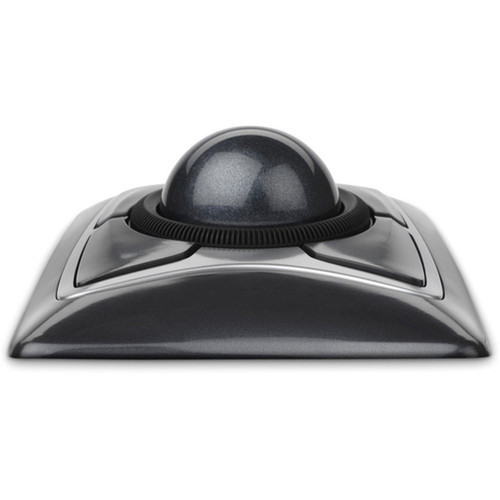

Kensington K64325 Expert Mouse Trackball - Optical 400 DPI - USB Wired - Symmetrical Black

Business volume discounts
Technical guidance
Preparation & staging
QC · ON · AB · BC
Product Features
Technical Overview
This trackball utilizes optical movement detection for accurate tracking without the need for a mouse pad, reducing desk clutter and maintenance. The 400 DPI resolution provides balanced sensitivity for general computing, graphic design, and data entry applications.
Connectivity is handled through a USB wired interface, ensuring stable performance without wireless interference. The device measures 5" wide, 5.75" deep, and 2.5" high, offering a compact footprint suitable for notebook setups and space-constrained workstations.
Relevant factors for this section include Pointing Device Connectivity Technology, Movement Detection, Movement Resolution (dpi), Pointing Device Host Interface. When those points are considered together, they give buyers a clearer picture of how the product is equipped, how it fits into deployment, and what kind of day-to-day role it is meant to support.
A strong technical summary explains how the product's interfaces, hardware profile, and operating characteristics work together in real deployment. Buyers often need this context to confirm compatibility with existing devices, expected performance in daily use, and whether installation will be straightforward for IT staff or end users.
Key Product Advantages
The Kensington Expert Mouse Trackball stands out with its ambidextrous symmetrical shape, which eliminates the need for separate left- and right-handed models. This design promotes ergonomic comfort and reduces strain during extended use, benefiting users in shared or flexible workspaces.
Scroll Ring Navigation
The large scroll ring allows for rapid scrolling through long documents, spreadsheets, and webpages with minimal finger movement, enhancing workflow efficiency.
- Smooth scrolling action
- Reduces wrist fatigue
- Ideal for data-heavy tasks
Plug-and-Play USB
USB connectivity ensures immediate recognition on supported operating systems without driver installation, making it easy to deploy across multiple devices.
- No software required
- Stable wired connection
- Broad OS compatibility
Deployment / Use Cases
This trackball is ideal for notebook users seeking a reliable pointing device that complements portable setups without sacrificing desk space. Its compact dimensions and USB connection make it a practical accessory for traveling professionals, remote workers, and educational environments.
In office settings, the symmetrical design supports hot-desking and collaborative spaces where multiple users may share equipment. The optical sensor performs consistently on various surfaces, from desks to trays, ensuring reliable operation in conference rooms, libraries, and home offices.
Notebook Companion
Enhances the precision and comfort of notebook trackpads, providing a familiar input method for extended typing and design sessions.
Ergonomic Workspace
Reduces repetitive strain by allowing users to control the cursor with thumb and finger movements, minimizing wrist extension common with traditional mice.
Physical Profile
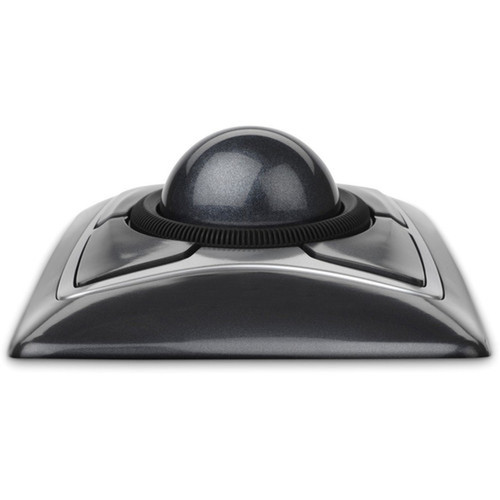
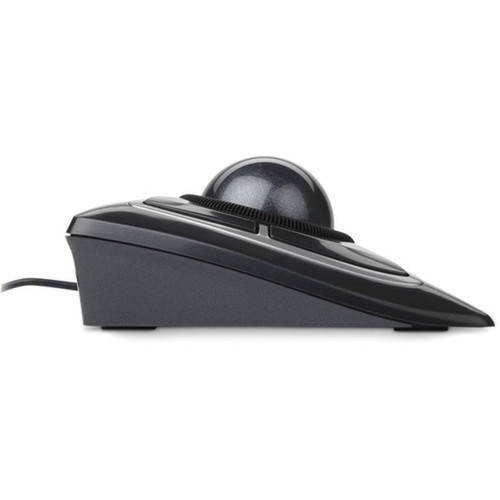
Crafted in a matte black finish, the Kensington Expert Mouse Trackball measures 5" wide, 5.75" deep, and 2.5" high, offering a low-profile design that fits neatly beside keyboards or on compact desks. The symmetrical shape and textured scroll ring provide a secure grip, while the durable construction ensures longevity in daily use.
The physical profile is practical for deployment planning because the dimensions and weight are clearly defined: 2.50" (63.50 mm), 5" (127 mm), 5.75" (146.05 mm). This helps confirm rack, shelf, desk, or cabinet fit before installation.
- Width
- 5" (127 mm)
- Depth
- 5.75" (146.05 mm)
- Height
- 2.50" (63.50 mm)
Highlights
- Optical sensor for precise tracking without a mouse pad
- 400 DPI resolution suitable for general computing tasks
- Symmetrical design compatible with left- and right-handed users
- Scroll ring enables fast navigation through documents and webpages
- USB wired connection for plug-and-play setup
- Four programmable buttons for customizable shortcuts
- Compatible with Windows, macOS, and ChromeOS
- 5-year limited warranty for long-term reliability
Specifications
| Specifications | |
|---|---|
| Manufacturer | Kensington Computer Products Group |
| Manufacturer Part Number | K64325 |
| Brand Name | Kensington |
| Product Name | Expert Mouse Wired Trackball |
| Product Type | Trackball |
| Pointing Device | |
| Pointing Device Connectivity Technology | Cable |
| Movement Detection | Optical |
| Movement Resolution (dpi) | 400 |
| Total Number of Buttons | 4 |
| Scroller Type | Scroll Ring |
| Ergonomic Fit | Symmetrical |
| Interfaces/Ports | |
| Pointing Device Host Interface | USB |
| Physical Characteristics | |
| Color Family | Black |
| Product Color | Black |
| Height | 2.50" (63.50 mm) |
| Width | 5" (127 mm) |
| Depth | 5.75" (146.05 mm) |
| Miscellaneous | |
| Device Supported | Notebook |
| Operating System Compatibility | Windows 7,Windows 8,Windows 8.1,Windows 10,Mac OS X 10.11 El Capitan,Mac OS X 10.10 Yosemite,ChromeOS,Mac OS X 10.12 Sierra,Mac OS X 10.13 High Sierra,Windows 11 |
| Platform Supported | PC,Mac |
| Country of Origin | Malaysia |
| Warranty | |
| Limited Warranty | 5 Year |
FAQ
What is the DPI resolution of this trackball?
The Kensington Expert Mouse Trackball features a 400 DPI optical sensor. This resolution provides balanced sensitivity for everyday tasks like web browsing, document editing, and graphic design, offering smooth cursor movement without excessive speed that can hinder precision.
Is this trackball suitable for left-handed users?
Yes, the symmetrical design accommodates both left- and right-handed users equally. The button layout and scroll ring are centrally positioned, allowing comfortable operation regardless of hand preference, making it ideal for shared workspaces or ambidextrous individuals.
What operating systems are compatible with this trackball?
This trackball supports Windows 7 through 11, macOS 10.10 Yosemite to 10.13 High Sierra, and ChromeOS. It uses plug-and-play USB connectivity, so no additional drivers are required for basic functionality on these systems, ensuring broad compatibility across PC and Mac platforms.
How does the scroll ring enhance usability?
The scroll ring allows for rapid, continuous scrolling with a simple finger rotation, reducing the need for repeated clicking or dragging. This is particularly useful for navigating long webpages, spreadsheets, or documents, improving efficiency and reducing hand strain during extended use.
What is the warranty period for this product?
Kensington provides a 5-year limited warranty for the Expert Mouse Trackball. This coverage supports long-term reliability and reflects the durable construction of the device, offering peace of mind for business and personal use over extended periods.
Can this trackball be used with notebooks?
Yes, it is designed as a notebook-supported pointing device. Its compact size and USB connection make it easy to carry and use with laptops, providing a more precise and comfortable alternative to built-in trackpads for tasks requiring detailed cursor control.
| Qty | Price | Available |
|---|


