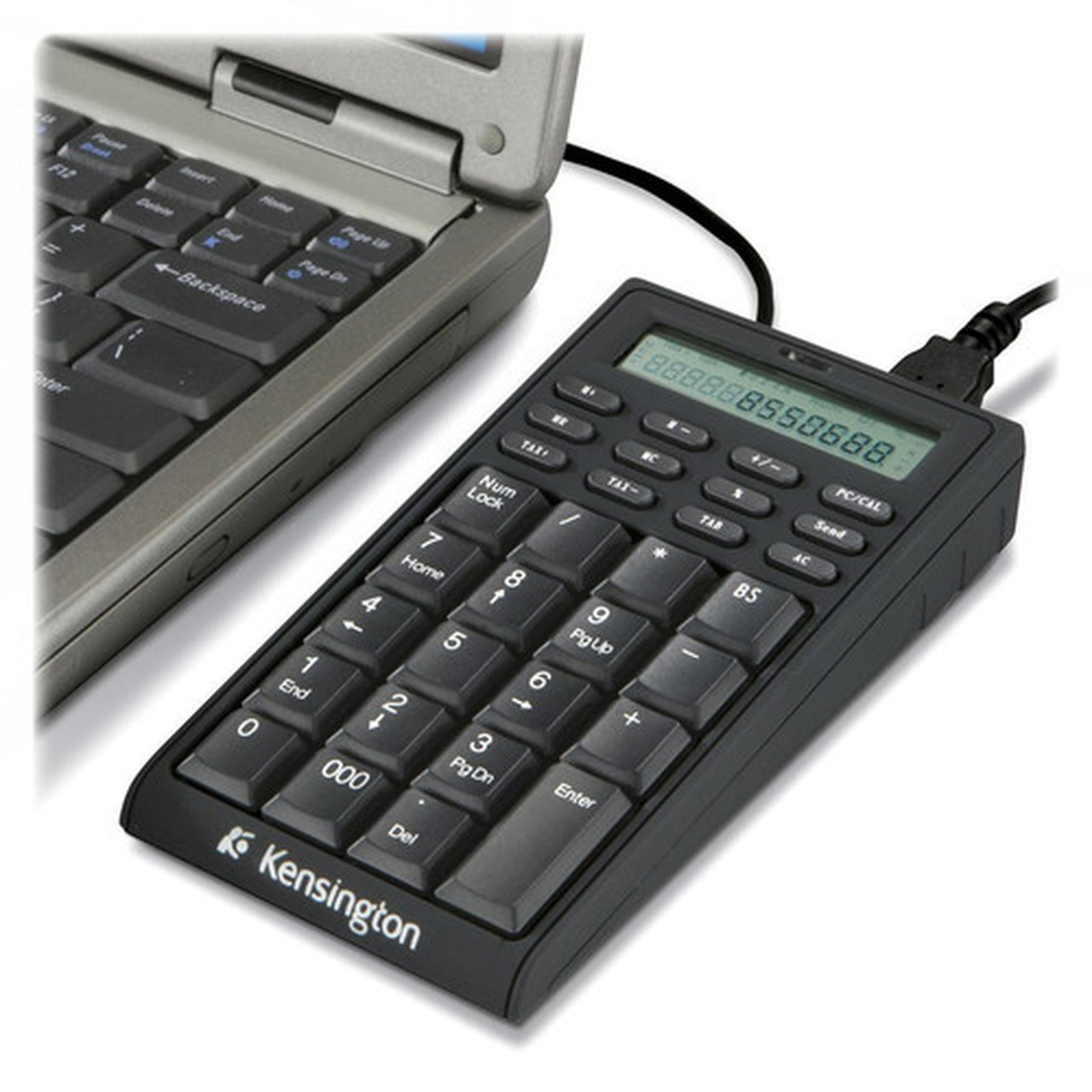
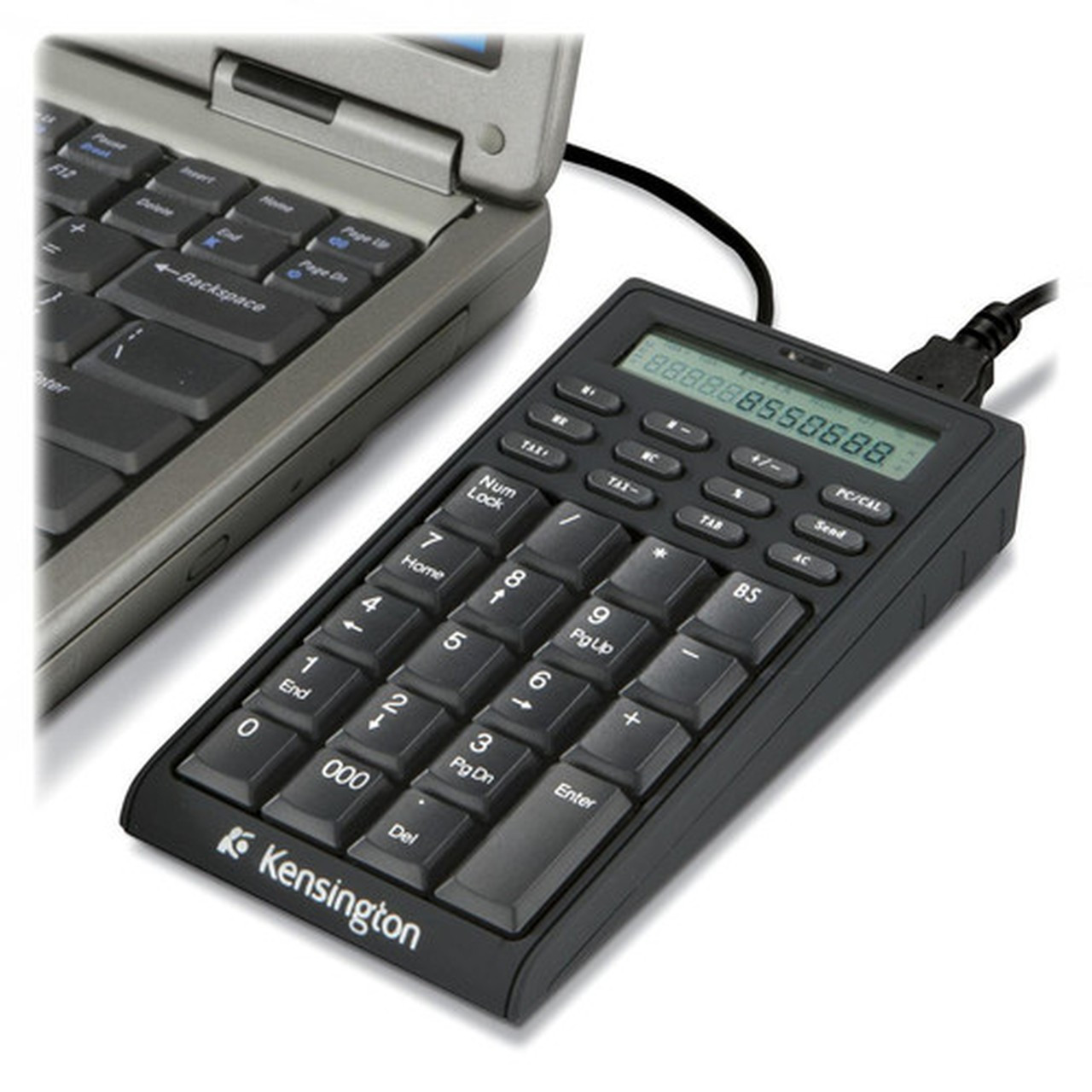
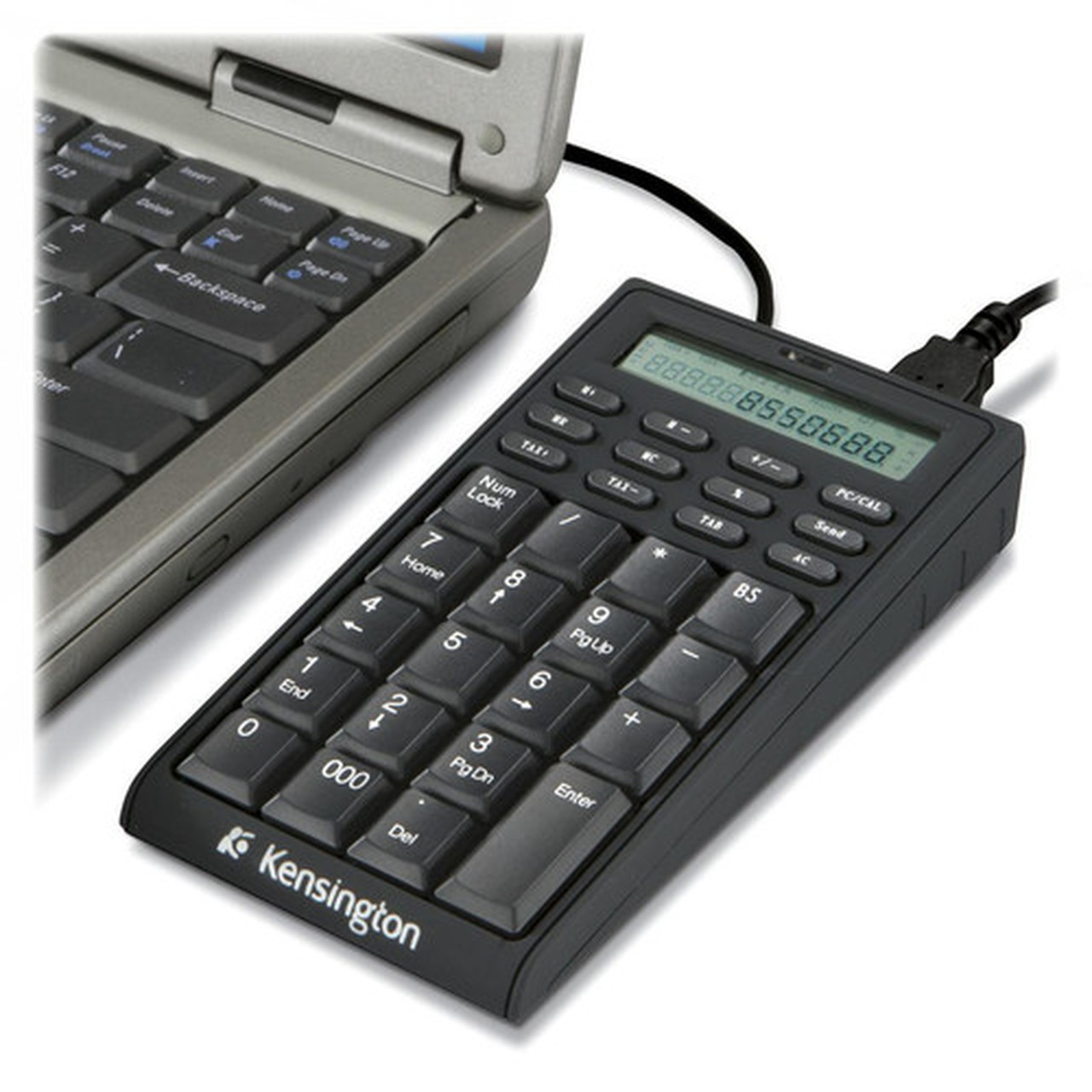


Kensington K72274US Notebook Keypad/Calculator with USB Hub - 19 Keys - LCD Display - PC & Mac Compatible

Business volume discounts
Technical guidance
Preparation & staging
QC · ON · AB · BC
Product Features
Technical Overview
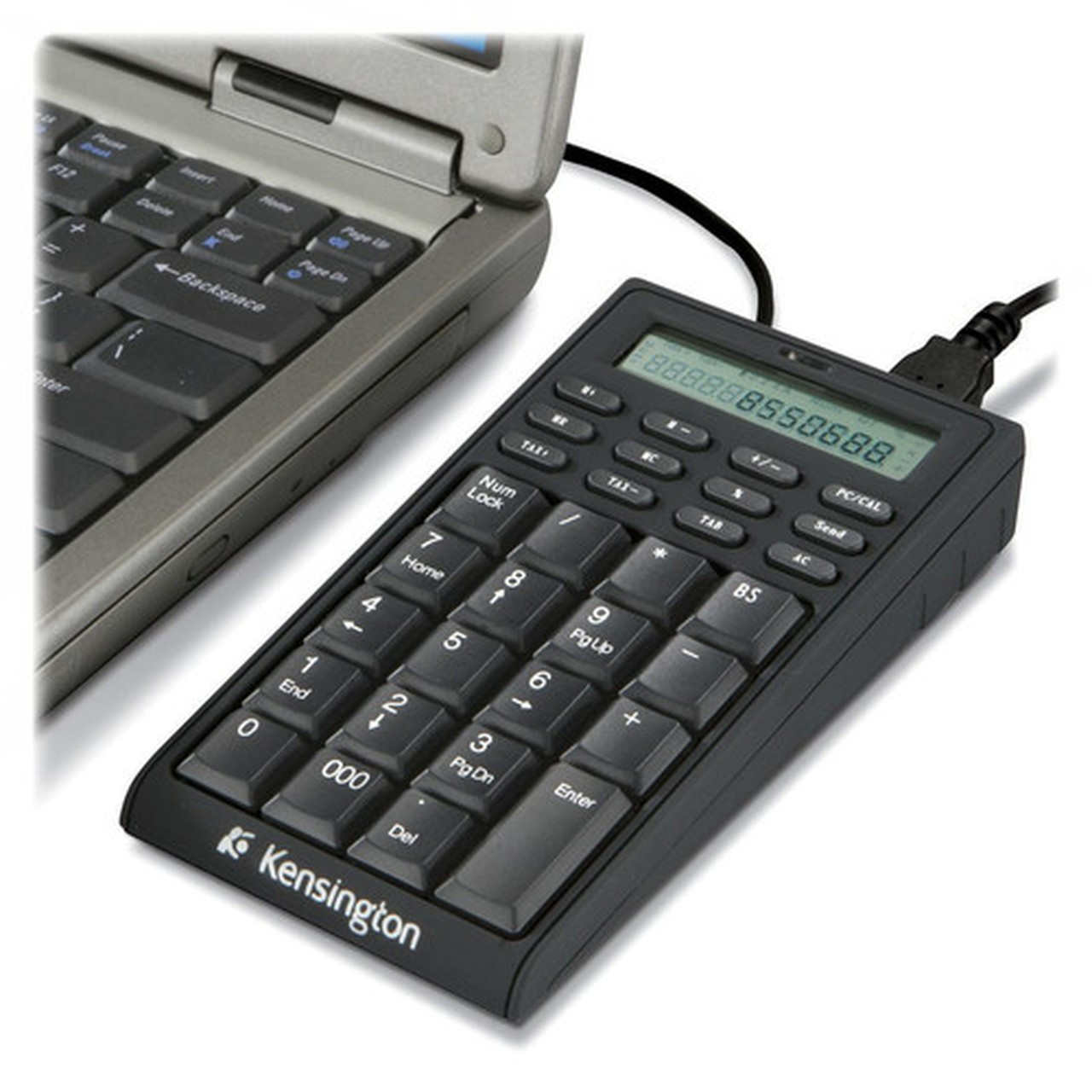
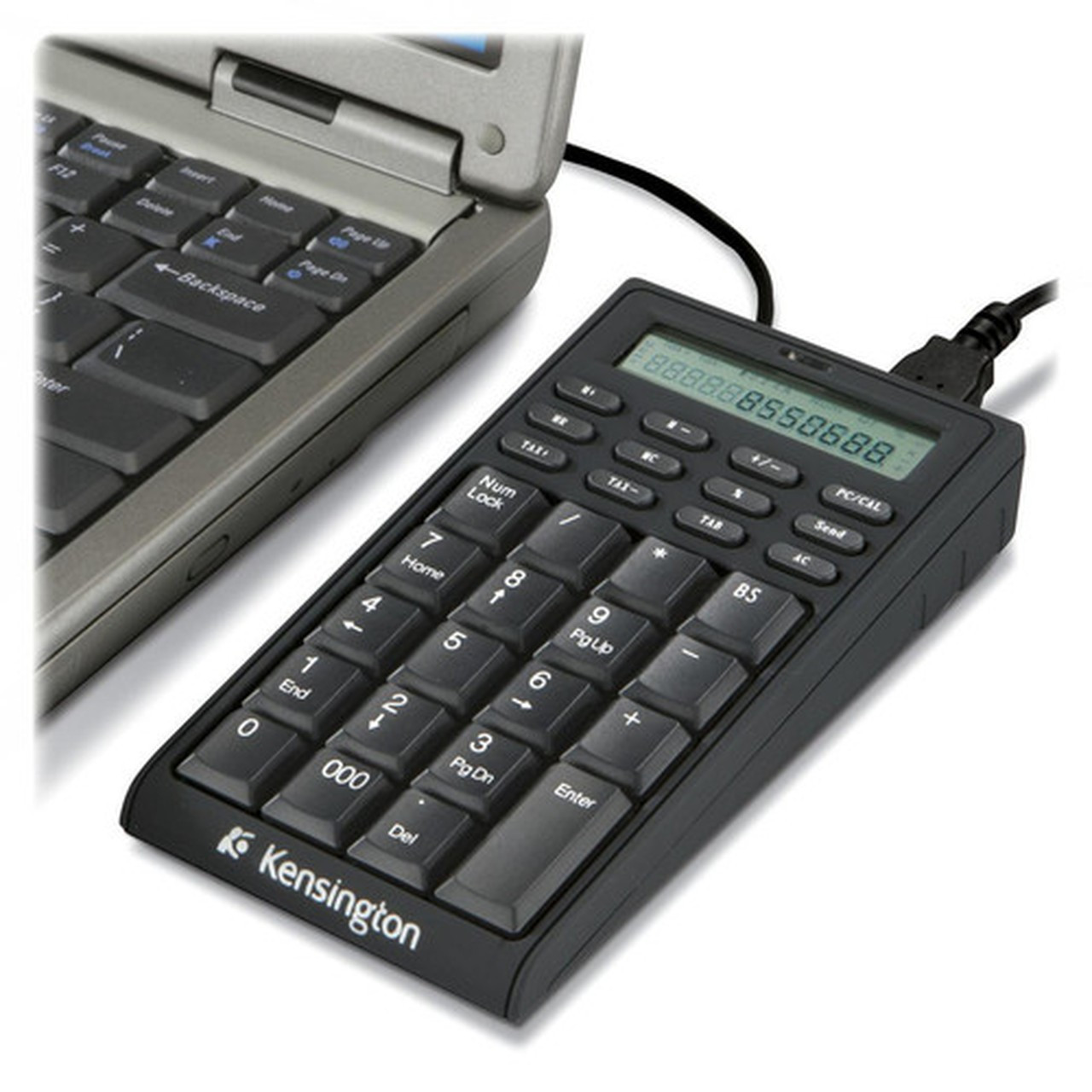
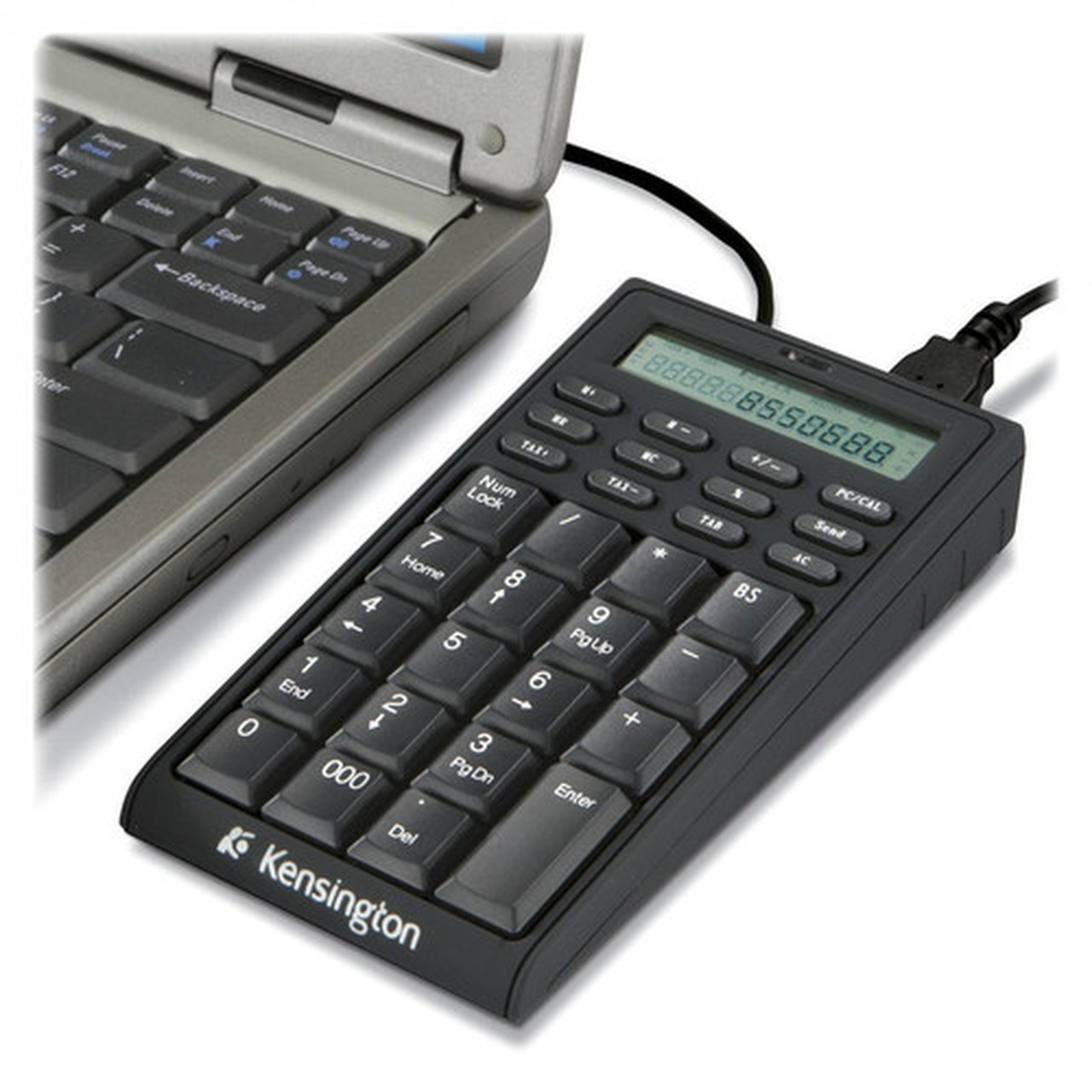
The Kensington 72274 keypad operates with a straightforward USB interface, ensuring reliable data transfer and power delivery through its integrated cable. Its 19-key layout includes numeric keys, arithmetic functions, and a dedicated button to toggle instantly between keypad and calculator modes. The built-in LCD display provides clear visibility in various lighting conditions, supporting accurate calculations. The device incorporates two USB 2.0 ports, allowing users to connect additional peripherals directly without occupying extra ports on their computer. With dimensions of 5.50 inches in depth, 2.75 inches in width, and 1 inch in height, it maintains a minimal footprint on any desk.
Relevant factors for this section include Keyboard/Keypad Connectivity Technology, Number of Keys, Keyboard/Keypad Features, Built-in Devices. When those points are considered together, they give buyers a clearer picture of how the product is equipped, how it fits into deployment, and what kind of day-to-day role it is meant to support.
Key Product Advantages
This Kensington keypad excels by merging essential office tools into one efficient device, reducing desk clutter and enhancing workflow. Its 3-in-1 design eliminates the need for separate keypads, calculators, and USB hubs, saving space and simplifying setup. The instant mode-switching button allows seamless transitions between numeric entry and calculations, boosting productivity for financial or data-intensive tasks. The integrated USB hub expands connectivity options, making it easy to attach accessories without reaching for the computer. The clear LCD display ensures readability, while the compact, cable-connected form factor offers reliable performance without wireless interference or battery concerns.
Space-Efficient Design
Combines keypad, calculator, and USB hub in a single unit measuring just 5.50" x 2.75", ideal for tight workspaces or mobile setups.
- Reduces desk clutter
- Integrates multiple functions
Enhanced Productivity
Features a dedicated button for quick switching between keypad and calculator modes, streamlining numeric tasks without software delays.
- Instant mode toggle
- No software installation needed
Deployment / Use Cases
The Kensington K72274US is well-suited for office environments where efficient numeric input and calculation are daily requirements. Accountants, bookkeepers, and data analysts can benefit from its combined keypad and calculator functions for quick data entry and financial computations. In educational settings, teachers and students can use it for math-related tasks or computer labs needing extra USB ports. Mobile professionals and remote workers appreciate its compact size and plug-and-play simplicity for laptops on the go. It also serves well in retail or point-of-sale scenarios where additional numeric input or peripheral connectivity is needed without complex setup.
Office & Accounting
Ideal for financial professionals handling spreadsheets, invoices, or payroll, offering fast numeric entry and on-the-fly calculations.
- Streamlines data entry
- Supports accounting software
Mobile & Remote Work
Perfect for laptop users in co-working spaces or home offices, providing essential peripherals in a portable, cable-connected package.
- Compact and lightweight
- Plug-and-play compatibility
Highlights
- 3-in-1 design combining keypad, calculator, and USB hub
- 19-key layout with numeric keys and arithmetic functions
- Built-in LCD display for clear visibility in various lighting
- 2 USB 2.0 ports for connecting additional accessories
- One-button switching between keypad and calculator modes
- Plug-and-play USB connectivity with no software needed
- Compatible with both PC and Mac computers
- Compact dimensions of 5.50" x 2.75" x 1" for space-saving use
- 2-year limited warranty for reliable performance
- Cable-connected design for consistent operation without batteries
Specifications
| Specifications | |
|---|---|
| Manufacturer | Kensington Computer Products Group |
| Manufacturer Part Number | K72274US |
| Brand Name | Kensington |
| Product Model | 72274 |
| Product Name | 72274 Notebook Keypad/Calculator with USB Hub - PC & MAC Compatible |
| Packaged Quantity | 1 |
| Product Type | Keypad |
| Keyboard/Keypad | |
| Keyboard/Keypad Connectivity Technology | Cable |
| Number of Keys | 19 |
| Keyboard/Keypad Features | LCD Display |
| Built-in Devices | |
| Built-in Devices | USB Hub,Calculator |
| Interfaces/Ports | |
| Keyboard/Keypad Host Interface | USB |
| Physical Characteristics | |
| Keyboard/Keypad Height | 1" (25.40 mm) |
| Keyboard/Keypad Width | 2.75" (69.85 mm) |
| Keyboard/Keypad Depth | 5.50" (139.70 mm) |
| Miscellaneous | |
| Platform Supported | PC |
| Device Supported | Computer |
| Assembly Required | No |
| Country of Origin | China |
| Warranty | |
| Limited Warranty | 2 Year |
FAQ
What devices is the Kensington K72274US keypad compatible with?
The Kensington K72274US keypad is compatible with both PC and Mac computers that have an available USB port. It uses standard USB connectivity, so it works with most desktop and laptop systems running Windows, macOS, or other operating systems that support USB HID devices. No additional drivers or software are required for basic functionality—just plug in the USB cable to start using the keypad, calculator, and USB hub features immediately.
How many USB ports does this keypad have, and what can they be used for?
This keypad includes two USB 2.0 ports built into its design. These ports can be used to connect additional USB peripherals such as flash drives, mice, keyboards, or other accessories, effectively expanding your computer's connectivity without needing a separate hub. The ports provide both data transfer and power, making them suitable for low-power devices, though they may not support high-power items like external hard drives without extra power sources.
Does the keypad require batteries or external power?
No, the Kensington K72274US keypad does not require batteries or external power. It is powered entirely through its USB cable connection to your computer. This cable-connected design ensures reliable operation without the need for charging or battery replacements, making it a low-maintenance peripheral ideal for continuous use in office or mobile environments.
What are the dimensions of the keypad, and how much desk space does it need?
The keypad measures 5.50 inches in depth, 2.75 inches in width, and 1 inch in height (139.70 x 69.85 x 25.40 mm). Its compact, rectangular shape requires minimal desk space, allowing it to fit easily next to a standard keyboard or in tight workspaces. The slim profile and lightweight build make it portable for use with laptops on the go, while the non-slip base helps keep it stable during typing or calculation tasks.
How do I switch between keypad and calculator modes?
Switching between keypad and calculator modes is simple with the dedicated mode-switching button located on the device. Press this button to instantly toggle between the two functions: in keypad mode, the keys act as a numeric keypad for data entry; in calculator mode, they perform arithmetic operations with results displayed on the built-in LCD. This one-button operation allows for quick transitions without software intervention, enhancing productivity for tasks that require both input and calculation.
What warranty does the Kensington K72274US keypad come with?
The Kensington K72274US keypad comes with a 2-year limited warranty from the manufacturer. This warranty covers defects in materials and workmanship under normal use, providing assurance of quality and reliability. For warranty claims or support, customers should refer to Kensington's official support channels with their purchase details. The device also requires no assembly and is ready to use out of the box, backed by this warranty for peace of mind in professional or personal settings.
| Qty | Price | Available |
|---|