



Kensington K72500WW Orbit Trackball with Scroll Ring - White - Optical USB Cable - Symmetrical 2-Button

Business volume discounts
Technical guidance
Preparation & staging
QC · ON · AB · BC
Product Features
Technical Overview
This trackball employs optical movement detection for accurate tracking on various surfaces without the need for a mousepad. The USB interface ensures broad compatibility with Windows, macOS, and other operating systems that support standard HID pointing devices.
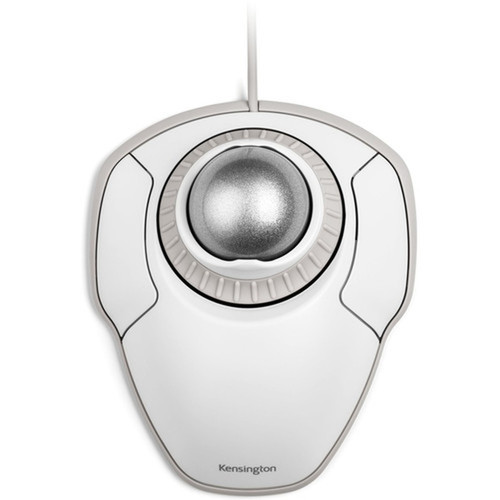
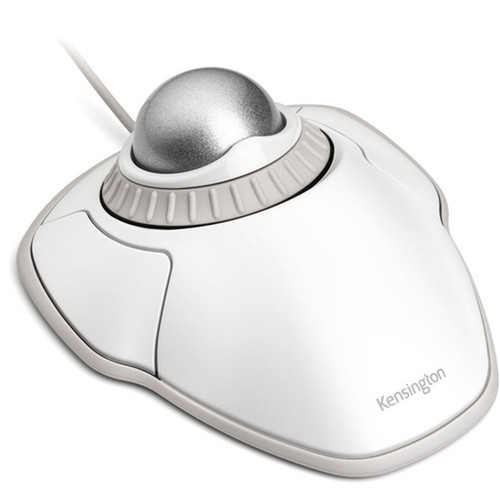
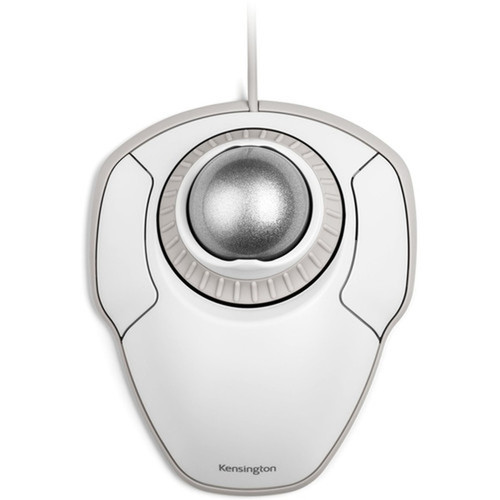
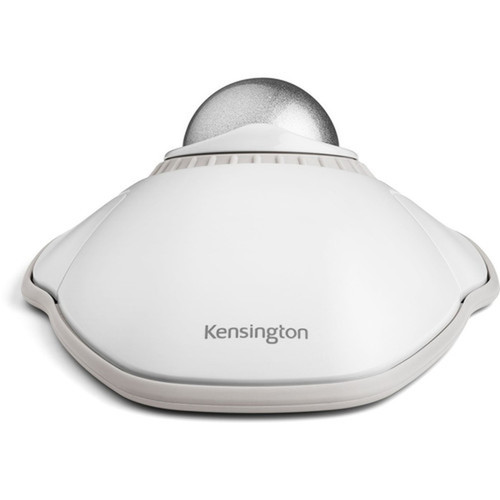
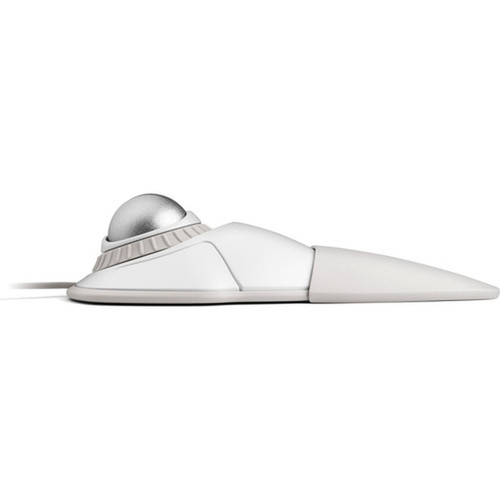
The symmetrical design is a key ergonomic feature, allowing the trackball to fit naturally in either hand. This eliminates the need for separate left- and right-handed models, simplifying procurement and inventory for IT departments.
Relevant factors for this section include Pointing Device Connectivity Technology, Movement Detection, Total Number of Buttons, Pointing Device Host Interface. When those points are considered together, they give buyers a clearer picture of how the product is equipped, how it fits into deployment, and what kind of day-to-day role it is meant to support.
A strong technical summary explains how the product's interfaces, hardware profile, and operating characteristics work together in real deployment. Buyers often need this context to confirm compatibility with existing devices, expected performance in daily use, and whether installation will be straightforward for IT staff or end users.
Key Product Advantages
The Kensington Orbit Trackball stands out with its balanced combination of precision, comfort, and ambidextrous usability. The scroll ring offers a tactile and efficient alternative to traditional scroll wheels, reducing finger fatigue during extended use.
Ambidextrous Design
The symmetrical shape ensures comfortable use for both left-handed and right-handed users, making it ideal for shared workstations or environments with diverse user preferences.
- Eliminates need for separate models
- Reduces inventory complexity
- Promotes ergonomic flexibility
Enhanced Navigation
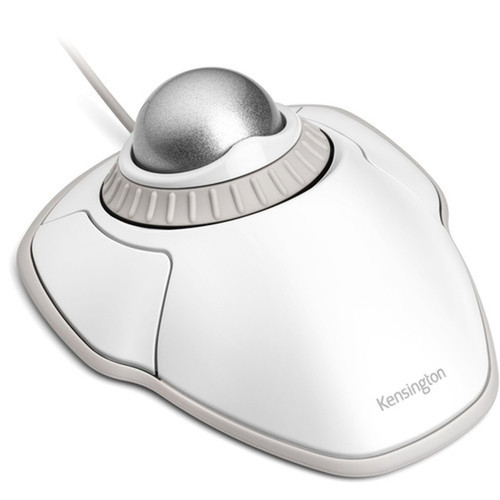
The scroll ring provides smooth, continuous scrolling for documents and web pages, offering better control than standard scroll wheels and reducing repetitive wrist movements.
- Tactile feedback
- Reduces scrolling effort
- Improves browsing efficiency
Deployment / Use Cases
This trackball is well-suited for general office computing, CAD workstations, graphic design environments, and point-of-sale systems where precise cursor control and comfortable navigation are priorities. Its plug-and-play USB connectivity makes deployment straightforward across various desktop setups.
The symmetrical design makes it particularly valuable in shared workspaces, educational labs, or healthcare settings where multiple users might access the same workstation. IT managers can standardize on a single model that serves all users regardless of hand preference.
Office Productivity
Ideal for daily office tasks requiring precise cursor placement and comfortable document navigation, with the scroll ring enhancing productivity in spreadsheet and document review workflows.
Specialized Workstations
Suits technical applications like CAD, graphic design, or medical imaging where accurate pointer control reduces errors and the symmetrical design accommodates different user preferences.
Highlights
- Symmetrical design works equally well for left-handed and right-handed users
- Scroll ring provides smooth, comfortable navigation through documents and web pages
- Optical movement detection ensures accurate tracking without requiring a mousepad
- USB cable connectivity for reliable plug-and-play operation
- Two-button layout for intuitive right-click and left-click functionality
- Clean white finish maintains professional appearance in office environments
- Compatible with desktop computers and PCs running standard operating systems
- Reduces wrist strain compared to traditional mouse navigation
Specifications
| Specifications | |
|---|---|
| Manufacturer | Kensington Computer Products Group |
| Manufacturer Part Number | K72500WW |
| Brand Name | Kensington |
| Product Line | Orbit |
| Product Name | Orbit Trackball with Scroll Ring - White |
| Product Type | Trackball |
| Pointing Device | |
| Pointing Device Connectivity Technology | Cable |
| Movement Detection | Optical |
| Total Number of Buttons | 2 |
| Scroller Type | Scroll Ring |
| Ergonomic Fit | Symmetrical |
| Interfaces/Ports | |
| Pointing Device Host Interface | USB |
| Physical Characteristics | |
| Color Family | White |
| Product Color | White |
| Miscellaneous | |
| Device Supported | Computer,Desktop PC |
| Country of Origin | China |
FAQ
Is this trackball suitable for left-handed users?
Yes, the Kensington Orbit Trackball features a symmetrical design that works equally well for both left-handed and right-handed users. The button layout and overall shape are identical on both sides, making it truly ambidextrous without requiring any special configuration or adjustment.
What type of scrolling mechanism does this trackball use?
This trackball uses a scroll ring instead of a traditional scroll wheel. The ring surrounds the trackball and provides smooth, continuous scrolling with tactile feedback. This design reduces finger fatigue during extended scrolling sessions and offers more precise control when navigating long documents or web pages.
What kind of connectivity does this trackball require?
The Kensington Orbit Trackball connects via a USB cable. This provides reliable, plug-and-play connectivity with desktop computers and PCs. The cable connection ensures consistent performance without wireless interference or battery concerns, making it ideal for stationary workstations.
Does this trackball work with both Windows and macOS?
Yes, this trackball uses standard HID (Human Interface Device) protocols that are natively supported by both Windows and macOS operating systems. It should work immediately upon connection without requiring additional drivers for basic functionality, though advanced features might benefit from Kensington's optional software.
How many buttons does this trackball have?
This trackball has two primary buttons configured for standard left-click and right-click functions. The symmetrical design means both buttons are equally accessible regardless of which hand you use. The scroll ring provides additional navigation control without counting as a traditional button.
What is the advantage of optical movement detection?
Optical movement detection uses an LED sensor to track movement precisely on most surfaces without requiring a special mousepad. This technology provides smoother cursor movement compared to older mechanical trackballs and eliminates the need for regular cleaning of internal rollers that can accumulate dust and affect performance.
| Qty | Price | Available |
|---|