


Shipping included*
Exclusions
Additional shipping fees may apply in rare circumstances for deliveries outside standard service areas. In most cases, this only potentially affects shipments to the Northwest Territories and Yukon, as well as certain heavy or oversized items.
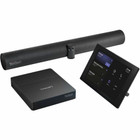
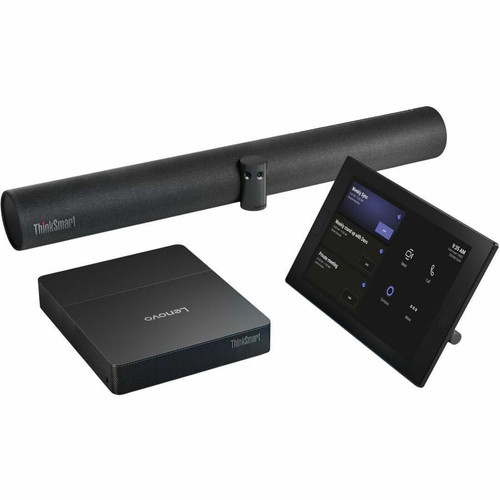
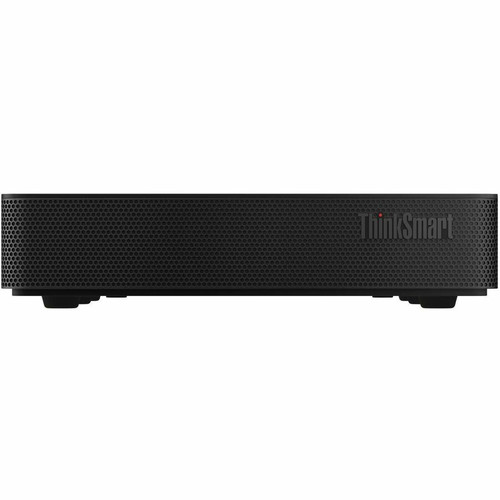
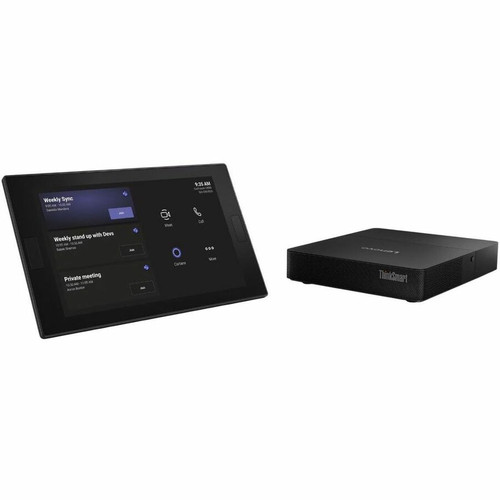
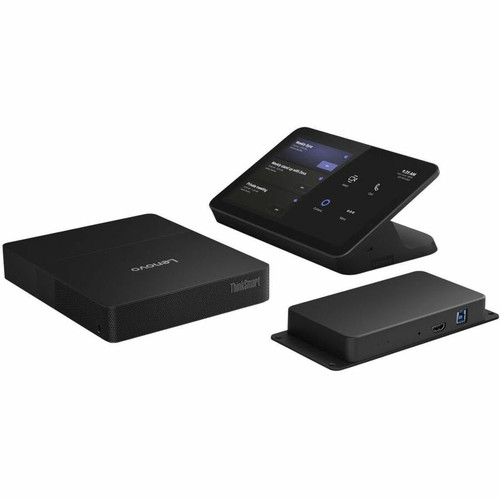
Lenovo 12W6000CUS ThinkSmart Core Gen 2 Video Conference Appliance - Windows 11 IoT - Gigabit Ethernet - HDMI In/Out - USB - Black

Business volume discounts
Technical guidance
Preparation & staging
QC · ON · AB · BC
Product Features
Technical Overview
This video conference appliance is built on a Windows 11 IoT Enterprise GAC (64-bit) foundation, offering a locked-down environment for security and manageability. Network connectivity is handled by a Gigabit Ethernet port with 10/100/1000Base-T technology, ensuring high-bandwidth data transfer for clear audio and video streams.
Wireless LAN support provides flexibility for network deployment. The port selection includes one HDMI input for connecting external sources like laptops, two HDMI outputs for dual displays, and multiple USB ports for peripherals such as cameras, microphones, or keyboards.
This section brings together practical product details such as Network Technology, Ethernet Technology, Wireless LAN, so buyers can judge configuration, deployment fit, and day-to-day suitability with less guesswork.
A strong technical summary explains how the product's interfaces, hardware profile, and operating characteristics work together in real deployment. Buyers often need this context to confirm compatibility with existing devices, expected performance in daily use, and whether installation will be straightforward for IT staff or end users.
Key Product Advantages
The ThinkSmart Core Gen 2 simplifies meeting room technology by integrating compute, OS, and collaboration software into a single appliance. Its dedicated design reduces setup complexity and maintenance compared to multipurpose PCs.
These strengths make the product easier to deploy and manage in real environments, especially where reliability, usability, and day-to-day operational continuity matter. Notable benefits include Optimized for Microsoft Teams, Enterprise-Grade Connectivity.
Optimized for Microsoft Teams
Pre-configured for Microsoft Teams Rooms, delivering a consistent, user-friendly meeting experience with native integration and updates.
- Dedicated Teams appliance
- Simplified deployment
- Managed updates
Enterprise-Grade Connectivity
Comprehensive I/O supports modern meeting room peripherals, from displays to audio devices, via HDMI and USB ports.
- HDMI in/out for flexibility
- USB 3.2 for high-speed peripherals
- Gigabit Ethernet for reliability
Deployment / Use Cases
This appliance is purpose-built for small to medium-sized meeting rooms, huddle spaces, and conference areas requiring a dedicated video conferencing system. It serves as the central hub for Teams meetings, connecting displays, audio systems, and cameras.
IT departments benefit from the Windows IoT platform's manageability, allowing remote updates and policy enforcement. The compact size lets it fit discreetly in room furniture or mount behind displays, keeping workspaces clean and professional.
This section brings together practical product details such as Network Technology, Ethernet Technology, Wireless LAN, so buyers can judge configuration, deployment fit, and day-to-day suitability with less guesswork.
Standard Meeting Rooms
Deploy as the primary conferencing system in rooms with one or two displays, using HDMI outputs for screen mirroring or extended desktop.
Huddle Spaces
Ideal for smaller collaboration areas where space is limited, thanks to its small footprint and standalone operation.
Physical Profile
Encased in a black chassis, the ThinkSmart Core Gen 2 measures 7.30" wide by 8.70" deep by 1.50" high, with a weight of 2.23 pounds. Its low-profile, standalone form factor allows for placement on shelves, under desks, or mounted vertically to save space.
The compact design integrates all necessary components without external power bricks or bulky enclosures, contributing to a tidy installation. The finish is durable for commercial use, resisting scratches and fingerprints in high-traffic meeting rooms.
- Width
- 7.30" (185.42 mm)
- Depth
- 8.70" (220.98 mm)
- Height
- 1.50" (38.10 mm)
- Weight
- 2.23 lb (1011.51 g)
Highlights
- Dedicated video conference appliance for Microsoft Teams meeting rooms
- Runs Windows 11 IoT Enterprise GAC for security and manageability
- Gigabit Ethernet port with 10/100/1000Base-T for reliable wired connectivity
- Wireless LAN support provides flexible network deployment options
- HDMI input for laptop connectivity, plus dual HDMI outputs for displays
- Multiple USB ports including USB 3.2 Gen 1 for high-speed peripherals
- Compact standalone form factor in black, ideal for discreet placement
- Optimized for small to medium conference rooms and huddle spaces
Specifications
| Specifications | |
|---|---|
| Manufacturer | Lenovo Group Limited |
| Manufacturer Part Number | 12W6000CUS |
| Brand Name | Lenovo |
| Product Line | ThinkSmart Core Gen 2 |
| Product Name | Thinksmart Core Gen 2 Video Conference Equipment |
| Product Type | Video Conference Equipment |
| Network & Communication | |
| Network Technology | 10/100/1000Base-T |
| Ethernet Technology | Gigabit Ethernet |
| Wireless Specifications | |
| Wireless LAN | Yes |
| Interfaces/Ports | |
| HDMI In | Yes |
| HDMI Out | Yes |
| Network (RJ-45) | Yes |
| USB | Yes |
| Number of Network (RJ-45) Ports | 1 |
| Number of HDMI Inputs | 1 |
| Number of HDMI Outputs | 2 |
| Number of USB 2.0 Ports | 1 |
| Number of USB 3.2 Gen 1 Ports | 3 |
| Operating System | |
| Operating System Supported | Windows 11 IoT Enterprise GAC (64-bit) |
| Physical Characteristics | |
| Product Color | Black |
| Form Factor | Standalone |
| Height | 1.50" (38.10 mm) |
| Width | 7.30" (185.42 mm) |
| Depth | 8.70" (220.98 mm) |
| Weight (Approximate) | 2.23 lb (1011.51 g) |
| Miscellaneous | |
| Application/Usage | Video Conferencing,Meeting Room |
| Unified Communications Platform | Microsoft Teams |
User Manual
FAQ
What is the primary use of the ThinkSmart Core Gen 2?
The ThinkSmart Core Gen 2 is a dedicated video conference appliance designed specifically for Microsoft Teams meeting rooms. It serves as an all-in-one endpoint that replaces traditional PCs, providing a optimized, secure platform for video conferencing in professional settings like conference rooms and huddle spaces.
Which operating system does this appliance run?
It runs Windows 11 IoT Enterprise GAC (64-bit), a specialized edition for fixed-purpose devices. This OS offers long-term servicing, enhanced security features, and a locked-down environment ideal for managed conference room deployments, ensuring stability and reduced maintenance overhead.
What connectivity ports are available?
The appliance includes one Gigabit Ethernet (RJ-45) port for wired networking, one HDMI input for connecting external sources like laptops, two HDMI outputs for driving displays, one USB 2.0 port, and three USB 3.2 Gen 1 ports for peripherals such as cameras, microphones, or keyboards.
Does it support wireless networking?
Yes, the ThinkSmart Core Gen 2 supports Wireless LAN, providing flexibility for network deployment where Ethernet cabling is impractical. This allows the appliance to connect to Wi-Fi networks, accommodating various room layouts and installation scenarios without compromising connectivity.
What are the physical dimensions and weight?
The appliance measures 7.30 inches in width, 8.70 inches in depth, and 1.50 inches in height, with an approximate weight of 2.23 pounds (1011.51 grams). Its compact, standalone form factor in black allows for discreet placement in meeting rooms, such as on shelves or mounted behind displays.
Is this appliance compatible with displays other than HDMI?
The native video outputs are HDMI, supporting modern displays directly. For monitors with other interfaces like DisplayPort or VGA, adapters can be used with the HDMI outputs. The HDMI input also accepts signals from laptops or other devices, making it versatile for various presentation setups.
What refresh rate or brightness details are available?
Display-oriented products are best judged through screen, connectivity, and installation specifications. Those facts help buyers confirm visual fit, mounting flexibility, and deployment suitability more clearly than generic summary text.
What input or connectivity options are listed?
Connectivity support is listed in the product specifications, including the relevant wireless or port options when available.
| Qty | Price | Available |
|---|