






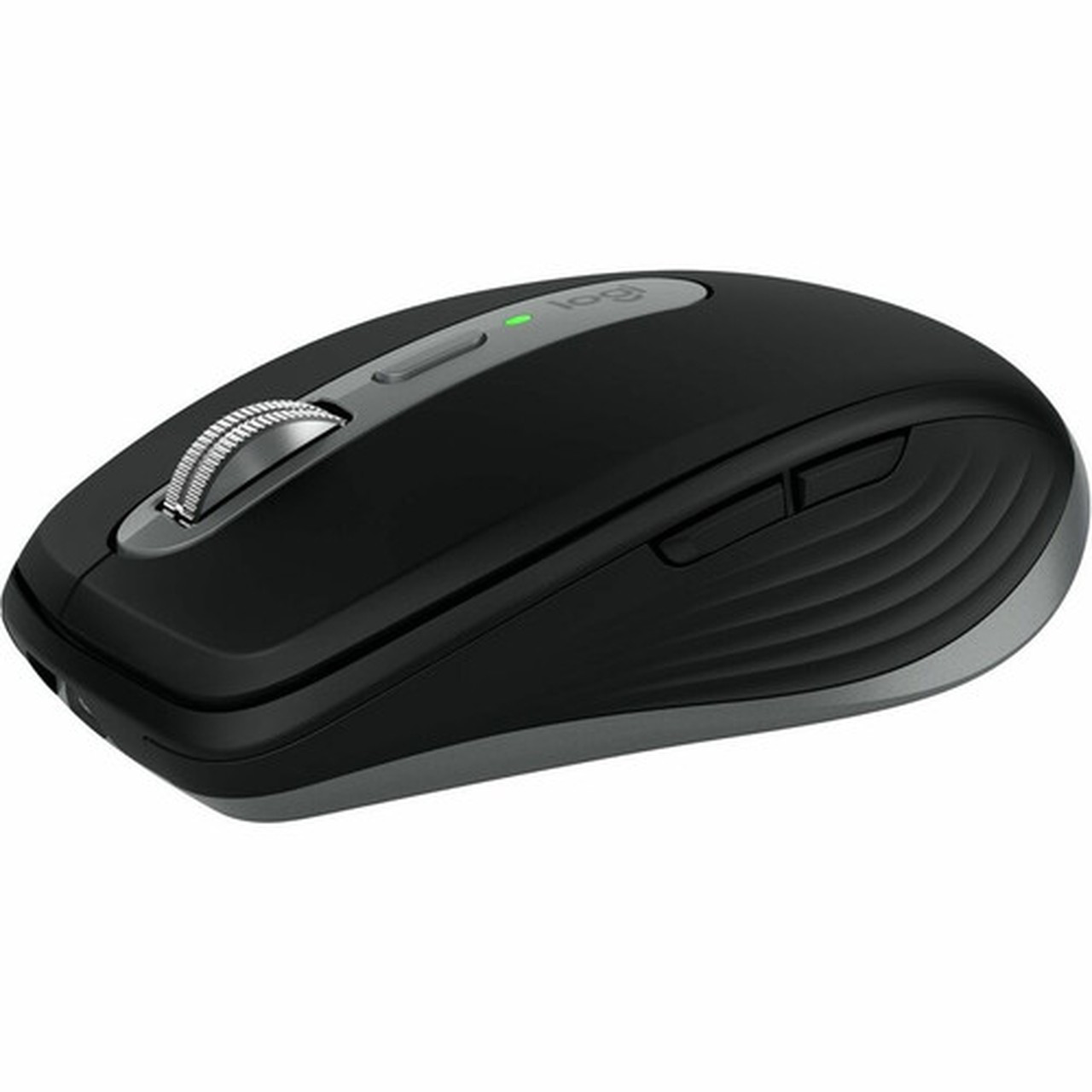

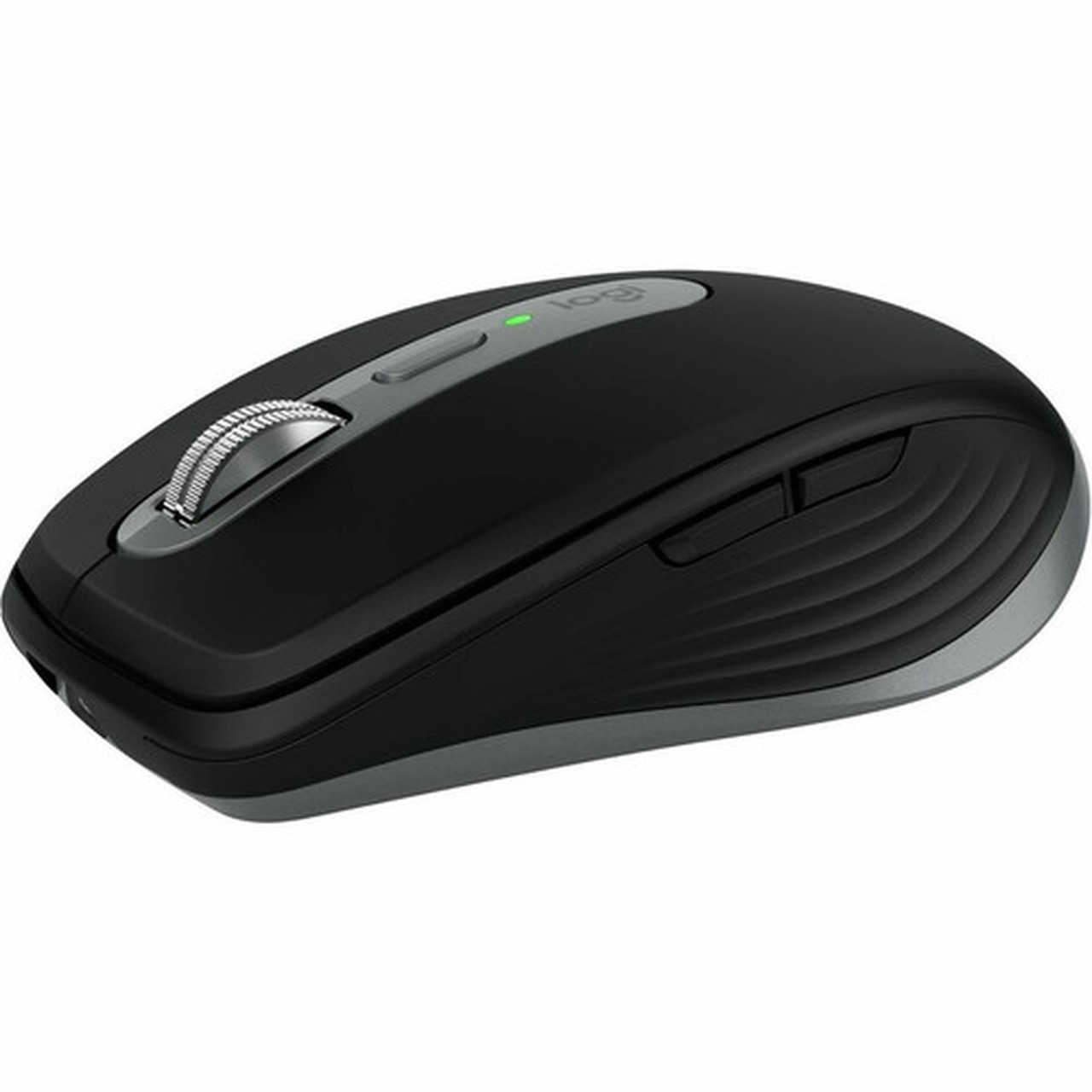
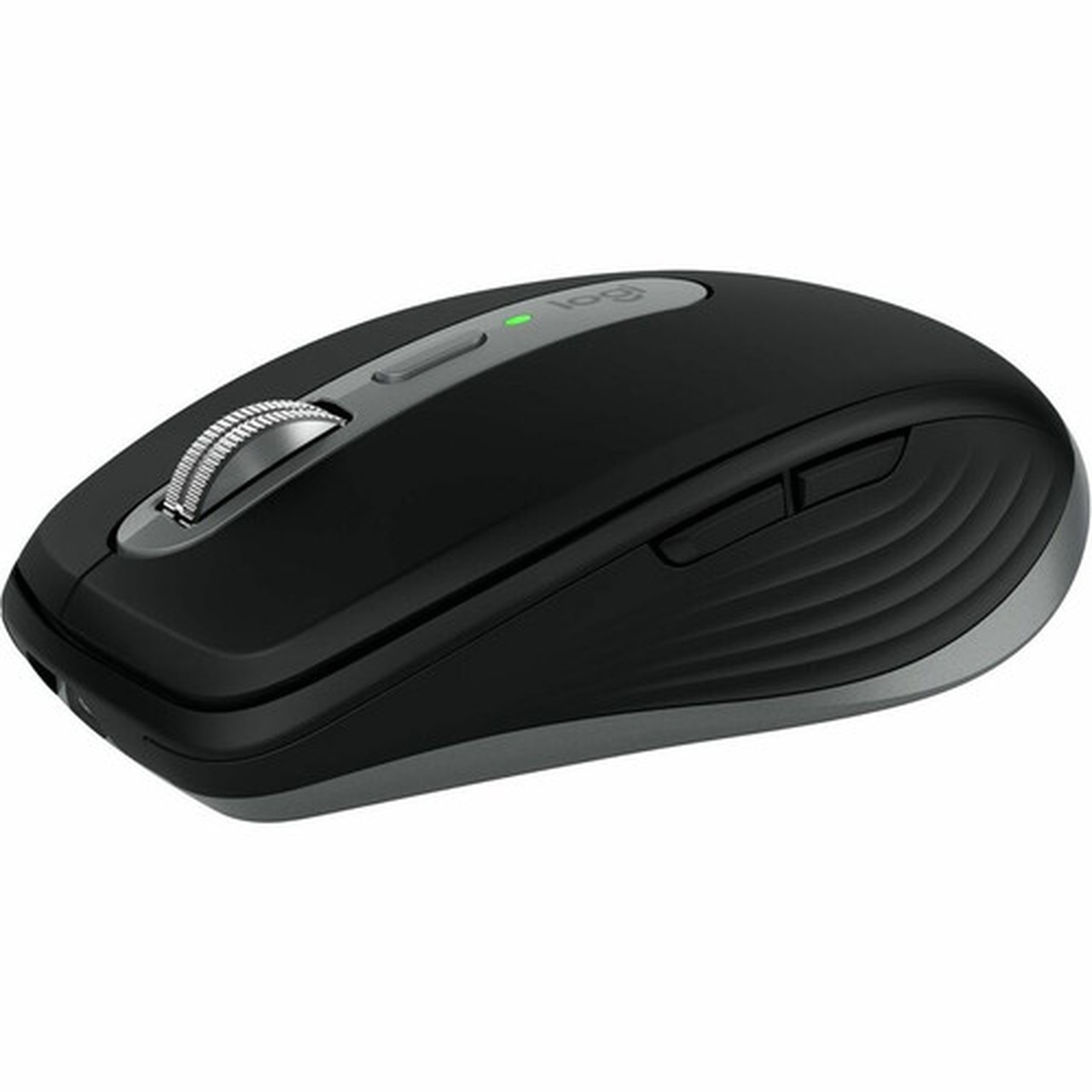
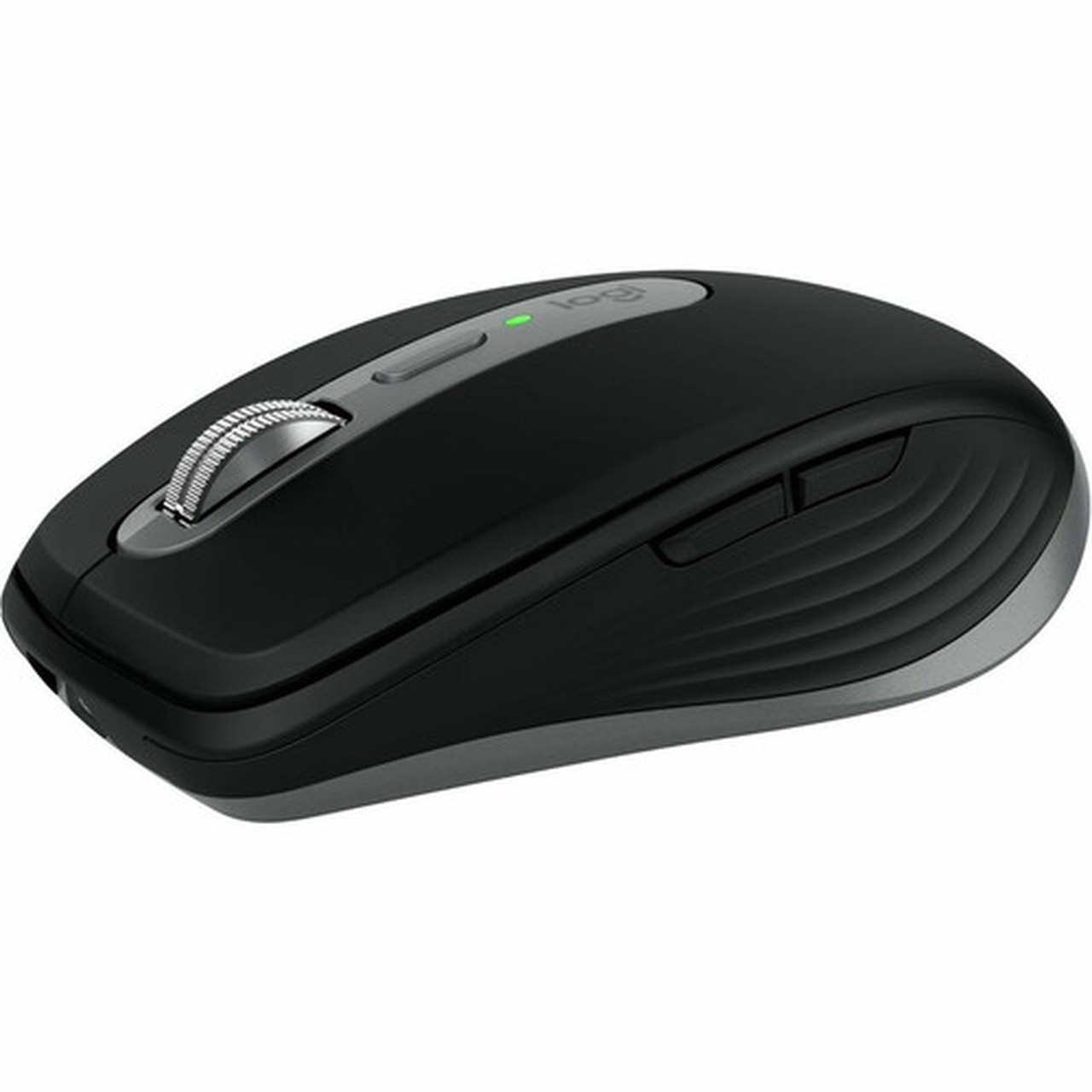







Logitech 910-006945 MX Anywhere 3S Mouse - Wireless Bluetooth - Darkfield 8000 DPI - 6-Button - Rechargeable - Space Gray ( )

Business volume discounts
Technical guidance
Preparation & staging
QC · ON · AB · BC
Product Features
Technical Overview
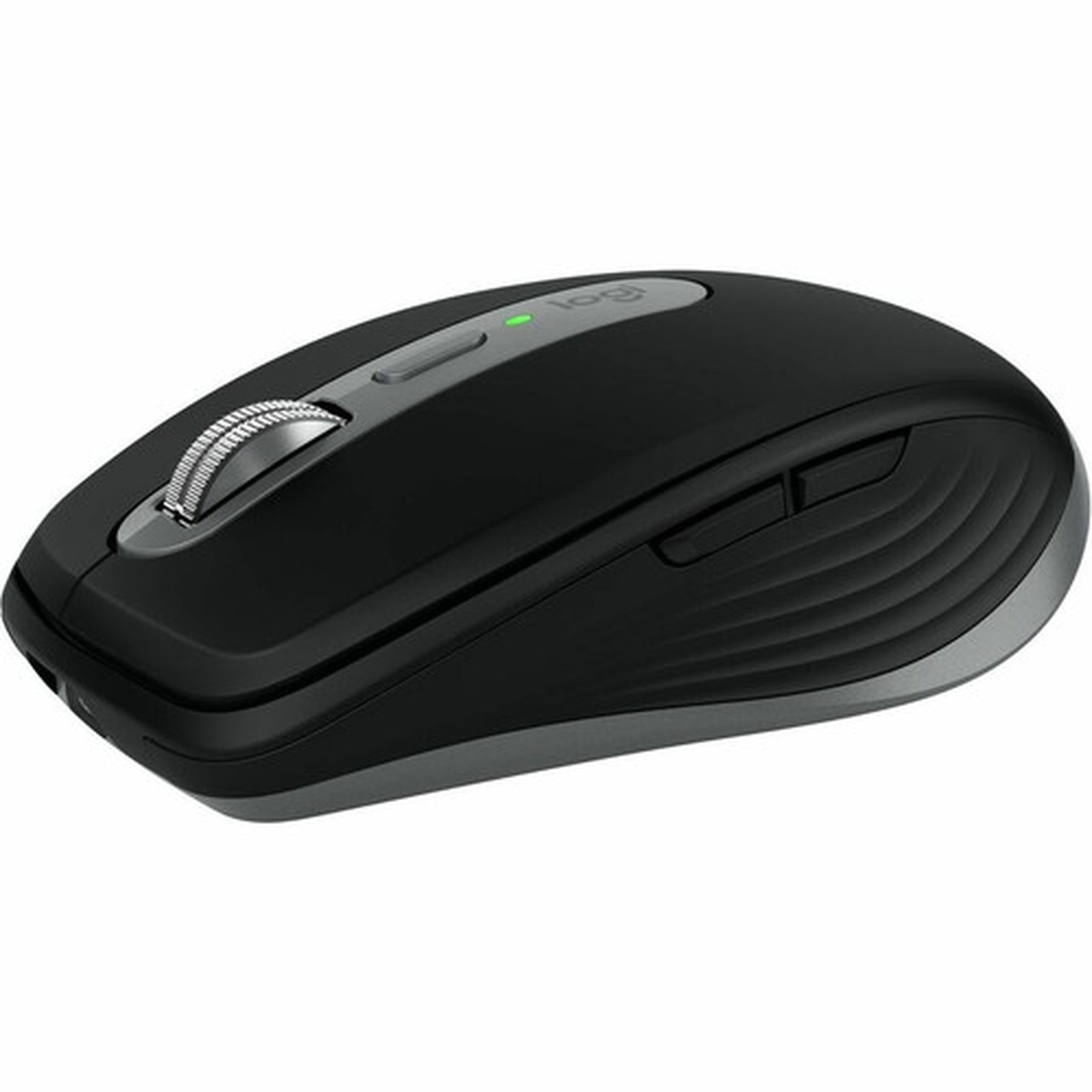
This mouse utilizes Bluetooth wireless connectivity, eliminating the need for a USB receiver and reducing desktop clutter. The Darkfield movement detection sensor provides accurate tracking on a wide range of surfaces, including glass and glossy desks, ensuring consistent performance in varied work environments.
The scroll wheel supports both vertical and horizontal scrolling, enhancing navigation in documents, web pages, and creative software. With six buttons, users can assign custom functions through Logitech Options software, tailoring the mouse to specific applications like video editing, coding, or presentation control.
Relevant factors for this section include Pointing Device Connectivity Technology, Pointing Device Wireless Technology, Movement Detection, Charging Interface. When those points are considered together, they give buyers a clearer picture of how the product is equipped, how it fits into deployment, and what kind of day-to-day role it is meant to support.
Key Product Advantages
The MX Anywhere 3S stands out with its combination of portability, precision, and platform-specific optimization. Its compact size and lightweight build make it ideal for mobile professionals, while the high-DPI Darkfield sensor ensures reliable tracking in challenging conditions.
Enhanced Scroll Wheel
The scroll wheel accelerates through long documents and supports horizontal scrolling for wide spreadsheets or timelines, reducing manual panning and improving efficiency.
- Quick zoom controls
- Smooth document navigation
- Reduces repetitive motions
Surface Versatility
Darkfield technology allows the mouse to track accurately on glossy, transparent, or uneven surfaces, eliminating the need for a mouse pad in many scenarios.
- Works on glass tables
- Consistent on shiny desks
- No pad required
Deployment / Use Cases
Designed for MacBook Pro, MacBook Air, iMac, and iPad users, this mouse integrates seamlessly into Apple-centric workflows. Its compatibility with Mac OS X 10.15 Catalina and iPadOS 14 ensures broad support across modern Apple devices, from desktop workstations to mobile tablets.
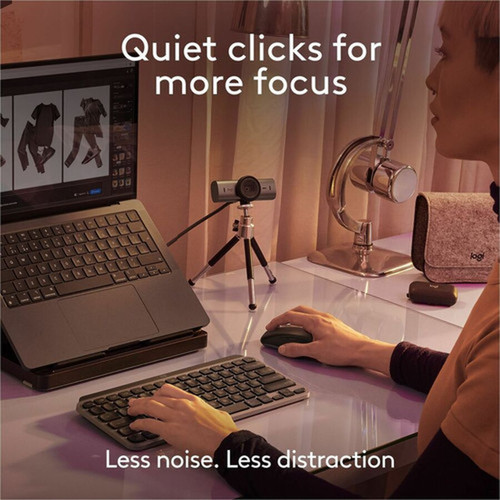
Common use cases include graphic design and photo editing, where precise cursor control and customizable buttons enhance tool access; office productivity, with efficient document scrolling and multi-tab management; and portable setups, where its compact form factor and wireless operation reduce bag bulk and cable tangles.
Creative Professionals
Ideal for designers and editors using applications like Adobe Creative Suite, where button customization and high DPI improve workflow speed and accuracy.
Mobile Office Workers
Suits frequent travelers or remote workers needing a reliable, cable-free mouse that performs well on various surfaces without extra accessories.
Physical Profile
Measuring 3.96 inches in height, 2.56 inches in width, and 1.35 inches in depth, the mouse offers a compact footprint that fits easily into laptop bags or tight desk spaces. The Space Gray finish provides a sleek, professional look that complements Apple hardware, while the lightweight 3.49-ounce build reduces hand fatigue during extended use.
The ergonomic shape supports a comfortable grip for various hand sizes, and the smooth surface ensures easy cleaning. No built-in stand or height adjustment is included, as the design prioritizes portability over desktop customization.
- Width
- 2.56" (65 mm)
- Depth
- 1.35" (34.40 mm)
- Height
- 3.96" (100.50 mm)
- Weight
- 3.49 oz (99 g)
What's in the Box
The package includes all essentials for immediate use, supporting a quick setup without additional purchases.
Highlights
- Wireless Bluetooth connectivity for cable-free operation on Mac and iPad
- Darkfield sensor tracks precisely on glass, glossy, and uneven surfaces
- 8000 DPI resolution for high-precision cursor control in detailed work
- Six programmable buttons customizable via Logitech Options software
- Rechargeable battery with USB Type-C charging for modern convenience
- Space Gray color matches Apple device aesthetics seamlessly
- Horizontal scrolling support improves navigation in wide documents
- Compact and lightweight design enhances portability for mobile users
- Compatible with Mac OS X 10.15 Catalina and iPadOS 14
- Includes USB-C charging cable and user documentation in the box
Specifications
| Specifications | |
|---|---|
| Manufacturer | Logitech |
| Manufacturer Part Number | 910-006945 |
| Brand Name | Logitech |
| Product Line | MX Anywhere 3S |
| Product Name | MX Anywhere 3S Mouse |
| Product Type | Mouse |
| Pointing Device | |
| Pointing Device Connectivity Technology | Wireless |
| Pointing Device Wireless Technology | Bluetooth |
| Movement Detection | Darkfield |
| Movement Resolution (dpi) | 8000 |
| Total Number of Buttons | 6 |
| Scroller Type | Scroll Wheel |
| Rechargeable | Yes |
| Scrolling Directions | Horizontal |
| Interfaces/Ports | |
| Charging Interface | USB Type C |
| Physical Characteristics | |
| Color Family | Gray |
| Product Color | Space Gray |
| Height | 3.96" (100.50 mm) |
| Width | 2.56" (65 mm) |
| Depth | 1.35" (34.40 mm) |
| Weight (Approximate) | 3.49 oz (99 g) |
| Miscellaneous | |
| Package Contents | MX Anywhere 3S Mouse USB-C Charging Cable (USB-C to USB-C) User Documentation |
| Device Supported | MacBook Pro,MacBook Air,iMac,iPad |
| Operating System Compatibility | Mac OS X 10.15 Catalina,iPadOS 14 |
| Platform Supported | Mac |
| Post-consumer-waste% | 78% |
| Warranty | |
| Limited Warranty | 1 Year |
FAQ
What devices is the Logitech MX Anywhere 3S Mouse compatible with?
The mouse is designed for Apple devices, including MacBook Pro, MacBook Air, iMac, and iPad. It supports Mac OS X 10.15 Catalina and iPadOS 14, ensuring full functionality with modern Apple operating systems without requiring additional drivers for basic use.
How does the Darkfield movement detection work?
Darkfield technology uses advanced sensors to track movement on low-contrast or reflective surfaces like glass, glossy desks, or polished wood. This allows the mouse to operate accurately without a mouse pad, making it versatile for various work environments where traditional optical mice might struggle.
What is the battery life and charging method for this mouse?
The mouse features a rechargeable battery charged via a USB Type-C cable included in the box. It supports use while charging, and the battery provides extended usage per full charge, though exact runtime hours are not specified in product details. The USB-C interface ensures compatibility with modern chargers and laptops.
Can I customize the buttons on the MX Anywhere 3S?
Yes, all six buttons are programmable using Logitech Options software, available for download on Mac. Users can assign specific functions, shortcuts, or application commands to each button, tailoring the mouse for tasks like video editing, coding, or office productivity to improve workflow efficiency.
Does this mouse support horizontal scrolling?
Yes, the scroll wheel includes horizontal scrolling capability, allowing users to navigate left and right in wide spreadsheets, timelines, or web pages. This feature reduces the need for manual panning and enhances productivity when working with expansive documents or creative software interfaces.
What is included in the package with the MX Anywhere 3S Mouse?
The box contains the MX Anywhere 3S Mouse in Space Gray, a USB-C to USB-C charging cable for recharging, and user documentation. No additional adapters, receivers, or cases are included, as the mouse uses Bluetooth connectivity and comes ready for use with supported Apple devices.
| Qty | Price | Available |
|---|


