










Logitech 956-000156 Logi Bolt USB-C RF Receiver - External Wireless Adapter for Mouse - Keyboard - Computer - Notebook

Business volume discounts
Technical guidance
Preparation & staging
QC · ON · AB · BC
Product Features
Technical Overview
The Logi Bolt receiver operates on a secure RF wireless protocol engineered for high performance and minimal drop-off within a 10-meter (33-foot) range. This technology ensures stable connections even in areas with significant wireless interference, providing consistent responsiveness for productivity and precision tasks.
Compatibility extends across major operating systems including Windows, macOS, Linux, and ChromeOS, offering broad deployment flexibility. The receiver pairs directly with Logi Bolt wireless mice and keyboards through a straightforward process managed via the Logi Options+ software, which provides step-by-step guidance for setup and customization.
Relevant factors for this section include Host Interface, Form Factor, Height, Width. When those points are considered together, they give buyers a clearer picture of how the product is equipped, how it fits into deployment, and what kind of day-to-day role it is meant to support.
Key Product Advantages
This receiver simplifies wireless peripheral management by consolidating connections through a single adapter, reducing USB port usage and cable clutter. Its design prioritizes reliability and security, making it suitable for both individual and enterprise environments where data integrity and consistent performance are critical.
Enhanced Productivity
Supports multi-computer workflows with Flow-enabled Logi Bolt mice, allowing seamless control across different systems without re-pairing devices.
- Move cursor between computers
- Copy-paste across devices
- Unified peripheral management
Deployment Flexibility
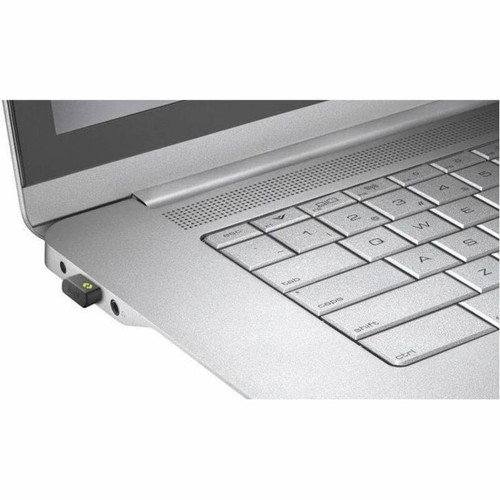
The compact, lightweight form factor and broad OS compatibility enable easy integration into diverse setups, from corporate workstations to educational labs and home offices.
- Plug-and-play installation
- Portable for mobile use
- No driver required for basic function
Deployment / Use Cases
The Logi Bolt receiver is ideal for environments where reliable wireless connectivity and reduced hardware footprint are priorities. Its ability to connect multiple peripherals to a single computer makes it efficient for shared workstations, while the secure connection ensures data protection in sensitive settings.
Common applications include corporate offices deploying standardized Logi Bolt peripherals across teams, educational institutions equipping computer labs with wireless input devices, and remote workers maintaining consistent setups across home and office locations. The receiver also serves as a practical backup for replacing lost or damaged original receivers included with Logi Bolt devices.
Physical Profile
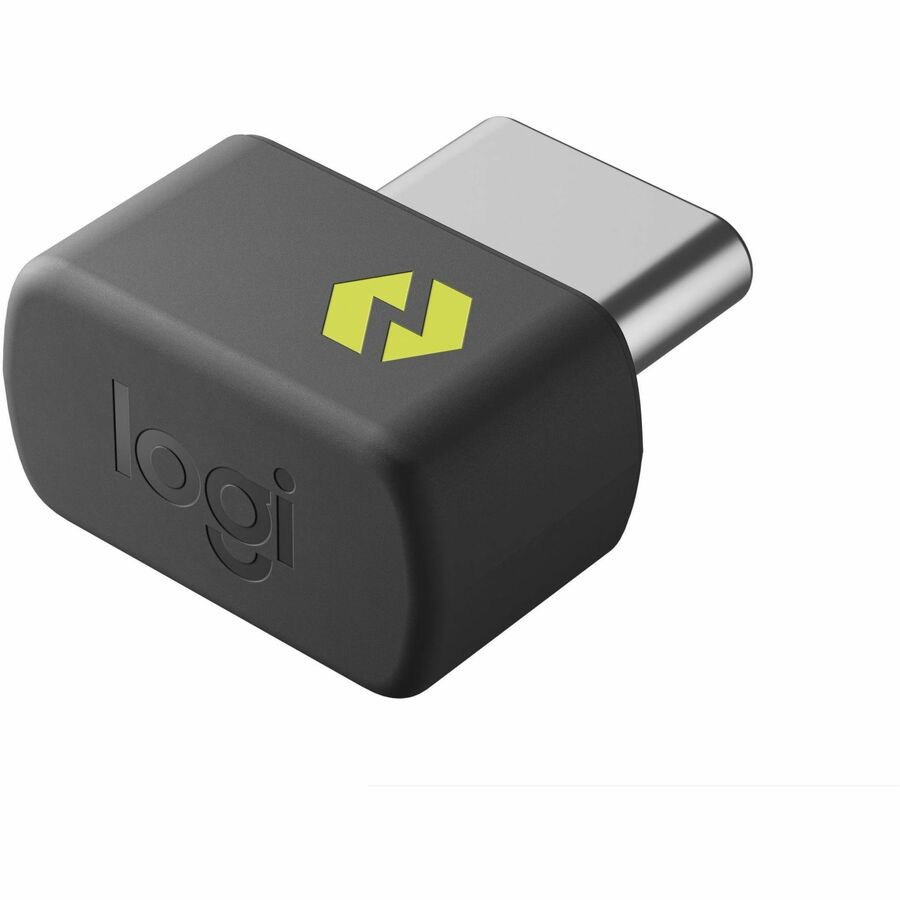
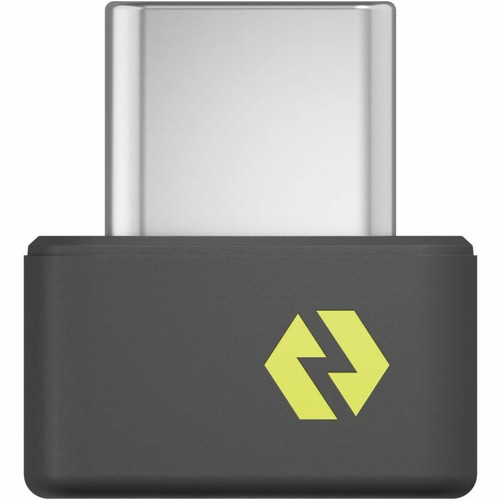
Measuring 0.51 inches wide, 0.56 inches deep, and 0.28 inches high (12.95 mm × 14.22 mm × 7.11 mm), the receiver has a minimal footprint that avoids obstructing adjacent ports. Its lightweight construction at 0.03 ounces (0.85 grams) ensures it remains securely connected without straining the USB-C port, even during transport. The external form factor allows for easy installation and removal as needed.
- Width
- 0.51" (12.95 mm)
- Depth
- 0.56" (14.22 mm)
- Height
- 0.28" (7.11 mm)
- Weight
- 0.03 oz (0.85 g)
What's in the Box
The package includes the Logi Bolt USB-C Receiver and user documentation to guide setup and usage.
Package contents include Logi Bolt USB-C Receiver User Documentation, Logi Bolt USB-C Receiver. These included items support setup, installation, and immediate deployment without needing to source the core bundled accessories separately.
Highlights
- Connect up to 6 Logi Bolt wireless keyboards and mice to one computer
- Secure RF wireless with up to 10-meter (33-foot) range in congested environments
- USB Type-C interface for modern laptops, desktops, and notebooks
- Compatible with Windows, macOS, Linux, and ChromeOS operating systems
- Enables multi-computer workflows with Flow-enabled Logi Bolt mice
- Compact external form factor (0.51" × 0.56" × 0.28") for discreet installation
- Easy pairing via Logi Options+ app with step-by-step instructions
- 1-year limited warranty for added reliability assurance
Specifications
| Specifications | |
|---|---|
| Manufacturer | Logitech |
| Manufacturer Part Number | 956-000156 |
| Brand Name | Logitech |
| Product Line | Logi Bolt |
| Product Name | Logi Bolt USB-C Receiver |
| Product Type | RF Receiver |
| Interfaces/Ports | |
| Host Interface | USB Type C |
| Physical Characteristics | |
| Form Factor | External |
| Height | 0.28" (7.11 mm) |
| Width | 0.51" (12.95 mm) |
| Depth | 0.56" (14.22 mm) |
| Weight (Approximate) | 0.03 oz (0.85 g) |
| Miscellaneous | |
| Package Contents | Logi Bolt USB-C Receiver User Documentation |
| Device Supported | Mouse,Keyboard,Computer,Notebook |
| Warranty | |
| Limited Warranty | 1 Year |
FAQ
How many devices can I connect to this Logi Bolt receiver?
The Logi Bolt USB-C Receiver supports up to six Logi Bolt wireless keyboards and mice simultaneously on a single computer. This consolidation eliminates the need for multiple USB receivers, reducing port usage and simplifying peripheral management in workspace setups.
What operating systems are compatible with this receiver?
This receiver is compatible with Windows, macOS, Linux, and ChromeOS. This broad OS support ensures flexibility across different computing environments, from corporate Windows deployments to educational Chromebooks and developer workstations running Linux distributions.
What is the wireless range of the Logi Bolt receiver?
The receiver delivers a secure, reliable wireless connection up to 10 meters (33 feet), even in congested wireless environments. This range accommodates typical office and home setups, maintaining stable performance for productivity tasks without signal drop-off.
Can I use this receiver as a backup for my existing Logi Bolt device?
Yes, this receiver serves as an ideal backup replacement if the original receiver included with your Logi Bolt wireless device is lost or damaged. It also enables multi-computer use by allowing you to connect the same peripherals to two different computers with strong, secure Logi Bolt connections on both devices.
How do I pair this receiver with Logi Bolt peripherals?
Pairing is managed through the Logi Options+ app. Visit logi.com/optionsplus to download the software, then follow the step-by-step on-screen instructions to pair your Logi Bolt wireless mice and keyboards. The app guides you through the process for straightforward setup.
What are the physical dimensions and weight of this receiver?
The receiver measures 0.51 inches wide, 0.56 inches deep, and 0.28 inches high (12.95 mm × 14.22 mm × 7.11 mm), with an approximate weight of 0.03 ounces (0.85 grams). This compact, lightweight design ensures minimal port obstruction and secure connection during transport.
| Qty | Price | Available |
|---|


