













Plugable UD-CUBE USB 3.1 Gen 1 Type-C Docking Station - 4K HDMI - Gigabit Ethernet - 4 USB Ports

Business volume discounts
Technical guidance
Preparation & staging
QC · ON · AB · BC
Product Features
Technical Overview
This docking station utilizes USB 3.1 Gen 1 Type-C with Alternate Mode to establish a direct connection to your host system's graphics processor. This architecture enables native display performance up to 4K resolution at 60Hz through the HDMI output, matching the capabilities of your laptop's GPU.
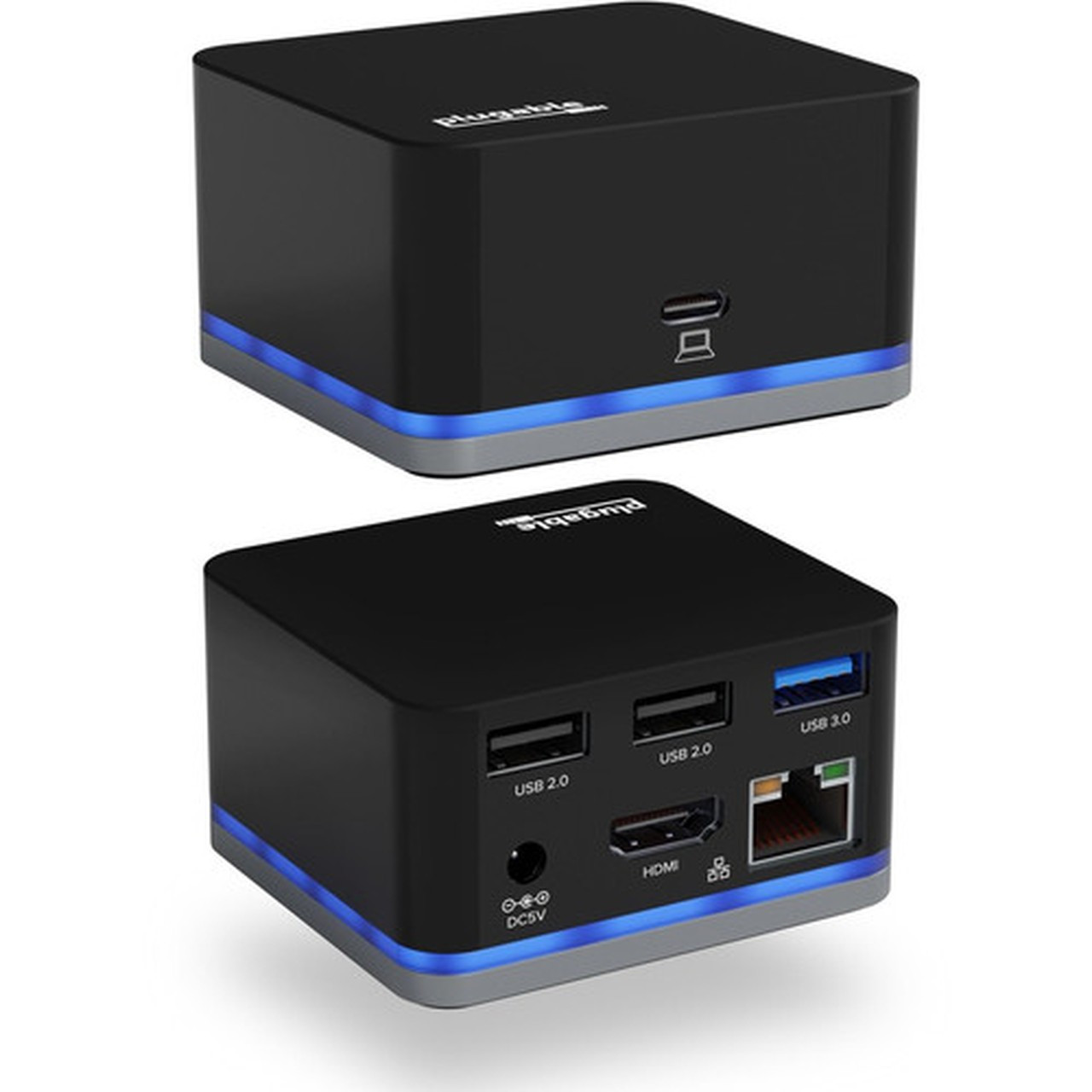
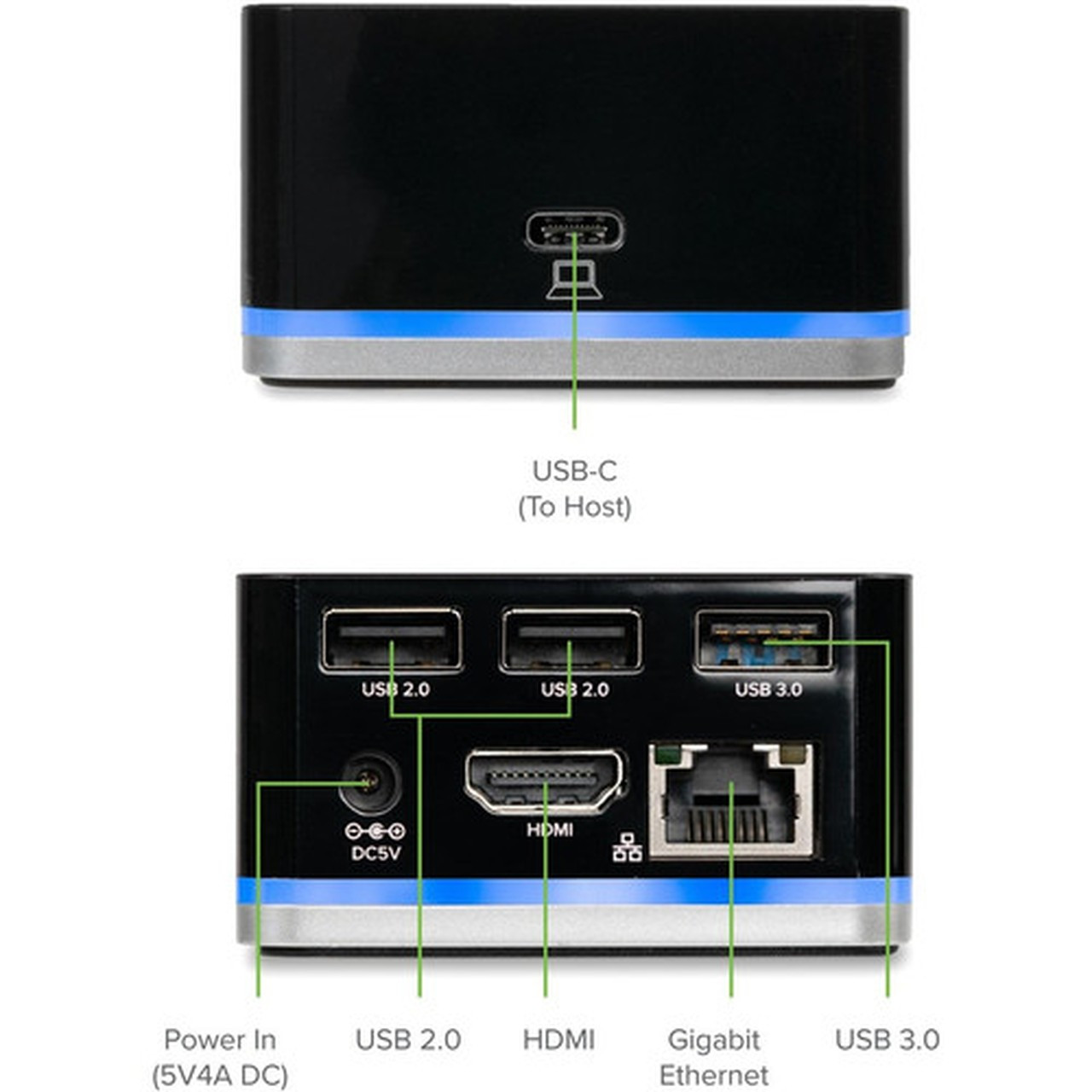
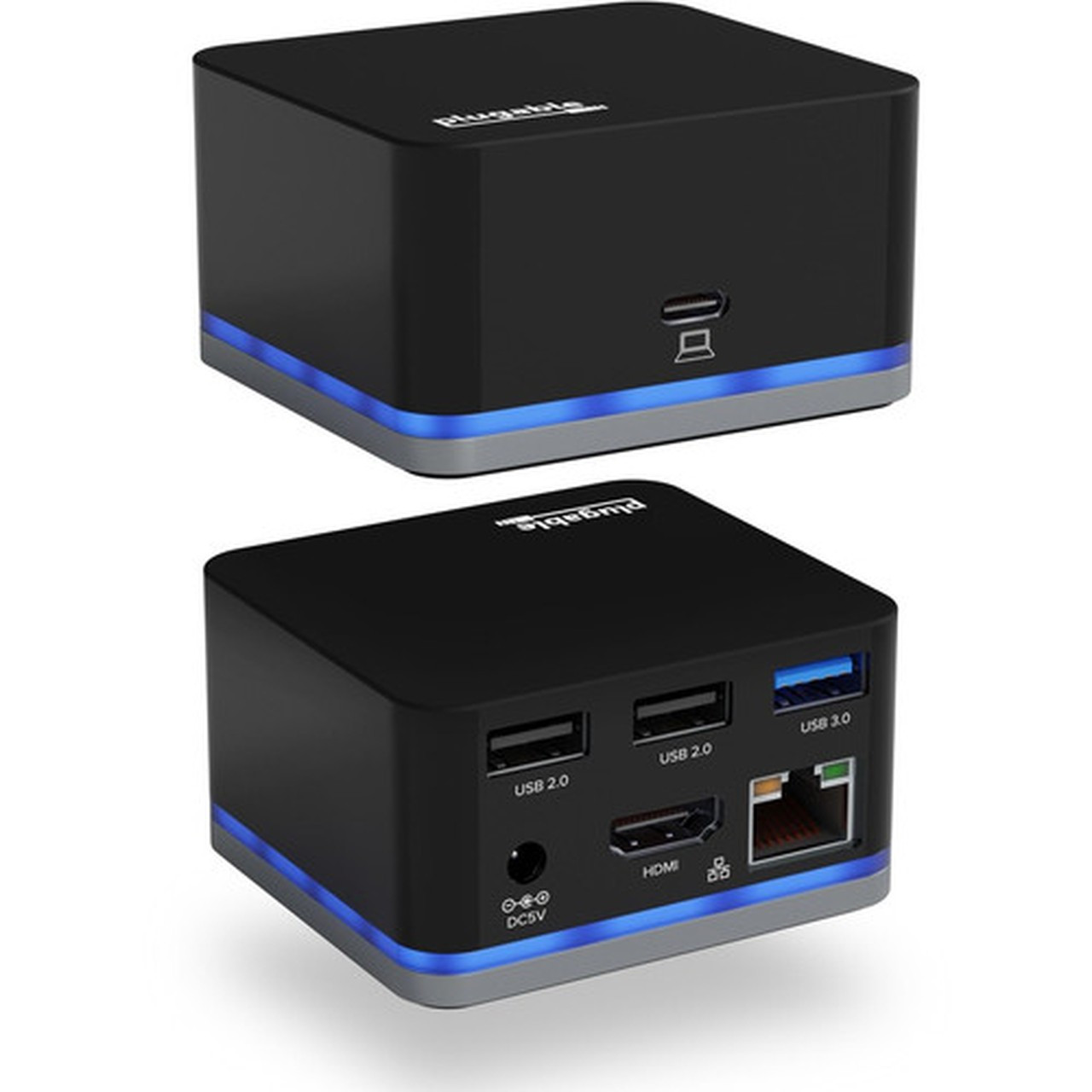
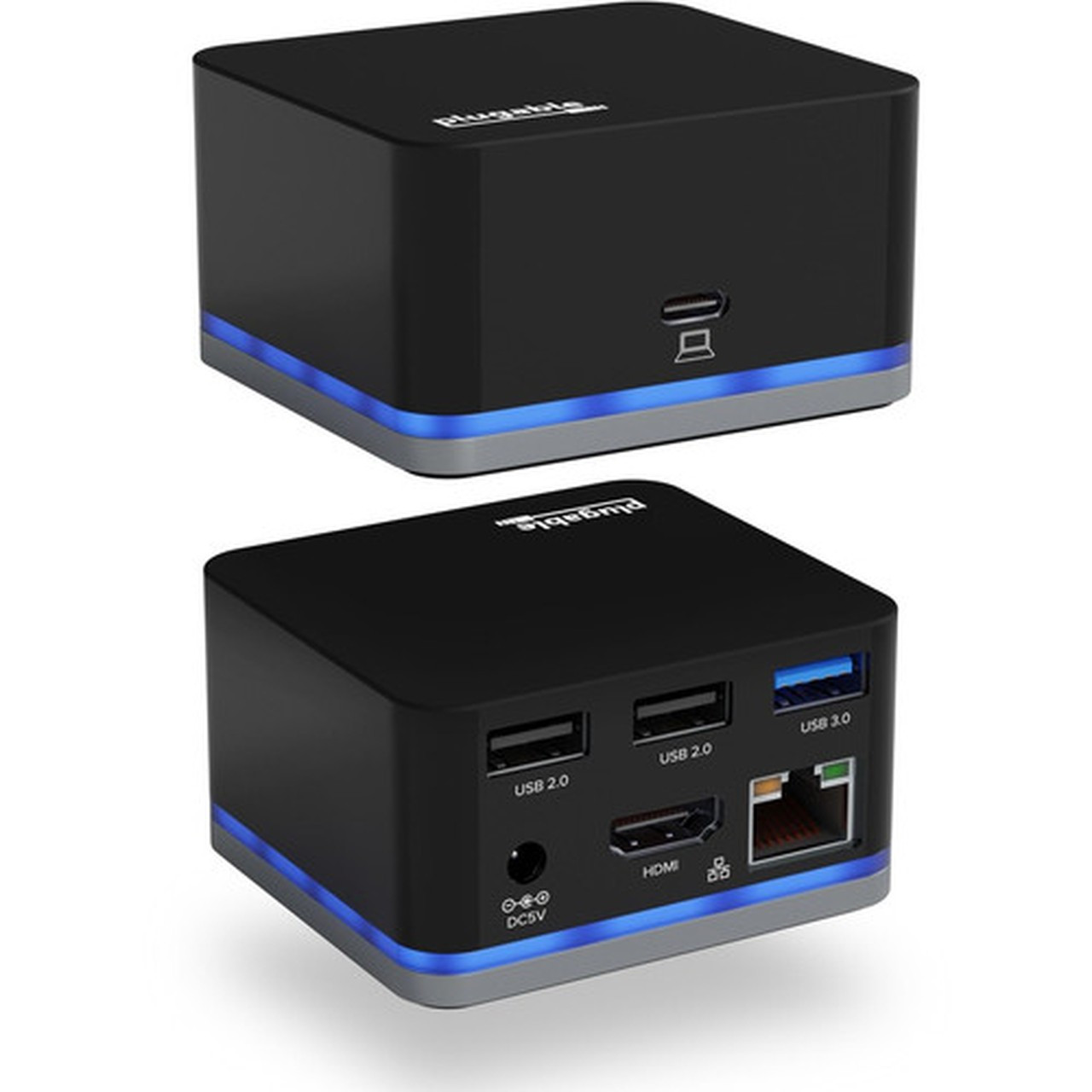
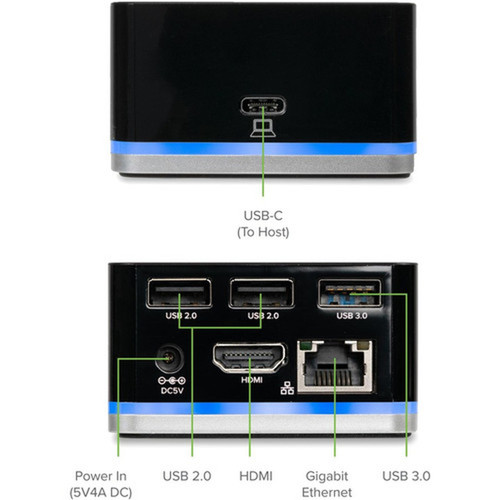
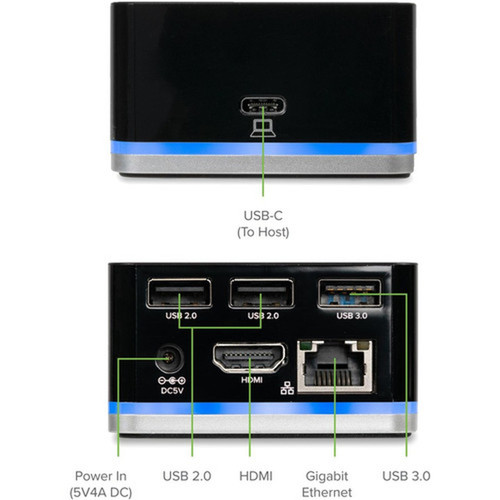
The port configuration includes two USB 2.0 ports for keyboards, mice, and other low-bandwidth devices, plus one USB 3.0 port for faster external storage. A dedicated USB Type-C port provides additional connectivity, while the gigabit Ethernet port delivers reliable wired network access.
Relevant factors for this section include Connectivity Technology, Supported Resolutions, Screen Mode Supported, Ethernet Technology. When those points are considered together, they give buyers a clearer picture of how the product is equipped, how it fits into deployment, and what kind of day-to-day role it is meant to support.
Key Product Advantages
The UD-CUBE stands out through its balanced combination of essential connectivity and practical design. Unlike basic USB-C hubs, it includes its own power supply to maintain stable operation across all connected devices without compromising laptop battery life.
Compact Portability
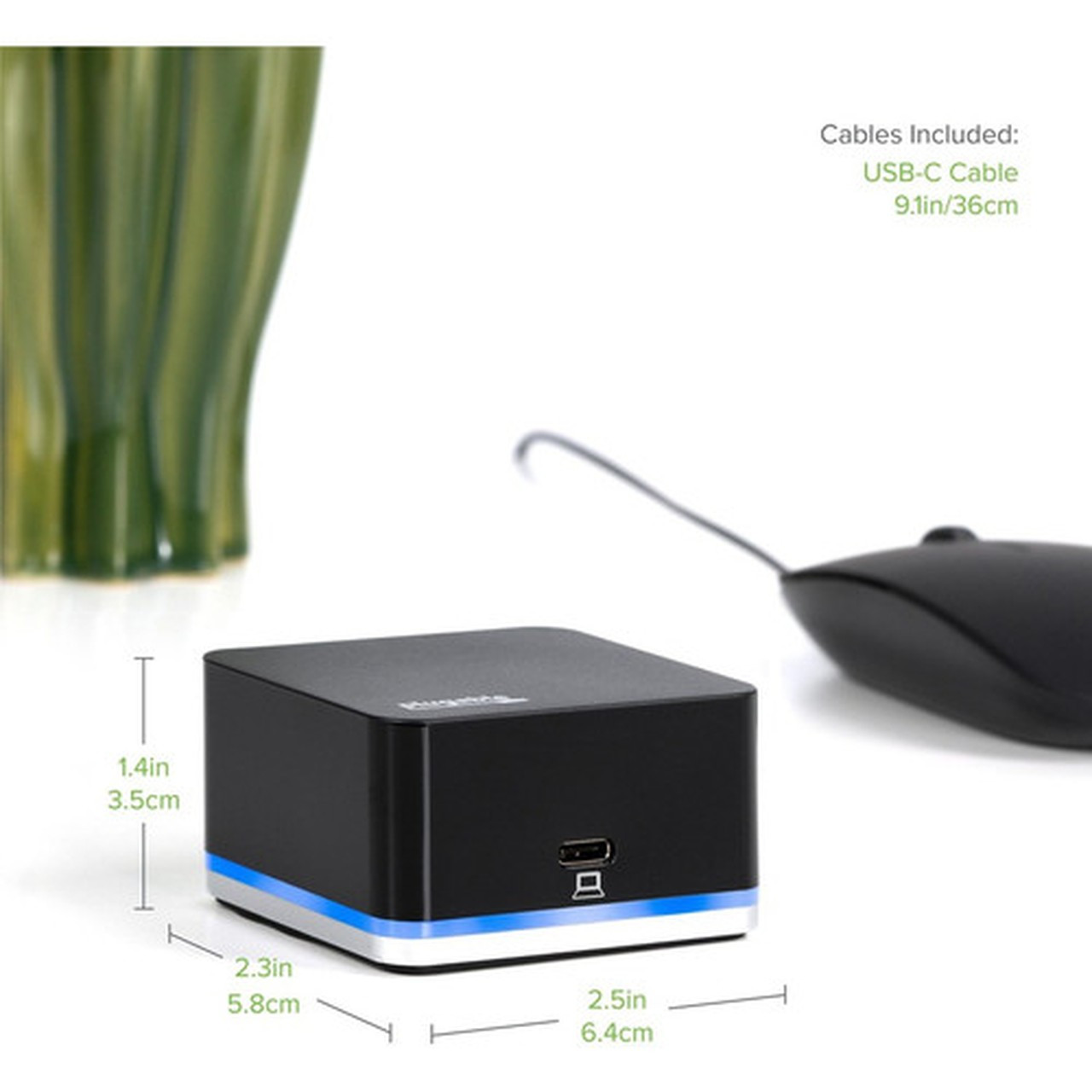
Weighing just 130 grams with dimensions smaller than a smartphone, this dock easily fits in laptop bags for conference rooms, client sites, or coworking spaces.
- Cube form factor saves desk space
- Lightweight construction for travel
- Sleek professional appearance
Display Flexibility
Support for multiple resolutions allows compatibility with various monitors, from 1080p office displays to 4K creative workstations.
- 4K at 60Hz through HDMI
- Downscales to lower resolutions
- Single monitor configuration
Deployment / Use Cases
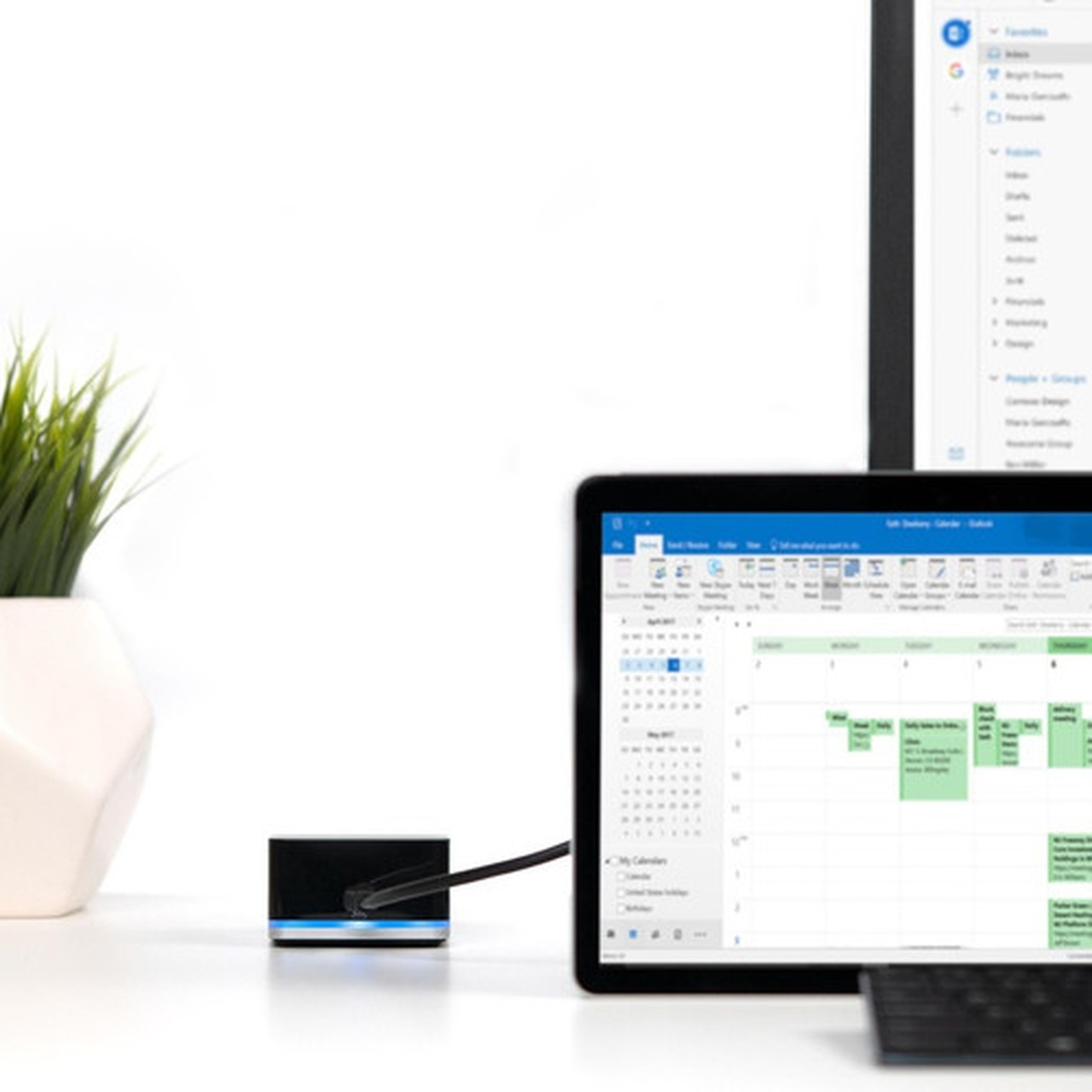
This docking station excels in environments where users need to quickly connect their laptops to full workstation peripherals. The plug-and-play functionality requires no drivers for most operating systems, enabling immediate productivity upon connection.
Common deployment scenarios include hot-desking setups where employees move between workstations, conference rooms requiring quick presentation connectivity, and home offices needing a single-cable solution for monitor, network, and accessories.
Mobile Professional Setup
Ideal for consultants, sales personnel, and remote workers who frequently change locations but need consistent peripheral access.
- One-cable connection to all devices
- Fits in laptop compartment
- Works with MacBook, Surface, and XPS models
Temporary Workstation Creation
Perfect for creating instant workstations in meeting rooms, training facilities, or temporary office spaces without permanent infrastructure.
- Eliminates cable clutter
- Supports video conferencing setups
- Compatible with most modern laptops
Physical Profile
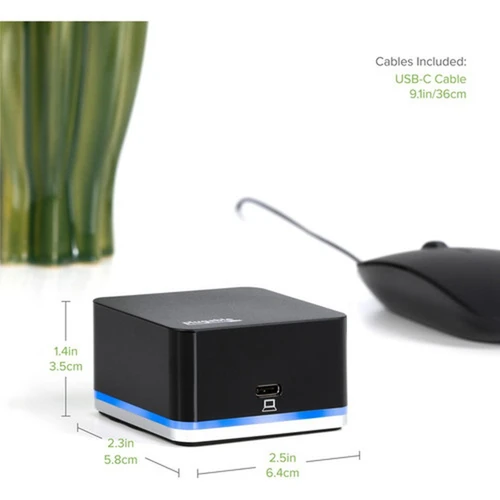
The cube-shaped enclosure measures 2.50 inches wide by 1.40 inches high, with a weight under 5 ounces. This compact design allows placement directly on desks, behind monitors, or mounted discreetly under work surfaces. The matte finish resists fingerprints while maintaining professional aesthetics suitable for corporate environments.
The physical profile is practical for deployment planning because the dimensions and weight are clearly defined: 1.40" (35.56 mm), 2.50" (63.50 mm), 4.60 oz (130.41 g). This helps confirm rack, shelf, desk, or cabinet fit before installation.
- Width
- 2.50" (63.50 mm)
- Height
- 1.40" (35.56 mm)
- Weight
- 4.60 oz (130.41 g)
What's in the Box
The package includes everything needed for immediate deployment without additional purchases.
Highlights
- Connects USB-C laptops to 4K HDMI displays at 60Hz refresh rate
- Includes gigabit Ethernet port for reliable wired networking
- Provides four USB ports (2x USB 2.0, 1x USB 3.0, 1x USB-C)
- Compact cube design measures just 2.5" x 1.4" and weighs 130g
- Self-powered with included 20W adapter prevents laptop battery drain
- Compatible with Windows, macOS, and ChromeOS operating systems
- Supports USB-C Alternate Mode for direct GPU connection
- Ideal for mobile professionals needing quick workstation setup
- Works with MacBook Pro, Surface Book, Dell XPS, and HP Spectre models
- Backed by 2-year limited warranty with Seattle-based engineering support
Specifications
| Specifications | |
|---|---|
| Manufacturer | Plugable Technologies |
| Manufacturer Part Number | UD-CUBE |
| Brand Name | Plugable |
| Product Name | Docking Station |
| Packaged Quantity | 1 |
| Product Type | Docking Station |
| Technical Information | |
| Connectivity Technology | Wired |
| Supported Resolutions | 3840 x 2160,2560 x 1440,1920 x 1080 |
| Screen Mode Supported | 4K |
| Device Supported | Desktop PC,Notebook |
| Network & Communication | |
| Ethernet Technology | Gigabit Ethernet |
| Interfaces/Ports | |
| Host Interface | USB 3.1 (Gen 1) Type C |
| Number of USB 2.0 Ports | 2 |
| Number of USB 3.0 Ports | 1 |
| Number of USB Type-C Ports | 1 |
| USB Type-C | Yes |
| USB Type-A | Yes |
| Number of RJ-45 Ports | 1 |
| Network (RJ-45) | Yes |
| Number of HDMI Ports | 1 |
| HDMI | Yes |
| Thunderbolt | Yes |
| Software | |
| Operating System Supported | Windows,ChromeOS,macOS |
| Physical Characteristics | |
| Height | 1.40" (35.56 mm) |
| Width | 2.50" (63.50 mm) |
| Weight (Approximate) | 4.60 oz (130.41 g) |
| Miscellaneous | |
| Package Contents | Docking Station USB 3.1 Type-C to Type-C Cable Power Adapter (20W 5V/4A, UL60950-1) Quick Start Guide |
FAQ
What display resolutions does this docking station support?
The Plugable UD-CUBE supports three primary resolutions through its HDMI output: 4K UHD (3840 x 2160), QHD (2560 x 1440), and Full HD (1920 x 1080). It delivers 4K at 60Hz refresh rate when connected to compatible displays and host systems. The docking station automatically negotiates the optimal resolution based on your monitor's capabilities and your laptop's graphics processor.
Which laptops are compatible with this USB-C dock?
This docking station requires laptops with USB-C ports that support Alternate Mode for video transmission. Compatible models include 2018 and newer MacBook Pro, 12-inch Retina MacBook, Microsoft Surface Book 2, HP Spectre x360 13-inch, and Dell XPS models (9360, 9560, 9370, 9380). The dock works with Windows 10/11, macOS, and ChromeOS systems that meet these USB-C specifications.
Does this docking station charge my laptop?
No, the Plugable UD-CUBE does not provide charging power to connected laptops. It includes its own 20W power adapter to operate the dock and connected peripherals without draining your laptop's battery. You will need to use your laptop's original charger simultaneously if you require charging while using the docking station.
What types of USB devices can I connect simultaneously?
You can connect up to four USB devices concurrently: two USB 2.0 ports for keyboards, mice, or webcams; one USB 3.0 port for external hard drives or flash drives; and one USB Type-C port for additional peripherals. The docking station's self-powered design ensures stable operation across all connected devices without performance degradation.
Can I connect multiple monitors to this docking station?
The UD-CUBE supports a single HDMI monitor output only. It does not support multiple monitor configurations or DisplayPort connections. For single-display setups requiring 4K resolution, this dock provides excellent performance, but users needing multiple monitors should consider dual-display docking stations instead.
What is included in the warranty and support package?
Plugable provides a 2-year limited warranty covering parts and labor for manufacturing defects. Their Seattle-based support team includes engineers involved in product design, offering technical assistance both before and after purchase. This direct engineering support ensures accurate compatibility guidance and troubleshooting for your specific laptop and peripheral configuration.
| Qty | Price | Available |
|---|


