









Shipping included*
Exclusions
Additional shipping fees may apply in rare circumstances for deliveries outside standard service areas. In most cases, this only potentially affects shipments to the Northwest Territories and Yukon, as well as certain heavy or oversized items.
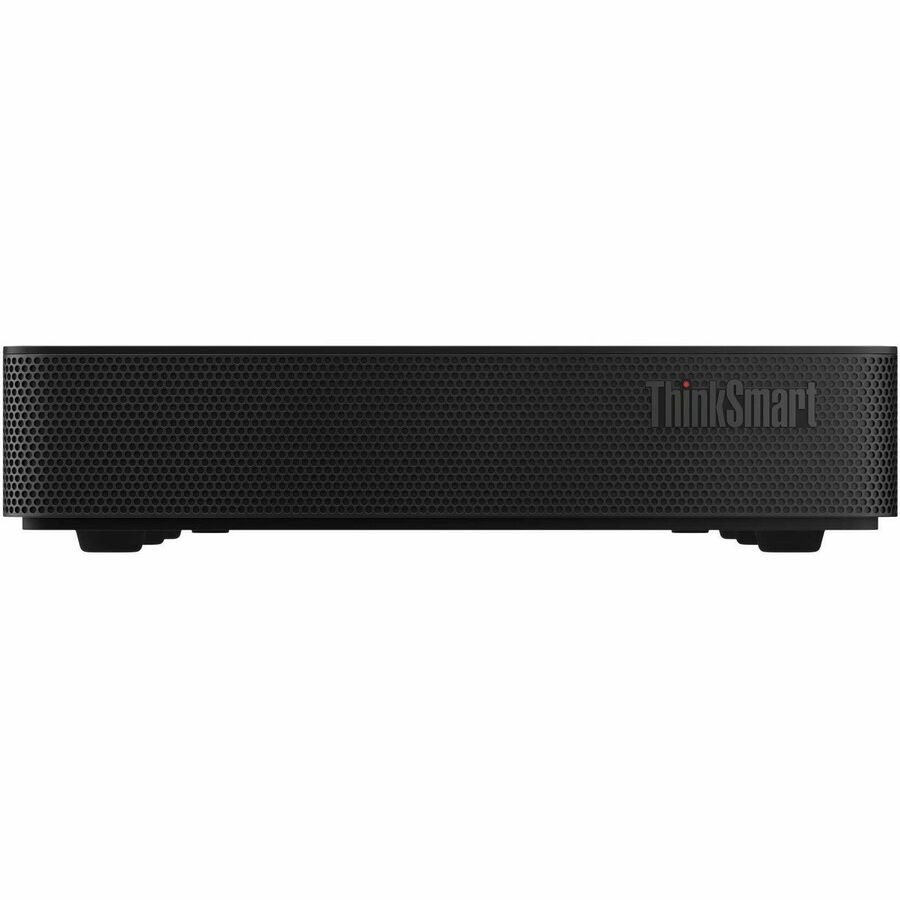
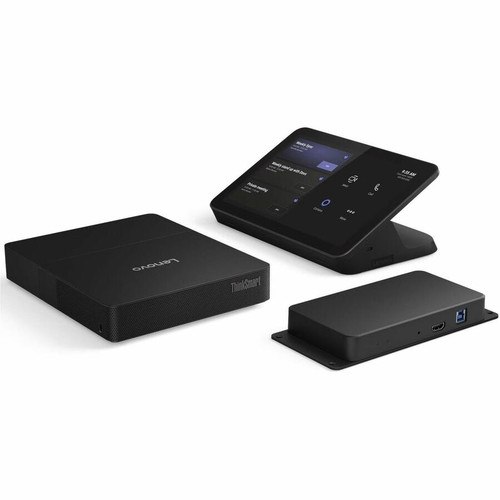
Lenovo 12WYS00700 ThinkSmart Core Gen 2+IPCTRL X MTR - Windows 11 IoT 64 AI-Powered Video Conference Controller with IntelliFrame

Business volume discounts
Technical guidance
Preparation & staging
QC · ON · AB · BC
Product Features
Product Overview
The Lenovo ThinkSmart Core Gen 2+IPCTRL X MTR is a dedicated video conference controller engineered for modern meeting spaces. This unit integrates AI-powered capabilities with the Microsoft Teams platform to deliver a streamlined and intelligent collaboration experience.
Designed as a centralized control point, it simplifies room management and enhances video conferencing workflows. The device supports Windows 11 IoT 64, providing a stable and secure operating environment for continuous operation in professional settings.
This section brings together practical product details such as AI-powered, AI Features, Operating System Supported, so buyers can judge configuration, deployment fit, and day-to-day suitability with less guesswork.
Technical Overview
This controller leverages AI technology, specifically IntelliFrame, to optimize meeting interactions. It operates on the Windows 11 IoT 64 edition, which is tailored for embedded and dedicated devices, ensuring reliability and long-term support.
The hardware is purpose-built for video conferencing applications, focusing on seamless integration with Microsoft Teams. This alignment ensures compatibility with enterprise communication ecosystems and simplifies deployment in Teams-centric environments.
This section brings together practical product details such as AI-powered, AI Features, Operating System Supported, so buyers can judge configuration, deployment fit, and day-to-day suitability with less guesswork.
A strong technical summary explains how the product's interfaces, hardware profile, and operating characteristics work together in real deployment. Buyers often need this context to confirm compatibility with existing devices, expected performance in daily use, and whether installation will be straightforward for IT staff or end users.
Key Product Advantages
The ThinkSmart Core Gen 2+IPCTRL X MTR offers distinct advantages for organizations investing in smart meeting room infrastructure.
AI-Enhanced Meetings
IntelliFrame AI features improve video framing and participant focus, making remote interactions more engaging and professional.
- Automated framing
- Enhanced participant visibility
Platform Integration
Native support for Microsoft Teams reduces setup complexity and ensures feature parity with the platform's latest updates.
- Seamless Teams compatibility
- Reduced configuration time
Dedicated Operation
Running on Windows 11 IoT 64 provides a stable, secure, and optimized environment for continuous conferencing use without desktop OS overhead.
- Reliable performance
- Enhanced security
Deployment / Use Cases
This controller is ideal for dedicated meeting rooms, huddle spaces, and training facilities where consistent video conferencing performance is critical. It serves as the central hub for Teams-based collaboration, managing audio, video, and control functions.
Common deployments include corporate conference rooms, educational classrooms, and healthcare consultation spaces. The device supports both scheduled and ad-hoc meetings, integrating with room scheduling systems and peripheral devices like cameras, microphones, and displays.
Corporate Conference Rooms
Provides a unified control interface for medium to large meeting spaces, simplifying operation for employees and reducing IT support calls.
Education & Training
Enables interactive virtual classrooms and training sessions with AI-enhanced video, improving engagement for remote participants.
Highlights
- AI-powered with IntelliFrame for smarter meeting interactions
- Runs Windows 11 IoT 64 for stable, dedicated operation
- Native Microsoft Teams integration simplifies deployment
- Designed for meeting space and video conferencing applications
- Centralized control unit for streamlined room management
- Enhances remote collaboration with automated video framing
- Supports enterprise-grade security and reliability
- Ideal for corporate, education, and healthcare environments
Specifications
| Specifications | |
|---|---|
| Manufacturer | Lenovo Group Limited |
| Manufacturer Part Number | 12WYS00700 |
| Brand Name | Lenovo |
| Product Line | ThinkSmart Core Gen 2 |
| Product Name | ThinkSmart Core Gen 2 Video Conference Equipment |
| Product Type | Video Conference Equipment |
| Technical Information | |
| AI-powered | Yes |
| AI Features | IntelliFrame |
| Operating System | |
| Operating System Supported | Windows 11 |
| Miscellaneous | |
| Application/Usage | Meeting Space,Video Conferencing |
| Unified Communications Platform | Microsoft Teams |
User Manual
FAQ
What is the primary use of the ThinkSmart Core Gen 2+IPCTRL X MTR?
This device is a dedicated video conference controller designed for meeting spaces and video conferencing. It integrates with Microsoft Teams to provide centralized control and AI-enhanced features, making it ideal for conference rooms, huddle spaces, and training facilities where seamless collaboration is essential.
Does this controller support AI features?
Yes, it is AI-powered and includes IntelliFrame technology. This AI functionality automates video framing and enhances participant visibility during meetings, improving the overall engagement and professionalism of remote interactions without manual adjustments.
Which operating system does it run?
It runs Windows 11 IoT 64, a specialized edition of Windows 11 tailored for embedded and dedicated devices. This OS provides a stable, secure, and optimized environment for continuous operation in professional settings, ensuring reliability and long-term support.
Is it compatible with Microsoft Teams?
Yes, it has native integration with Microsoft Teams as its unified communications platform. This compatibility ensures seamless operation with Teams features, reduces setup complexity, and aligns with enterprise communication ecosystems for streamlined deployment.
What are the key applications for this device?
The primary applications are meeting spaces and video conferencing. It is designed for environments like corporate conference rooms, educational classrooms, and healthcare consultation spaces where consistent, high-quality collaboration and centralized control are required.
How does IntelliFrame enhance video conferencing?
IntelliFrame uses AI to automatically frame participants and optimize video during meetings. This enhances engagement by ensuring clear visibility of speakers, reducing distractions, and creating a more professional meeting experience without requiring manual camera adjustments.
| Qty | Price | Available |
|---|


