








Shipping included*
Exclusions
Additional shipping fees may apply in rare circumstances for deliveries outside standard service areas. In most cases, this only potentially affects shipments to the Northwest Territories and Yukon, as well as certain heavy or oversized items.
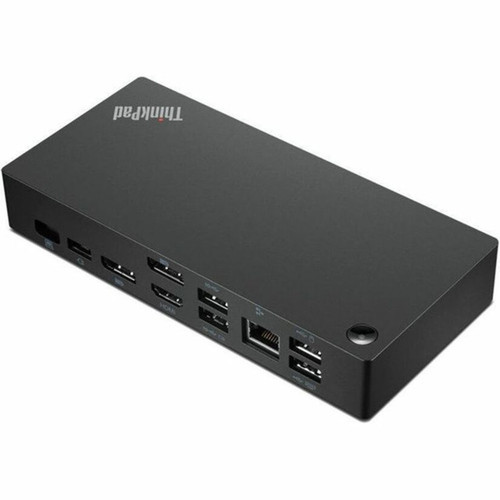
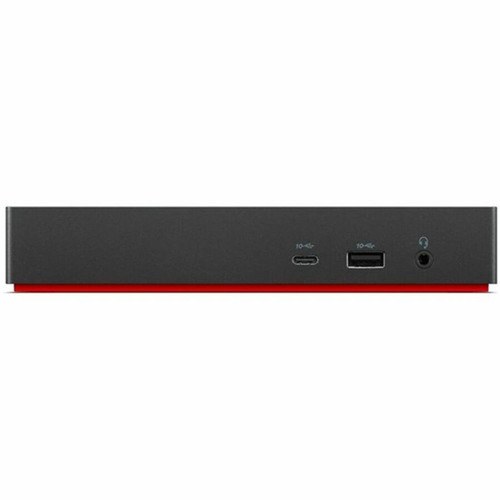
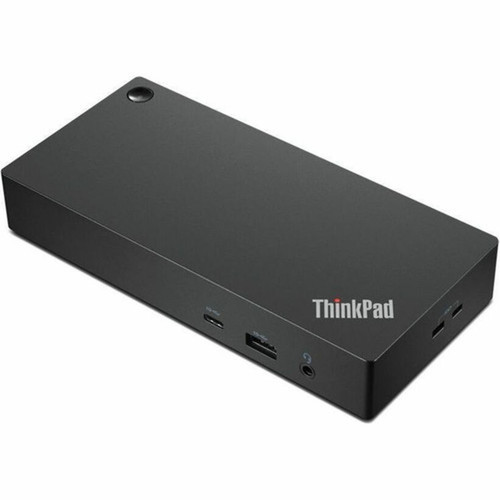
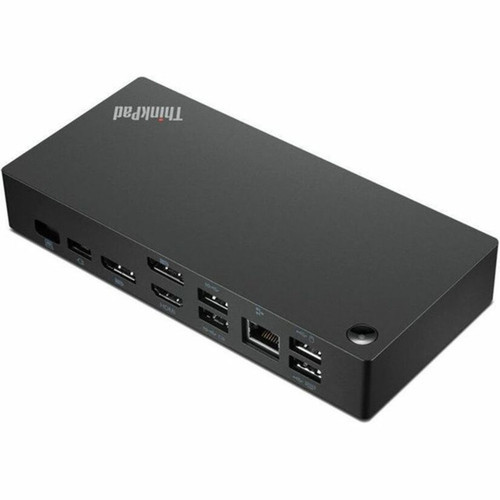
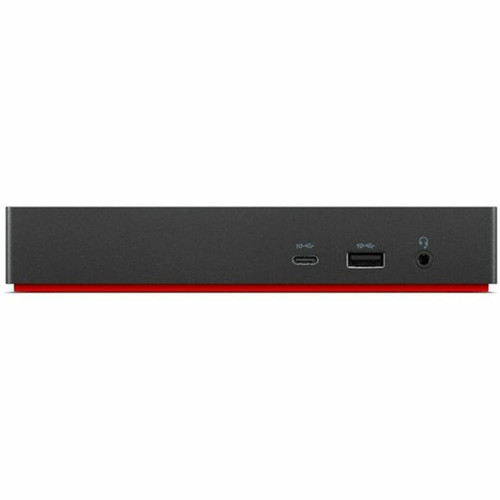
Lenovo 40AY0135US ThinkPad Universal USB-C Docking Station - 135W Power - 3 x 4K Display Support - Gigabit Ethernet - 11+ Ports

Business volume discounts
Technical guidance
Preparation & staging
QC · ON · AB · BC
Product Features
Technical Overview
This docking station features a USB Type-C host interface that carries data, video, and power through a single connection. The display subsystem supports triple-monitor configurations at 4K UHD resolution (3840 x 2160) with 60Hz refresh rates on each display, making it suitable for financial trading, content creation, and multi-tasking professional workflows.
The port array includes six USB ports with a mix of USB 2.0 and USB 3.2 Gen 2 Type-A connections, plus one USB-C 3.2 Gen 2 port for high-speed data transfer. Video outputs consist of two DisplayPort and one HDMI port, complemented by a 3.5mm headphone/microphone combo jack for audio connectivity.
Relevant factors for this section include Connectivity Technology, Charging Capability, Number of Displays Supported, Ethernet Technology. When those points are considered together, they give buyers a clearer picture of how the product is equipped, how it fits into deployment, and what kind of day-to-day role it is meant to support.
Key Product Advantages
This ThinkPad docking station combines high-performance connectivity with enterprise-grade management capabilities. The 135W power supply delivers ample power for the dock itself while providing up to 100W of charging power to connected notebooks through USB Power Delivery, ensuring devices remain powered throughout the workday.
Single-Cable Simplicity
Connect your notebook with one USB-C cable that carries data, video, and power simultaneously, dramatically reducing desktop clutter and setup complexity.
- Eliminates multiple cable connections
- Simplifies daily connect/disconnect routines
- Reduces wear on notebook ports
Enterprise Management Ready
Built-in management features including PXE Boot, Wake-on-LAN, and MAC Address Pass-through enable IT departments to deploy and maintain fleets of docking stations efficiently.
- Supports network booting for imaging
- Enables remote power management
- Maintains network security policies
Deployment / Use Cases
The ThinkPad Universal USB-C Dock excels in corporate environments where users require expanded connectivity beyond what modern thin-and-light notebooks provide. Its triple 4K display support makes it ideal for financial analysts, software developers, and creative professionals who work with multiple applications and data sources simultaneously.
Hot-desking and shared workspace implementations benefit from the dock's consistent connectivity profile and management features. IT departments can standardize on a single docking solution that works across various ThinkPad models while maintaining control through enterprise management tools.
Professional Workspace Solution
Transform any desk into a full-featured workstation with monitor, peripheral, and network connectivity through a single connection point.
IT Fleet Standardization
Deploy consistent docking capabilities across your organization with remote management features that simplify maintenance and troubleshooting.
Physical Profile
The dock features a compact desktop form factor measuring 1.21" (30.75 mm) in height and 3.15" (80 mm) in depth, with a weight of approximately 13.69 ounces (388 grams). Its black finish matches ThinkPad aesthetics while providing a professional appearance suitable for corporate environments. The low-profile design fits discreetly on any desk surface without occupying significant workspace.
The physical profile is practical for deployment planning because the dimensions and weight are clearly defined: 1.21" (30.75 mm), 3.15" (80 mm), 13.69 oz (388 g). This helps confirm rack, shelf, desk, or cabinet fit before installation.
- Depth
- 3.15" (80 mm)
- Height
- 1.21" (30.75 mm)
- Weight
- 13.69 oz (388 g)
What's in the Box
This docking station ships complete with all necessary components for immediate deployment in your workspace.
Package contents include ThinkPad Docking Station 135W Power Adapter, ThinkPad Docking Station. These included items support setup, installation, and immediate deployment without needing to source the core bundled accessories separately.
Highlights
- Supports up to three 4K UHD displays at 60Hz simultaneously
- 135W total power with 100W USB Power Delivery for notebook charging
- Single USB Type-C connection carries data, video, and power
- 11+ ports including Gigabit Ethernet, USB 3.2 Gen 2, DisplayPort, and HDMI
- Enterprise management features: PXE Boot, Wake-on-LAN, MAC Address Pass-through
- Compatible with desktop PCs, notebooks, and monitors
- Compact desktop form factor with professional black finish
- Includes 135W power adapter in the package
- Backed by 3-year limited warranty
Specifications
| Specifications | |
|---|---|
| Manufacturer | Lenovo Group Limited |
| Manufacturer Part Number | 40AY0135US |
| Brand Name | Lenovo |
| Product Line | ThinkPad |
| Product Name | ThinkPad Docking Station |
| Product Type | Docking Station |
| Technical Information | |
| Connectivity Technology | Wired |
| Charging Capability | Yes |
| Number of Displays Supported | 3 |
| Supported Resolutions | 3840 x 2160 |
| Screen Mode Supported | 4K @ 60Hz,4K UHD |
| Management Features | PXE Boot,Wake-on-LAN,MAC Address Pass-through |
| Device Supported | Desktop PC,Notebook,Monitor |
| Network & Communication | |
| Ethernet Technology | Gigabit Ethernet |
| Interfaces/Ports | |
| Host Interface | USB Type C |
| Total Number of USB Ports | 6 |
| Number of USB 2.0 Ports | 2 |
| Number of USB 3.2 Gen 2 Type-A Ports | 3 |
| Number of USB Type-C Ports | 1 |
| USB Type-C | Yes |
| USB Type-C Detail | 1 x USB-C 3.2 Gen 2 |
| Number of USB Type-A Ports | 3 |
| USB Type-A | Yes |
| Number of RJ-45 Ports | 1 |
| Network (RJ-45) | Yes |
| Number of DisplayPorts | 2 |
| DisplayPort | Yes |
| Headphone/Microphone Combo Port | Yes |
| Number of HDMI Ports | 1 |
| HDMI | Yes |
| USB Power Delivery | 100W |
| Power Description | |
| Maximum Power Supply Wattage | 135 W |
| Physical Characteristics | |
| Product Color | Black |
| Form Factor | Desktop |
| Height | 1.21" (30.75 mm) |
| Depth | 3.15" (80 mm) |
| Weight (Approximate) | 13.69 oz (388 g) |
| Miscellaneous | |
| Package Contents | ThinkPad Docking Station 135W Power Adapter |
| Warranty | |
| Limited Warranty | 3 Year |
FAQ
What devices are compatible with this ThinkPad docking station?
This docking station is designed for compatibility with Lenovo ThinkPad notebooks, desktop PCs, and monitors. It connects via USB Type-C and supports devices that implement the USB-C standard with DisplayPort Alternate Mode. The dock works with systems that can accept video, data, and power through a single USB-C connection.
How many displays can I connect and at what resolutions?
You can connect up to three displays simultaneously. Each display supports resolutions up to 3840 x 2160 (4K UHD) at 60Hz refresh rates. The dock provides two DisplayPort outputs and one HDMI output for flexible monitor connectivity options in multi-display workstation configurations.
What is the power delivery capability for charging notebooks?
The docking station provides up to 100W of USB Power Delivery for charging compatible notebooks through the host USB-C connection. The total power supply capacity is 135W, which powers the dock's internal electronics while delivering charging power to connected devices. This ensures most modern business notebooks remain powered during use.
What management features does this dock offer for IT departments?
Enterprise management features include PXE Boot for network-based operating system deployment, Wake-on-LAN for remote power management, and MAC Address Pass-through for maintaining network security policies. These tools enable IT teams to efficiently deploy, maintain, and troubleshoot docking stations across organizational fleets.
What types of USB ports are available on the docking station?
The dock offers six USB ports total: two USB 2.0 ports for keyboards, mice, and basic peripherals; three USB 3.2 Gen 2 Type-A ports supporting 10Gbps data transfer speeds; and one USB-C 3.2 Gen 2 port for high-speed devices. This mix accommodates both legacy and modern USB peripherals in professional environments.
What is included in the package with the docking station?
The package includes the ThinkPad Universal USB-C Docking Station unit itself and a 135W power adapter. No additional cables are included beyond the power adapter cable, so you'll need appropriate USB-C and display cables based on your specific notebook and monitor configurations.
| Qty | Price | Available |
|---|


