








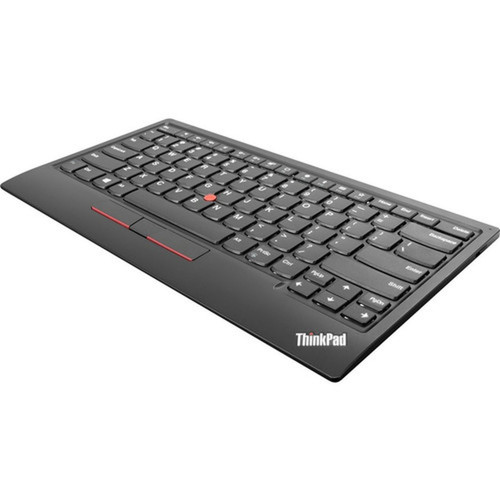
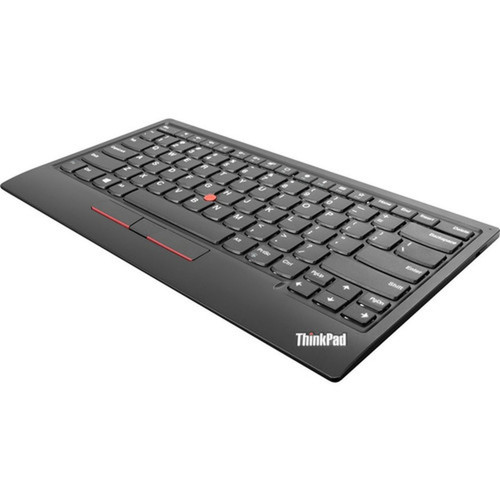
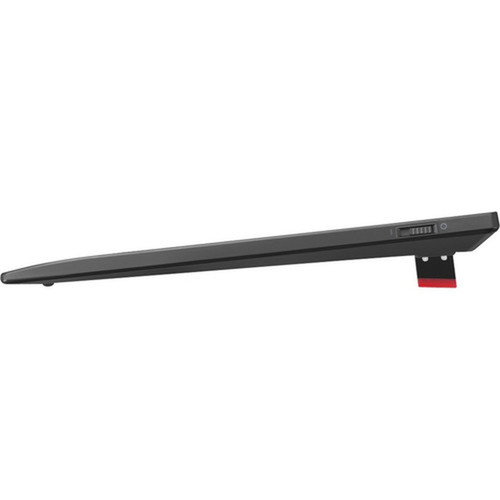

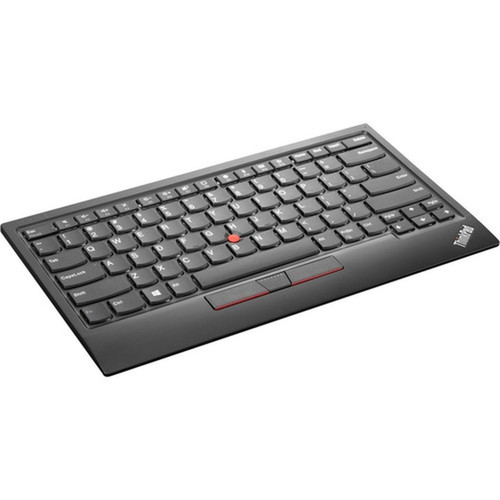


Lenovo 4Y40X49493 ThinkPad TrackPoint Keyboard II - US English - Wired/Wireless Bluetooth - USB Type A - Black

Business volume discounts
Technical guidance
Preparation & staging
QC · ON · AB · BC
Product Features
Technical Overview
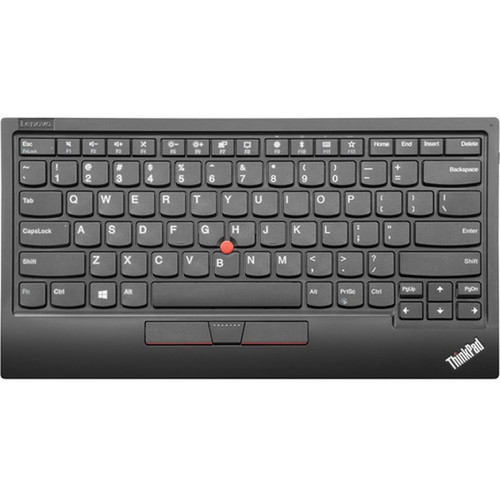
This keyboard operates on dual connectivity modes: wired via USB Type A interface or wireless through Bluetooth technology at 2.40 GHz frequency. The integrated TrackPoint pointing device eliminates the need for a separate mouse, providing precise cursor control directly from the keyboard home row.
Built with ergonomic considerations, the keyboard features a standard US English layout with full key travel and tactile response characteristic of ThinkPad keyboards. It maintains compatibility with notebook computers across multiple operating systems while offering plug-and-play simplicity.
Relevant factors for this section include Keyboard/Keypad Connectivity Technology, Keyboard/Keypad Wireless Technology, Wireless Operating Frequency, Pointing Device Type. When those points are considered together, they give buyers a clearer picture of how the product is equipped, how it fits into deployment, and what kind of day-to-day role it is meant to support.
A strong technical summary explains how the product's interfaces, hardware profile, and operating characteristics work together in real deployment. Buyers often need this context to confirm compatibility with existing devices, expected performance in daily use, and whether installation will be straightforward for IT staff or end users.
Key Product Advantages
The ThinkPad TrackPoint Keyboard II offers distinct advantages for users seeking authentic ThinkPad input experience without being tethered to their notebook. Its dual connectivity provides immediate flexibility—use the USB cable for reliable wired connection or switch to Bluetooth for clutter-free wireless operation.
Integrated Pointing Solution
The built-in TrackPoint device allows complete cursor control without moving hands from typing position, increasing productivity and reducing desktop footprint compared to separate keyboard and mouse setups.
- Precision pointing
- No external mouse required
- Maintains typing posture
Platform Versatility
With support for Windows, Android, and PC platforms, this keyboard adapts to various computing environments from traditional desktops to modern mobile workstations and tablet setups.
- Multi-OS compatibility
- Device flexibility
- Future-proof connectivity
Deployment / Use Cases
The ThinkPad TrackPoint Keyboard II serves as an ideal peripheral for notebook users who require extended typing sessions with superior ergonomics. Its compact design and wireless capability make it perfect for home office setups where desk space is limited or for professionals who frequently transition between mobile and stationary work environments.
Common deployment scenarios include corporate workstation expansions where employees prefer ThinkPad keyboard feel, remote work configurations requiring reliable input devices, and educational settings where platform flexibility is essential. The keyboard also functions well as an accessibility solution for users who benefit from integrated pointing devices.
Mobile Professional Setup
Pair with a notebook docking station to create a full desktop experience while maintaining the familiar ThinkPad keyboard tactile feedback during extended work sessions.
Multi-Device Workspace
Switch between multiple devices—Windows laptop, Android tablet, and desktop PC—using the same keyboard without reconfiguration, thanks to Bluetooth pairing memory and quick-connect USB cable.
Localization and Operating System
Configured with US English layout and key labeling, this keyboard provides standard QWERTY arrangement with standard modifier keys and function row. The localization ensures immediate familiarity for users accustomed to North American keyboard layouts without requiring adaptation to international key placements.
Operating system support spans Windows environments for traditional desktop computing, Android for mobile and tablet integration, and generic PC compatibility for various Linux distributions and other x86-based systems. This broad compatibility makes the keyboard suitable for mixed-IT environments where multiple platform types coexist.
Relevant factors for this section include Keyboard/Keypad Connectivity Technology, Keyboard/Keypad Wireless Technology, Wireless Operating Frequency, Pointing Device Type. When those points are considered together, they give buyers a clearer picture of how the product is equipped, how it fits into deployment, and what kind of day-to-day role it is meant to support.
Physical Profile
Finished in classic ThinkPad black, the keyboard maintains professional aesthetics that complement business computing environments. With an approximate weight of 1.09 pounds (494.42 grams), it offers substantial feel without being cumbersome for transport between workspaces. The compact footprint conserves desk real estate while providing full-size key spacing for comfortable typing.
The physical profile is practical for deployment planning because the dimensions and weight are clearly defined: 1.09 lb (494.42 g). This helps confirm rack, shelf, desk, or cabinet fit before installation.
- Weight
- 1.09 lb (494.42 g)
What's in the Box
The package includes the complete keyboard system ready for immediate deployment with both wired and wireless connectivity options.
Highlights
- Dual wired/wireless connectivity with USB Type A and Bluetooth 2.40 GHz
- Integrated TrackPoint pointing device for cursor control without separate mouse
- US English layout with ergonomic design for comfortable extended typing
- Supports Windows, Android, and PC platforms for versatile deployment
- Classic black ThinkPad finish with professional business aesthetics
- Lightweight at 1.09 lb for easy transport between workspaces
- Plug-and-play setup with no drivers required for basic functionality
- Compatible with notebook computers as primary or secondary input device
Specifications
| Specifications | |
|---|---|
| Manufacturer | Lenovo Group Limited |
| Manufacturer Part Number | 4Y40X49493 |
| Brand Name | Lenovo |
| Product Line | ThinkPad |
| Product Name | ThinkPad TrackPoint Keyboard II (US English) |
| Product Type | Keyboard |
| Keyboard/Keypad | |
| Keyboard/Keypad Connectivity Technology | Wired/Wireless |
| Keyboard/Keypad Wireless Technology | Bluetooth |
| Wireless Operating Frequency | 2.40 GHz |
| Localization | English (US) |
| Keyboard/Keypad Features | Ergonomic |
| Pointing Device | |
| Pointing Device Type | Trackpoint |
| Interfaces/Ports | |
| Keyboard/Keypad Host Interface | USB Type A |
| Physical Characteristics | |
| Product Color | Black |
| Weight (Approximate) | 1.09 lb (494.42 g) |
| Miscellaneous | |
| Package Contents | ThinkPad TrackPoint Keyboard II (US English) USB Dongle |
| Platform Supported | Windows,Android,PC |
| Device Supported | Notebook |
| Country of Origin | China |
FAQ
What connectivity options does this keyboard support?
The ThinkPad TrackPoint Keyboard II offers both wired and wireless connectivity. You can connect via the included USB Type A cable for a reliable wired connection, or use Bluetooth wireless technology operating at 2.40 GHz frequency for cable-free operation. This dual approach provides flexibility to switch between connection methods based on your workspace requirements and device availability.
Does this keyboard include a pointing device?
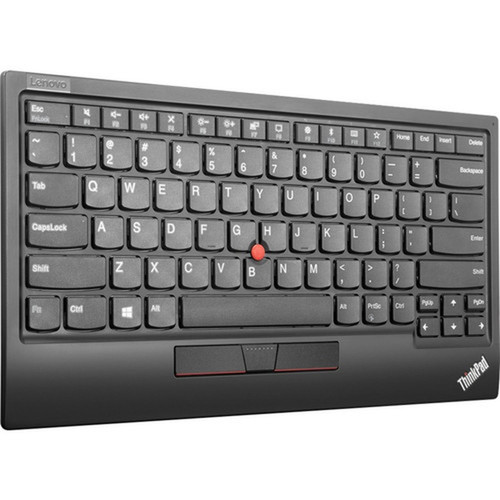
Yes, it features an integrated TrackPoint pointing device located between the G, H, and B keys. This red pointing stick provides precise cursor control without requiring a separate mouse, maintaining the classic ThinkPad input experience. The TrackPoint allows you to navigate and select while keeping your hands in typing position, reducing desktop clutter and improving workflow efficiency.
What operating systems are compatible with this keyboard?
This keyboard supports Windows operating systems, Android devices, and generic PC platforms. The broad compatibility ensures it works with traditional desktop computers, laptops, tablets, and various computing environments. For wireless Bluetooth operation, ensure your device has Bluetooth capability, while the wired USB connection provides universal compatibility with devices featuring USB Type A ports.
What type of keyboard layout does it use?
It features a US English (American) layout with standard QWERTY key arrangement, including standard modifier keys, function row, and number pad emulation via function keys. The localization is specifically configured for North American users with familiar key labeling and spacing. This layout ensures immediate usability without adaptation for users accustomed to American keyboard standards.
Can I use this keyboard with multiple devices simultaneously?
While the keyboard doesn't support multi-device pairing simultaneously, you can easily switch between devices. The Bluetooth functionality allows pairing with multiple devices (typically up to three), and you can switch between them using device-specific switching methods. For wired operation, simply connect the USB cable to different devices as needed. This makes it practical for users who work across multiple computers or platforms.
What is included in the package?
The package contains the ThinkPad TrackPoint Keyboard II with US English layout and the necessary USB dongle for wireless connectivity. This complete set provides everything required for both wired and wireless operation out of the box. No additional accessories or batteries are needed for basic functionality, though you may want to consider rechargeable batteries if using wireless mode extensively.
| Qty | Price | Available |
|---|


