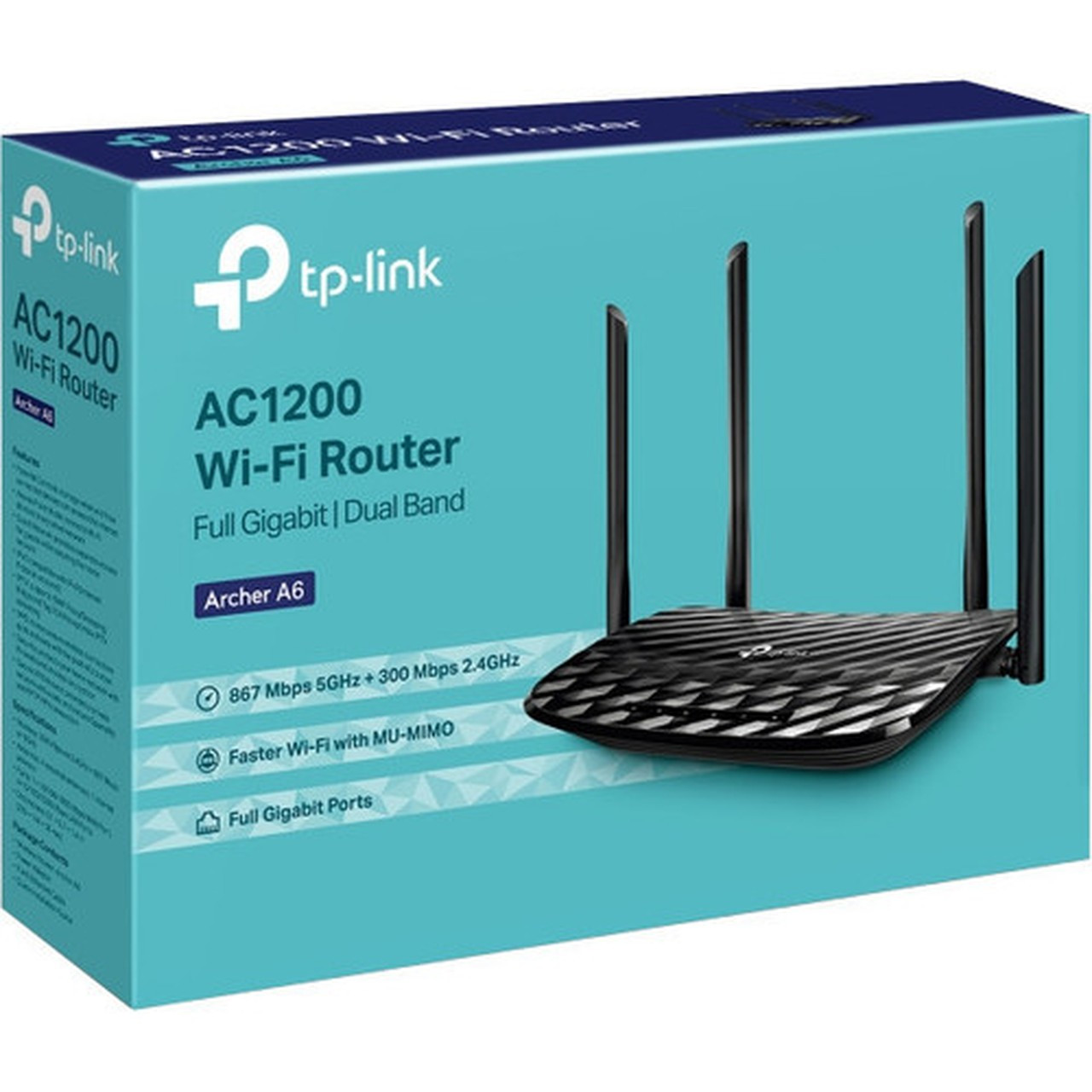


TP-LINK ARCHER A6 AC1200 Wireless MU-MIMO Gigabit Router - Wi-Fi 5 (802.11ac) Dual-Band - 5 Antennas - Desktop Form Factor

Business volume discounts
Technical guidance
Preparation & staging
QC · ON · AB · BC
Product Features
Technical Overview
Built on the IEEE 802.11ac (Wi-Fi 5) standard, the ARCHER A6 supports simultaneous dual-band operation across 2.4 GHz and 5 GHz frequencies. This allows devices to connect on less congested bands for better performance. The router's Gigabit Ethernet ports provide high-speed wired connections for devices like gaming consoles, NAS systems, or desktop PCs.
Advanced wireless technologies include MU-MIMO, which communicates with up to two devices at once to improve network efficiency, and beamforming, which focuses Wi-Fi signals toward connected devices for stronger coverage. These features work together to reduce lag and enhance throughput in multi-device environments.
Relevant factors for this section include Wi-Fi Generation, Broadband Transmission Technology, Wireless LAN Standard, ISM Band. When those points are considered together, they give buyers a clearer picture of how the product is equipped, how it fits into deployment, and what kind of day-to-day role it is meant to support.
Key Product Advantages
Enhanced Coverage with Five Antennas
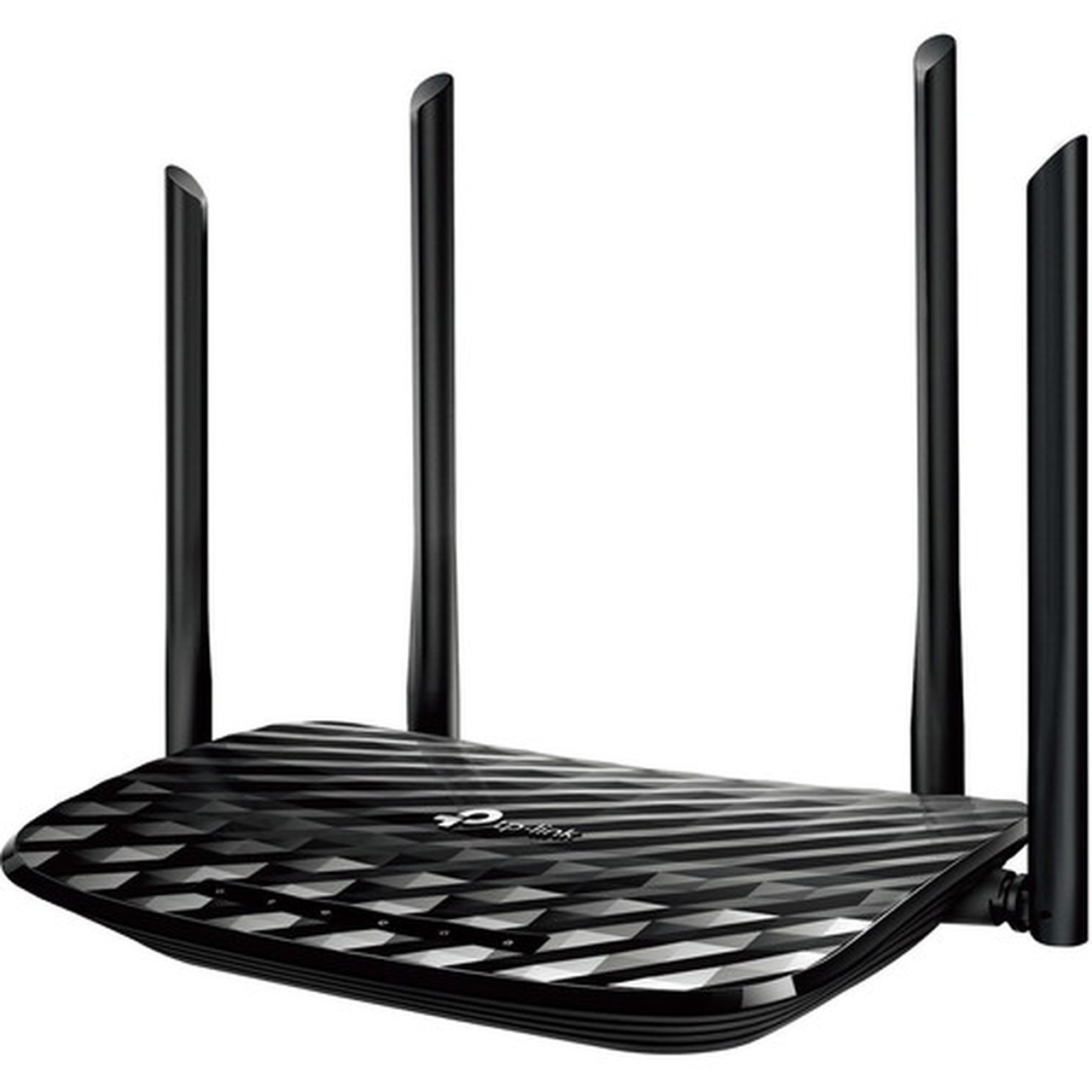
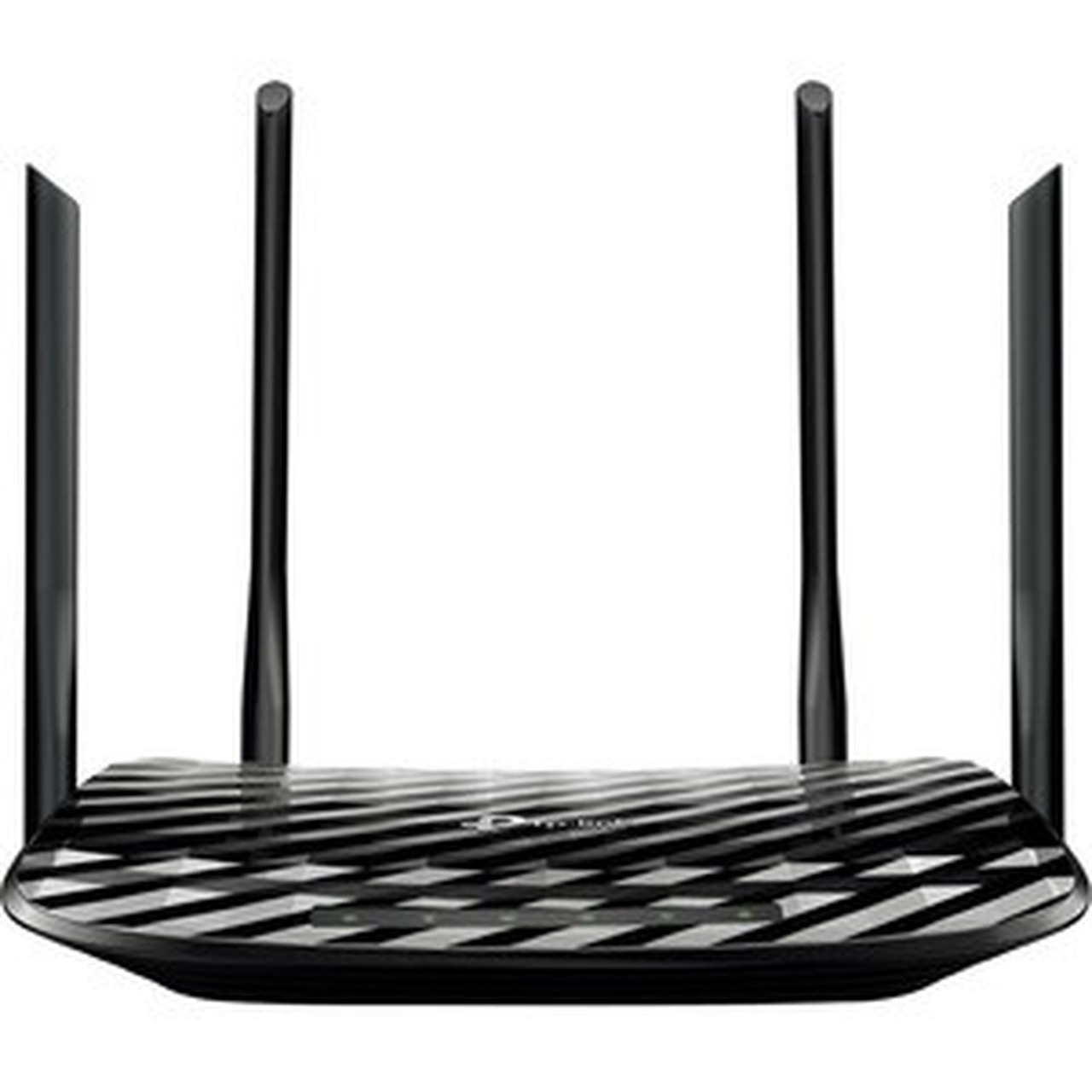
Four high-gain external antennas and one internal antenna deliver optimized signal strength and stability across your space, reducing dead zones and ensuring consistent connectivity.
- External antennas for directional adjustment
- Internal antenna for additional signal support
- Combined design for broad coverage
Efficient Multi-Device Handling
MU-MIMO technology allows the router to serve multiple devices simultaneously, doubling network efficiency compared to single-user MIMO routers. This is ideal for households with smartphones, tablets, and smart home devices all online at once.
- Communicates with up to 2 devices concurrently
- Reduces wait times for data transmission
- Improves overall network responsiveness
Simplified Network Management
The TP-Link Tether app provides intuitive control over your network from a mobile device. Easily set up guest networks, manage connected devices, and apply parental controls without needing advanced technical knowledge.
- Remote management via smartphone
- Quick setup and configuration
- Real-time network monitoring
Deployment / Use Cases
The ARCHER A6 is versatile for various networking scenarios. Its desktop form factor makes it suitable for placement on shelves, desks, or entertainment centers in homes, apartments, or small offices. The router's dual-band capability ensures it can handle bandwidth-intensive activities like 4K video streaming, online gaming, and video conferencing without congestion.
For expanding existing networks, the Access Point mode lets you convert the ARCHER A6 into a new Wi-Fi access point. This is useful for extending coverage in larger spaces or creating a separate network segment. The VPN support adds a layer of security for remote access or secure browsing, appealing to users who work from home or need encrypted connections.
Physical Profile
Designed as a desktop router, the ARCHER A6 measures 9.10" wide, 5.70" deep, and 1.40" high (231.14 mm x 144.78 mm x 35.56 mm). Its compact footprint fits easily on most surfaces without occupying excessive space. The external antennas can be adjusted to optimize signal direction, while the sleek black housing blends with modern decor.
- Width
- 9.10" (231.14 mm)
- Depth
- 5.70" (144.78 mm)
- Height
- 1.40" (35.56 mm)
What's in the Box
The package includes all essential components for immediate setup and operation.
Highlights
- Wi-Fi 5 (802.11ac) dual-band router with speeds up to 1200 Mbps
- Five antennas (4 external, 1 internal) for stable wireless coverage
- MU-MIMO technology communicates with up to 2 devices simultaneously
- Beamforming focuses Wi-Fi signals toward connected devices
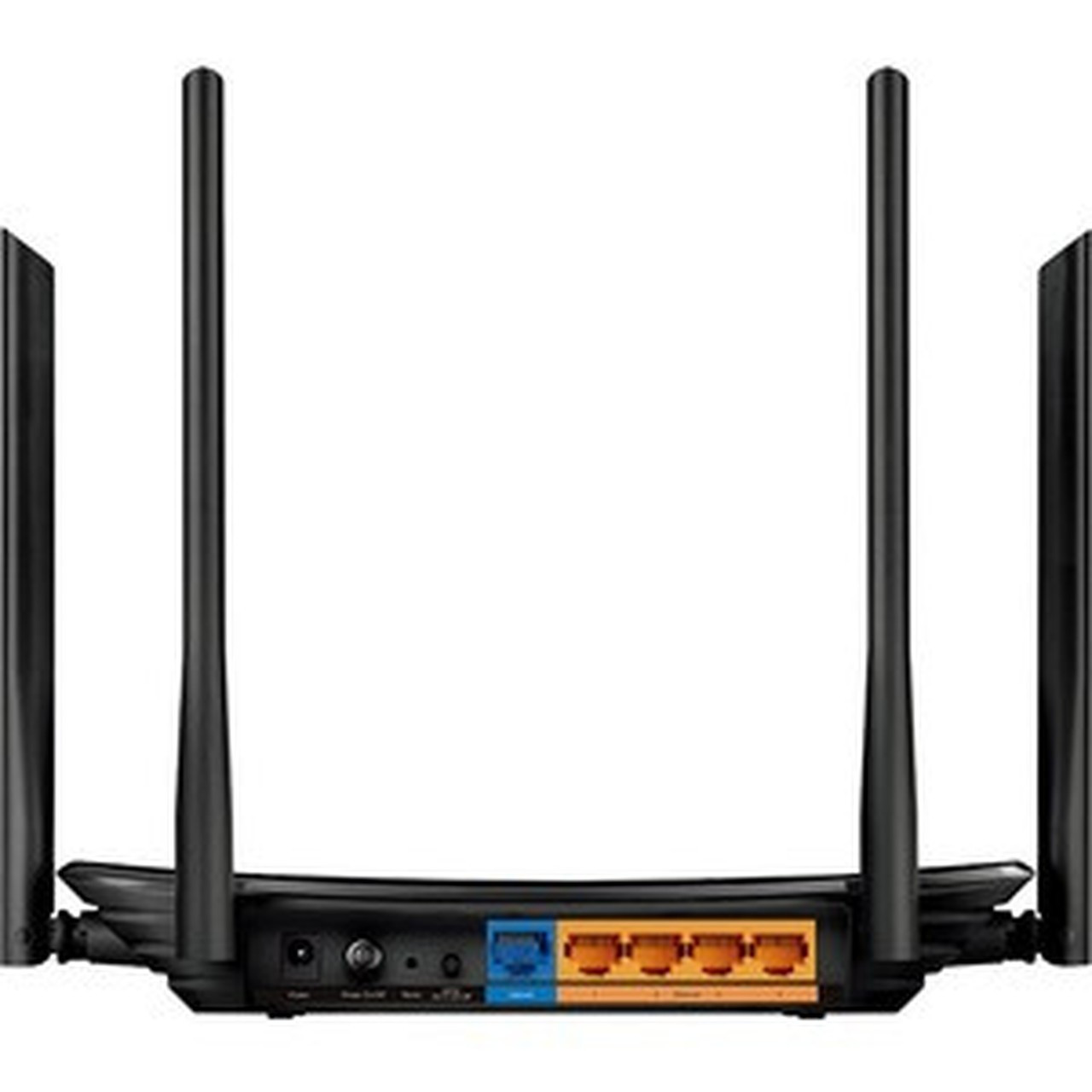
- Four Gigabit LAN ports and one broadband port for wired connections
- VPN support for secure remote access and browsing
- Easy network management via TP-Link Tether mobile app
- Access Point mode to extend existing networks
- Desktop form factor with compact dimensions
- 2-year limited warranty for peace of mind
Specifications
| Specifications | |
|---|---|
| Manufacturer | TP-LINK Technologies Co., Ltd |
| Manufacturer Part Number | ARCHER A6 |
| Brand Name | TP-Link |
| Product Line | Archer |
| Product Model | A6 |
| Product Name | AC1200 Wireless MU-MIMO Gigabit Router |
| Product Type | Wireless Router |
| Technical Information | |
| Wi-Fi Generation | Wi-Fi 5 |
| Wireless Specifications | |
| Broadband Transmission Technology | Ethernet |
| Wireless LAN Standard | IEEE 802.11ac |
| ISM Band | Yes |
| UNII Band | Yes |
| ISM Maximum Frequency | 2.40 GHz |
| UNII Maximum Frequency | 5 GHz |
| Total Number of Antennas | 5 |
| Number of Internal Antennas | 1 |
| Number of External Antennas | 4 |
| Total Wireless Transmission Speed | 150 MB/s |
| Interfaces/Ports | |
| Number of Network (RJ-45) Ports | 4 |
| Number of Broadband (RJ-45) Ports | 1 |
| Network & Communication | |
| Ethernet Technology | Gigabit Ethernet |
| VPN Supported | Yes |
| Multi-SIM Supported | No |
| Physical Characteristics | |
| Form Factor | Desktop |
| Height | 1.40" (35.56 mm) |
| Width | 9.10" (231.14 mm) |
| Depth | 5.70" (144.78 mm) |
| Miscellaneous | |
| Package Contents | AC1200 Wireless MU-MIMO Gigabit Router Power Adapter RJ45 Ethernet Cable Quick Installation Guide |
| Country of Origin | China |
| Warranty | |
| Limited Warranty | 2 Year |
User Manual
FAQ
What Wi-Fi standard does the TP-Link ARCHER A6 support?
The ARCHER A6 supports the IEEE 802.11ac standard, also known as Wi-Fi 5. This dual-band router operates on both 2.4 GHz and 5 GHz frequencies, delivering combined speeds up to 1200 Mbps for efficient wireless networking in homes or small offices.
How many antennas does this router have, and why does it matter?
This router features five antennas total: four external and one internal. The external antennas are adjustable for directional signal optimization, while the internal antenna adds supplementary coverage. This design enhances signal strength, reduces dead zones, and provides stable connections across your space.
Can the ARCHER A6 handle multiple devices at once without slowing down?
Yes, thanks to MU-MIMO (Multi-User, Multiple-Input, Multiple-Output) technology. The router can communicate with up to two devices simultaneously, doubling network efficiency compared to non-MU-MIMO routers. This reduces lag and improves performance when streaming, gaming, or browsing on multiple devices.
What wired connectivity options are available on this router?
The ARCHER A6 includes four Gigabit Ethernet LAN ports for connecting devices like computers, gaming consoles, or NAS systems, plus one broadband (WAN) port for your modem. All ports support Gigabit Ethernet speeds, ensuring fast and reliable wired connections for bandwidth-intensive tasks.
Does this router support VPN functionality?
Yes, the ARCHER A6 supports VPN (Virtual Private Network). This allows you to establish secure encrypted connections for remote access or private browsing. It's a valuable feature for home offices or users who prioritize online security and need to access network resources safely from outside locations.
How do I manage and configure the ARCHER A6 router?
You can manage the router easily using the TP-Link Tether mobile app, which provides intuitive controls for setup, guest network creation, parental controls, and device monitoring. Alternatively, a web-based interface is available for advanced settings. The included Quick Installation Guide helps with initial setup.
| Qty | Price | Available |
|---|