













StarTech.com 133MF-PRIVACY-SCREEN 13.3" MacBook Pro Privacy Screen Filter - Flip-Over - Anti-Glare - Blue Light Reduction

Business volume discounts
Technical guidance
Preparation & staging
QC · ON · AB · BC
Product Features
Product Overview
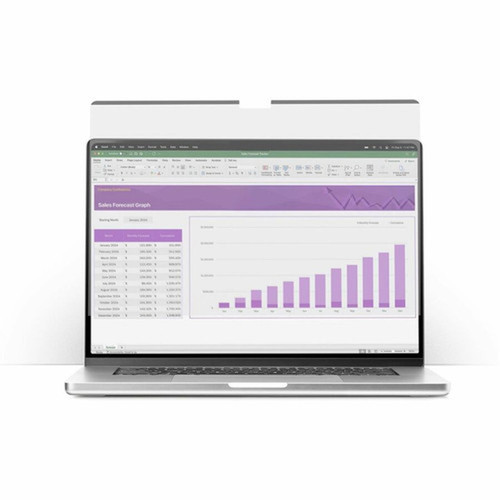
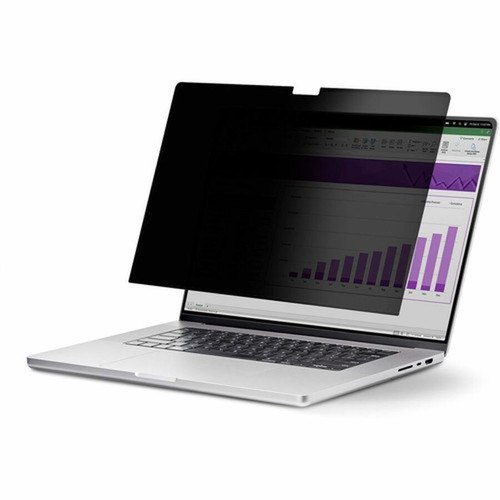
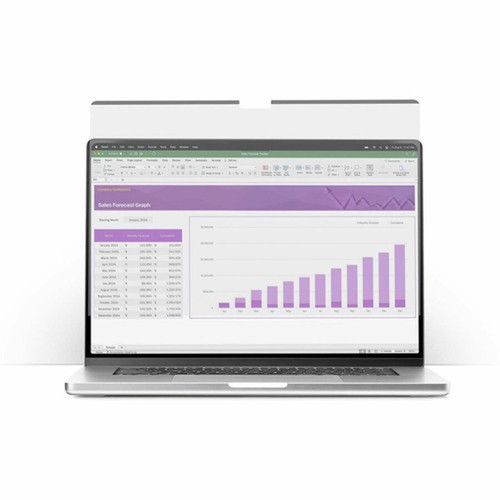
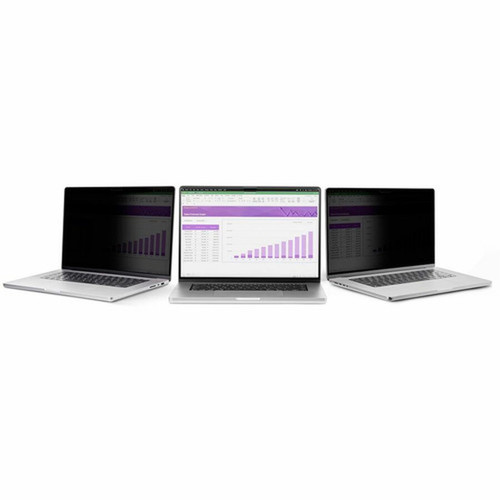
The StarTech.com 133MF-PRIVACY-SCREEN is a dedicated privacy screen filter engineered for the 13.3-inch MacBook Pro models from 2020 and 2022. This accessory integrates microlouver technology to restrict side-angle viewing, ensuring sensitive on-screen data remains confidential in open office environments, co-working spaces, or during travel.
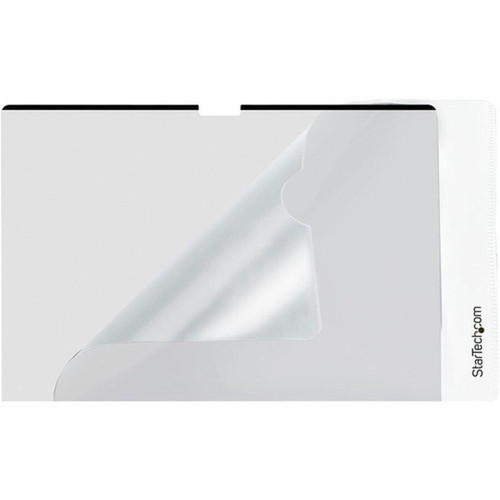
Beyond privacy, the filter incorporates a dual-sided design with one glossy and one anti-glare surface, allowing users to select their preferred visual experience. The flip-over mounting system enables quick transitions between private and shared viewing without removing the filter, making it ideal for collaborative sessions or client presentations where screen content needs to be temporarily visible to others.
Relevant factors for this section include Display Type Supported, Display Size Supported, Device Supported, Color Family. When those points are considered together, they give buyers a clearer picture of how the product is equipped, how it fits into deployment, and what kind of day-to-day role it is meant to support.
Technical Overview
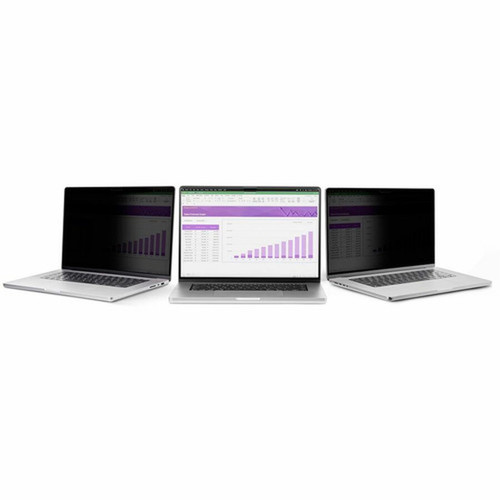
This privacy screen leverages microlouver technology to limit the viewing angle to approximately ±30 degrees from center, effectively darkening the screen from side perspectives. The filter blocks up to 51% of blue light to reduce digital eye strain during prolonged use, while maintaining about 60% light transmittance for clear screen readability.
The adhesive strip attachment provides a secure, residue-free installation that aligns precisely with the MacBook Pro display, avoiding interference with the top-mounted webcam, ambient light sensors, or lid closure. The filter is compatible with LCD displays in landscape orientation and supports widescreen 16:10 aspect ratios.
Relevant factors for this section include Display Type Supported, Display Size Supported, Device Supported, Color Family. When those points are considered together, they give buyers a clearer picture of how the product is equipped, how it fits into deployment, and what kind of day-to-day role it is meant to support.
Key Product Advantages
This privacy screen delivers essential protection and comfort features for MacBook Pro users in data-sensitive roles. The flip-over design adds practical flexibility, while the durable construction ensures long-term reliability.
Enhanced Privacy Security
Microlouver technology obscures screen content from side angles, preventing visual eavesdropping and keeping confidential information secure during use in public or shared workspaces.
- Limits viewing to ±30° from center
- Maintains full clarity for the primary user
- Ideal for financial, legal, or healthcare data
Eye Comfort & Visual Clarity
The filter reduces blue light exposure by up to 51% to minimize digital eye strain, while the anti-glare surface cuts reflections for improved visibility in brightly lit environments.
- Reduces blue light for prolonged use comfort
- Anti-glare matte side minimizes screen reflections
- Glossy side preserves color vibrancy when preferred
Convenient Installation & Use
The included adhesive strips enable quick, residue-free application, and the flip-over tabs allow instant switching between private and shared viewing modes without removing the filter.
- Adhesive strips leave no residue on display
- Flip-over tabs enable one-handed operation
- Exact fit ensures no interference with laptop functions
Deployment / Use Cases
This privacy screen is designed for professionals who handle sensitive information on their MacBook Pro in environments where screen visibility must be controlled. Its combination of privacy protection, eye comfort, and easy installation makes it suitable for various workplace scenarios.
Financial analysts, legal professionals, and healthcare workers can use the filter to protect client data, case files, or patient records during remote work or in open-plan offices. The flip-over feature allows quick sharing of spreadsheets, documents, or presentations during team meetings without compromising privacy at other times.
Remote & Mobile Work Security
Provides essential privacy protection when working from coffee shops, airports, or co-working spaces where shoulder surfing is a concern, while the lightweight design adds minimal bulk for travel.
Open Office Confidentiality
Maintains data privacy in modern open-plan offices where colleagues or visitors may inadvertently view sensitive screen content from adjacent desks or walkways.
Physical Profile
The privacy screen features a slim black plastic construction with dimensions matching the 13.3-inch MacBook Pro display. At just 0.5mm thick and weighing approximately 3.5 ounces, it adds minimal profile to the laptop while providing fingerprint-resistant and scratch-resistant durability for daily use.
The physical profile is practical for deployment planning because the dimensions and weight are clearly defined: 0" (0.50 mm), 11.8" (299 mm), 3.50 oz (99.22 g). This helps confirm rack, shelf, desk, or cabinet fit before installation.
- Width
- 11.8" (299 mm)
- Height
- 0" (0.50 mm)
- Weight
- 3.50 oz (99.22 g)
- Length
- 7.68" (195 mm)
What's in the Box
The package includes all necessary components for installation and use of the privacy screen filter.
Highlights
- Fits 13.3-inch MacBook Pro models (2020/2022) with precise alignment
- Microlouver technology restricts viewing to ±30° from center for privacy
- Reduces blue light by up to 51% to minimize digital eye strain
- Flip-over design allows quick sharing without removing the filter
- Dual-sided with anti-glare matte and color-vibrant glossy surfaces
- Residue-free adhesive strips for easy installation and removal
- Fingerprint-resistant and scratch-resistant plastic construction
- Includes all necessary mounting tabs, adhesive, and cleaning accessories
- 2-year limited warranty from StarTech.com
- Lightweight at 3.5 oz with minimal added thickness
Specifications
| Specifications | |
|---|---|
| Manufacturer | StarTech.com |
| Manufacturer Part Number | 133MF-PRIVACY-SCREEN |
| Brand Name | StarTech.com |
| Product Name | Privacy Screen Filter |
| Packaged Quantity | 1 |
| Product Type | Privacy Screen Filter |
| Technical Information | |
| Display Type Supported | LCD |
| Display Size Supported | 13.3" (337.82 mm) |
| Device Supported | MacBook Pro |
| Aspect Ratio | 16:10 |
| Orientation | Landscape |
| Anti-glare | Yes |
| Widescreen | Yes |
| Touch Compatibility | No |
| Screen Attachment | Adhesive Strip,Flip |
| Blue Light Reduction | Yes |
| Reversible | Yes |
| Features | Limited Viewing Angle,Reversible Glossy-to-Anti-glare,Residue-free,Eyesight Protection,Blue Light Protection,Microlouver Privacy Technology |
| Physical Characteristics | |
| Color Family | Black |
| Product Color | Black |
| Product Material | Plastic |
| Durability | Fingerprint Resistant,Scratch Resistant |
| Height | 0" (0.50 mm) |
| Width | 11.8" (299 mm) |
| Length | 7.68" (195 mm) |
| Weight (Approximate) | 3.50 oz (99.22 g) |
| Miscellaneous | |
| Package Contents | Privacy Screen Filter 2 x Flip-Over Tabs 1 x Lifting Tab 1 1 x Adhesive Strip Kit 1 x Wiping Cloth 1 x Quick-Start Guide |
| Compatibility | Apple - 13.3" MacBook Pro 2020/2022 |
| Warranty | |
| Limited Warranty | 2 Year |
User Manual
FAQ
Which MacBook Pro models is this privacy screen compatible with?
This privacy screen is specifically designed for 13.3-inch MacBook Pro models from 2020 and 2022. It features precise cutouts that align with the display bezel and avoid interference with the top-mounted webcam, ambient light sensors, and lid closure mechanism of these specific laptop generations.
How does the microlouver privacy technology work?
The microlouver technology uses microscopic vertical louvers within the filter material that restrict light transmission at angles beyond approximately ±30 degrees from center. This creates a viewing cone where only the primary user directly in front of the screen can see clear content, while side views appear darkened or obscured, effectively preventing visual eavesdropping.
Can I switch between private and shared viewing modes easily?
Yes, the flip-over design with included mounting tabs allows you to quickly rotate the privacy screen upward when you need to share your screen content with others. This temporary sharing mode doesn't require removing the filter or disturbing the adhesive attachment, making it convenient for collaborative work sessions or presentations.
How does this filter help reduce eye strain during prolonged use?
The privacy screen incorporates blue light reduction technology that blocks up to 51% of high-energy visible blue light emitted by the display. By filtering this portion of the light spectrum, it helps minimize digital eye strain, headaches, and sleep disruption associated with prolonged screen exposure, while maintaining approximately 60% light transmittance for comfortable screen readability.
Is the installation process reversible without damaging my MacBook Pro screen?
Yes, the included adhesive strips are designed to be residue-free when properly removed. The installation process involves cleaning the screen with the provided cloth, applying the transparent adhesive strips to the filter, and then positioning it on the display. When removal is needed, the adhesive can be peeled away without leaving sticky residue on the laptop screen surface.
What is included in the package with the privacy screen filter?
The complete package contains the privacy screen filter itself, two flip-over tabs for the rotating mounting system, one lifting tab for installation alignment, one adhesive strip kit with multiple strips for secure attachment, one wiping cloth for screen preparation, and a quick-start guide with installation instructions. All necessary components are included for immediate use.
| Qty | Price | Available |
|---|


