StarTech. com MST14DP123DP 3-Port DisplayPort 1. 4 MST Hub - Triple 4K Multi-Monitor Adapter for Windows

Business volume discounts
Technical guidance
Preparation & staging
QC · ON · AB · BC
Product Features
Technical Overview
This DisplayPort 1.4 MST hub utilizes Multi-Stream Transport (MST) technology to distribute video signals across three independent displays. The adapter supports DisplayPort 1.4 High Bit Rate 3 (HBR3) standards, enabling bandwidth-efficient transmission of high-resolution content.
The hub maintains signal integrity across cable runs up to 78.74 inches (2000 mm), providing flexibility in monitor placement. Compatibility extends to systems with integrated Intel HD Graphics or discrete AMD/NVIDIA GPUs that support DP 1.4 MST functionality, though users should verify their specific GPU's maximum display support capabilities.
This section brings together practical product details such as Minimum Frequency, Maximum Frequency, Maximum Video Resolution, so buyers can judge configuration, deployment fit, and day-to-day suitability with less guesswork.
A strong technical summary explains how the product's interfaces, hardware profile, and operating characteristics work together in real deployment. Buyers often need this context to confirm compatibility with existing devices, expected performance in daily use, and whether installation will be straightforward for IT staff or end users.
Key Product Advantages
This MST hub delivers immediate productivity enhancements through seamless multi-monitor expansion without complex setup procedures. The plug-and-play design eliminates driver installation requirements, allowing IT teams to deploy additional displays quickly across Windows workstations.
Windows Layout Utility
Included software automatically restores application window positions when reconnecting displays, maintaining workflow continuity for users who frequently connect and disconnect their multi-monitor setups.
- Preserves desktop organization
- Reduces setup time
- Enhances user experience
Hardware Compatibility
Works with both integrated and discrete graphics processors from Intel, AMD, and NVIDIA, leveraging existing GPU capabilities without significantly increasing CPU utilization during operation.
- GPU-optimized performance
- Broad vendor support
- Efficient resource usage
Deployment / Use Cases
The MST14DP123DP excels in office environments where professionals require expanded screen real estate for multitasking across applications. Financial analysts, software developers, and content creators benefit from the ability to view multiple documents, code windows, or design tools simultaneously without constantly switching between applications.
IT support teams can utilize this adapter to create diagnostic workstations with multiple monitoring displays, or deploy standardized multi-monitor configurations across corporate offices. The compact form factor makes it suitable for both permanent desk installations and temporary setup requirements in conference rooms or training facilities.
Professional Workstations
Extend desktop space for data analysis, programming, or creative applications where multiple reference materials and tools need simultaneous visibility.
IT Support Environments
Create monitoring stations with dedicated displays for system diagnostics, network management, and help desk operations.
Physical Profile
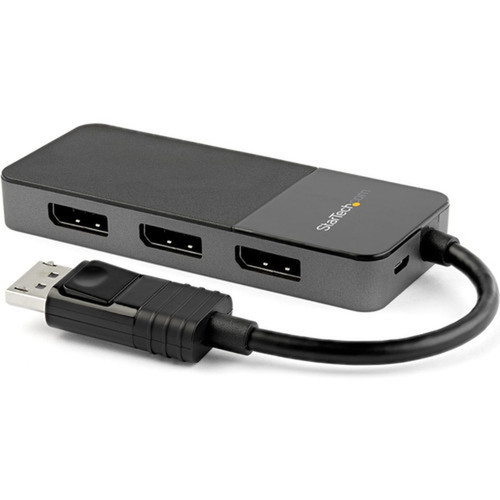
The black plastic enclosure measures 4.10 inches wide by 1.70 inches long by 0.60 inches high, presenting a low-profile design that fits discreetly behind monitors or within cable management systems. The lightweight construction at 1.94 ounces minimizes strain on DisplayPort connectors while the compact footprint conserves valuable desk space in dense workstation configurations.
The physical profile is practical for deployment planning because the dimensions and weight are clearly defined: 0.60" (15.24 mm), 4.10" (104.14 mm), 1.94 oz (55 g). This helps confirm rack, shelf, desk, or cabinet fit before installation.
- Width
- 4.10" (104.14 mm)
- Height
- 0.60" (15.24 mm)
- Weight
- 1.94 oz (55 g)
- Length
- 1.70" (43.18 mm)
What's in the Box
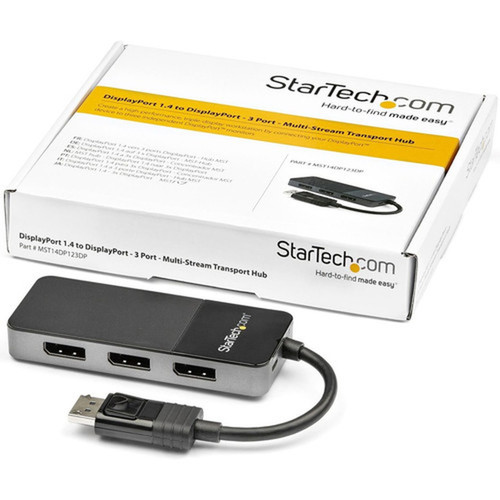
This package includes all necessary components for immediate deployment of a triple-monitor DisplayPort setup.
Highlights
- Triple-monitor DisplayPort 1.4 MST hub supporting 2x 4K 30Hz + 1x 4K 60Hz displays
- Maximum 7680x4320 resolution with 30-60 Hz refresh rate support
- Plug-and-play operation for Windows systems without driver installation
- Compatible with integrated Intel HD Graphics and discrete AMD/NVIDIA GPUs
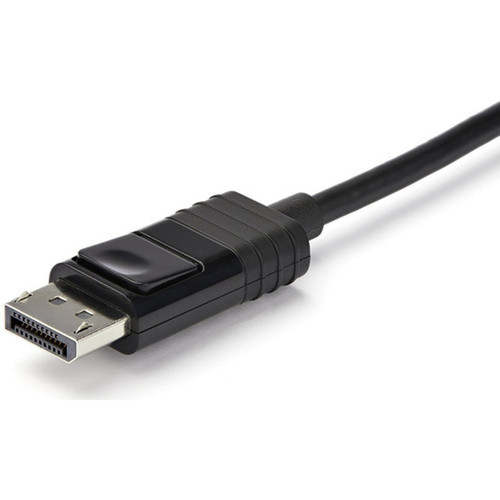
- Latching DisplayPort connectors prevent accidental disconnection
- Includes Windows Layout Utility to restore application window positions
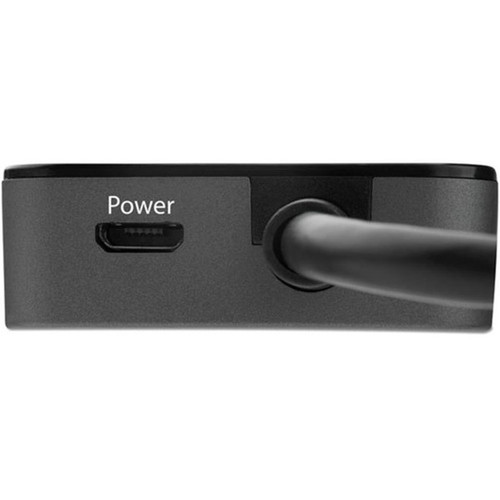
- Micro-USB powered with included cable for stable operation
- Compact black plastic design measuring 4.10" W x 1.70" L x 0.60" H
- 3-year limited warranty with EU RoHS environmental compliance
- Supports cable runs up to 78.74 inches (2000 mm)
Specifications
| Specifications | |
|---|---|
| Manufacturer | StarTech.com |
| Manufacturer Part Number | MST14DP123DP |
| Brand Name | StarTech.com |
| Product Name | 3-Port DisplayPort MST Hub - DP 1.4 |
| Packaged Quantity | 1 Each |
| Product Type | Signal Splitter |
| Technical Information | |
| Minimum Frequency | 30 Hz |
| Maximum Frequency | 60 Hz |
| Video | |
| Maximum Video Resolution | 7680 x 4320 |
| Interfaces/Ports | |
| DisplayPort | Yes |
| USB | Yes |
| Number of DisplayPort Inputs | 1 |
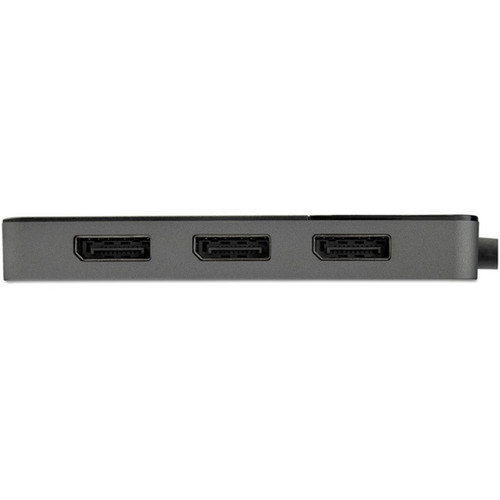
| Number of DisplayPort Outputs | 3 |
| Media & Performance | |
| Maximum Operating Distance | 78.74" (2000 mm) |
| Physical Characteristics | |
| Product Color | Black |
| Product Material | Plastic |
| Height | 0.60" (15.24 mm) |
| Width | 4.10" (104.14 mm) |
| Length | 1.70" (43.18 mm) |
| Weight (Approximate) | 1.94 oz (55 g) |
| Miscellaneous | |
| Package Contents | 3-Port DisplayPort MST Hub - DP 1.4 1 x Micro-USB Power Cable |
| Country of Origin | China |
| Environmentally Friendly | Yes |
| Environmental Certification | EU RoHS |
| Environmental Compliance | Restriction of Hazardous Substances (RoHS) 2,Registration, Evaluation, Authorization and Restriction of Chemicals (REACH),Waste Electrical and Electronic Equipment Directive (WEEE) |
| Warranty | |
| Limited Warranty | 3 Year |
User Manual
FAQ
What display configurations does this MST hub support?
The StarTech.com MST14DP123DP supports triple-monitor configurations with a maximum resolution of 7680x4320. Specifically, it can drive two 4K displays at 30Hz simultaneously with a third 4K display at 60Hz. This configuration enables expanded desktop workspace across three monitors from a single DisplayPort source on compatible Windows systems.
Is this adapter compatible with macOS or Linux systems?
No, this DisplayPort MST hub is specifically designed for Windows-based systems. The product documentation explicitly states it is not compatible with macOS. While some MST functionality may work with Linux in certain configurations, official support and guaranteed performance are only provided for Windows operating systems.
Does this require additional software or drivers to function?
No additional drivers or software are required for basic multi-monitor functionality. The hub operates as a plug-and-play device when connected to a Windows system with compatible DisplayPort 1.4 MST support. However, StarTech.com includes a Windows Layout Utility that automatically restores application window positions when reconnecting displays, which is optional but enhances the user experience.
What graphics cards are compatible with this MST hub?
The hub works with both integrated graphics (such as Intel HD Graphics) and discrete GPUs from AMD and NVIDIA that support DisplayPort 1.4 with Multi-Stream Transport (MST) functionality. Users should verify their specific GPU supports DP 1.4/HBR3 standards and check the maximum number of displays their graphics solution can drive, as some chips may have limitations on total display count.
Can I mix different resolution monitors with this adapter?
Yes, the MST hub supports mixed monitor configurations, though the maximum combined resolution across all connected displays should not exceed the adapter's capabilities. The hub can drive displays with varying resolutions simultaneously, but for optimal performance, users should ensure their graphics card can handle the total pixel count across all connected monitors.
What is the maximum cable length supported?
The adapter maintains signal integrity with cable runs up to 78.74 inches (2000 mm) from the source to the hub. For longer distances between the hub and individual monitors, standard DisplayPort cable limitations apply. Using high-quality DisplayPort cables certified for the required resolution and refresh rate ensures optimal performance across the entire signal chain.
What resolution or display format is specified?
It features a display specification of 7680 x 4320, giving you clear visuals for work and media use.
What refresh rate or brightness details are available?
Display-oriented products are best judged through screen, connectivity, and installation specifications. Those facts help buyers confirm visual fit, mounting flexibility, and deployment suitability more clearly than generic summary text.
| Qty | Price | Available |
|---|